CallRail: Features, Pricing, And Best Uses for Law Firms
Categories: Legal Marketing Strategies
 Abram Ninoyan
Founder & Senior Performance Marketer
Credentials: Google Partner, Google Ads Search Certified, Google Ads Display Certified, Google Ads Measurement Certified, Google Analytics (IQ) Certified, HubSpot Inbound Certified, HubSpot Social Media Marketing Certified, Conversion Optimization Certified
Expertise: Google Ads, Meta Ads, Conversion Rate Optimization, GA4 & Google Tag Manager, Lead Generation, Marketing Funnel Optimization, PPC Management
LinkedIn Profile
Every call that reaches your law firm carries potential revenue, but without knowing which marketing channel drove that call, you're spending blind. CallRail is a call tracking and analytics platform...
Key Takeaways
- CallRail: Features, Pricing, And Best Uses for Law Firms
- Why call tracking matters for law firms
- What CallRail is and how it works
- Key CallRail features for legal marketing
CallRail: Features, Pricing, And Best Uses for Law Firms
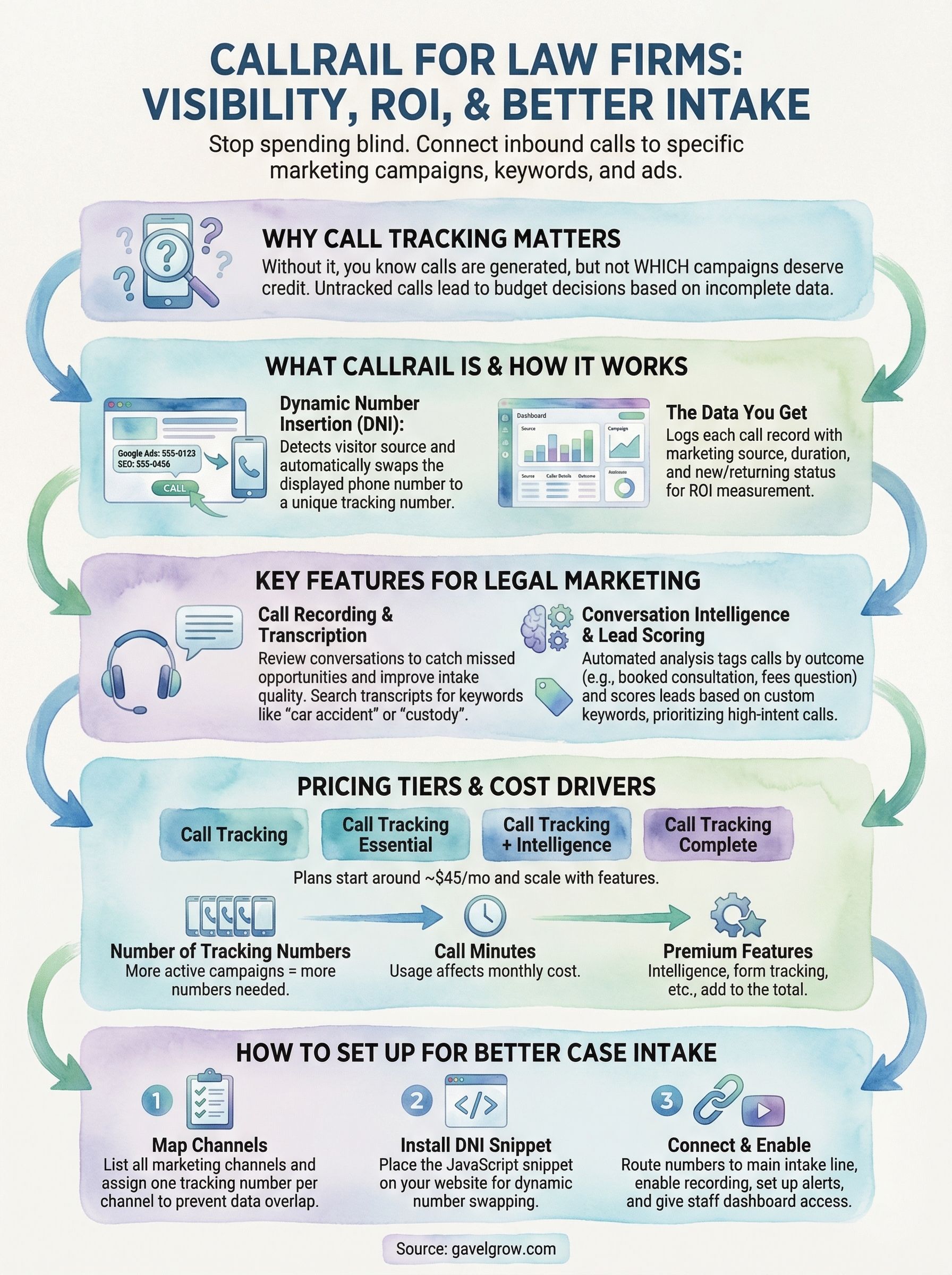
Every call that reaches your law firm carries potential revenue, but without knowing which marketing channel drove that call, you're spending blind. CallRail is a call tracking and analytics platform that connects inbound leads to the exact campaigns, keywords, and ads that generated them. For law firms investing in SEO, PPC, or local advertising, that level of attribution isn't optional, it's the difference between scaling what works and funding what doesn't.
At GavelGrow, we set up and integrate tools like CallRail across the campaigns we manage for over 500 U.S. law firms. We've seen firsthand how proper call tracking transforms a firm's ability to measure real ROI, not just clicks or impressions, but actual consultations and signed cases tied back to specific marketing dollars.
This guide breaks down CallRail's core features, current pricing tiers, and the specific ways law firms can use the platform to track leads, record intake calls, and make smarter budget decisions. Whether you're evaluating CallRail for the first time or trying to get more out of an existing account, you'll walk away with a clear picture of what the platform does and how it fits into a results-driven legal marketing strategy.
Why call tracking matters for law firms
Phone calls are the primary intake channel for most law firms. Unlike e-commerce businesses where a purchase completes online, legal clients almost always call before they commit to a consultation. That means your phone data is your performance data, and treating those calls as anonymous events leaves a serious gap in your marketing intelligence. Every untracked call is a missed opportunity to understand what your budget is actually doing.
Without call tracking, you can see that your marketing is generating calls, but you have no way to know which campaigns deserve the credit or the budget increase.
What untracked calls actually cost you
When you run multiple campaigns simultaneously, such as Google Ads, local SEO, and billboard ads, each one likely drives calls to the same number. If you can't separate those sources, you end up making budget decisions based on incomplete data. A firm spending $5,000 per month on PPC might cut a campaign that drives 60% of its qualified leads simply because the attribution isn't visible. Platforms like CallRail solve this by assigning unique tracking numbers to each campaign or channel, so every inbound call gets matched to its source.
Why legal intake differs from other industries
Law firm calls carry higher stakes per conversation than most other business types. A single personal injury case can generate five to six figures in attorney fees, so the cost of misattributing even one call is real and significant. Beyond attribution, call recordings and transcriptions help you identify where your intake process breaks down, whether callers drop off before booking, which questions go unanswered, or how quickly your staff responds to new inquiries. That combination of attribution data and call quality insight is what separates firms that grow from firms that guess.
What CallRail is and how it works
CallRail is a call tracking and analytics platform that gives you visibility into which marketing sources are driving inbound phone calls to your firm. It works by replacing your real phone number with unique tracking numbers assigned to each channel, campaign, or even individual ads. When a prospect calls, CallRail logs the source, records the call if enabled, and routes it to your actual line without any disruption to the caller experience.
Dynamic number insertion
The core mechanism behind CallRail is dynamic number insertion (DNI), a small JavaScript snippet you place on your website. When a visitor lands on your site, the script detects where they came from, such as a Google Ads click or an organic search result, and swaps the displayed phone number in real time to match a tracking number tied to that source. This happens instantly and invisibly, so your intake team answers normally while CallRail captures the attribution data behind the scenes.
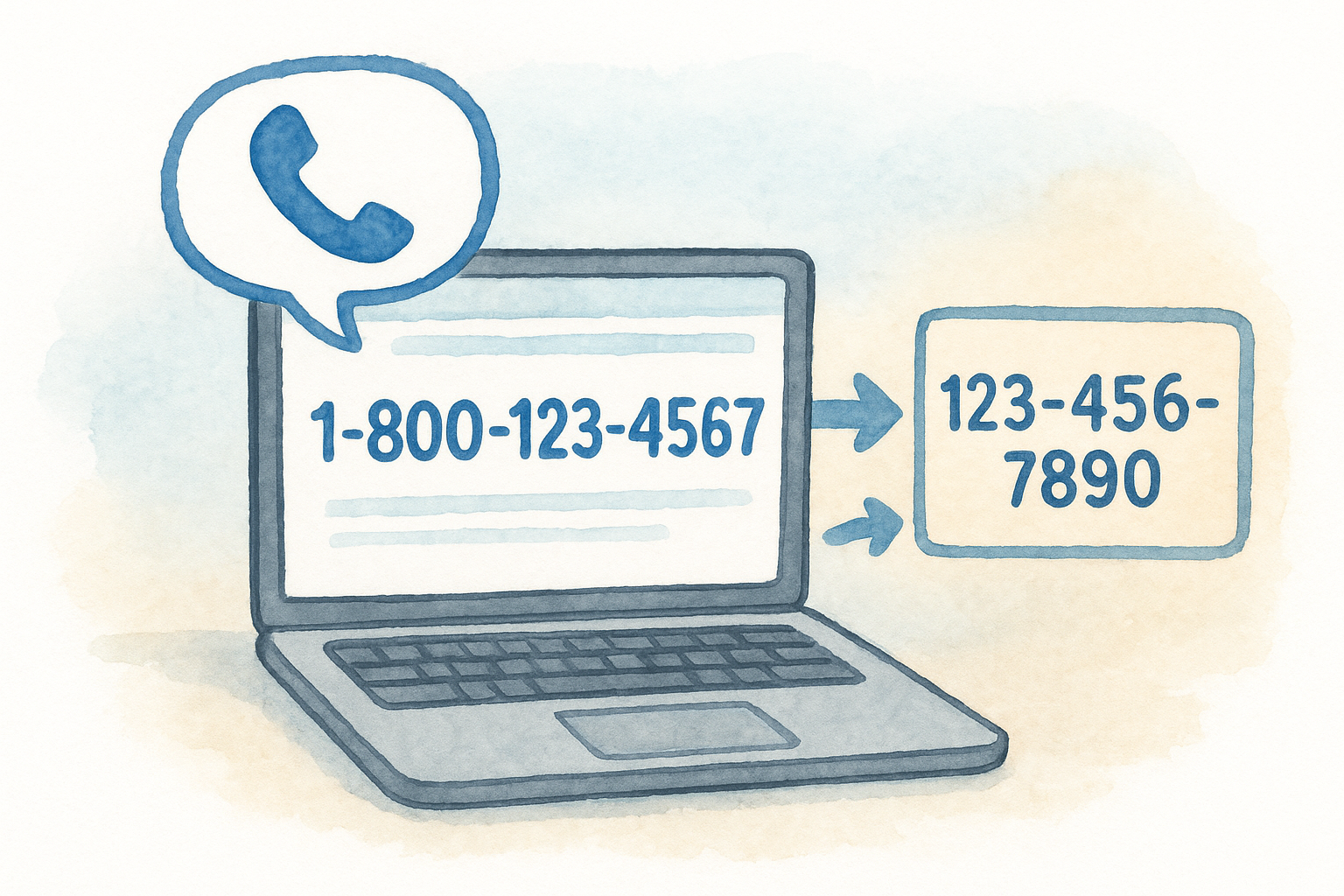
This means every call your firm receives gets a data record attached to it, including source, keyword, duration, and whether the caller is new or returning.
What the data looks like
Inside your CallRail dashboard, each call appears as a logged record with the source channel, campaign name, and caller details. You can filter by date range, channel, or call outcome to see exactly which marketing investments are producing conversations worth pursuing.
Key CallRail features for legal marketing
CallRail packs several features that go beyond simple call counting. For law firms, the most valuable capabilities center on understanding call quality and connecting each conversation to a specific marketing action.
Call recording and transcription
Every inbound call can be automatically recorded and transcribed inside your CallRail account. Your intake team can review conversations to catch missed follow-ups, identify scripts that need adjustment, and confirm that staff is gathering the right information from prospective clients. Transcriptions make it easy to search for specific keywords, like "car accident" or "custody," so you can quickly filter for calls relevant to a particular practice area.
Lead scoring and conversation intelligence
CallRail's conversation intelligence feature uses automated analysis to tag calls by outcome, flagging whether a caller booked a consultation, asked about fees, or ended the call without a next step. You can set custom keywords that matter to your firm, and the platform will score leads automatically based on those signals.
This means your team spends less time manually reviewing every recording and more time acting on the calls that actually show intent.
Pair this with form tracking and you get a complete intake picture that covers both phone and web leads in one dashboard.
CallRail pricing and what drives your monthly cost
CallRail structures its pricing around four tiers: Call Tracking, Call Tracking Essential, Call Tracking + Intelligence, and Call Tracking Complete. Plans start around $45 per month for basic tracking and scale upward based on the features you activate, including conversation intelligence, form tracking, and the number of local tracking numbers your campaigns require.

The more active campaigns and channels you run simultaneously, the more tracking numbers you'll need, and that directly affects your monthly bill.
What adds to your cost
Three main variables drive your final monthly cost: the number of tracking numbers assigned to your campaigns, call minutes consumed each month, and which premium features you enable. Conversation intelligence and keyword spotting sit in the higher tiers, so firms that want automated lead scoring will pay more than those relying on basic attribution only.
For most law firms running two to four active campaigns, a mid-tier plan covers the essentials without significant overage charges. Before committing to a plan, audit how many distinct channels you're currently running and whether you need features like automated transcription or form submission tracking included by default rather than purchased as add-ons.
How to set up CallRail for better case intake
Getting CallRail configured correctly saves you from attribution gaps that undermine your budget decisions. The three core setup steps are: installing the DNI snippet on your website, creating tracking numbers for each active campaign, and linking your account to Google Ads or Google Analytics.
Rushing setup without a clear channel map is the most common reason firms end up with data they can't act on.
Map your channels before creating numbers
Before you create a single number, list every marketing channel your firm actively runs. Assign one tracking number per channel to prevent source overlap and keep your attribution data clean from day one.
A simple spreadsheet with columns for channel name, tracking number, and destination line gives your team a clear reference they can update as campaigns change.
Connect CallRail to your intake workflow
Once your numbers are live, route all calls to your main intake line and enable recording immediately. Share dashboard access with intake staff so they can review flagged calls and follow up on leads that didn't book.
Key actions to complete on day one:
- Enable call recording on all tracking numbers
- Set up missed call email alerts
- Add intake staff as dashboard users
Where to go from here
CallRail gives your firm the attribution clarity it needs to stop guessing about which marketing channels are actually producing cases. Once your tracking numbers are live, your recordings are enabled, and your intake team has dashboard access, you'll have a clear view of every lead source feeding your pipeline and where calls are dropping off before a consultation is booked.
That visibility is only useful if your campaigns are structured to take advantage of it. Running CallRail inside a well-built Google Ads account or a tightly targeted SEO campaign amplifies every insight the platform surfaces. Without a strong underlying strategy, you're tracking noise instead of results.
If you want to combine proven call tracking setup with a full legal marketing strategy built around signed cases, talk to the team at GavelGrow. We handle the setup, the campaigns, and the reporting so your firm can focus on winning cases.
Frequently Asked Questions
What is CallRail and how does it work?
CallRail is a call tracking and analytics platform that connects inbound phone leads to the exact campaigns, keywords, and ads that generated them. It works by replacing your real phone number with unique tracking numbers assigned to each channel or campaign; when a prospect calls, CallRail logs the source, optionally records the call, and routes it to your actual line with no disruption to the caller. Every call ends up with a data record attached to it.
Why does call tracking matter for law firms specifically?
Phone calls are the primary intake channel for most firms, since legal clients almost always call before committing to a consultation, which makes your phone data your performance data. When multiple campaigns like Google Ads, local SEO, and billboards all drive calls to the same number, you cannot tell which deserves the budget without tracking. Given the high value of a single case, misattributing even one call carries real cost.
What is dynamic number insertion in CallRail?
Dynamic number insertion (DNI) is the core mechanism behind CallRail: a small JavaScript snippet you place on your website. When a visitor arrives, the script detects where they came from, such as a Google Ads click or organic search, and swaps the displayed phone number in real time to match a tracking number tied to that source. It happens instantly and invisibly, so your intake team answers normally while attribution is captured behind the scenes.
How do call recording and transcription help a law firm's intake?
CallRail can automatically record and transcribe every inbound call, letting your intake team review conversations to catch missed follow-ups, refine scripts, and confirm staff are gathering the right information. Transcriptions are searchable by keyword like "car accident" or "custody," so you can filter for calls relevant to a practice area. Its conversation intelligence can also tag calls by outcome, so your team spends less time reviewing recordings and more time acting on high-intent leads.
How should a law firm set up CallRail correctly?
The three core steps are installing the DNI snippet on your website, creating one tracking number per active campaign, and linking your account to Google Ads or Google Analytics. Before creating any numbers, map every channel your firm runs so sources do not overlap and your data stays clean. On day one, enable call recording on all numbers, set up missed-call email alerts, and add your intake staff as dashboard users so they can follow up on flagged leads.
Frequently Asked Questions
What is CallRail and how does it work?
CallRail is a call tracking and analytics platform that connects inbound phone leads to the exact campaigns, keywords, and ads that generated them. It works by replacing your real phone number with unique tracking numbers assigned to each channel or campaign; when a prospect calls, CallRail logs the source, optionally records the call, and routes it to your actual line with no disruption to the caller. Every call ends up with a data record attached to it.
Why does call tracking matter for law firms specifically?
Phone calls are the primary intake channel for most firms, since legal clients almost always call before committing to a consultation, which makes your phone data your performance data. When multiple campaigns like Google Ads, local SEO, and billboards all drive calls to the same number, you cannot tell which deserves the budget without tracking. Given the high value of a single case, misattributing even one call carries real cost.
What is dynamic number insertion in CallRail?
Dynamic number insertion (DNI) is the core mechanism behind CallRail: a small JavaScript snippet you place on your website. When a visitor arrives, the script detects where they came from, such as a Google Ads click or organic search, and swaps the displayed phone number in real time to match a tracking number tied to that source. It happens instantly and invisibly, so your intake team answers normally while attribution is captured behind the scenes.
How do call recording and transcription help a law firm's intake?
CallRail can automatically record and transcribe every inbound call, letting your intake team review conversations to catch missed follow-ups, refine scripts, and confirm staff are gathering the right information. Transcriptions are searchable by keyword like "car accident" or "custody," so you can filter for calls relevant to a practice area. Its conversation intelligence can also tag calls by outcome, so your team spends less time reviewing recordings and more time acting on high-intent leads.
How should a law firm set up CallRail correctly?
The three core steps are installing the DNI snippet on your website, creating one tracking number per active campaign, and linking your account to Google Ads or Google Analytics. Before creating any numbers, map every channel your firm runs so sources do not overlap and your data stays clean. On day one, enable call recording on all numbers, set up missed-call email alerts, and add your intake staff as dashboard users so they can follow up on flagged leads.