Google Ads Transparency Center: See Any Competitor's Ads
Categories: Legal Marketing Strategies
 Abram Ninoyan
Founder & Senior Performance Marketer
Credentials: Google Partner, Google Ads Search Certified, Google Ads Display Certified, Google Ads Measurement Certified, Google Analytics (IQ) Certified, HubSpot Inbound Certified, HubSpot Social Media Marketing Certified, Conversion Optimization Certified
Expertise: Google Ads, Meta Ads, Conversion Rate Optimization, GA4 & Google Tag Manager, Lead Generation, Marketing Funnel Optimization, PPC Management
LinkedIn Profile
The Google Ads Transparency Center is one of the most underused tools in paid search, and if you're running ads for a law firm, you're leaving money on the table by ignoring it. This free tool from Go...
Key Takeaways
- Google Ads Transparency Center: How To Use It in 2026
- What the Ads Transparency Center shows in 2026
- Step 1. Find ads by advertiser or domain
- Step 2. Narrow results by platform, region, and date
Google Ads Transparency Center: How To Use It in 2026
The Google Ads Transparency Center is one of the most underused tools in paid search, and if you're running ads for a law firm, you're leaving money on the table by ignoring it. This free tool from Google lets you search any advertiser's active ads across Search, YouTube, and Display, giving you a direct window into what your competitors are saying, where they're spending, and how they're positioning themselves.
At GavelGrow, we use the Transparency Center as part of our competitive analysis process for every law firm we work with. It's a practical way to spot trends in ad copy, identify gaps in a rival's strategy, and refine your own campaigns before spending a single dollar more. Whether you manage your own Google Ads account or work with an agency, knowing how to pull insights from this tool is a real advantage.
This guide walks you through exactly how to access the Google Ads Transparency Center, search for competitor ads, and turn what you find into actionable improvements for your campaigns. Every step includes specific instructions so you can follow along in real time.
What the Ads Transparency Center shows in 2026
The Google Ads Transparency Center gives you a searchable database of ads that have run across Google Search, YouTube, and the Display Network. You can look up any verified advertiser by name or domain and browse their current and recent ad creatives directly inside the tool. Google launched this platform as part of its broader push for advertiser accountability.
Access the tool directly at adstransparency.google.com without needing a Google Ads account to start browsing.
Ad data you can access
For each advertiser, the tool surfaces ad creatives in text, image, and video formats, along with the geographic regions where those ads ran and the approximate dates they were active. You won't see exact spend figures or impression counts for most advertisers, but you get enough to understand how a competitor frames their message and which platforms they're prioritizing. Here's a quick breakdown of what the tool does and does not show:
What this means for law firms
Running Google Ads campaigns for a law firm means competing in one of the most expensive ad markets in the country, where a single click can cost $50 or more. The Transparency Center lets you see if a competing personal injury firm is promoting a specific offer like a free case review, how they structure their headlines, and whether they're active on YouTube. Spotting those patterns lets you refine your own messaging before committing budget to a test, which keeps your cost per acquisition lower from the start.
Step 1. Find ads by advertiser or domain
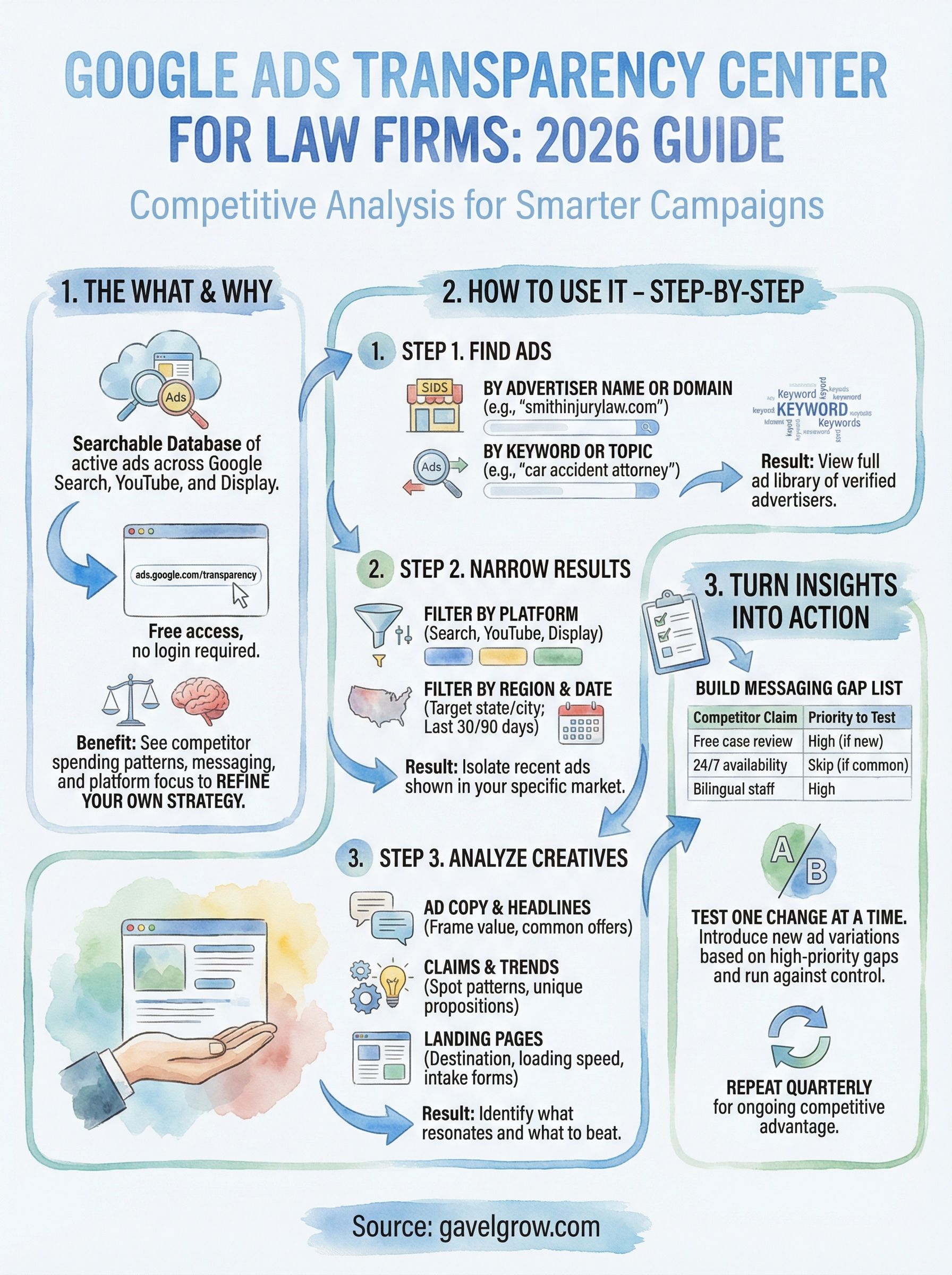
Go to adstransparency.google.com and you'll land on a search bar with no login required. This is where the process starts. You can search two ways: by advertiser name or by domain. The tool does not search by ad keyword, so you build a keyword-level view yourself by checking several competitors.
If you're researching a specific competitor, starting with their domain name is the fastest route to their full ad library.
Search by advertiser name or domain
Type the competing firm's name or website domain directly into the search bar. For example, entering "smithinjurylaw.com" pulls up every verified ad that firm has run. The tool matches your input against verified advertiser records, so results only appear for advertisers who completed Google's verification process. If no results appear, the firm either hasn't run ads recently or hasn't verified their account.
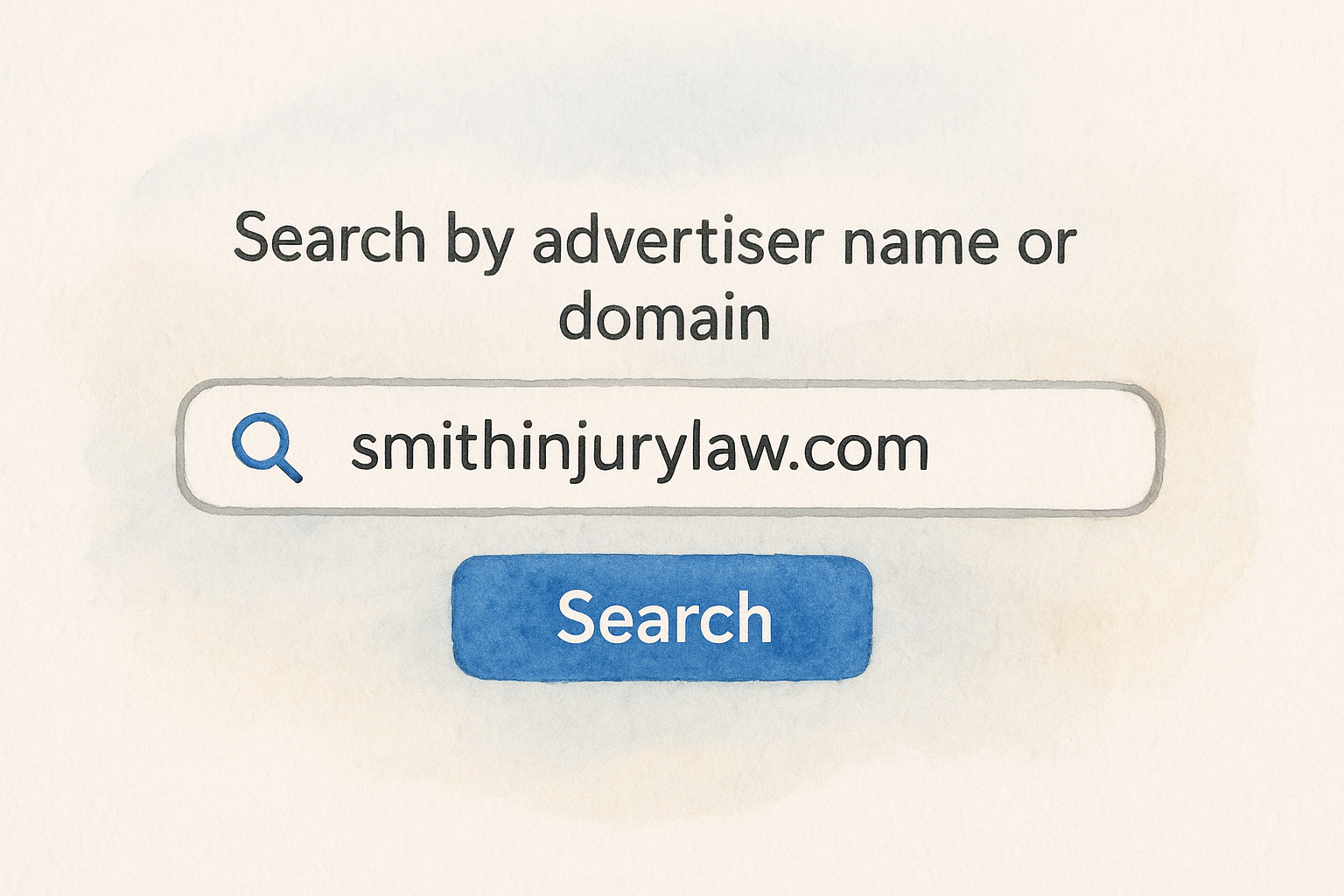
Here are the two search inputs you can use:
- Advertiser name (e.g., "Morgan & Morgan")
- Domain (e.g., "morganandmorgan.com")
Research a keyword or topic
You can't type a keyword like "car accident attorney" and get a list of every ad that uses it. To research a practice area, first run a normal Google search for terms like "car accident attorney" or "free case evaluation" in your market and note which firms show up in the ads. Then look up each of those firms in the Google Ads Transparency Center. After three or four lookups, you'll see which language is common across your practice area and how competitors are positioning themselves.
Step 2. Narrow results by platform, region, and date
Once you have results for an advertiser, use the filters on the results page to narrow what you're seeing. The Google Ads Transparency Center gives you three main filters: platform, region, and date range. Using all three together gets you from a broad list of ads to a precise view of what a competitor is running in your specific market right now.
Combining region and date filters is the fastest way to see if a competitor recently increased activity in your target city or state.
Filter by platform
Select Search, YouTube, or Display from the platform filter to isolate ads by format. For law firms, Search ads are usually the first priority since that's where most legal intent traffic lives, but checking YouTube can reveal whether a competitor is investing in brand-awareness video campaigns.
Here's what each platform filter surfaces:
- Search: Text ads triggered by keyword queries
- YouTube: Video and bumper ads
- Display: Banner and image ads across third-party sites
Filter by region and date
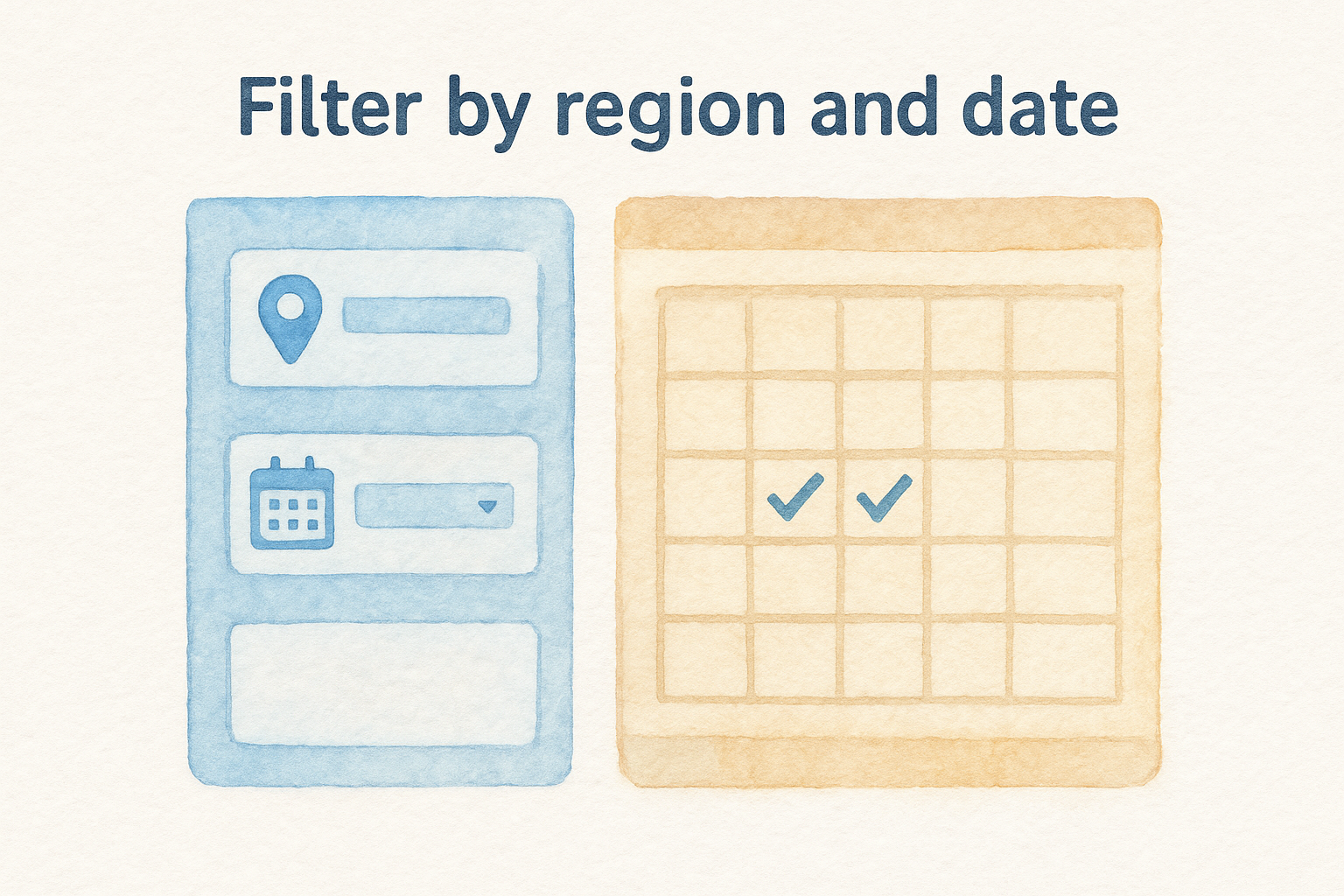
Set the region filter to the location you want to check to see the ads shown there. Then apply a date range to focus on recent activity. These three presets cover most research needs:
If a competing firm ran ads heavily in Q1 but stopped, that gap may signal a budget cut or a strategy shift worth noting before you finalize your own spend.
Step 3. Analyze creatives, claims, and landing pages
Once you've filtered down to the ads that matter, click on any individual ad in the Google Ads Transparency Center to open its detail view. This is where the real research begins. You're looking for three things: the headline structure, the specific claims the advertiser makes, and where the ad sends traffic.
Read the copy with a critical eye
Study how competitors frame their value proposition in the headline and description. A personal injury firm might lead with "No Fee Unless You Win" while another pushes response time with "Call Now, 24/7 Attorney." Note which claims appear repeatedly across multiple competitors, because that pattern tells you what resonates in your market and what you need to match or beat.
If every competitor in your area uses the same offer, your best move is to differentiate rather than repeat it.
Follow the landing page
Check the ad destination URL to see where competitors send clicks. Look at whether they land on a dedicated practice area page or the homepage, how fast the page loads, and whether there's a visible intake form above the fold. A quick audit checklist:
- Headline matches the ad claim
- Phone number visible immediately
- Form fields ask for name, phone, and case type only
- Page loads under three seconds
Before you copy a claim, check it against your own state bar's advertising rules. Results claims like "Recovered $X million" are restricted or require disclaimers in many states, and a competitor running one does not mean it is allowed for you.
Step 4. Turn insights into a smarter legal ads strategy
Raw data from the Google Ads Transparency Center only helps if you act on it. Once you've reviewed competitor ads in your market, the goal is to translate those observations into specific changes to your own campaigns, not just a document that sits in a folder.
The most useful outcome of this research is a short list of what competitors are saying that you are not.
Build a messaging gap list
Go through the competitor ads you collected and note every claim, offer, or format you don't currently use. Organize them into a simple table so you can prioritize which gaps to close first:
Test one change at a time
Take the highest-priority gap from your list and build one new ad variation around it. Run it against your current control ad for at least two weeks before drawing conclusions. Changing one element per test keeps your results clean and tells you exactly which message drove the improvement.
Repeat this process every quarter by returning to the Google Ads Transparency Center to check for new competitor activity in your region.
Put it to work
The Google Ads Transparency Center gives you a free, direct look at what your competitors are spending money to say. You now know how to search by advertiser or domain, filter by platform and region, read competitor creatives critically, and build a messaging gap list that feeds directly into your next campaign test. None of this requires a big budget or special access, just a clear process and the discipline to repeat it every quarter.
For law firms competing in expensive markets, this kind of research separates firms that guess from firms that know. Small adjustments to headlines, offers, and landing pages compound over time into lower cost per acquisition and more signed cases. If you want a team that already runs this research as a standard part of campaign management, talk to a legal marketing specialist at GavelGrow about managed Google Ads and see how a structured competitive strategy can move the needle for your firm.
Frequently Asked Questions
What is the Google Ads Transparency Center?
The Google Ads Transparency Center is a free tool from Google that lets you search any verified advertiser's active and recent ads across Search, YouTube, and Display. You can look up firms by advertiser name or domain and browse their ad creatives, the regions where ads ran, and the approximate dates they were active. It was built as part of Google's push for advertiser accountability.
How do I find a competitor's ads in the Transparency Center?
Go to adstransparency.google.com, where no login is required, and search by advertiser name or domain. Searching a competitor's domain is the fastest route to their full ad library. The tool does not search by keyword, so check several competitors to see which language is common in your practice area. Results only appear for advertisers who completed Google's verification process, so an empty result may mean the firm hasn't verified or hasn't run ads recently.
Can I see how much a competitor spends on Google Ads in the Transparency Center?
No. For most advertisers the tool does not show exact spend figures or impression counts. What you do get is the ad creatives in text, image, and video formats, the geographic regions where they ran, and the approximate active dates. That is enough to understand how a competitor frames their message and which platforms they prioritize, even without dollar amounts.
How can law firms use Transparency Center data to improve their ads?
Review competitor ads in your market, then build a messaging gap list of every claim, offer, or format you don't currently use, and prioritize which to close first. Take the highest-priority gap, build one new ad variation, and run it against your control ad for at least two weeks so results stay clean. Repeat the research each quarter to catch new competitor activity in your region.
What should I look for when analyzing a competitor's ad landing page?
Open the ad's detail view and follow its destination URL to see where clicks land. Check whether it points to a dedicated practice area page or a generic homepage, whether the headline matches the ad's claim, and whether a phone number and short intake form are visible above the fold. Also note load speed, since a page that loads slowly undercuts even a strong ad.
Frequently Asked Questions
What is the Google Ads Transparency Center?
The Google Ads Transparency Center is a free tool from Google that lets you search any verified advertiser's active and recent ads across Search, YouTube, and Display. You can look up firms by advertiser name or domain and browse their ad creatives, the regions where ads ran, and the approximate dates they were active. It was built as part of Google's push for advertiser accountability.
How do I find a competitor's ads in the Transparency Center?
Go to adstransparency.google.com, where no login is required, and search by advertiser name or domain. Searching a competitor's domain is the fastest route to their full ad library. The tool does not search by keyword, so check several competitors to see which language is common in your practice area. Results only appear for advertisers who completed Google's verification process, so an empty result may mean the firm hasn't verified or hasn't run ads recently.
Can I see how much a competitor spends on Google Ads in the Transparency Center?
No. For most advertisers the tool does not show exact spend figures or impression counts. What you do get is the ad creatives in text, image, and video formats, the geographic regions where they ran, and the approximate active dates. That is enough to understand how a competitor frames their message and which platforms they prioritize, even without dollar amounts.
How can law firms use Transparency Center data to improve their ads?
Review competitor ads in your market, then build a messaging gap list of every claim, offer, or format you don't currently use, and prioritize which to close first. Take the highest-priority gap, build one new ad variation, and run it against your control ad for at least two weeks so results stay clean. Repeat the research each quarter to catch new competitor activity in your region.
What should I look for when analyzing a competitor's ad landing page?
Open the ad's detail view and follow its destination URL to see where clicks land. Check whether it points to a dedicated practice area page or a generic homepage, whether the headline matches the ad's claim, and whether a phone number and short intake form are visible above the fold. Also note load speed, since a page that loads slowly undercuts even a strong ad.