Yelp for Business Reviews: How To Write, Find, Respond
Categories: Legal Marketing Strategies
 Abram Ninoyan
Founder & Senior Performance Marketer
Credentials: Google Partner, Google Ads Search Certified, Google Ads Display Certified, Google Ads Measurement Certified, Google Analytics (IQ) Certified, HubSpot Inbound Certified, HubSpot Social Media Marketing Certified, Conversion Optimization Certified
Expertise: Google Ads, Meta Ads, Conversion Rate Optimization, GA4 & Google Tag Manager, Lead Generation, Marketing Funnel Optimization, PPC Management
LinkedIn Profile
Most people check online reviews before hiring an attorney. That makes platforms like Yelp for business reviews a real factor in whether your law firm gets the call, or gets passed over. Yelp is one o...
Key Takeaways
- Yelp for Business Reviews: How To Write, Find, Respond
- What Yelp reviews do and how Yelp filters them
- How to find a business and read its reviews
- How to write a Yelp review that sticks
Yelp for Business Reviews: How To Write, Find, Respond
Most people check online reviews before hiring an attorney. That makes platforms like Yelp for business reviews a real factor in whether your law firm gets the call, or gets passed over. Yelp is one of the most visible review platforms on the web, and it shows up prominently in local search results where prospective clients are actively looking for legal help.
But Yelp can also be confusing. Writing reviews, finding them, responding to them, and figuring out whether Yelp's paid tools are worth the money, each piece works differently. For law firms trying to build a strong online reputation, understanding how Yelp actually functions is a practical necessity, not a nice-to-have.
At GavelGrow, we help law firms turn their digital presence into a client acquisition system, and review management is a core part of that. This guide breaks down how to write, find, and respond to Yelp reviews, plus what business owners should know about Yelp's paid services before spending a dollar.
What Yelp reviews do and how Yelp filters them
Yelp reviews directly affect whether a prospective client trusts your firm enough to call. When someone searches for a local attorney, Yelp's star rating and review count appear in search results, often before your own website does. For law firms, that means your Yelp profile functions as a first impression whether you actively manage it or not.
How the recommendation algorithm works
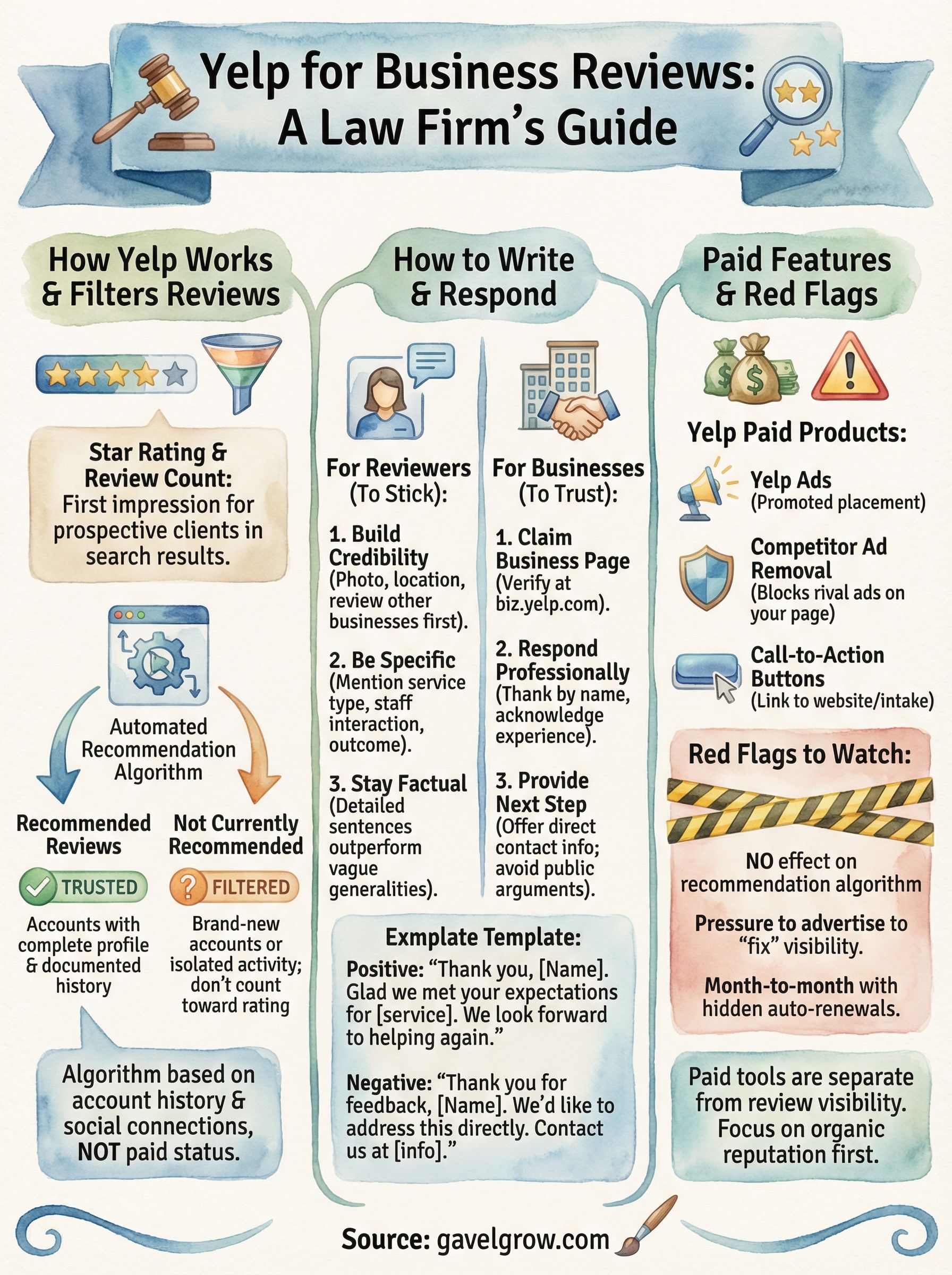
Yelp does not display every review a business receives. Instead, it uses an automated recommendation algorithm to decide which reviews appear on your main profile page. Reviews the algorithm trusts get labeled "recommended," while others get pushed to a separate section labeled "not currently recommended." This process happens automatically and does not reflect any direct action or penalty by Yelp against your business.
Yelp's algorithm evaluates each reviewer's account history, prior activity on the platform, and social connections to determine whether a review is trustworthy enough to display publicly.
The algorithm favors reviews from accounts with a complete profile and a documented history of reviewing multiple businesses over time. A client who creates an account specifically to leave you one review is far more likely to be filtered than a long-time Yelp user with dozens of reviews spread across different businesses.
Why reviews get filtered and what you can do
Filtered reviews do not factor into your overall star rating, even if the content is positive. That means a client who left you a strong five-star review could be completely invisible to anyone browsing your profile. You cannot manually restore a filtered review, but you can encourage clients to fill out their Yelp profiles and review other businesses before leaving yours, which meaningfully improves the odds that their review gets recommended.
Understanding this filter system is fundamental to using yelp for business reviews as part of a reliable reputation strategy for your firm.
How to find a business and read its reviews
Finding a business on Yelp takes less than a minute, but knowing what to look for once you get there takes more context. Whether you're a client researching a firm or an attorney checking your own profile, the process starts the same way.
Searching for a business on Yelp
Go to yelp.com and enter the business name or practice area in the first search field, then add a city or zip code in the location field. Hit search and select the correct listing from the results. For law firms, a search like "personal injury attorney" plus your city surfaces both your own listing and nearby competitors. The two main fields work like this:
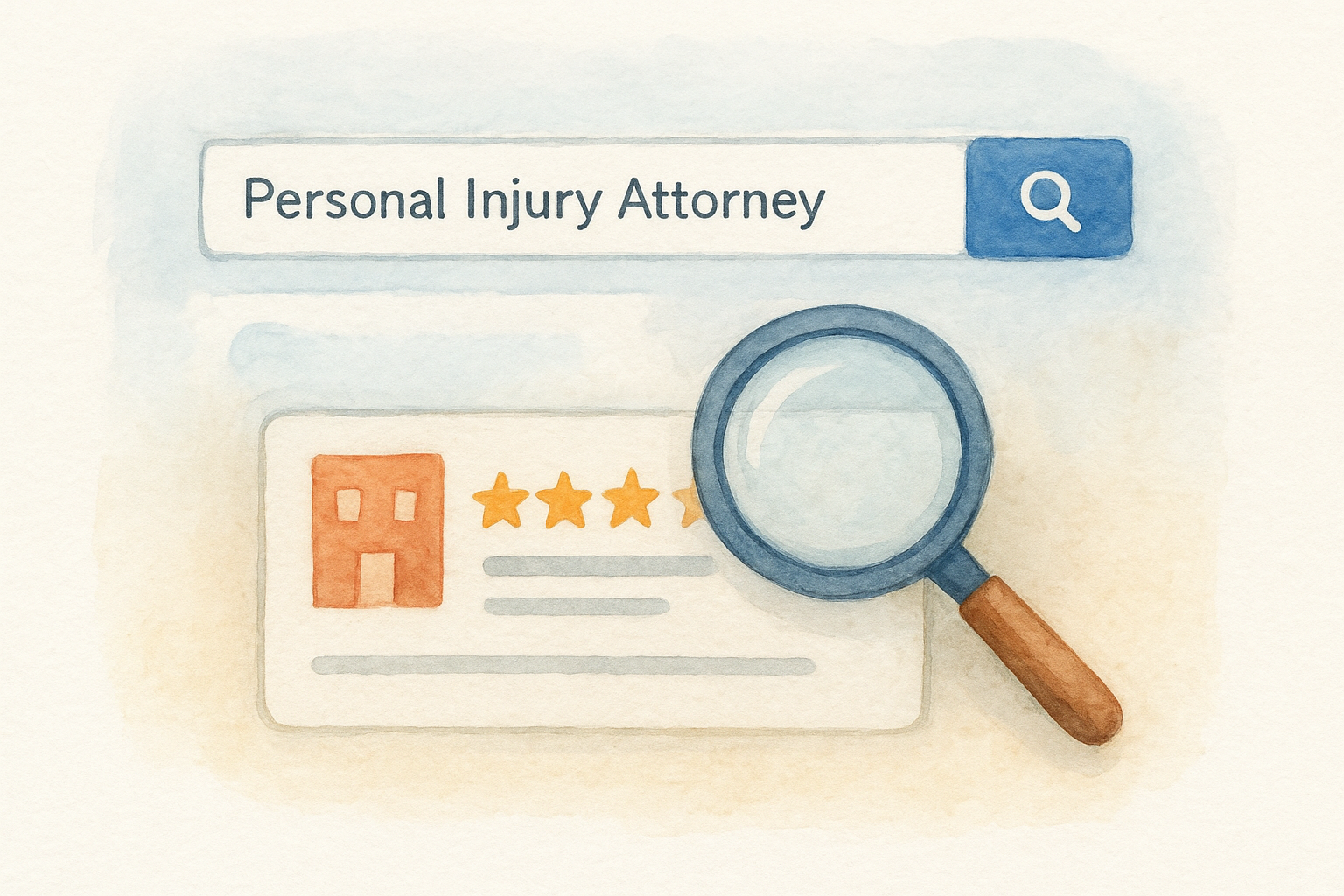
- Search field 1: Business name, practice area, or attorney name
- Search field 2: City, neighborhood, or zip code
- Filter options: Distance, star rating, and review count
Reading and interpreting the reviews
Once you're on a profile page, scroll past the overall star rating to read individual reviews in full. Check how recently reviews were posted and whether the business has responded to negative feedback, since both reveal how actively the firm manages its reputation online.
The "not currently recommended" section at the bottom of any profile shows filtered reviews that do not count toward the overall yelp for business reviews rating, so the visible count may be lower than what clients actually submitted.
How to write a Yelp review that sticks
Writing a review that stays visible on a business profile requires more than logging in and typing a few sentences. Yelp's filter evaluates your account's history and credibility, so the steps you take before writing matter just as much as the content itself.
Build your Yelp account before you post
A brand-new account with no activity is exactly what Yelp's algorithm flags as suspicious. Before posting any review, take these steps to establish yourself as a credible reviewer and improve the odds your review gets recommended rather than filtered:
- Add a profile photo and location to your account
- Write reviews for at least two or three other businesses you have genuinely visited
- Connect your account to Facebook if you actively use it
What to include in your review
Your review should cover specific, first-hand details rather than generic praise. Mention the type of service you received, how staff communicated with you, and the outcome you experienced. Vague statements like "highly recommend" rarely carry weight in yelp for business reviews and give prospective clients nothing concrete to evaluate.
Specificity is what separates a review that influences a reader's decision from one that gets scrolled past without a second thought.
Focus on what actually happened during your interaction, and keep the tone factual rather than emotional. Two to four detailed sentences outperform a paragraph of generalities every time.
How business owners respond to reviews
Responding to reviews is one of the most visible things you can do with yelp for business reviews. Every response you write appears publicly, so prospective clients read them too. A well-written reply to a negative review often does more to build trust than the review itself.
Claiming your Yelp Business Page
Before you can respond to any review, you need to claim your business listing through Yelp's free Business Owner account at biz.yelp.com. Once verified, you get access to your dashboard, messaging tools, and response options for both public replies and private direct messages.
Writing a response that works
Keep your response short, specific, and professional. Thank the reviewer by first name if they provided one, acknowledge their specific experience, and include a direct next step such as a phone number or email address for follow-up.
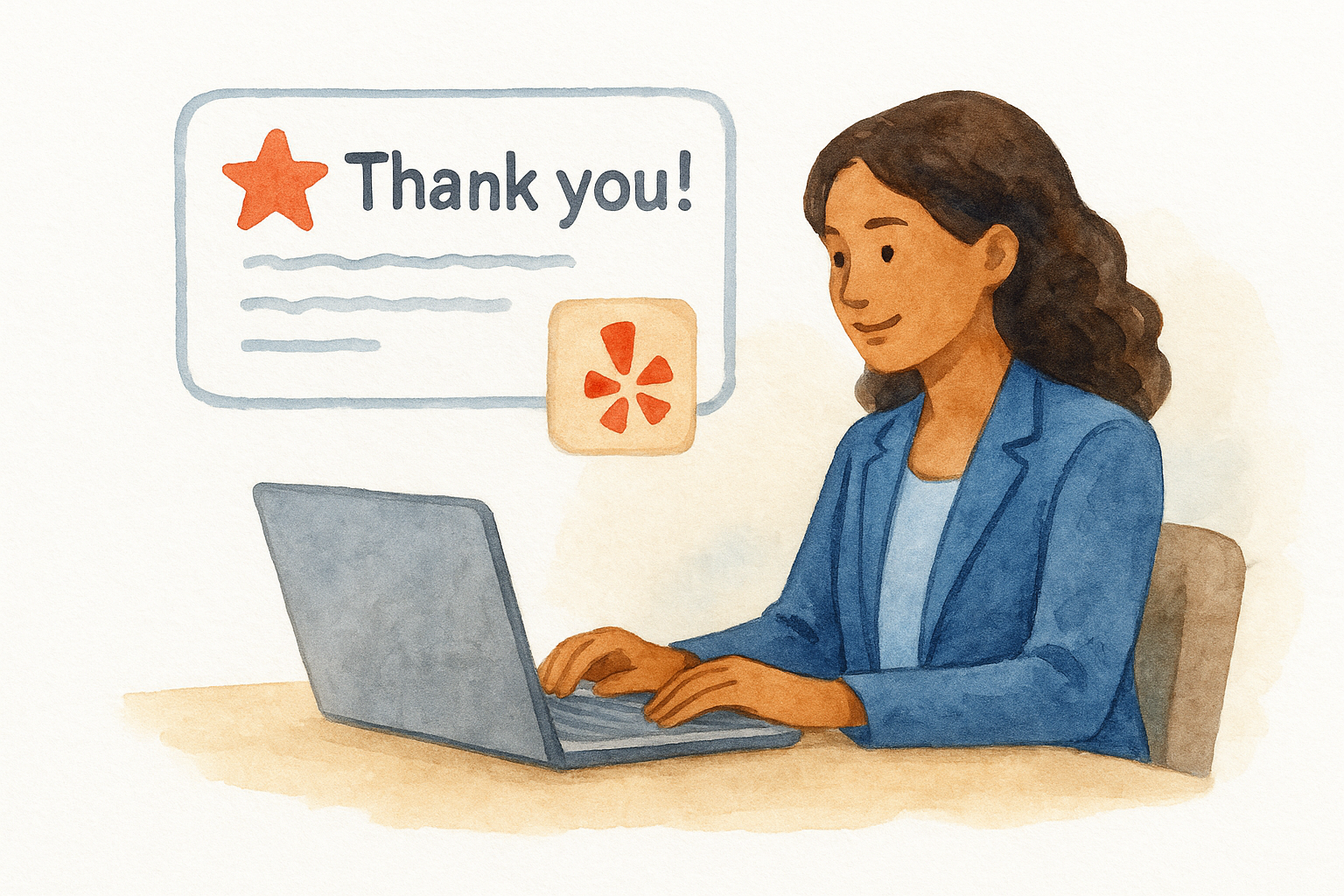
Never argue with a negative reviewer in public. Address the concern briefly and move the conversation offline.
Use this response template as a starting point:
Yelp for Business paid features and red flags
Yelp offers several paid upgrades through its Business Owner dashboard, and knowing what each one actually does helps you decide whether any of them fit your marketing budget. The core listing on yelp for business reviews is free, but Yelp actively sells additional products to business owners, and the sales approach can be aggressive.
What Yelp's paid products include
Yelp's paid tiers include Yelp Ads (promoted placement in search results and on competitor profiles), competitor ad removal (blocks rival ads from appearing on your own listing), and call-to-action buttons that send visitors directly to your website or intake form. Each product is sold separately, and pricing varies by market size and practice area competition.
Red flags to watch before you spend
Before you sign any Yelp advertising contract, understand that paid products and review visibility are completely separate systems. Yelp's own policy is explicit on this point.
Yelp sales representatives sometimes suggest that upgrading will influence how your reviews display, but Yelp's stated policy confirms that advertising has no effect on the recommendation algorithm.
Watch for these warning signs before committing any budget:
- Pressure to advertise as a way to "fix" or improve your review visibility
- Month-to-month contracts with auto-renewal clauses buried in the fine print
- Promises about review placement that contradict Yelp's stated policies
Next steps
Managing yelp for business reviews comes down to three consistent habits: keeping your profile claimed and current, responding to every review within a few days, and encouraging real clients to post detailed, account-backed feedback. None of that requires a paid Yelp contract, and none of it happens automatically without your attention.
Your Yelp profile is one piece of a larger reputation system that drives qualified clients to your firm. Reviews build the initial trust that gets someone to click, but your website, intake process, and broader digital presence determine whether they actually sign. Treating each platform in isolation limits what any single one can do for you.
If you want a complete picture of how your firm appears online and where your client acquisition strategy has gaps, talk to the legal marketing team at GavelGrow. The initial consultation is free, and it starts with a full audit of your current presence.
Frequently Asked Questions
Why are some of my Yelp reviews not showing up?
Yelp uses an automated recommendation algorithm to decide which reviews appear on your main profile, pushing others to a "not currently recommended" section that does not count toward your star rating. Filtering happens automatically and is not a penalty against your business. The algorithm favors reviews from accounts with complete profiles and a history of reviewing multiple businesses over time.
How can I improve the odds that a client's Yelp review gets recommended?
You cannot manually restore a filtered review, but you can encourage clients to complete their Yelp profile, add a photo and location, and review a few other businesses they have genuinely visited before leaving yours. A long-time Yelp user with an established history is far less likely to be filtered than someone who creates an account just to leave a single review.
How do I respond to a Yelp review as a business owner?
First claim your listing through Yelp's free Business Owner account at biz.yelp.com, which unlocks your dashboard and response tools. Keep responses short, specific, and professional: thank the reviewer by first name if provided, acknowledge their specific experience, and offer a direct next step like a phone number. Never argue with a negative reviewer in public; address the concern briefly and move it offline.
Does paying for Yelp advertising improve how my reviews display?
No. Yelp's stated policy is that advertising has no effect on the recommendation algorithm, and paid products and review visibility are completely separate systems. Be cautious if a sales representative suggests upgrading will "fix" or improve your review visibility, since that contradicts Yelp's own policy. Watch for auto-renewal clauses in the fine print before committing any budget.
What makes a Yelp review actually influence a reader?
Specificity is what separates a review that influences a decision from one that gets scrolled past. Strong reviews cover first-hand details, such as the type of service received, how staff communicated, and the outcome, rather than vague praise like "highly recommend." Keep the tone factual rather than emotional; two to four detailed sentences typically outperform a paragraph of generalities.
Frequently Asked Questions
Why are some of my Yelp reviews not showing up?
Yelp uses an automated recommendation algorithm to decide which reviews appear on your main profile, pushing others to a "not currently recommended" section that does not count toward your star rating. Filtering happens automatically and is not a penalty against your business. The algorithm favors reviews from accounts with complete profiles and a history of reviewing multiple businesses over time.
How can I improve the odds that a client's Yelp review gets recommended?
You cannot manually restore a filtered review, but you can encourage clients to complete their Yelp profile, add a photo and location, and review a few other businesses they have genuinely visited before leaving yours. A long-time Yelp user with an established history is far less likely to be filtered than someone who creates an account just to leave a single review.
How do I respond to a Yelp review as a business owner?
First claim your listing through Yelp's free Business Owner account at biz.yelp.com, which unlocks your dashboard and response tools. Keep responses short, specific, and professional: thank the reviewer by first name if provided, acknowledge their specific experience, and offer a direct next step like a phone number. Never argue with a negative reviewer in public; address the concern briefly and move it offline.
Does paying for Yelp advertising improve how my reviews display?
No. Yelp's stated policy is that advertising has no effect on the recommendation algorithm, and paid products and review visibility are completely separate systems. Be cautious if a sales representative suggests upgrading will "fix" or improve your review visibility, since that contradicts Yelp's own policy. Watch for auto-renewal clauses in the fine print before committing any budget.
What makes a Yelp review actually influence a reader?
Specificity is what separates a review that influences a decision from one that gets scrolled past. Strong reviews cover first-hand details, such as the type of service received, how staff communicated, and the outcome, rather than vague praise like "highly recommend." Keep the tone factual rather than emotional; two to four detailed sentences typically outperform a paragraph of generalities.