Zoho Marketing Automation: Features, Pricing, And Use Cases
Categories: Legal Marketing Strategies
 Abram Ninoyan
Founder & Senior Performance Marketer
Credentials: Google Partner, Google Ads Search Certified, Google Ads Display Certified, Google Ads Measurement Certified, Google Analytics (IQ) Certified, HubSpot Inbound Certified, HubSpot Social Media Marketing Certified, Conversion Optimization Certified
Expertise: Google Ads, Meta Ads, Conversion Rate Optimization, GA4 & Google Tag Manager, Lead Generation, Marketing Funnel Optimization, PPC Management
LinkedIn Profile
Zoho Marketing Automation is one of the more affordable platforms on the market for managing email campaigns, lead scoring, and multi-channel workflows under one roof. For businesses evaluating their...
Key Takeaways
- Zoho Marketing Automation: Features, Pricing, And Use Cases
- Why marketing automation matters for growing teams
- Core features in Zoho Marketing Automation
- Pricing, plans, and what drives total cost
Zoho Marketing Automation: Features, Pricing, And Use Cases
Zoho Marketing Automation is one of the more affordable platforms on the market for managing email campaigns, lead scoring, and multi-channel workflows under one roof. For businesses evaluating their marketing stack, it sits in an interesting spot, separate from Zoho Campaigns and Zoho CRM, yet designed to work alongside both, which creates confusion about what you actually need.
This article breaks down Zoho Marketing Automation's core features, current pricing tiers, and the use cases where it makes the most sense. We'll also cover where it overlaps with other Zoho products and where it falls short. At GavelGrow, we build marketing automation specifically for law firms, from intake forms and SMS sequences to full-funnel attribution, so we know firsthand what matters when evaluating these tools. If you're a firm weighing Zoho against legal-specific options, this overview will give you the context to make that call.
Why marketing automation matters for growing teams
When your team grows past a handful of clients, manual follow-up becomes a liability. Responding to every lead by hand, tracking which email you sent to whom, and remembering who needs a callback next Tuesday is a system that breaks at scale. Marketing automation replaces that fragile process with triggered workflows, timed sequences, and behavior-based logic that runs without you touching it.
Leads contacted within five minutes of submitting a form are far more likely to convert than those reached after 30 minutes, yet most teams take hours to respond.
The cost of doing it manually
Every hour your team spends on repetitive tasks like sending follow-up emails or updating spreadsheets is an hour not spent on work that actually requires human judgment. Manual processes also introduce consistent errors: a lead falls through the cracks, a follow-up goes out two weeks late, or a contact gets the same message twice because two people touched the same record. Automation eliminates that category of mistake by making the workflow consistent and auditable from the start.
Those errors compound over time. A single missed follow-up might cost you one client, but a broken process repeated across hundreds of leads each month cuts directly into your revenue without you realizing it until the numbers look wrong at the end of the quarter.
Where Zoho marketing automation fits in
Zoho marketing automation addresses this problem for small to mid-sized teams that already operate in the Zoho ecosystem or want one platform to handle email, lead nurturing, and basic segmentation. It gives your team a structured way to build automated journeys without requiring a dedicated marketing engineer. The platform works best when your campaigns are relatively straightforward, which the next section breaks down in detail.
Core features in Zoho Marketing Automation
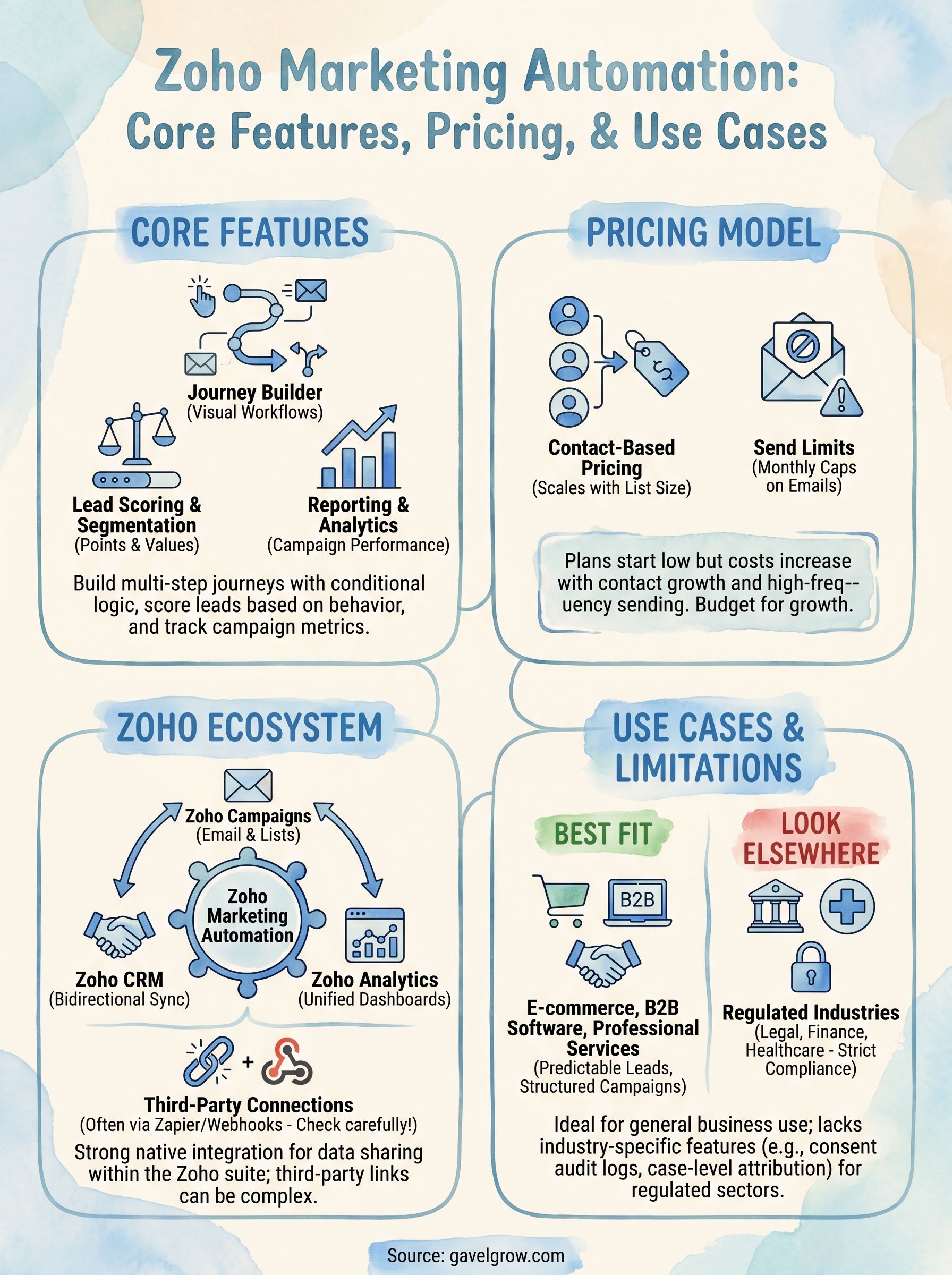
Zoho marketing automation centers on three functional areas: building multi-step journeys, qualifying leads, and measuring what actually worked. You get a visual drag-and-drop journey builder that lets you map out email sequences, web triggers, and conditional logic without writing code.
The journey builder is where most teams spend the majority of their setup time, and getting that logic right upfront determines how much manual work you avoid later.
Lead nurturing and journey builder
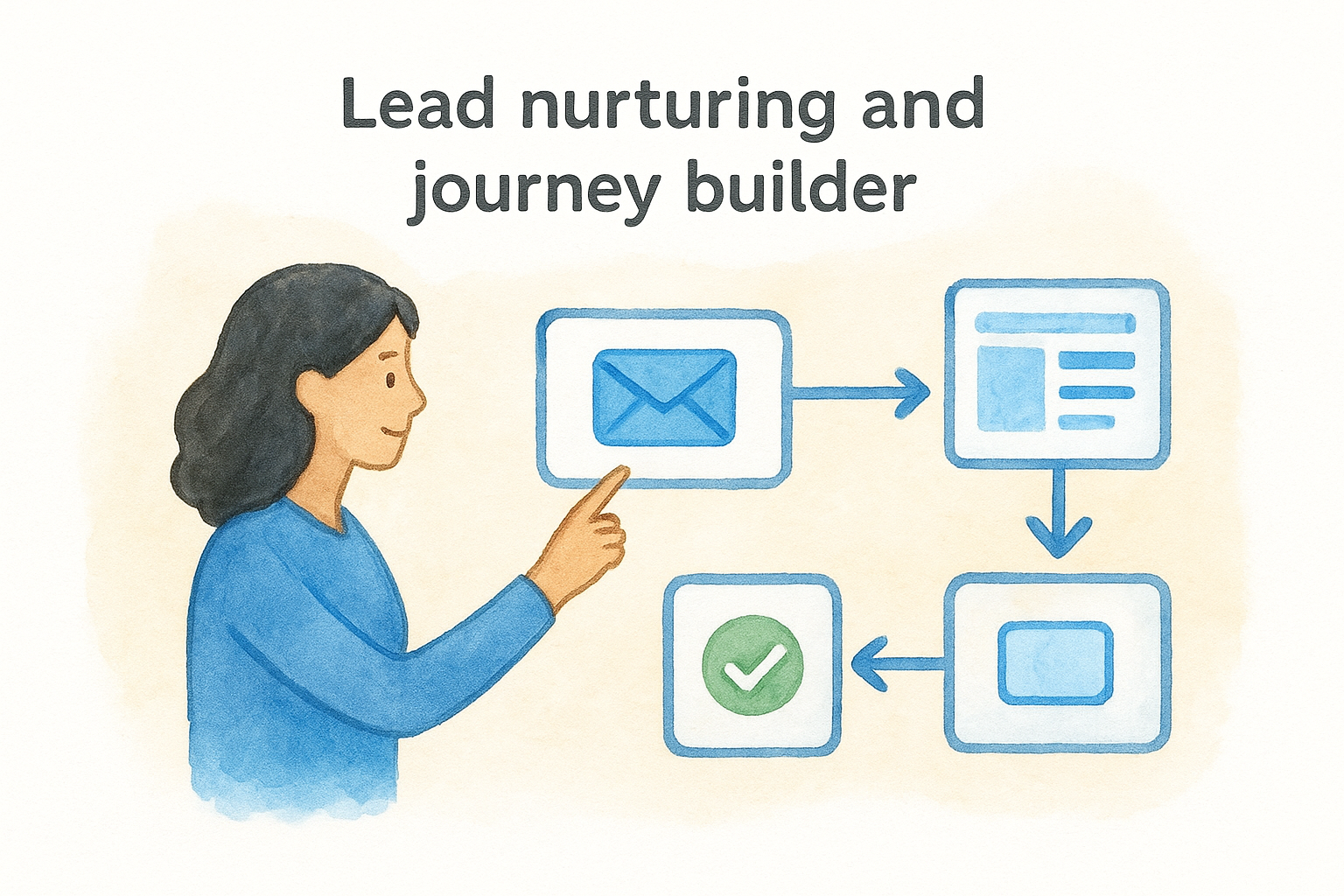
The journey builder lets you trigger actions based on real behavior, including page visits, form submissions, and email clicks. You can branch paths so a lead who clicked a pricing page gets a different follow-up than one who only opened a welcome email. Each node in the journey maps to a specific action, wait period, or condition, which keeps your sequences predictable and auditable.
Scoring, segmentation, and reporting
Lead scoring assigns point values to actions like opening an email, visiting a product page, or filling out a form. Once a lead crosses your threshold, the platform can notify your team or move the contact into a new segment automatically. Built-in reports show open rates, click-through rates, and journey completion metrics at the campaign level.
Pricing, plans, and what drives total cost
Zoho marketing automation uses a contact-based pricing model, meaning your monthly bill scales with your list size rather than the number of users on your account. Plans start at roughly $19 per month for smaller lists and climb from there as your contact count grows.
Plan tiers and contact limits
Each pricing tier gives you access to the full feature set, including the journey builder and lead scoring, so you are not locked into a stripped-down version on lower plans. What changes between tiers is primarily your contact ceiling and monthly email send limit, which most teams underestimate at signup.
What actually drives your bill up
Contact lists grow faster than most teams expect. Every CRM sync, form submission, and imported spreadsheet pushes your count higher, and crossing a tier boundary triggers either an upgrade or overage charges. High-frequency campaigns compound this quickly because send limits cap out before your automation reaches full velocity.
Once your workflows are running at scale, actual costs almost always exceed your starting plan because contact growth is rarely linear.
Budget for the next tier up from where you start, since that buffer prevents forced mid-campaign upgrades at the worst possible time.
Integrations and how it fits the Zoho ecosystem
Zoho marketing automation connects most naturally with other products in the Zoho suite, and that's both its biggest strength and its biggest constraint. If your team already uses Zoho CRM, Zoho Campaigns, or Zoho Analytics, you get native data sharing without middleware or manual exports.
Native Zoho connections
The CRM integration is the most important one to configure correctly. Contact records sync bidirectionally, so a lead who completes a journey stage in Marketing Automation shows updated status in your CRM without anyone touching it manually.
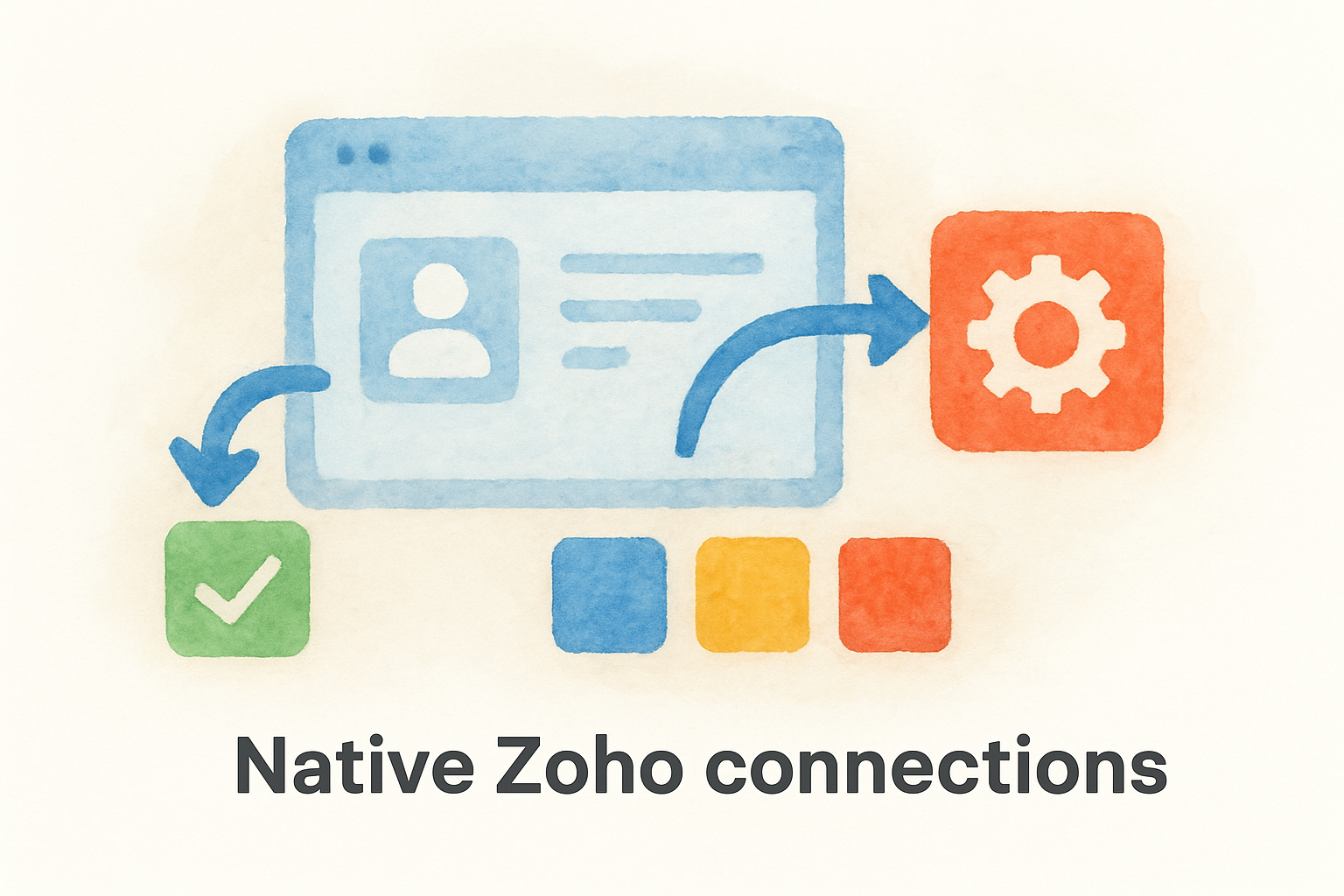
Getting the field mapping right between Marketing Automation and Zoho CRM before you launch your first campaign saves significant cleanup time later.
Zoho Analytics pulls campaign and journey data into custom dashboards, letting you report on marketing performance alongside sales and operational metrics in a single view.
Third-party connections
Outside the Zoho ecosystem, native integrations are limited, and you will likely rely on Zapier or webhook-based connections to reach tools outside the suite. Each additional integration layer adds a potential point of failure, so audit your existing tech stack carefully before assuming a connection works out of the box.
Testing every connection in a staging environment before going live catches broken field mappings and missed triggers before they affect real contacts or active campaigns.
Common use cases and when it is the right fit
Zoho marketing automation performs well for teams running structured, repeatable campaigns across a contained contact list. E-commerce brands, B2B software companies, and professional services firms with predictable lead flows tend to get the most value out of the platform's journey builder and scoring tools.
Where it works well
Your team will find the platform most useful when you already live inside the Zoho suite and need a way to connect marketing activity directly to CRM records without stitching together separate tools. It also fits teams that need multi-step email nurturing but lack the budget or technical resources for enterprise platforms like Marketo or HubSpot.
The platform rewards teams that invest time upfront in mapping out their lead journeys before building anything in the tool.
When to look elsewhere
Highly regulated industries with strict compliance requirements, like legal, financial services, or healthcare, will run into limitations quickly. The platform lacks practice-specific defaults, built-in audit logs for consent, and campaign attribution tied to closed cases or signed contracts. If your business measures success at the revenue level rather than the lead level, you will find yourself building workarounds that eat up the time automation was supposed to save.
Next steps
Zoho marketing automation gives growing teams a solid foundation for email nurturing, lead scoring, and journey automation, especially if your business already runs inside the Zoho ecosystem. Before you commit to a plan, map your actual contact growth rate and test every integration in a staging environment. Those two steps alone will prevent most of the common setup problems covered in this article.
If you run a law firm, the picture looks different. General-purpose platforms were not built for legal, and the gaps show up fast: no consent audit logs, no case-level attribution, and no intake workflows tied to signed retainers. Your practice needs tools that measure signed cases, not just email opens.
GavelGrow was built specifically for that problem. If you want to see how legal-specific marketing automation works in practice, explore the GavelGrow platform and start a free trial to compare it against what you are evaluating today.
Frequently Asked Questions
What is Zoho Marketing Automation used for?
Zoho Marketing Automation is a platform for managing email campaigns, lead scoring, and multi-channel workflows in one place. Its core features are a visual drag-and-drop journey builder for multi-step sequences, lead scoring that assigns point values to actions like email opens and form submissions, and built-in reporting on open rates, click-through rates, and journey completion. It's separate from Zoho Campaigns and Zoho CRM but designed to work alongside them.
How much does Zoho Marketing Automation cost?
Zoho Marketing Automation uses contact-based pricing, so your monthly bill scales with your list size rather than the number of users. Entry pricing is modest for smaller lists and climbs as your contact count grows. Every tier includes the full feature set, so what changes between plans is mainly your contact ceiling and monthly email send limit — confirm current pricing on Zoho's site.
What actually drives up the cost of Zoho Marketing Automation?
Contact list growth is the main driver, since every CRM sync, form submission, and imported spreadsheet pushes your count higher, and crossing a tier boundary triggers an upgrade or overage charges. High-frequency campaigns compound this because send limits cap out before your automation reaches full velocity. Budgeting for the next tier up prevents forced mid-campaign upgrades.
Does Zoho Marketing Automation work well for law firms?
It fits general small-to-mid-sized teams, but highly regulated industries like legal run into limitations quickly. The platform lacks practice-specific defaults, built-in audit logs for consent, and attribution tied to signed contracts or closed cases. If your firm measures success in signed retainers rather than email opens, you'll end up building workarounds that eat the time automation was meant to save.
How does Zoho Marketing Automation integrate with other tools?
It connects most naturally with the Zoho suite, sharing data bidirectionally with Zoho CRM and feeding campaign data into Zoho Analytics dashboards without middleware. Outside the Zoho ecosystem, native integrations are limited, so you'll typically rely on Zapier or webhook connections. Getting field mapping right and testing every connection in a staging environment before launch prevents broken triggers later.
Frequently Asked Questions
What is Zoho Marketing Automation used for?
Zoho Marketing Automation is a platform for managing email campaigns, lead scoring, and multi-channel workflows in one place. Its core features are a visual drag-and-drop journey builder for multi-step sequences, lead scoring that assigns point values to actions like email opens and form submissions, and built-in reporting on open rates, click-through rates, and journey completion. It's separate from Zoho Campaigns and Zoho CRM but designed to work alongside them.
How much does Zoho Marketing Automation cost?
Zoho Marketing Automation uses contact-based pricing, so your monthly bill scales with your list size rather than the number of users. Entry pricing is modest for smaller lists and climbs as your contact count grows. Every tier includes the full feature set, so what changes between plans is mainly your contact ceiling and monthly email send limit — confirm current pricing on Zoho's site.
What actually drives up the cost of Zoho Marketing Automation?
Contact list growth is the main driver, since every CRM sync, form submission, and imported spreadsheet pushes your count higher, and crossing a tier boundary triggers an upgrade or overage charges. High-frequency campaigns compound this because send limits cap out before your automation reaches full velocity. Budgeting for the next tier up prevents forced mid-campaign upgrades.
Does Zoho Marketing Automation work well for law firms?
It fits general small-to-mid-sized teams, but highly regulated industries like legal run into limitations quickly. The platform lacks practice-specific defaults, built-in audit logs for consent, and attribution tied to signed contracts or closed cases. If your firm measures success in signed retainers rather than email opens, you'll end up building workarounds that eat the time automation was meant to save.
How does Zoho Marketing Automation integrate with other tools?
It connects most naturally with the Zoho suite, sharing data bidirectionally with Zoho CRM and feeding campaign data into Zoho Analytics dashboards without middleware. Outside the Zoho ecosystem, native integrations are limited, so you'll typically rely on Zapier or webhook connections. Getting field mapping right and testing every connection in a staging environment before launch prevents broken triggers later.