CallTrackingMetrics: Pricing, Features, Reviews, Use Cases
Categories: Legal Marketing Strategies
 Abram Ninoyan
Founder & Senior Performance Marketer
Credentials: Google Partner, Google Ads Search Certified, Google Ads Display Certified, Google Ads Measurement Certified, Google Analytics (IQ) Certified, HubSpot Inbound Certified, HubSpot Social Media Marketing Certified, Conversion Optimization Certified
Expertise: Google Ads, Meta Ads, Conversion Rate Optimization, GA4 & Google Tag Manager, Lead Generation, Marketing Funnel Optimization, PPC Management
LinkedIn Profile
Every dollar a law firm spends on advertising should be traceable back to a phone call, a form submission, or a signed case. That's where CallTrackingMetrics comes in, a call tracking and contact cent...
Key Takeaways
- CallTrackingMetrics: Pricing, Features, Reviews, Use Cases
- Why CallTrackingMetrics matters for marketing ROI
- CallTrackingMetrics pricing and plans explained
- Features and integrations that matter most
CallTrackingMetrics: Pricing, Features, Reviews, Use Cases
Every dollar a law firm spends on advertising should be traceable back to a phone call, a form submission, or a signed case. That's where CallTrackingMetrics comes in, a call tracking and contact center platform that helps businesses attribute inbound leads to specific marketing channels. For law firms running Google Ads, LSAs, or SEO campaigns across multiple practice areas, knowing which channel drives real consultations isn't optional. It's the foundation of smart budget decisions.
At GavelGrow, we build marketing systems for law firms where every lead is measured and every campaign is accountable. Call tracking software sits at the center of that process. We've used and evaluated platforms like CallTrackingMetrics across hundreds of law firm campaigns, and we understand what attorneys actually need from these tools, not just surface-level features, but practical ROI visibility tied to signed cases.
This article breaks down CallTrackingMetrics in full: what it costs, what it does, how real users rate it, and where it fits into a law firm's marketing stack. Whether you're comparing platforms for the first time or reconsidering your current setup, you'll walk away with enough detail to make a confident decision. No fluff, just the information that matters when you're trying to connect your ad spend to actual client intake.
Why CallTrackingMetrics matters for marketing ROI
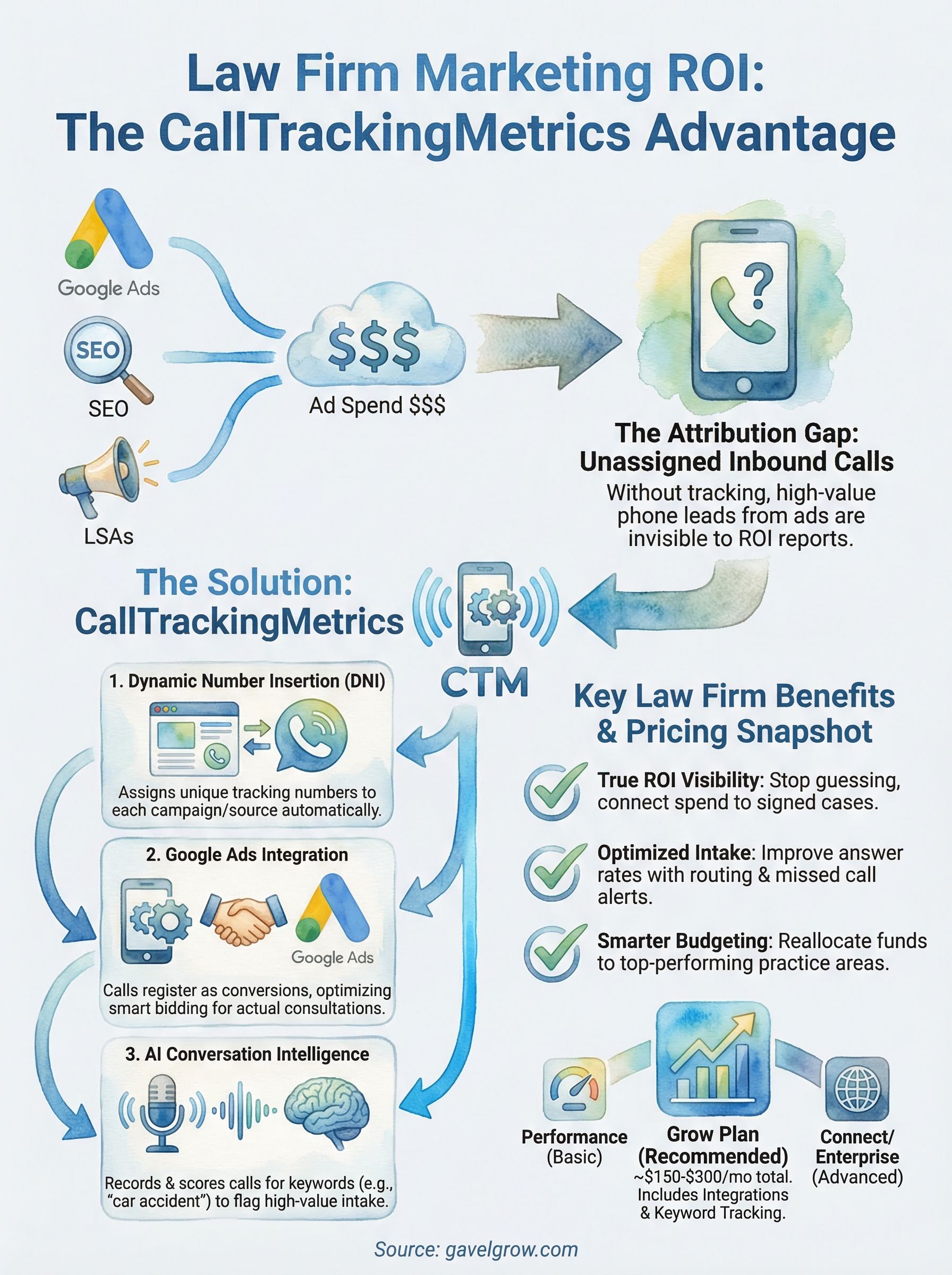
Most law firms spend money on multiple marketing channels at once: Google Ads, Local Services Ads, organic SEO, and sometimes direct mail or TV. Without call tracking, every inbound call looks the same, which means you have no reliable way to know whether your paid search budget is generating consultations or just eating through your billing cycle. CallTrackingMetrics solves this by assigning unique phone numbers to specific campaigns, sources, and even individual ads, so every call gets tied back to the marketing channel that generated it.
The attribution problem law firms face
Attribution is the process of connecting a marketing action to a business outcome. For law firms, the outcome you care about is a signed retainer or a scheduled consultation, not just a click or a page view. The problem is that most digital platforms only track what happens on screen. Google Ads can tell you a user clicked your ad, but if that person picks up the phone instead of filling out your intake form, that conversion disappears from your data entirely.
Phone calls are the dominant intake channel for high-value legal matters. Personal injury prospects, criminal defense clients, and family law cases almost always start with a phone call. A client facing a DUI charge or a divorce is not going to submit a web form and wait two business days for a callback. If you can't track those calls back to their source, you're making budget decisions based on incomplete data, and you will consistently undervalue your best-performing channels while overfunding the ones that only look good in your dashboard.
If your marketing reports don't include call attribution, you're measuring a fraction of your actual results.
How call tracking changes what you measure
When you connect a call tracking platform to your ad campaigns, you shift from guessing to knowing. Each campaign or landing page gets a dynamic or static tracking number that forwards to your main firm line. When a call comes in, the system logs the source, the keyword that triggered the visit, the duration of the call, and whether it was answered. Over time, that data gives you a clear picture of which campaigns drive real intake volume, not just impressions or clicks.
For law firms running campaigns across multiple practice areas, this becomes especially valuable. You might discover that your personal injury campaign on Google Ads generates twice as many qualified calls per dollar as your brand awareness efforts on display, or that your local SEO traffic converts into calls at a higher rate than your paid traffic. That level of clarity lets you reallocate your budget toward what actually works and cut spending on what doesn't.
Beyond channel attribution, call tracking platforms also give your intake team actionable conversation data. Recorded calls reveal whether staff is following your intake script, how quickly calls are answered, and where prospects drop off before booking. That combination of marketing attribution and intake quality monitoring is why call tracking isn't just a reporting tool. It's a performance management system for your entire client acquisition process.
CallTrackingMetrics pricing and plans explained
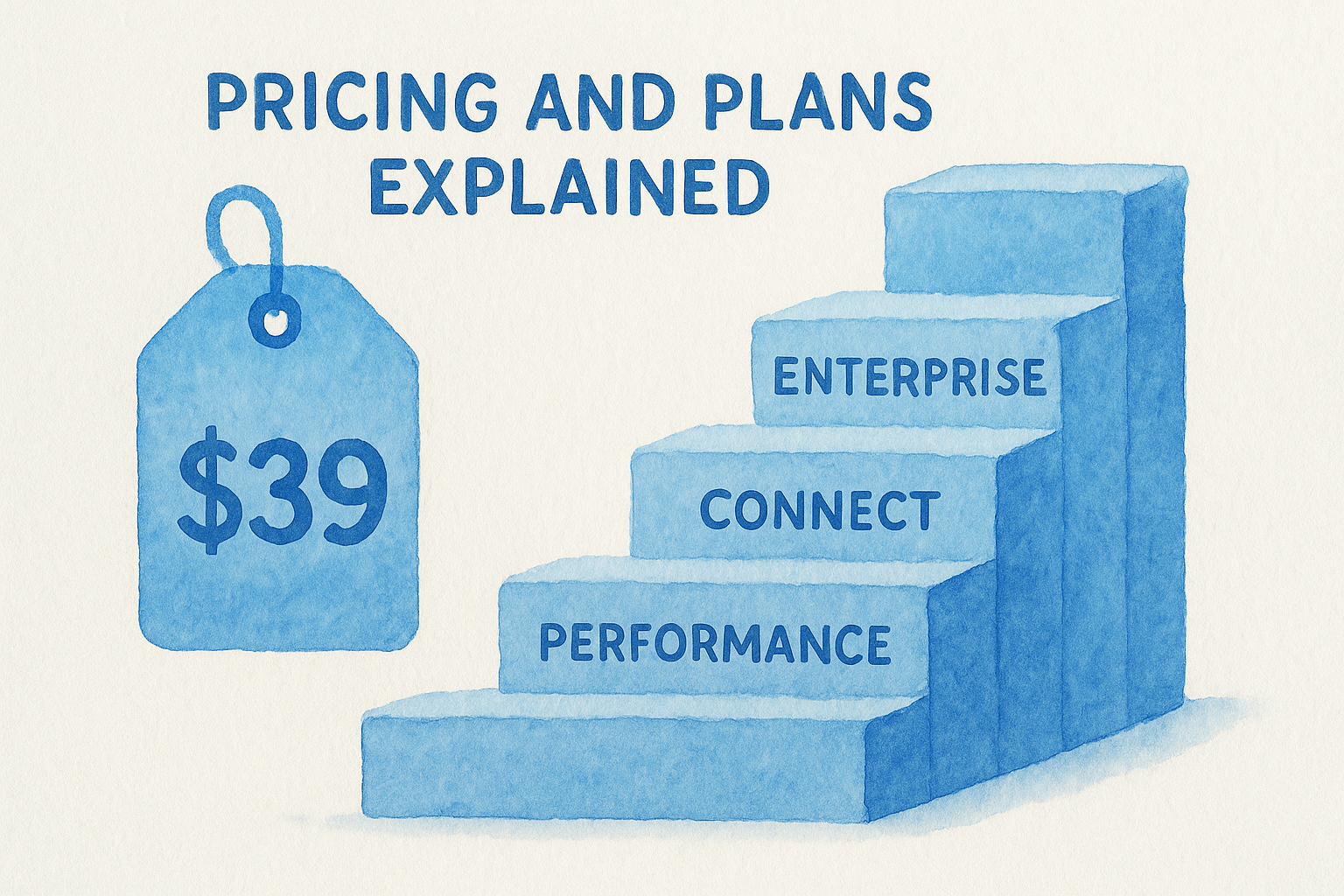
CallTrackingMetrics structures its pricing around four main tiers, each designed for different team sizes and call volumes. The entry-level Performance plan starts at approximately $39 per month, which covers a small number of users, local and toll-free numbers, and basic call attribution. From there, the Grow plan steps up to roughly $119 per month and unlocks features like multi-touch attribution and more user seats. Larger operations can move into the Connect or custom enterprise tiers, which add advanced routing, AI-powered tools, and dedicated support.
Pricing changes regularly, so always confirm current rates directly on the CallTrackingMetrics website before committing to a plan.
Understanding what's included in each tier
Each plan builds on the one below it, but the jump from Performance to Grow is where most law firms will find the tools they actually need. The Grow plan includes conversation intelligence features, keyword-level tracking, and integrations with platforms like Google Ads and Google Analytics 4. If you're running active paid search campaigns, those integrations are not optional extras. They're the core mechanism that ties your ad spend to inbound call data.
Beyond the base plan fee, you'll also pay for the phone numbers you use and the minutes your calls consume. Local numbers typically run around $3 per month each, and toll-free numbers cost slightly more per month. Per-minute charges apply to both inbound and outbound calls, usually at rates under $0.10 per minute depending on your plan volume.
What law firms should budget for
A small law firm running two to three active campaigns across Google Ads and LSAs can usually operate effectively on the Grow plan with a handful of tracking numbers. Realistically, expect to spend $150 to $300 per month total once you factor in base plan costs, numbers, and call minutes. Larger firms with multiple practice areas or locations will need more numbers and possibly more user seats, which pushes total monthly costs higher. The key question isn't whether the platform is affordable. It's whether the attribution data it delivers justifies the spend, and for firms spending thousands per month on ads, it almost always does.
Features and integrations that matter most
CallTrackingMetrics packs a wide feature set, but not every feature matters equally to a law firm. The tools that actually move the needle are the ones that connect your call data to your ad campaigns and give your intake team visibility into conversation quality. Understanding which features to prioritize helps you configure the platform correctly from day one and avoid paying for capabilities you'll never use.
Call tracking, recording, and conversation intelligence
The foundation of CallTrackingMetrics is its dynamic number insertion (DNI) system, which automatically swaps out the phone number displayed on your website based on where a visitor came from. A visitor arriving from a Google Ads campaign sees a different number than one who found you through organic search. That distinction lets you attribute each call to its exact source without any manual work on your end.
Beyond tracking, the platform records calls and applies AI-powered conversation intelligence to flag keywords, score call quality, and identify whether a call was a genuine intake opportunity. For law firms, this means your team can review flagged calls where a prospect mentioned a specific legal matter, such as "car accident" or "custody," without listening to every recording in full.
Conversation intelligence turns raw call recordings into structured intake data you can act on immediately.
Google Ads and analytics integrations
CallTrackingMetrics integrates directly with Google Ads and Google Analytics 4, which is where the platform delivers its clearest ROI for law firms running paid search. When you connect your calltrackingmetrics account to Google Ads, phone calls register as conversion events inside your campaigns. That means your smart bidding algorithms optimize toward calls, not just clicks, which fundamentally improves how Google allocates your budget.
The Google Analytics 4 integration pushes call session data into your analytics property so you can analyze call behavior alongside form submissions and website engagement in one place. For firms that rely on GA4 for cross-channel reporting, this connection closes the gap between online behavior and phone-based intake volume, giving you a complete picture of how prospects move from first click to scheduled consultation.
How to set up CallTrackingMetrics for a law firm
Getting CallTrackingMetrics running for your firm doesn't require a developer or a full IT team, but it does require a clear setup sequence if you want accurate data from day one. The most common mistake law firms make is buying tracking numbers and pointing them at their main line without connecting the platform to their ad accounts first. That order matters because your attribution data is only as clean as your initial configuration.
Connect your tracking numbers to your campaigns
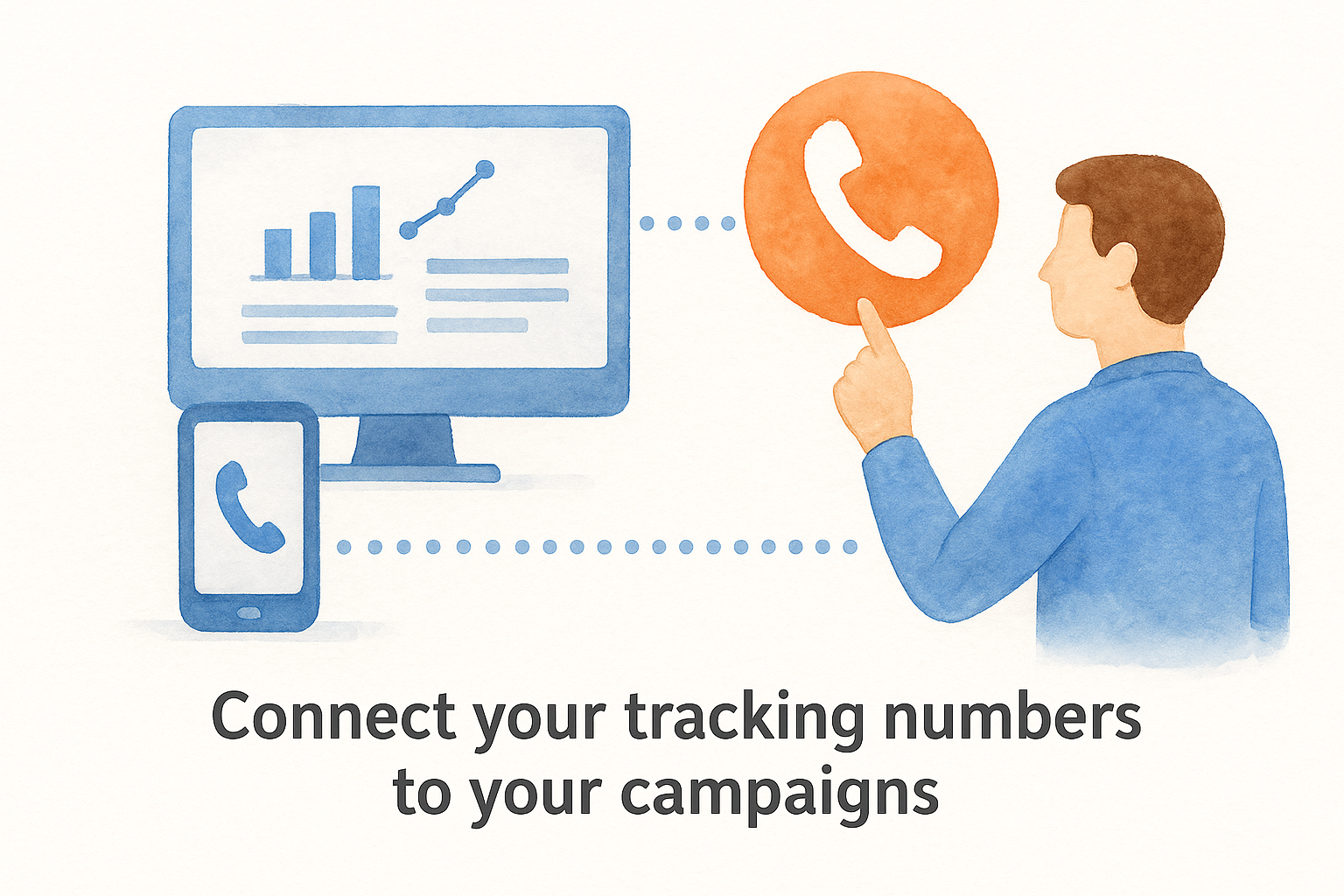
Your first step is creating a separate tracking number for each active marketing channel. Set up at least one number for your Google Ads campaigns, one for your organic search traffic, and one for any other paid sources you're running, such as Local Services Ads. Then install the CallTrackingMetrics JavaScript snippet on your website so dynamic number insertion works automatically. When a visitor lands on your site, the script detects where they came from and displays the correct tracking number without any manual switching.
After your numbers are live, link your CallTrackingMetrics account to Google Ads through the platform's native integration. This step pushes completed calls back into Google Ads as conversion events, which directly improves how your smart bidding campaigns allocate budget. Without this connection, Google treats phone call conversions as invisible, and your campaigns optimize toward clicks instead of actual consultations.
Connecting call conversions to Google Ads is the single highest-impact configuration step in your entire setup.
Configure call routing and intake alerts
Once your tracking numbers are live, set up call routing rules inside CallTrackingMetrics so calls flow to the right staff members based on practice area, time of day, or location. For a multi-practice firm, routing a criminal defense call to your criminal intake specialist, rather than a general receptionist, directly improves your answer-to-consultation conversion rate.
You should also enable real-time call alerts and missed call notifications so your team never lets a qualified lead go unanswered. Configure the platform to flag calls by keyword so that high-value inquiries, anything involving accident, injury, or custody, get reviewed first and followed up within the same business day.
Alternatives and when to choose a different tool
CallTrackingMetrics isn't the only call tracking platform on the market, and choosing the right tool depends on your firm's size, budget, and how deeply you need to integrate call data with your ad campaigns. The main competitors include CallRail, WhatConverts, Invoca, and Marchex. Each has a distinct positioning, and some fit law firm use cases better than others depending on your specific setup and intake volume.
When CallRail might work better for you
CallRail is the most direct competitor to calltrackingmetrics, and it tends to win on simplicity and ease of setup. If your firm is newer to call tracking, runs a single practice area, and wants a clean interface with minimal configuration, CallRail's onboarding is faster and its pricing starts at a comparable entry point. However, CallRail's contact center features are more limited, which means firms that need advanced call routing, multi-user queues, or custom IVR flows will hit a ceiling quickly. For straightforward attribution across one or two campaigns, it is a reasonable starting point.
If your firm needs a full contact center workflow in addition to call tracking, CallTrackingMetrics has a clear functional advantage over simpler tools.
When your intake volume justifies enterprise-level tools
Invoca and Marchex serve large enterprise clients with high call volumes and come with price tags to match. These platforms make sense for mass tort firms or multi-location practices handling thousands of calls per month, where AI-powered signal detection and deep CRM integration justify the higher investment. Most small to mid-sized law firms will find the feature depth excessive and the costs difficult to justify relative to what they actually use day to day.
When WhatConverts fits better
WhatConverts positions itself as a full lead tracking platform, covering calls, forms, and chat in a single report. If your firm relies heavily on web forms as an intake channel alongside phone calls, WhatConverts consolidates both lead types into one dashboard without requiring separate integrations. The trade-off is that its call analytics depth and contact center capabilities don't match what CallTrackingMetrics offers for firms where phone intake is the primary driver of new client acquisition.
Next steps
CallTrackingMetrics gives law firms a direct line between ad spend and intake calls, which is exactly the kind of accountability your marketing budget deserves. You now have a clear picture of how the platform is priced, what features matter for legal intake, how to configure it properly, and where competing tools fit better depending on your firm's needs. The next move is putting that knowledge into practice.
Start by auditing your current setup. If you're running Google Ads or LSAs without call attribution, you're making budget decisions with incomplete data. Connect your calltrackingmetrics account to your ad campaigns, install DNI on your website, and build out call routing that matches your intake process. Once your tracking is in place, your reports will reflect actual consultation volume, not just clicks.
If you want help building a law firm marketing system where every call is tracked and every dollar is accountable, talk to the team at GavelGrow to get started.
Frequently Asked Questions
What does CallTrackingMetrics do for a law firm?
CallTrackingMetrics assigns unique phone numbers to specific campaigns, sources, and ads so every inbound call is attributed back to the marketing channel that generated it. For law firms, that closes the gap left by web-only tracking, since most high-value legal matters like personal injury or family law start with a phone call rather than a form. It also records calls and flags keywords so intake quality can be reviewed.
How much does CallTrackingMetrics cost?
CallTrackingMetrics uses tiered plans starting with an entry-level Performance plan, then a Grow plan and higher Connect or enterprise tiers, with per-number and per-minute charges layered on top. Because rates change regularly, confirm current pricing directly on the CallTrackingMetrics website before committing. For most firms running a few active campaigns, budget for the base plan plus tracking numbers and call minutes.
Which CallTrackingMetrics plan should a small law firm choose?
Most small firms running two or three campaigns across Google Ads and Local Services Ads find the tools they actually need on the Grow plan, which unlocks conversation intelligence, keyword-level tracking, and integrations with Google Ads and Google Analytics 4. Those integrations are the core mechanism that ties ad spend to call data. Firms with multiple practice areas or locations may need more numbers and seats.
How does CallTrackingMetrics connect to Google Ads?
CallTrackingMetrics integrates natively with Google Ads so completed phone calls register as conversion events inside your campaigns. That lets smart bidding optimize toward calls, not just clicks, which changes how Google allocates your budget. Connecting call conversions to Google Ads is the single highest-impact configuration step in the setup, because without it Google treats phone conversions as invisible.
What are the main alternatives to CallTrackingMetrics?
The main competitors are CallRail, WhatConverts, Invoca, and Marchex. CallRail tends to win on simplicity for firms running one or two campaigns, WhatConverts consolidates calls, forms, and chat into one dashboard, and Invoca or Marchex serve high-volume enterprise firms. The right choice depends on your firm's size, intake volume, and how deeply you need call data tied to ad campaigns.
Frequently Asked Questions
What does CallTrackingMetrics do for a law firm?
CallTrackingMetrics assigns unique phone numbers to specific campaigns, sources, and ads so every inbound call is attributed back to the marketing channel that generated it. For law firms, that closes the gap left by web-only tracking, since most high-value legal matters like personal injury or family law start with a phone call rather than a form. It also records calls and flags keywords so intake quality can be reviewed.
How much does CallTrackingMetrics cost?
CallTrackingMetrics uses tiered plans starting with an entry-level Performance plan, then a Grow plan and higher Connect or enterprise tiers, with per-number and per-minute charges layered on top. Because rates change regularly, confirm current pricing directly on the CallTrackingMetrics website before committing. For most firms running a few active campaigns, budget for the base plan plus tracking numbers and call minutes.
Which CallTrackingMetrics plan should a small law firm choose?
Most small firms running two or three campaigns across Google Ads and Local Services Ads find the tools they actually need on the Grow plan, which unlocks conversation intelligence, keyword-level tracking, and integrations with Google Ads and Google Analytics 4. Those integrations are the core mechanism that ties ad spend to call data. Firms with multiple practice areas or locations may need more numbers and seats.
How does CallTrackingMetrics connect to Google Ads?
CallTrackingMetrics integrates natively with Google Ads so completed phone calls register as conversion events inside your campaigns. That lets smart bidding optimize toward calls, not just clicks, which changes how Google allocates your budget. Connecting call conversions to Google Ads is the single highest-impact configuration step in the setup, because without it Google treats phone conversions as invisible.
What are the main alternatives to CallTrackingMetrics?
The main competitors are CallRail, WhatConverts, Invoca, and Marchex. CallRail tends to win on simplicity for firms running one or two campaigns, WhatConverts consolidates calls, forms, and chat into one dashboard, and Invoca or Marchex serve high-volume enterprise firms. The right choice depends on your firm's size, intake volume, and how deeply you need call data tied to ad campaigns.