SEMrush Competitor Analysis: Step-By-Step for SEO + PPC
Categories: Legal Marketing Strategies
 Abram Ninoyan
Founder & Senior Performance Marketer
Credentials: Google Partner, Google Ads Search Certified, Google Ads Display Certified, Google Ads Measurement Certified, Google Analytics (IQ) Certified, HubSpot Inbound Certified, HubSpot Social Media Marketing Certified, Conversion Optimization Certified
Expertise: Google Ads, Meta Ads, Conversion Rate Optimization, GA4 & Google Tag Manager, Lead Generation, Marketing Funnel Optimization, PPC Management
LinkedIn Profile
Running a SEMrush competitor analysis gives you a clear picture of where rival firms are spending, what keywords they rank for, and which gaps you can exploit, across both organic search and paid camp...
Key Takeaways
- SEMrush Competitor Analysis: Step-By-Step for SEO + PPC
- What Semrush Competitor Analysis Covers
- Step 1. Pick the Right Competitors in Semrush
- Step 2. Benchmark Traffic, Channels, and Growth
SEMrush Competitor Analysis: Step-By-Step for SEO + PPC
Running a SEMrush competitor analysis gives you a clear picture of where rival firms are spending, what keywords they rank for, and which gaps you can exploit, across both organic search and paid campaigns. If you're managing marketing for a law firm (or any business putting real dollars behind client acquisition), this is one of the most direct ways to stop guessing and start making data-backed decisions.
At GavelGrow, we run competitor analyses constantly for the law firms we work with. Semrush is one of the primary tools in that process. We use it to benchmark ad spend, reverse-engineer competitor keyword strategies, and find the content gaps that actually move the needle on signed cases. It's a core part of how we help firms lower their cost-per-signed-case instead of just chasing cheaper clicks.
This guide walks you through the entire process step by step, from setting up your first competitor project in Semrush to pulling actionable insights for SEO and PPC. You'll get the exact workflow we use internally, including which reports matter, which ones waste your time, and how to turn raw data into a plan that drives real client acquisition. Let's get into it.
What Semrush Competitor Analysis Covers
A semrush competitor analysis pulls from several distinct data sources inside the platform, and each one answers a different question about how your competitors are winning business. At a high level, Semrush gives you visibility into four core areas: organic search performance, paid advertising, traffic and audience behavior, and backlink profiles. Understanding which tool maps to which question is what separates firms that get actionable insights from ones that pull a few reports and shelve them.
The Core Data Types Semrush Surfaces
Semrush doesn't operate as a single report; it's a collection of modules that each expose a specific competitive layer. When you run a full analysis, you're actually pulling from six distinct tool sets, each designed to answer a specific competitive question.

Each module feeds into the next. You use Domain Overview to size up a competitor, then drill into Organic Research to see exactly which keywords drive their traffic, then cross-reference with Keyword Gap to find where you're losing ground.
The firms that get the most value from Semrush treat it as a system, not a one-off lookup tool. Each module adds a layer of context to the one before it.
What the Data Actually Tells You (and What It Doesn't)
Semrush traffic estimates are not exact. The platform uses clickstream data and panel-based modeling to estimate traffic, which means the numbers you see are directionally accurate, not audit-grade precise. For a law firm comparing its performance against three local competitors, that directional accuracy is more than enough to make confident decisions about where to invest.
What Semrush does exceptionally well is show you relative performance and trend direction. If a competitor's organic traffic grew 40% over six months while yours stayed flat, that's a clear signal that something in their content or technical SEO is working, and you don't need exact visitor counts to act on that. Focus on patterns, gaps, and movement rather than treating any single number as ground truth.
Step 1. Pick the Right Competitors in Semrush
The biggest mistake firms make when starting a semrush competitor analysis is analyzing the wrong businesses. If you run a personal injury firm in Dallas, your real competitors are the other PI firms bidding on the same keywords and ranking in the same local pack, not national aggregators or legal directories. Starting with the wrong domains skews every downstream insight you pull from the platform, so getting this step right determines how useful the rest of the process is.
Find Your Organic Competitors Automatically
Semrush surfaces competitor suggestions without any manual research on your part. Go to Organic Research, enter your own domain, and scroll down to the "Competitors" tab. Semrush identifies domains that rank for many of the same keywords you do, ranked by competition level, which is a ratio of shared keywords to total keywords.
The competition level score is a fast filter: anything above 0.30 signals meaningful keyword overlap and is worth deeper analysis.
Pull the top 10 to 15 suggested domains as your starting list. Then cross-reference that list manually by searching your core practice-area terms in Google and noting which domains appear consistently in both the organic results and the local pack. If a domain shows up in Semrush's suggestions but never appears in Google for your target terms, drop it.
Narrow the List to True Rivals
Not every suggested competitor belongs in your final analysis. Filter your initial list down to five or fewer domains using these criteria:
- Same geography: A PI firm in Houston is irrelevant if you serve Chicago.
- Same practice area: Firms targeting different case types don't compete for the same leads.
- Similar marketing budget: A firm spending $50K/month in paid ads operates in a different tier than one spending $3K.
- Active across multiple channels: The most useful competitor data comes from firms running both organic and paid simultaneously.
Once you have your final list, add those domains to a Semrush Project so you can track their changes week over week, not just run a one-time snapshot. This ongoing monitoring turns competitor research into a live intelligence feed rather than a quarterly exercise.
Step 2. Benchmark Traffic, Channels, and Growth
Once you have your competitor list locked, the next task is to build a traffic baseline for each domain before going any deeper. This gives you the context you need to interpret everything else in the semrush competitor analysis process. Without this foundation, keyword gaps and backlink data have no frame of reference, and you risk drawing conclusions from numbers that mean nothing in isolation.
Use Traffic Analytics to Compare Channel Mix
Open Traffic Analytics and enter up to five competitor domains alongside your own. The first number to examine is not overall traffic volume but the channel breakdown: how much of each firm's traffic comes from organic search, paid search, direct, referral, and social. This tells you exactly where each competitor is investing and where those investments are paying off.
A firm sending 70% of its traffic through paid search is heavily dependent on ad spend to stay visible. A firm pulling 60% from organic search has built durable visibility that does not disappear the moment a campaign pauses. Knowing the difference shapes where you should focus your resources first.
If a direct competitor draws significant traffic from a channel you have not invested in yet, that channel is your first opportunity to test.
Read Growth Trends, Not Just Snapshots
Semrush Traffic Analytics shows month-over-month and year-over-year traffic trend lines for each domain. Pull the last 12 months of data for each competitor and look for sustained upward movement versus spikes. A spike followed by a drop often signals a paid push that did not hold. Sustained growth over six or more months usually reflects a deliberate SEO or content investment compounding over time.
Document your findings in a simple comparison table before moving to the next step:
This table gives you a clear reference point for every downstream decision you make. It also shows you which competitors are accelerating so you know whose moves to watch most closely in the steps ahead.
Step 3. Find SEO Keyword Gaps and Winners
This step is where a semrush competitor analysis delivers its most immediate SEO value. You are looking for two things: keywords your competitors rank for that you don't, and keywords where you already rank but your competitors outrank you. Both tell you exactly where to invest your content and optimization efforts next.
Run the Keyword Gap Report
Open Keyword Gap from the left navigation and enter your domain alongside up to four competitors. Set the filter to "Organic" and run the report. Semrush will return a side-by-side table showing every keyword across all five domains with each domain's ranking position.
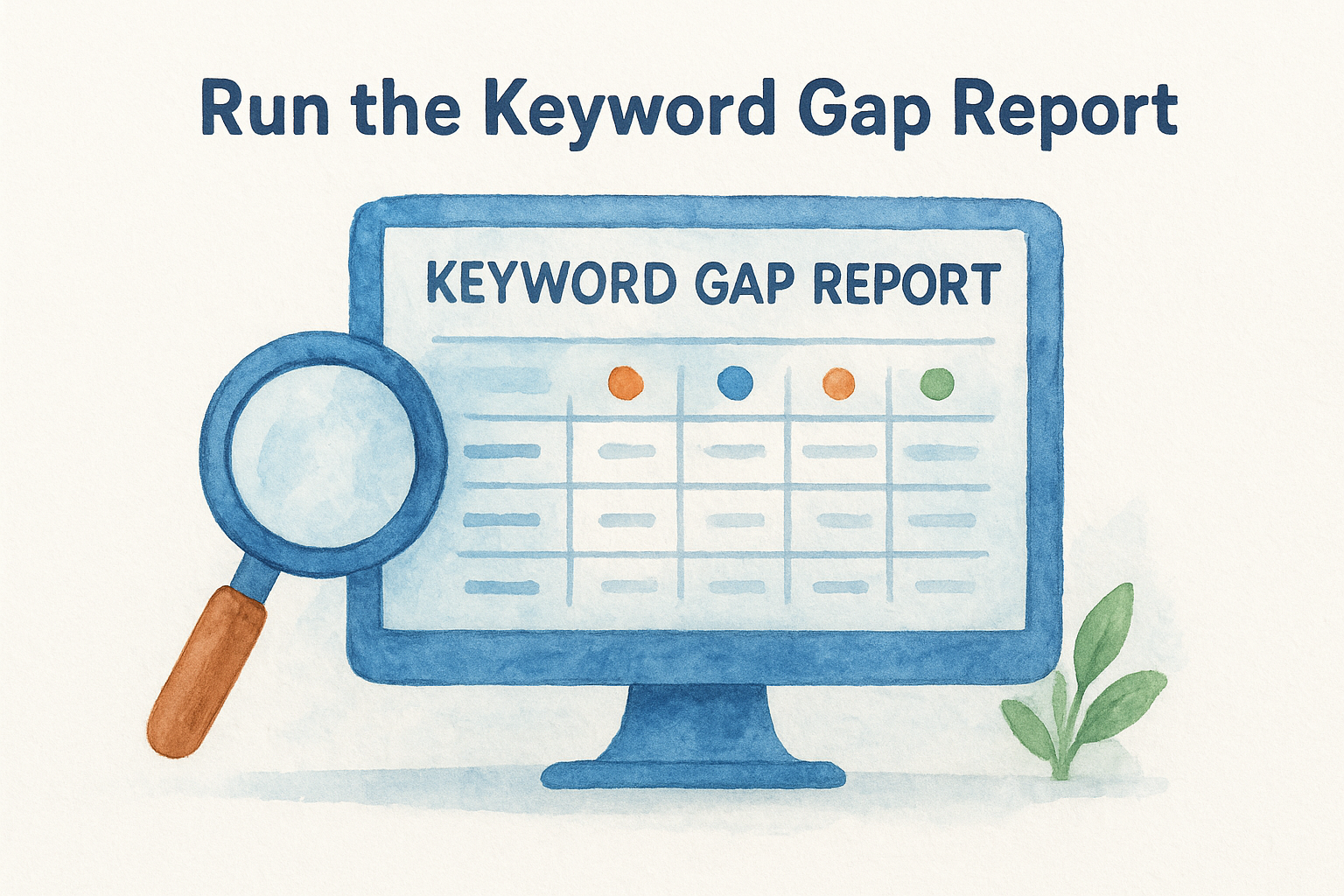
Focus on these three filters first:
- Missing: Keywords where all competitors rank but your domain does not appear at all. These are your highest-priority gaps.
- Weak: Keywords where you rank, but below position 20, while competitors rank in the top 10. These are your fastest wins with focused optimization.
- Unique: Keywords only you rank for. Protect these by strengthening the pages that drive them.
The "Missing" filter alone will surface more actionable content opportunities in 20 minutes than most firms find in a full quarter of manual research.
Export the Missing and Weak lists, then sort by search volume and keyword difficulty. Prioritize keywords with volume above 200 monthly searches and a difficulty score below 50. These hit the sweet spot between real traffic potential and realistic ranking effort.
Separate Transactional Keywords from Informational Ones
Not every keyword gap is worth closing. A keyword like "hire a car accident lawyer in Dallas" signals purchase intent and should drive a dedicated service page or landing page. A keyword like "how long does a personal injury case take" signals research intent and belongs in a blog post or FAQ section.
Tag each keyword in your export with one of two labels: transactional or informational. This separation determines which team member handles it (paid or content), what format the page takes, and how you measure success once you publish.
Step 4. Compare Top Pages and On-Page Signals
Knowing which keywords competitors rank for is only half the picture. The other half is understanding which specific pages drive their rankings and what those pages have in common. This step of your semrush competitor analysis tells you the exact page structure and content patterns that are already working in your market, so you stop building pages based on guesswork and start building them based on evidence.
Identify the Pages Driving the Most Traffic
Open Organic Research, enter a competitor's domain, and click the "Pages" tab. Semrush ranks each page by the estimated traffic it pulls from organic search. Your goal here is to identify the top 10 pages for each competitor and document what type of content each one represents: a service page, a city-specific landing page, a blog post, or an FAQ.
Look for patterns across competitors. If three out of four rivals have a high-traffic page built around a city-plus-practice-area URL structure (for example, /dallas-car-accident-lawyer/), that structure is working in your market and you need a comparable page if you don't already have one. Use this quick audit table as your template:
Every gap in the "You Have It?" column is a prioritized build item for your content calendar.
Analyze On-Page Signals for Ranking Patterns
Pull two or three of the top competitor pages directly in your browser and audit them manually against your own equivalent pages. Check title tag structure, H1 format, word count, internal linking depth, and whether the page targets a single primary keyword or clusters related terms together. Pages that rank well in competitive legal markets almost always follow a tight on-page structure: one clear keyword focus, a strong H1 that matches search intent, and supporting content that answers follow-up questions before the user has to ask.
Record what you find in a simple spreadsheet row per page. Once you have five or more pages audited, the recurring patterns become obvious and give you a concrete checklist to apply to every new page you build going forward.
Step 5. Close Backlink Gaps and Link Quality Gaps
Backlinks remain one of the strongest signals Google uses to evaluate authority, and your semrush competitor analysis gives you a direct way to see exactly which sites link to your rivals but not to you. This step is not about chasing volume. It is about identifying high-quality, relevant referring domains that are already proven to link to sites like yours, then building a pitch list around those targets.
Use Backlink Gap to Surface Missing Link Sources
Open Backlink Analytics from the left navigation, then switch to the Backlink Gap tool. Enter your domain and up to four competitors. Semrush returns a side-by-side view of every referring domain, with columns showing which competitors each site links to and whether your domain is included.
Filter the results to show only domains that link to at least two competitors but not to you. These sites already link to firms in your space, which means they are warm prospects, not cold outreach. Export this list and document your top targets using the template below:
A referring domain that already links to two or more of your competitors is far more likely to add your firm than a cold site you found through a generic search.
Assess Link Quality Before You Pitch
Not every gap is worth closing. Before you add a domain to your outreach queue, check its Authority Score inside Backlink Analytics. Anything below 20 with a low organic traffic estimate is likely low-value and not worth your time. Focus your efforts on domains with Authority Scores above 35 and real editorial content, such as legal directories, bar association pages, local news outlets, and practice-area resource hubs.
Pull the specific page that links to your competitors, read it, and confirm that a link to your firm would fit naturally in that context. Relevance beats volume. One link from a credible legal publication carries more weight than twenty links from generic directories with no editorial standards.
Step 6. Reverse-Engineer PPC Keywords, Ads, and Landing Pages
The paid search component of your semrush competitor analysis is where you find out exactly what competitors are willing to spend money on, which is the strongest possible signal of keyword commercial value. If a firm has been bidding on the same keyword for six months, that keyword is converting. Semrush's Advertising Research module gives you a direct window into that data without spending a dollar of your own budget to find out.
Pull Competitor PPC Keywords from Advertising Research
Open Advertising Research, enter a competitor's domain, and click the "Positions" tab. Semrush surfaces every keyword that domain is actively bidding on, along with the estimated cost-per-click, traffic share, and ad position. Sort by traffic share descending to see which paid keywords are actually driving volume, not just which ones the firm is testing casually.
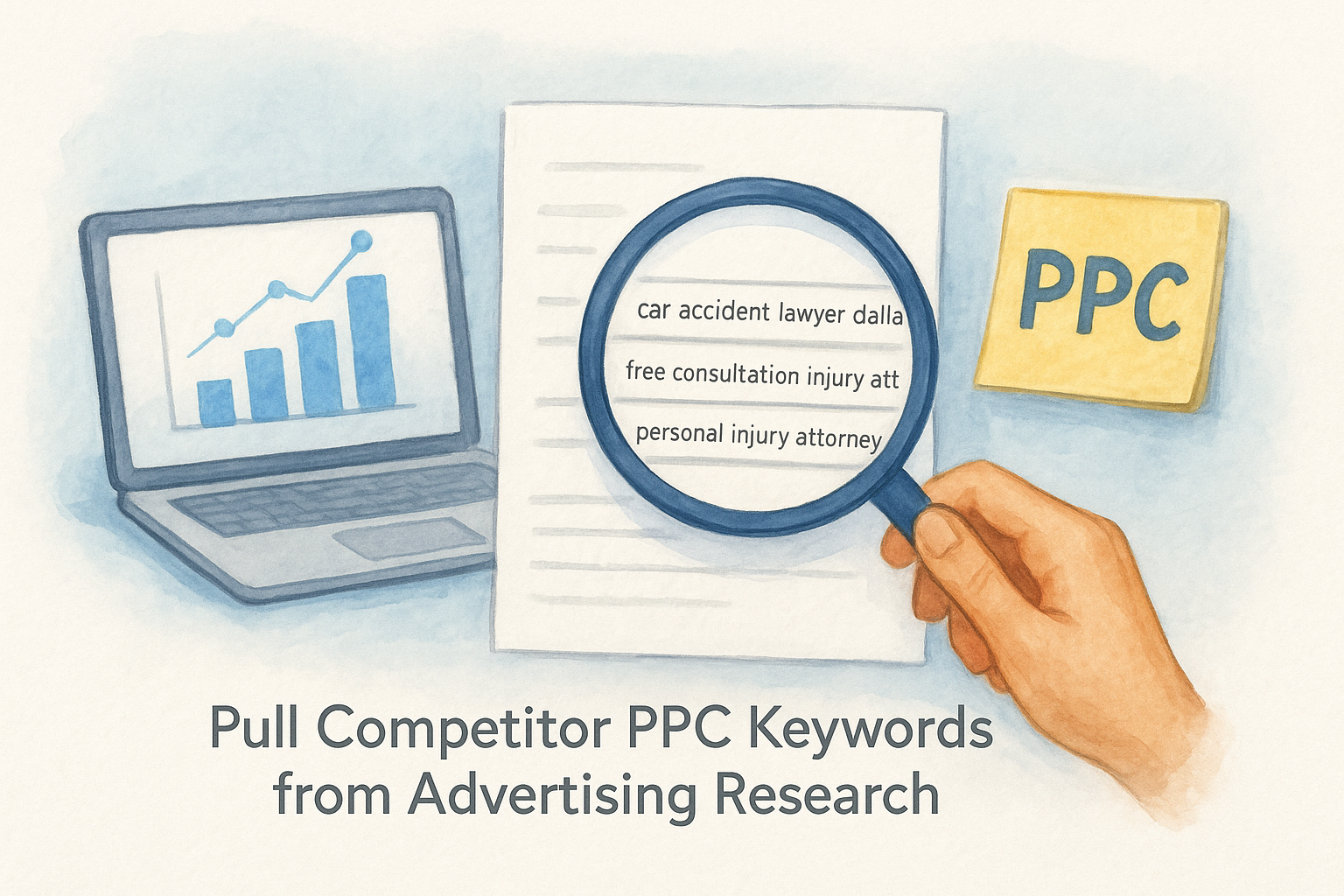
Export the top 30 keywords and tag each one as branded, local, or practice-area intent. Branded terms (competitor firm names) are usually not worth bidding on. Local and practice-area terms are your priority targets. Build your export table like this:
Any keyword your top two or three competitors are all bidding on is a strong signal that the term converts at a rate that justifies the spend.
Read Ad Copy Patterns Across Competitors
Click the "Ads" tab inside Advertising Research to see the actual ad creative each competitor runs. Look for repeated phrases across multiple competitors' ads: language like "no fee unless you win" or "free case review today" appears because testing proved it drives clicks and qualified leads. Copy those patterns into a swipe file, then write your own ads that match the intent while differentiating your firm on a specific proof point, such as case results or response time.
Audit Competitor Landing Pages Directly
Semrush shows the destination URL for each paid keyword in the Advertising Research Positions tab. Click through to the actual landing page and audit it manually. Note the headline structure, trust signals (reviews, case results, bar certifications), form placement, and call-to-action copy. A competitor spending heavily on a keyword and sending traffic to a weak landing page is an opening for you to rank higher and convert more of the same traffic with a stronger page.
Step 7. Turn Insights into a 90-Day Action Plan
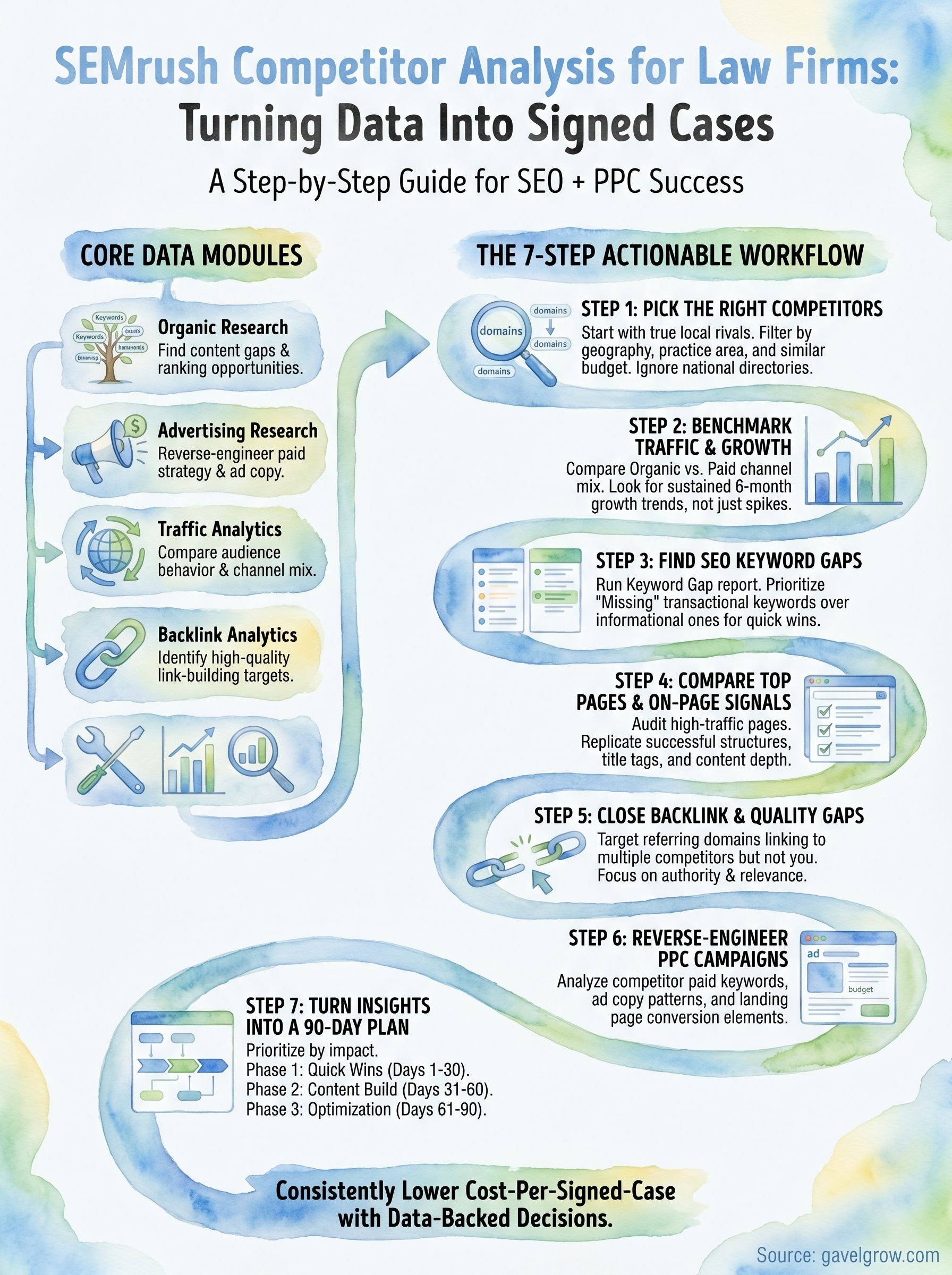
Raw data from your semrush competitor analysis has no value until it becomes a prioritized list of actions with owners, deadlines, and success metrics. This final step takes everything you collected across the previous six steps and organizes it into a focused 90-day sprint that your team can actually execute without getting overwhelmed by the volume of findings.
Prioritize by Impact and Effort
Before you build the plan, you need to sort your findings by two variables: the likely impact on signed cases and the effort required to execute. High-impact, low-effort items go to the front of the queue. High-effort, high-impact items get scheduled in the back half of the 90 days. Anything low-impact drops off the list entirely, regardless of how interesting the data looked.
Prioritizing by signed-case impact rather than traffic potential keeps your marketing investment directly tied to revenue.
Use this triage table to categorize every finding before you assign it to a sprint:
Build the 90-Day Sprint Structure
Organize the prioritized items into three distinct phases so your team has a clear sequence to follow rather than a flat list that invites paralysis.
- Days 1 to 30 (Quick wins): Publish missing city pages, launch updated ad copy, and submit your firm to the top-priority referring domains you identified in the backlink gap report.
- Days 31 to 60 (Content build): Publish informational content targeting your keyword gaps and begin internal linking from new pages to your core service pages.
- Days 61 to 90 (Optimization and review): Measure ranking changes, update underperforming pages with stronger on-page signals, and pull a fresh Semrush report to confirm you are closing the gaps you identified at the start.
Assign a single owner to each line item before you close the planning session. A task without an owner does not get done.
Where to Go From Here
A complete semrush competitor analysis gives you more than a snapshot of what rivals are doing. It gives you a repeatable system: benchmark traffic, close keyword gaps, build missing pages, fix your backlink profile, and sharpen your paid campaigns using real spend data instead of guesswork. Run this process every quarter and you will track competitors in real time rather than reacting to rankings shifts after the damage is done.
The firms that consistently lower their cost-per-signed-case are not the ones with the biggest ad budgets. They are the ones who know exactly where every dollar goes and why it works. If you want that level of clarity built into your marketing from day one, GavelGrow gives you the full-funnel attribution, intake automation, and benchmark data to make every insight you pull from Semrush count toward signed retainers. See how GavelGrow works for law firms and start your free trial today.
Frequently Asked Questions
What can a SEMrush competitor analysis actually tell a law firm?
A SEMrush competitor analysis shows where rival firms spend, which keywords they rank for, and which content and backlink gaps you can exploit across both organic search and paid campaigns. The platform surfaces data across organic research, paid advertising, traffic and audience behavior, and backlink profiles. Treated as a system rather than a one-off lookup, each module adds context to the last and points to where investment moves the needle on signed cases.
How accurate are SEMrush traffic estimates?
SEMrush traffic numbers are directional estimates, not audit-grade precise figures. The platform models traffic from clickstream and panel data, so treat any single number as a signal rather than ground truth. For comparing your firm against a few local competitors, that directional accuracy is more than enough: focus on relative performance, trends, and movement over time rather than exact visitor counts.
How do I pick the right competitors to analyze in SEMrush?
Start in Organic Research, enter your domain, and pull SEMrush's suggested competitors ranked by keyword overlap, then narrow to five or fewer true rivals. Filter by the same geography, the same practice area, a similar marketing budget, and firms active across both organic and paid channels. Analyzing national aggregators or firms in other markets skews every downstream insight, so getting this list right determines how useful the rest of the process is.
How does SEMrush help find keyword gaps against competitors?
Run the Keyword Gap report with your domain alongside up to four competitors to see, side by side, where each ranks. Prioritize "Missing" keywords, where all competitors rank but you don't, as your highest-value content opportunities, and "Weak" keywords, where you rank below the top results, as your fastest wins. Then separate transactional queries, which need service or landing pages, from informational queries that belong in blog posts.
How is SEMrush priced?
SEMrush uses tiered subscription plans, with higher tiers unlocking more projects, keyword tracking, and historical data, plus optional add-ons layered on top. Pricing scales with the depth of data and number of users you need rather than a single flat rate. Confirm current tiers and add-on availability on SEMrush's own site, since plan structure and limits change over time.
Frequently Asked Questions
What can a SEMrush competitor analysis actually tell a law firm?
A SEMrush competitor analysis shows where rival firms spend, which keywords they rank for, and which content and backlink gaps you can exploit across both organic search and paid campaigns. The platform surfaces data across organic research, paid advertising, traffic and audience behavior, and backlink profiles. Treated as a system rather than a one-off lookup, each module adds context to the last and points to where investment moves the needle on signed cases.
How accurate are SEMrush traffic estimates?
SEMrush traffic numbers are directional estimates, not audit-grade precise figures. The platform models traffic from clickstream and panel data, so treat any single number as a signal rather than ground truth. For comparing your firm against a few local competitors, that directional accuracy is more than enough: focus on relative performance, trends, and movement over time rather than exact visitor counts.
How do I pick the right competitors to analyze in SEMrush?
Start in Organic Research, enter your domain, and pull SEMrush's suggested competitors ranked by keyword overlap, then narrow to five or fewer true rivals. Filter by the same geography, the same practice area, a similar marketing budget, and firms active across both organic and paid channels. Analyzing national aggregators or firms in other markets skews every downstream insight, so getting this list right determines how useful the rest of the process is.
How does SEMrush help find keyword gaps against competitors?
Run the Keyword Gap report with your domain alongside up to four competitors to see, side by side, where each ranks. Prioritize "Missing" keywords, where all competitors rank but you don't, as your highest-value content opportunities, and "Weak" keywords, where you rank below the top results, as your fastest wins. Then separate transactional queries, which need service or landing pages, from informational queries that belong in blog posts.
How is SEMrush priced?
SEMrush uses tiered subscription plans, with higher tiers unlocking more projects, keyword tracking, and historical data, plus optional add-ons layered on top. Pricing scales with the depth of data and number of users you need rather than a single flat rate. Confirm current tiers and add-on availability on SEMrush's own site, since plan structure and limits change over time.