LinkedIn Campaign Manager: Login, Setup, And Best Practices
Categories: Legal Marketing Strategies
 Abram Ninoyan
Founder & Senior Performance Marketer
Credentials: Google Partner, Google Ads Search Certified, Google Ads Display Certified, Google Ads Measurement Certified, Google Analytics (IQ) Certified, HubSpot Inbound Certified, HubSpot Social Media Marketing Certified, Conversion Optimization Certified
Expertise: Google Ads, Meta Ads, Conversion Rate Optimization, GA4 & Google Tag Manager, Lead Generation, Marketing Funnel Optimization, PPC Management
LinkedIn Profile
LinkedIn Campaign Manager is the platform's built-in advertising tool where you create, launch, and optimize ad campaigns targeting professionals by job title, industry, company size, and more. For la...
Key Takeaways
- LinkedIn Campaign Manager: Login, Setup, And Best Practices
- Why LinkedIn Campaign Manager matters for advertisers
- What you can do inside Campaign Manager
- How to access and log in to Campaign Manager
LinkedIn Campaign Manager: Login, Setup, And Best Practices
LinkedIn Campaign Manager is the platform's built-in advertising tool where you create, launch, and optimize ad campaigns targeting professionals by job title, industry, company size, and more. For law firms looking to reach referral partners, corporate clients, or other attorneys, it's one of the most underused channels in legal marketing, and one of the most effective for B2B-oriented practice areas like business law, employment law, and estate planning.
At GavelGrow, we've helped over 500 law firms build digital marketing systems that actually produce signed cases. While most of our work centers on SEO, PPC, and conversion optimization, we've seen firsthand how LinkedIn ads can fill a gap that Google alone can't, especially when your ideal client is a decision-maker at a specific company rather than someone typing symptoms into a search bar.
Whether you're logging into Campaign Manager for the first time or trying to figure out why your current ads aren't converting, this guide walks you through the full process: account setup, campaign structure, targeting options, budgeting, and the best practices that separate wasted spend from qualified leads.
Why LinkedIn Campaign Manager matters for advertisers
Most advertising platforms put you in front of a broad audience and let you filter down from there. LinkedIn flips that model by starting with a professional network where every user has voluntarily shared their job title, employer, seniority level, and industry. For law firms targeting corporate decision-makers, in-house counsel, or small business owners, that data is far more reliable and actionable than the behavioral signals Google or Meta uses to approximate who someone might be.
The professional audience advantage
LinkedIn's user base skews toward working professionals with purchasing power and decision-making authority. When you use LinkedIn Campaign Manager, you're not hoping your ad finds the right person; you're selecting them by job function, company size, or even the specific organization they work for.
That precision matters when your goal is generating a consultation with a VP of Operations who needs employment law guidance. Targeting by seniority and industry means your budget goes toward people who have actual authority to hire outside counsel, not just general web traffic that may never convert.
LinkedIn members have twice the buying power of the average web audience, making it one of the highest-quality platforms for reaching business decision-makers.
When LinkedIn outperforms Google for law firms
Google Ads works well when someone already knows they have a legal problem and starts searching for solutions. LinkedIn works better when you need to reach someone before they realize they need you. If you handle business contract disputes, executive severance negotiations, or employment compliance, a targeted LinkedIn campaign puts your firm in front of those clients while they're already in a professional mindset.
Consistent visibility in that professional context builds name recognition and trust that outlasts any single campaign. Over time, that familiarity means your firm is the first call someone makes when a business legal issue comes up, not a competitor they stumbled onto through a quick search.
What you can do inside Campaign Manager
LinkedIn Campaign Manager gives you a centralized workspace to control every aspect of your ad strategy. From building your first campaign to analyzing performance data, the platform handles the full lifecycle of your LinkedIn advertising in one place.
Ad formats and targeting tools
You can choose from several ad formats inside the platform, including Sponsored Content, Message Ads, Dynamic Ads, and Text Ads. Each format serves a different purpose, whether you're promoting an article, sending a direct message to a prospect, or building awareness around a specific practice area.
Sponsored Content typically delivers the strongest engagement for law firms because it appears natively in the LinkedIn feed where professionals are already paying close attention.
Performance tracking and optimization
Campaign Manager also gives you access to built-in analytics that show impressions, clicks, conversions, and cost per lead in real time. You can set up conversion tracking to measure specific actions, like a contact form submission or a consultation booking, directly within the platform.
That data lets you make concrete decisions about where to shift budget and which audience segments respond to your message, without guessing.
How to access and log in to Campaign Manager
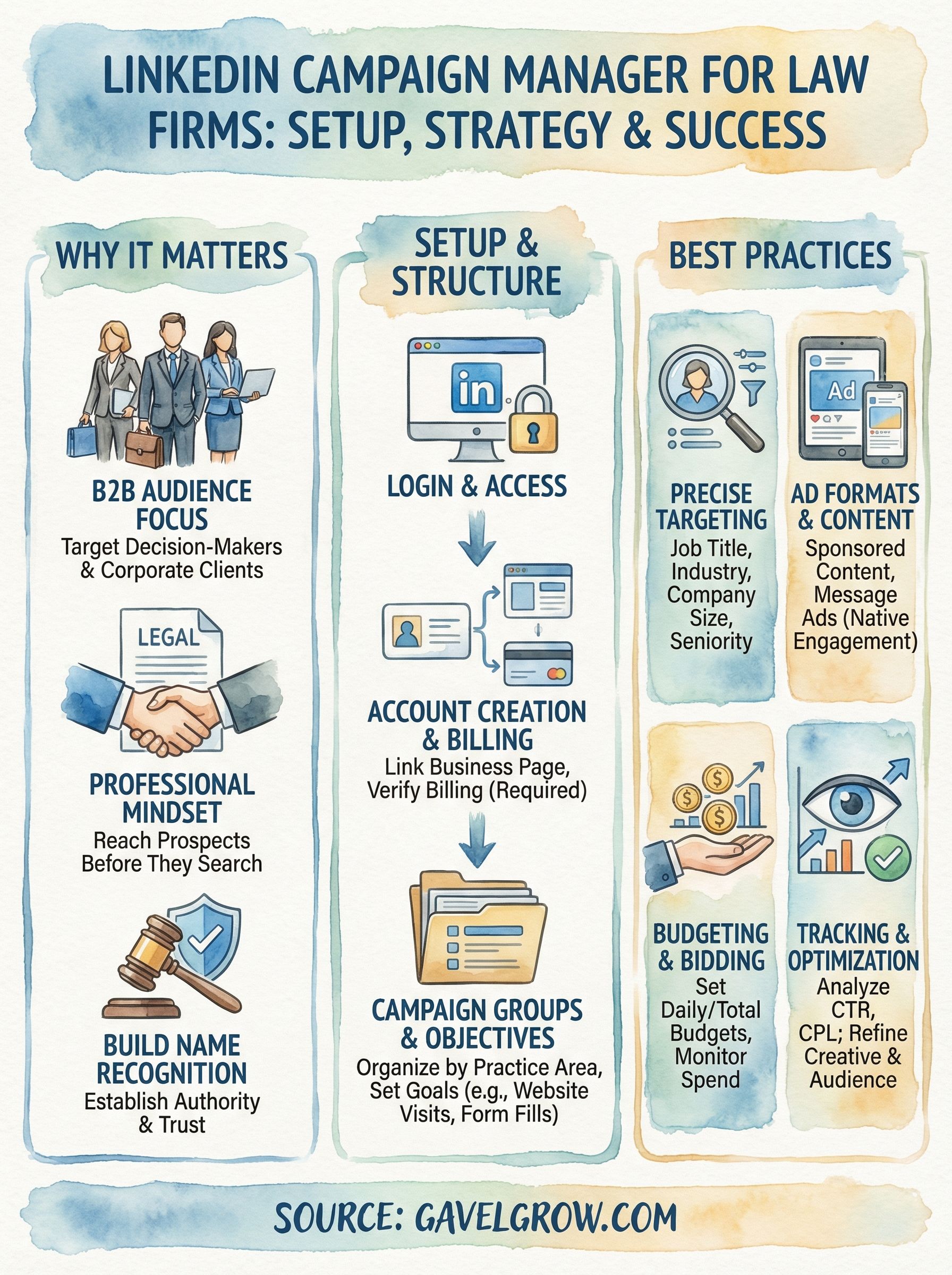
Accessing LinkedIn Campaign Manager starts with your standard LinkedIn account. If you already have a personal LinkedIn profile, you have everything you need to get started. Navigate directly to linkedin.com/campaignmanager or click the "Advertise" link in the LinkedIn navigation menu while logged in.
Finding the login page
LinkedIn uses a single sign-on system, so there is no separate username or password for Campaign Manager. You log in with your existing LinkedIn credentials and land directly on the Campaign Manager dashboard, where you can create or access ad accounts linked to your profile.
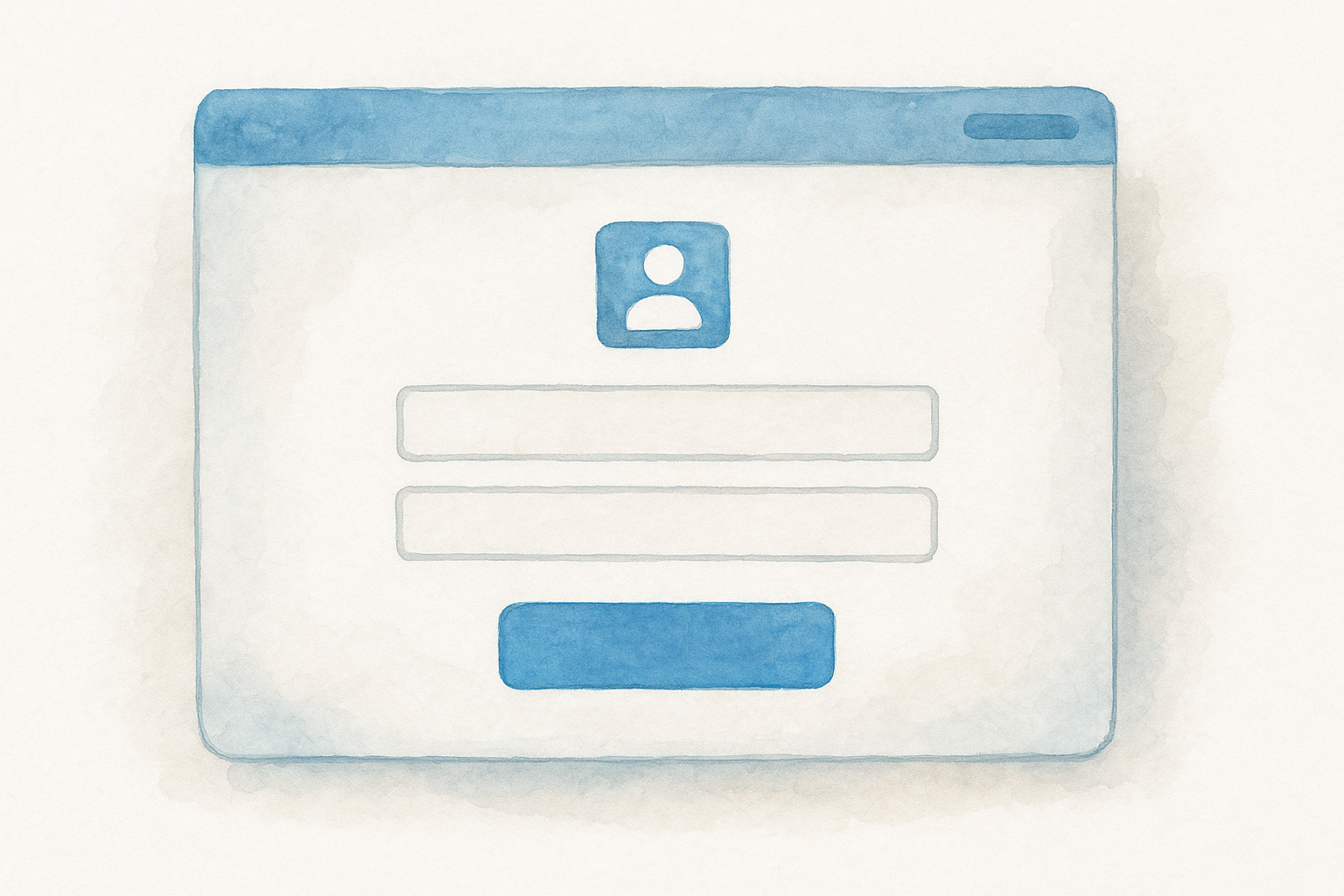
If you manage ads for multiple clients or businesses, one LinkedIn login can connect to several different ad accounts without needing separate logins.
Your dashboard displays all ad accounts you have access to, and you select the one you want to work in before proceeding to campaign creation or reporting.
What you need before logging in
Before you log in, confirm you have these three things in place:
- A verified LinkedIn profile in good standing
- Admin or billing access if you're joining an existing account
- A business email connected to your LinkedIn profile
Having these items ready avoids access errors and makes the setup process smoother once you're inside the platform.
How to set up an ad account and billing
Once you're inside LinkedIn Campaign Manager, you'll see a prompt to create your first ad account if none exists yet. Click "Create account," enter your business name, select your currency, and associate the account with the LinkedIn Page for your law firm. This takes under two minutes and gives you a dedicated workspace for all your campaigns.
Creating your ad account
Your ad account sits at the top of LinkedIn's three-tier structure: account, campaign group, and campaign. Setting it up correctly from the start saves you time later. Link your firm's LinkedIn Page to the account during setup so your ads display the right business name, logo, and follower count automatically.
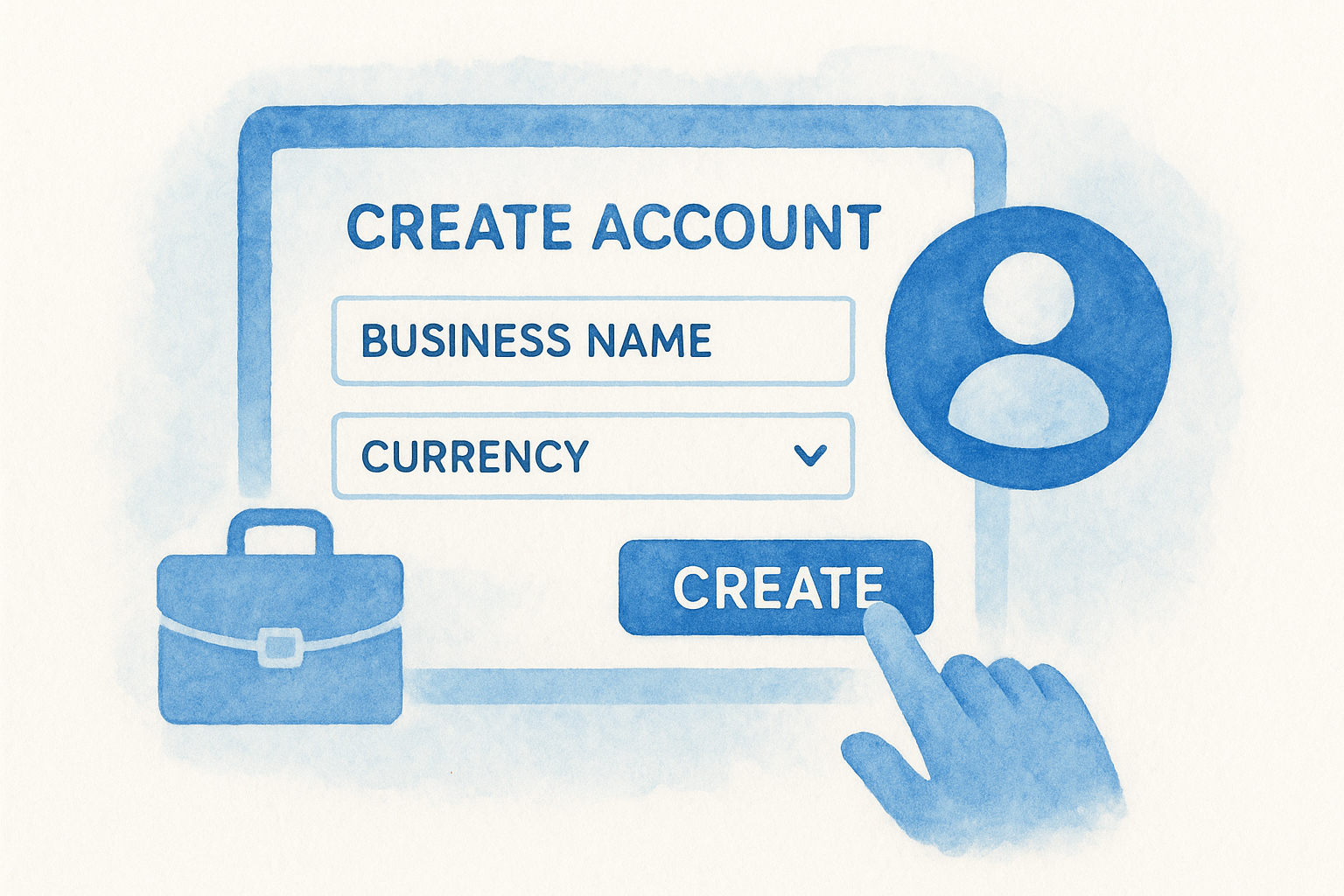
Choosing the correct currency during account creation matters because LinkedIn does not allow you to change it after the account is live.
Setting up billing and payment
LinkedIn requires a valid credit or debit card to activate your account before any ads can run. Navigate to the "Billing Center" tab inside your account settings to add payment information. You can also set a monthly account-level spending limit here, which acts as a hard cap and prevents your campaigns from exceeding your budget regardless of individual campaign settings.
How to build, launch, and manage campaigns
Inside LinkedIn Campaign Manager, campaigns live inside campaign groups, which let you organize ads by goal, audience, or budget period. Before you build anything, choose the campaign objective that matches the action you want someone to take, whether that's visiting your website, submitting a contact form, or viewing a specific landing page.
Structuring your campaign groups
Campaign groups act as containers that hold one or more individual campaigns. Creating a separate group for each practice area or target audience keeps your reporting clean and makes it easier to see which efforts are driving results. Label each group clearly so you can pull accurate performance data without digging through unrelated campaigns.
Setting objectives, budget, and targeting
When you create a campaign, LinkedIn walks you through objective selection, audience targeting, ad format, and budget in a step-by-step builder. Set a daily or total budget, choose your bid strategy, then define your audience using job title, industry, company size, or seniority filters.
Narrowing your audience below 50,000 people often produces stronger engagement rates because your message reaches only the most relevant professionals.
Once you publish, monitor click-through rate and cost per lead weekly and adjust targeting or creative based on what the data shows.
Next steps
LinkedIn Campaign Manager gives you a direct path to the professionals most likely to hire your firm, but the platform only works if your account structure, targeting, and conversion tracking are set up correctly from the start. Work through each step in this guide sequentially: create your ad account, link your firm's LinkedIn Page, add billing, then build campaign groups organized by practice area or target audience before you write a single line of ad copy.
Once your campaigns are live, check performance weekly. Click-through rate, cost per lead, and conversion data tell you which audience segments respond and which ones you should cut or refine. Small adjustments to targeting and creative, made consistently, produce significantly better results than launching a campaign and leaving it alone.
If you want expert help building a digital marketing system that drives signed cases, not just impressions, talk to the legal marketing team at GavelGrow.
Frequently Asked Questions
What is LinkedIn Campaign Manager?
LinkedIn Campaign Manager is the platform's built-in advertising tool where you create, launch, and optimize ad campaigns targeting professionals by job title, industry, company size, seniority, and more. For law firms aiming to reach referral partners, corporate clients, or in-house counsel, it's one of the most underused channels in legal marketing and one of the most effective for B2B-oriented practice areas like business, employment, and estate law.
When does LinkedIn outperform Google Ads for law firms?
Google Ads works well when someone already knows they have a legal problem and starts searching. LinkedIn works better when you need to reach someone before they realize they need you. If you handle business contract disputes, executive severance negotiations, or employment compliance, a targeted LinkedIn campaign puts your firm in front of decision-makers while they're already in a professional mindset, building recognition that outlasts a single campaign.
How do you log in to LinkedIn Campaign Manager?
LinkedIn uses single sign-on, so there is no separate username or password for Campaign Manager. Navigate to linkedin.com/campaignmanager or click Advertise in the LinkedIn menu while logged in with your existing profile, and you land directly on the dashboard. One LinkedIn login can connect to several ad accounts, which is useful if you manage ads for multiple clients or businesses.
How is a LinkedIn ad account structured?
LinkedIn uses a three-tier structure: account, campaign group, and campaign. Campaign groups act as containers that hold one or more individual campaigns, and creating a separate group for each practice area or target audience keeps your reporting clean. Link your firm's LinkedIn Page during account setup, and choose your currency carefully because LinkedIn does not allow you to change it after the account is live.
What audience size works best on LinkedIn for law firms?
Narrowing your audience below 50,000 people often produces stronger engagement rates because your message reaches only the most relevant professionals. Define your audience using job title, industry, company size, or seniority filters so your budget goes toward people with actual authority to hire outside counsel, then monitor click-through rate and cost per lead weekly and adjust targeting or creative based on the data.
Frequently Asked Questions
What is LinkedIn Campaign Manager?
LinkedIn Campaign Manager is the platform's built-in advertising tool where you create, launch, and optimize ad campaigns targeting professionals by job title, industry, company size, seniority, and more. For law firms aiming to reach referral partners, corporate clients, or in-house counsel, it's one of the most underused channels in legal marketing and one of the most effective for B2B-oriented practice areas like business, employment, and estate law.
When does LinkedIn outperform Google Ads for law firms?
Google Ads works well when someone already knows they have a legal problem and starts searching. LinkedIn works better when you need to reach someone before they realize they need you. If you handle business contract disputes, executive severance negotiations, or employment compliance, a targeted LinkedIn campaign puts your firm in front of decision-makers while they're already in a professional mindset, building recognition that outlasts a single campaign.
How do you log in to LinkedIn Campaign Manager?
LinkedIn uses single sign-on, so there is no separate username or password for Campaign Manager. Navigate to linkedin.com/campaignmanager or click Advertise in the LinkedIn menu while logged in with your existing profile, and you land directly on the dashboard. One LinkedIn login can connect to several ad accounts, which is useful if you manage ads for multiple clients or businesses.
How is a LinkedIn ad account structured?
LinkedIn uses a three-tier structure: account, campaign group, and campaign. Campaign groups act as containers that hold one or more individual campaigns, and creating a separate group for each practice area or target audience keeps your reporting clean. Link your firm's LinkedIn Page during account setup, and choose your currency carefully because LinkedIn does not allow you to change it after the account is live.
What audience size works best on LinkedIn for law firms?
Narrowing your audience below 50,000 people often produces stronger engagement rates because your message reaches only the most relevant professionals. Define your audience using job title, industry, company size, or seniority filters so your budget goes toward people with actual authority to hire outside counsel, then monitor click-through rate and cost per lead weekly and adjust targeting or creative based on the data.