Google Local Services Ads Cost Calculator for Law Firms
Categories: Legal Marketing Strategies
 Abram Ninoyan
Founder & Senior Performance Marketer
Credentials: Google Partner, Google Ads Search Certified, Google Ads Display Certified, Google Ads Measurement Certified, Google Analytics (IQ) Certified, HubSpot Inbound Certified, HubSpot Social Media Marketing Certified, Conversion Optimization Certified
Expertise: Google Ads, Meta Ads, Conversion Rate Optimization, GA4 & Google Tag Manager, Lead Generation, Marketing Funnel Optimization, PPC Management
LinkedIn Profile
A google local services ads cost calculator can't give your law firm an exact number, because Local Services Ads run on a pay-per-lead model that shifts by practice area, market, and even the week you...
Key Takeaways
- Google Local Services Ads Cost Calculator for Law Firms
- Why a generic LSA cost calculator falls short for law firms
- How to estimate your Local Services Ads budget as a firm
- What drives Google LSA cost per lead by practice area
Google Local Services Ads Cost Calculator for Law Firms
A google local services ads cost calculator can't give your law firm an exact number, because Local Services Ads run on a pay-per-lead model that shifts by practice area, market, and even the week you're bidding in. What it can do is get you close enough to build a real budget instead of guessing and hoping your intake team can handle whatever comes in.
If you're trying to figure out what personal injury or family law leads cost through LSA in your city, the honest answer starts with a range, not a single figure, and depends on how many competing firms are bidding in your area right now. This article walks through how Google actually prices each lead, what drives cost per lead up or down by practice area, and how to build your own estimate using GavelGrow's law firm marketing benchmark report and its modelled benchmark ranges instead of a generic industry average that ignores legal marketing entirely.
We'll also cover the math most firms skip: turning cost per lead into benchmarks for cost per signed case, since a cheap lead that never retains is worse than an expensive one that does. That's the number that actually tells you if LSA is working, and it's where a platform like GavelGrow's marketing dashboard becomes useful once you're spending real money on it.
Why a generic LSA cost calculator falls short for law firms
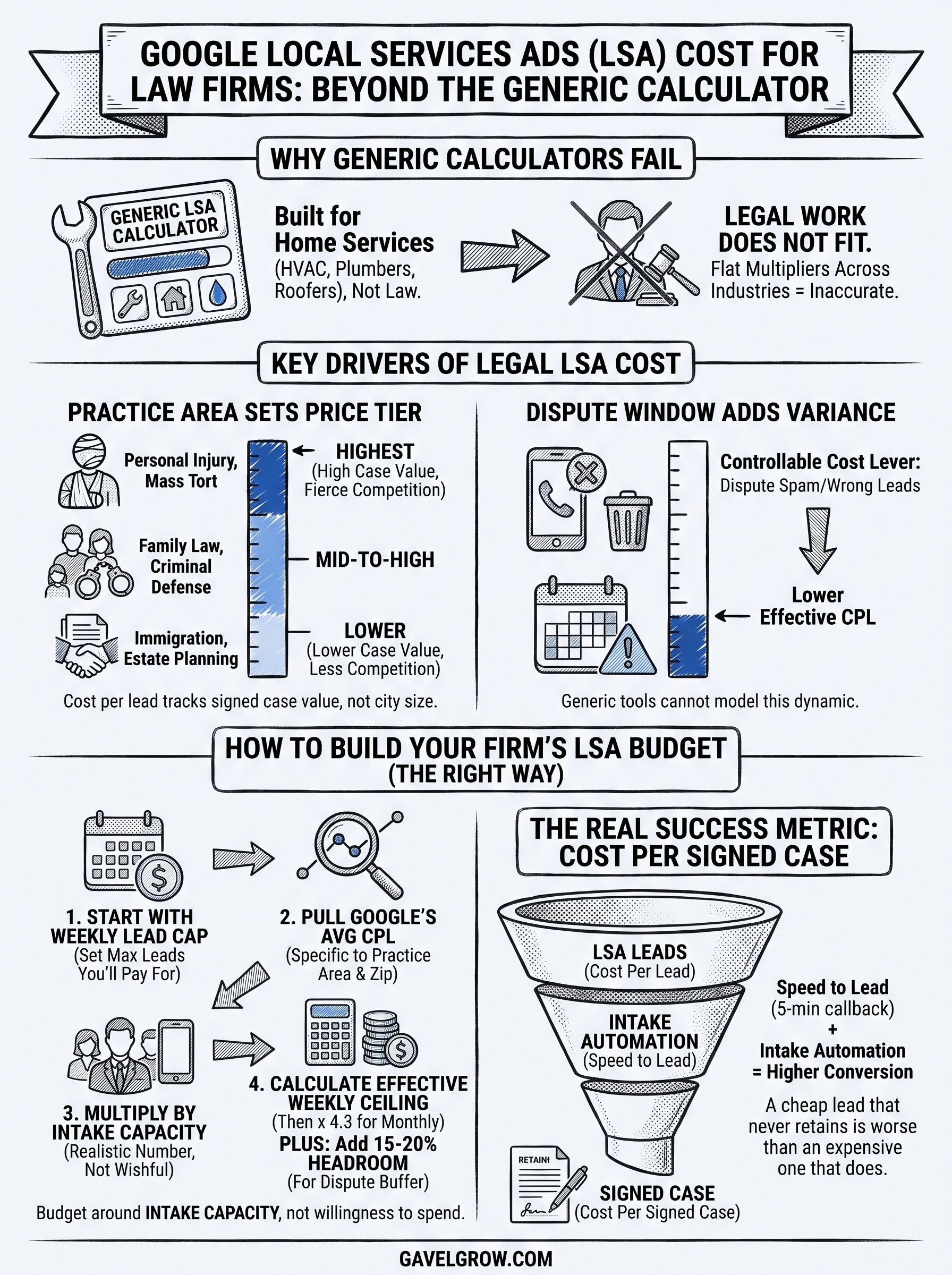
Most online LSA cost calculators are built for HVAC contractors, plumbers, and roofers, not law firms, and that mismatch shows up fast once you start plugging in numbers. Those tools average cost per lead across dozens of home-service categories where a lead might be worth $30 or $300, then apply a flat multiplier to whatever industry you type in. Legal work doesn't fit that model. A personal injury lead and a plumbing lead have nothing in common except that Google charges for both, and treating them the same way produces an estimate that's off by a wide margin before you've spent a dollar.
Practice area sets your price tier more than your city does
How Google Local Services Ads work for law firms starts with service category pricing, and legal categories span a huge range on their own. Personal injury and mass tort tend to sit at the higher end because the value of a signed case is high and competition for those leads is fierce. Family law and criminal defense usually land in the middle. Estate planning and simpler consumer legal work tend to run lower. A generic google local services ads cost calculator that only asks for your zip code and industry can't capture that spread, because "lawyer" isn't one price, it's a dozen different prices depending on what kind of case you actually take.
A calculator that doesn't ask your practice area is guessing, not estimating.
The dispute window adds cost variance no generic tool models
Google lets you dispute and get credit for leads that are clearly spam, wrong-service, or outside your area, and firms that stay on top of disputes end up with a meaningfully lower effective cost per lead than firms that don't. That's a real, controllable cost lever, and it's specific to how LSA is billed, not something a generic calculator has any way to model. Combine that with the fact that legal leads often need a live intake conversation before you know if they're worth pursuing, and you can see why a tool built for service trades undercounts the actual work, and cost, behind a legal lead. If you want a starting point that accounts for practice area instead of averaging across every industry Google supports, GavelGrow's pricing calculator is built around what firms actually spend, not a generic small-business benchmark.
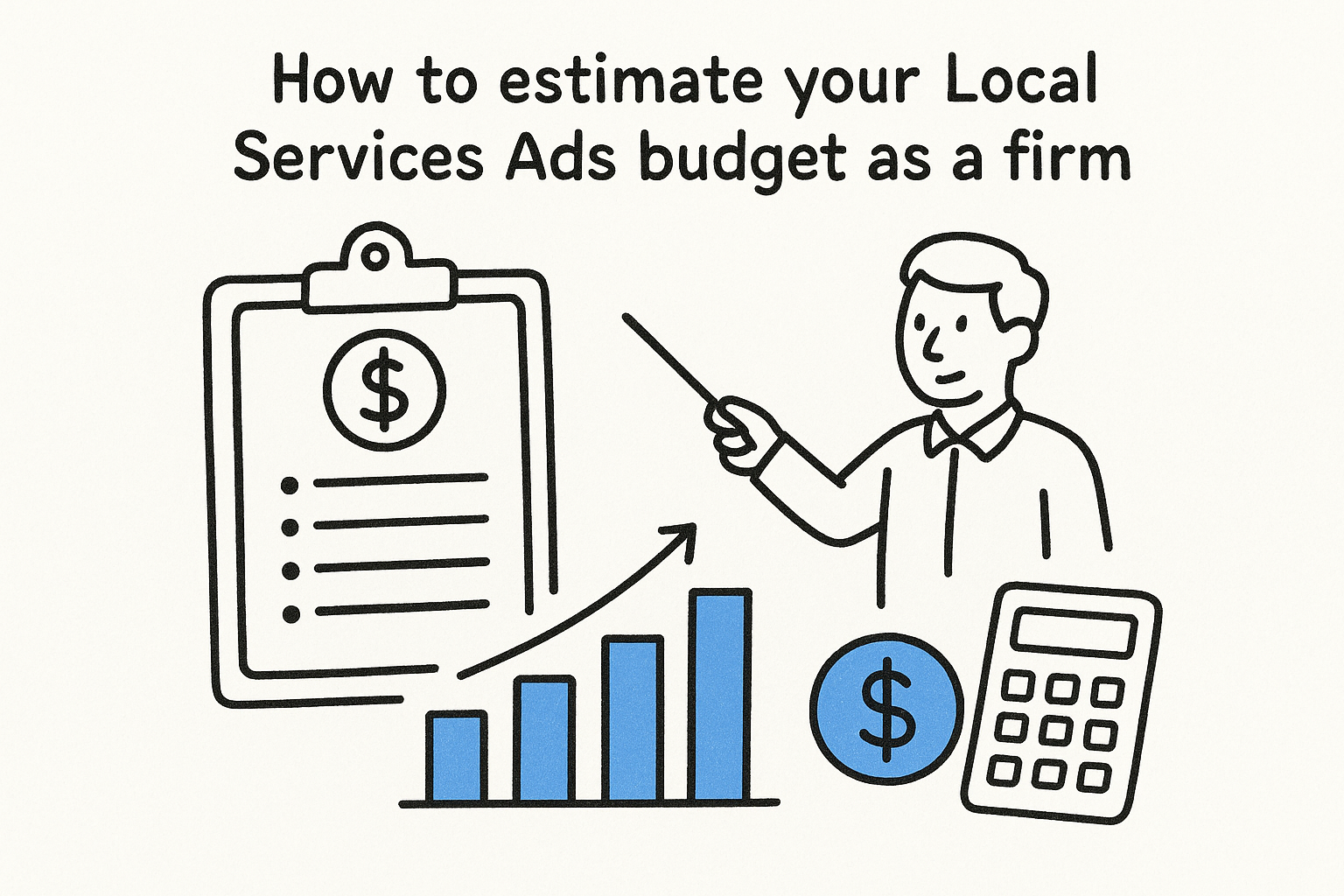
How to estimate your Local Services Ads budget as a firm
Start with your weekly lead cap, not your monthly ad spend, because that's how Google actually structures LSA budgeting. You set a maximum number of leads you're willing to pay for each week, Google multiplies that by the average cost per lead for your category and zip code, and that becomes your effective weekly ceiling. Multiply by roughly 4.3 weeks and you have a monthly figure you can compare against your intake capacity before you ever turn the campaign on.
Build your estimate in this order:
- Pull the average cost per lead Google shows you when you set up the campaign, it's an estimate but a real one, specific to your practice area and market.
- Decide how many new leads your intake team can actually handle well each week, not the number you wish you could handle.
- Multiply those two figures for a weekly spend range, then multiply by 4.3 for a monthly number.
- Leave some headroom above the estimate for leads you will dispute and get credited for later. Credits arrive after the fact, so what you pay in a given week runs above what you net once disputes settle.
Your budget should be built around intake capacity, not around what you're willing to spend.
Understanding your dispute rate matters here too, since it directly changes your effective spend. Firms running LSA alongside Google Ads and Meta often use GavelGrow's marketing dashboard for law firms to see cost per lead by channel side by side, so the LSA number isn't sitting in a vacuum next to campaigns you're already tracking. Without that comparison, it's easy to overfund a channel that looks cheap on paper but sends leads your team can't convert.
What drives Google LSA cost per lead by practice area
Competition density is the single biggest lever behind cost per lead, and it moves independently of your city's overall market size. Two firms in identical mid-size metros can pay very different rates depending on how many other lawyers in their exact practice area are bidding for the same weekly leads. Case value plays a close second: Google's pricing model reflects what advertisers are willing to pay to acquire a lead, and personal injury and mass tort firms routinely bid higher because a single signed case can be worth far more than the ad spend behind it. That dynamic is exactly why any local service ads cost calculator that skips practice area entirely will miss the mark for legal work, and why it's worth checking cost-per-lead ranges for legal work before you budget.
Cost per lead tracks how much a signed case is worth to your firm, not how big your city is.
A rough sense of where practice areas tend to sit
Use this as a directional guide, not a quote, since actual rates shift by market and week:
Seasonality and local supply shift the number too
Demand for certain legal services spikes at predictable times, DUI leads climb around holidays, family law inquiries rise in January, and cost per lead follows that demand. Local supply matters just as much: a new firm entering your zip code and bidding aggressively can push your cost per lead up within days, with no warning from Google beyond the number changing on your dashboard.
How to turn LSA leads into signed cases, not just calls
A lead only matters if it turns into a signed retainer, and that's where most firms leak value after paying Google for the click. Speed to lead is the first lever, and it's not a soft one. The Lead Response Management Study found that leads contacted within five minutes are far more likely to be qualified than those first reached at thirty minutes. That's odds of qualifying the lead, not a conversion guarantee, but it's still the single fastest way to protect the money you're already spending on LSA.
Getting that response window right takes more than a fast intake staffer. It takes intake automation built for speed to lead that catches every call, text, and missed connection the moment it happens.
What a real intake system needs to catch
Build your process around these pieces, since missing any one of them lets qualified leads slip through:
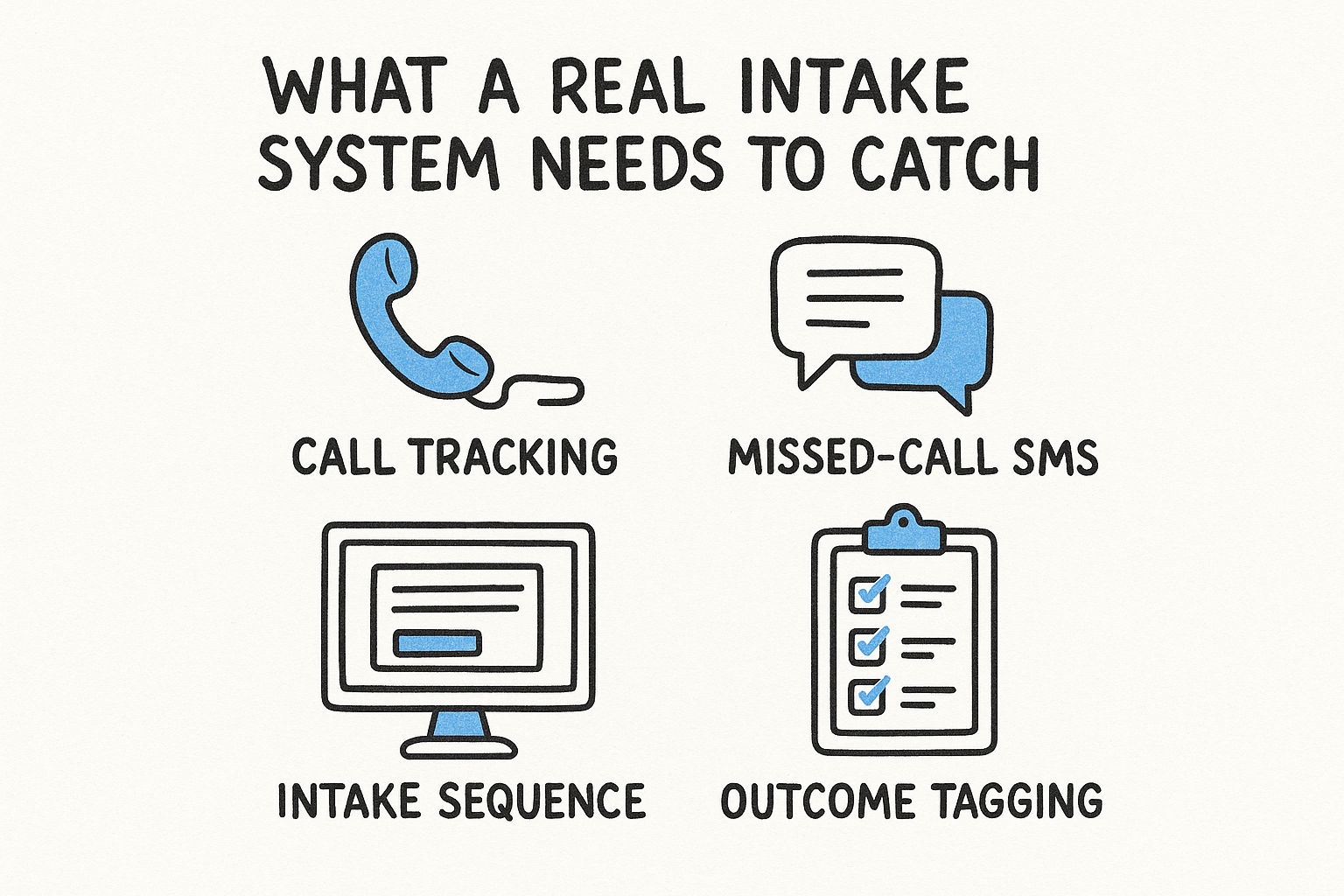
- Call tracking on every LSA number, so you know which calls came from which campaign and can tag outcomes as qualified, callback, or spam.
- Missed-call SMS that fires automatically, so a lead who calls after hours still gets a reply within minutes.
- An intake sequence that starts within 60 seconds of a form submission or missed call, not the next business morning.
- Outcome tagging on every call and lead, so you can see conversion by source instead of guessing.
A five-minute callback beats a five-star review at closing a lead.
GavelGrow's call tracking and intake features handle this without stitching together three separate subscriptions. Recordings, transcripts, and outcome tags live next to the case itself, so when a lead does sign, you can trace it straight back to the LSA campaign that generated it, and know exactly what it cost you to get there.
From cost per lead to cost per case
A google local services ads cost calculator gets you a starting number, but the number that actually decides whether LSA is worth running is cost per signed case. Two firms can pay the same $150 per lead and end up in completely different places, one because their intake team answers in under a minute and tags outcomes correctly, the other because leads sit unanswered until the next morning. Practice area sets your price tier, competition and seasonality move it week to week, and none of that matters if the leads you're paying for never turn into retainers.
Build your budget around intake capacity, watch your dispute rate, and track cost per lead against cost per case side by side instead of treating them as the same number. If you want help running that math against your own market and practice areas, see GavelGrow's Local Services Ads management for law firms and get a real answer instead of a generic estimate.
Frequently asked questions about Local Services Ads cost for law firms
How much do Google Local Services Ads cost for a law firm?
There is no single figure, because LSA charges per lead and the price shifts by practice area, market and week. Personal injury and mass tort sit at the higher end because case value is high and competition is heavy; family law and criminal defense generally land in the middle; estate planning and simpler consumer matters run lower. A useful estimate starts from your practice area and metro, not from a generic small-business average.
How does Google set the price of a Local Services Ads lead?
Google prices leads by service category and location, and you control exposure through a weekly lead cap rather than a monthly ad budget. You set the maximum number of leads you are willing to pay for each week, and Google multiplies that by the going rate for your category and area to estimate spend. Category matters more than city: lawyer is not one price but a range that depends on the kind of case you take.
Can a law firm dispute Local Services Ads leads?
Yes. Leads that are spam, for a service you do not offer, or outside your area can be disputed and credited. Firms that review and dispute promptly end up with a meaningfully lower effective cost per lead than firms that let it slide, which makes disputes one of the few cost levers you directly control. Build the review into intake rather than doing it once a month.
Is Google Local Services Ads worth it for a law firm?
It depends on what a lead becomes, not what it costs. A cheap lead that never retains is worse than an expensive one that does, so the number that decides whether LSA is working is cost per signed case, not cost per lead. Run the channel, tag every LSA lead through intake to outcome, and judge it on retainers once enough matters have closed to mean something.
How do you turn Local Services Ads leads into signed cases?
Answer fast, since LSA prospects are usually ready to hire and often contact several firms; the Lead Response Management Study found leads reached within five minutes are far more likely to qualify than those first reached after thirty minutes. Then track every lead from the call through to retainer so you know which practice areas and hours are producing cases, and feed those outcomes back into how you set your lead cap.
Frequently Asked Questions
How much do Google Local Services Ads cost for a law firm?
There is no single figure, because LSA charges per lead and the price shifts by practice area, market and week. Personal injury and mass tort sit at the higher end because case value is high and competition is heavy; family law and criminal defense generally land in the middle; estate planning and simpler consumer matters run lower. A useful estimate starts from your practice area and metro, not from a generic small-business average.
How does Google set the price of a Local Services Ads lead?
Google prices leads by service category and location, and you control exposure through a weekly lead cap rather than a monthly ad budget. You set the maximum number of leads you are willing to pay for each week, and Google multiplies that by the going rate for your category and area to estimate spend. Category matters more than city: lawyer is not one price but a range that depends on the kind of case you take.
Can a law firm dispute Local Services Ads leads?
Yes. Leads that are spam, for a service you do not offer, or outside your area can be disputed and credited. Firms that review and dispute promptly end up with a meaningfully lower effective cost per lead than firms that let it slide, which makes disputes one of the few cost levers you directly control. Build the review into intake rather than doing it once a month.
Is Google Local Services Ads worth it for a law firm?
It depends on what a lead becomes, not what it costs. A cheap lead that never retains is worse than an expensive one that does, so the number that decides whether LSA is working is cost per signed case, not cost per lead. Run the channel, tag every LSA lead through intake to outcome, and judge it on retainers once enough matters have closed to mean something.
How do you turn Local Services Ads leads into signed cases?
Answer fast, since LSA prospects are usually ready to hire and often contact several firms; the Lead Response Management Study found leads reached within five minutes are far more likely to qualify than those first reached after thirty minutes. Then track every lead from the call through to retainer so you know which practice areas and hours are producing cases, and feed those outcomes back into how you set your lead cap.