AdWords for Lawyers: How to Set Up Google Ads That Convert
Categories: Legal Marketing Strategies
 Abram Ninoyan
Founder & Senior Performance Marketer
Credentials: Google Partner, Google Ads Search Certified, Google Ads Display Certified, Google Ads Measurement Certified, Google Analytics (IQ) Certified, HubSpot Inbound Certified, HubSpot Social Media Marketing Certified, Conversion Optimization Certified
Expertise: Google Ads, Meta Ads, Conversion Rate Optimization, GA4 & Google Tag Manager, Lead Generation, Marketing Funnel Optimization, PPC Management
LinkedIn Profile
AdWords for lawyers is expensive to get wrong. Personal injury keywords in major markets can cost $80 to $150 per click, and even the average for attorneys and legal services in LocaliQ's 2026 search...
Key Takeaways
- What you need before launching Google Ads for your firm
- Step 1. Build a high-intent keyword list
- Step 2. Structure campaigns and write ad copy that converts
- Step 3. Build landing pages and set up call tracking
AdWords for lawyers is expensive to get wrong. Personal injury keywords in major markets can cost $80 to $150 per click, and even the average for attorneys and legal services in LocaliQ's 2026 search advertising benchmarks, $9.87 per click, hides that spread. Spend a week running campaigns without a clear structure and you'll burn through a monthly budget before a single case gets signed.
This guide walks through the actual setup process: choosing campaign types, structuring ad groups by practice area, writing ad copy that survives state-bar review, and building landing pages that don't leak leads on mobile. You'll also see what realistic costs look like by practice area and market size, so you can budget before you launch rather than after you've already overspent.
What separates firms that make Google Ads profitable from firms that abandon it after one bad quarter usually isn't the ad copy. It's what happens after the click: intake speed, form design, and call tracking that tells you which keyword actually produced a signed retainer instead of just a phone call. We'll cover the campaign mechanics first, then the attribution setup that turns ad spend into a number you can defend to a managing partner.
What you need before launching Google Ads for your firm
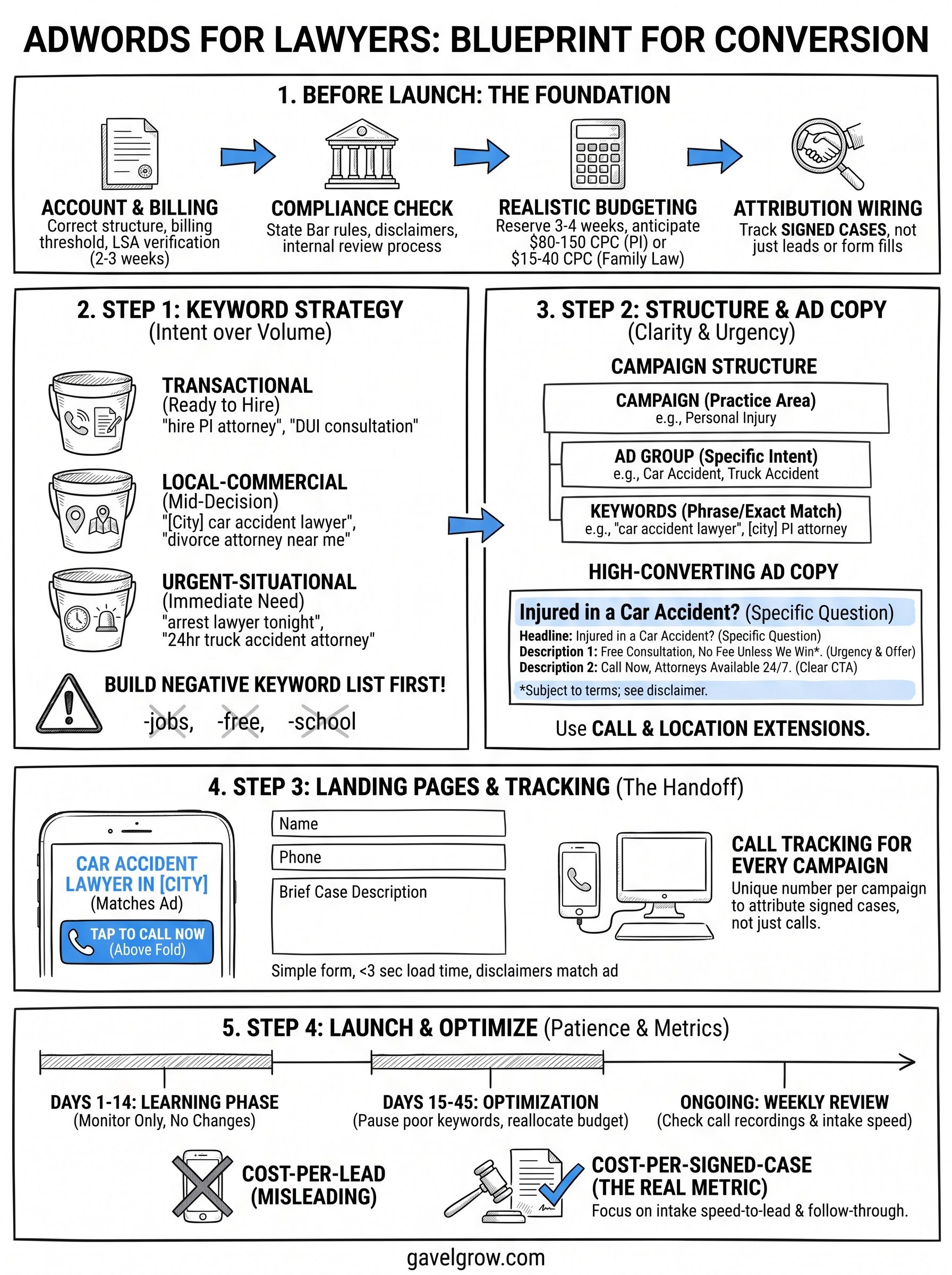
Getting adwords for lawyers right starts long before you write your first ad. You need four things locked down: a properly structured Google Ads account, bar-compliant ad copy and disclaimers, a landing page that loads in under three seconds on mobile, and conversion tracking wired into your actual intake process, not just a generic "contact form submitted" event. Skip any one of these and you'll pay premium legal CPCs for clicks that never become signed retainers.
Set up your account and billing correctly
Open a standard Google Ads account under your firm's legal business name, not a personal Gmail account, and link it to a business Google account with your firm's domain email. Billing threshold matters here: Google will bill you automatically once you hit your threshold amount or every 30 days, whichever comes first, so budget cash flow accordingly if you're running $10,000+ in monthly spend. Also request Local Services Ads verification early. Google requires a background check and license verification for legal LSAs, and that process can take two to three weeks, so start it before you plan your launch date, not after.
Clear your ad copy with state-bar rules first
Every state bar treats attorney advertising differently, and Google won't catch a compliance violation for you. Florida, Texas, and California all require specific disclaimers around results, testimonials, and "no fee unless we win" language, and some states require a 24-48 hour internal review period before an ad runs publicly. Build a short checklist your marketing team runs through before any ad group goes live:
- Does the ad avoid guaranteeing outcomes or case results?
- Are required disclaimers present if you mention past verdicts or settlements?
- Does the landing page carry the same disclaimers as the ad, not just a footer link?
- Has someone with bar admission in that state reviewed the copy?
Get compliance wrong once and you're not fighting for rank, you're fighting a bar complaint.
Budget for what legal clicks actually cost
Set realistic budget expectations by practice area before you touch the campaign builder. Google's own Keyword Planner shows wide swings depending on practice area and market size, and a $50/day budget in a top-20 metro won't generate enough clicks to learn anything statistically useful.
Hold at least 3-4 weeks of budget in reserve before you expect statistically meaningful conversion data. Google itself recommends a minimum learning period after any campaign or bid strategy change, and pulling the plug at week one tells you nothing about real performance.
Wire up tracking before you spend anything
Install conversion tracking that fires on actual signed cases, not just form fills or calls. If you're already running a managed services engagement or evaluating the GavelGrow platform, this is exactly the attribution gap it closes: GA4 and Meta Pixel lead events, plus signed cases sent back to Google Ads through Smart Conversions on Optimize and Managed plans, tied to campaign-level cost-per-signed-case instead of raw lead volume. Without this in place, you'll optimize toward cheap clicks that never convert, which is the single most common way firms waste legal ad budget.
Step 1. Build a high-intent keyword list
Keyword selection makes or breaks your legal ad spend before you write a single headline. The goal isn't broad visibility, it's matching your budget to the searches that come from someone who needs a lawyer right now, not someone researching a legal concept for a school paper. Start with Google's Keyword Planner and layer in your own case data: pull the search terms that led to signed retainers in the past 12 months if you've run any campaigns before, and use those as your seed list.
Prioritize commercial and local intent over volume
High search volume means nothing if the searcher isn't ready to hire. "Personal injury lawyer" gets more impressions than "car accident lawyer near me," but the second phrase converts at a higher rate because it signals someone mid-decision, not mid-research. Build your list around three intent buckets:
- Transactional: "hire personal injury attorney," "DUI lawyer consultation," "file workers comp claim lawyer"
- Local-commercial: "[city] car accident attorney," "immigration lawyer near me," "divorce attorney [zip code]"
- Urgent-situational: "lawyer for DUI arrest tonight," "emergency custody lawyer," "truck accident attorney 24 hour"
Rank for what someone types the night they get arrested, not what a law student types for a term paper.
Avoid generic informational terms like "what is personal injury law" or "how does bankruptcy work." They're cheap per click, but they rarely produce a signed case, and they'll quietly drain a small daily budget without anyone noticing until the monthly report lands.
Build your negative keyword list before launch, not after
Negative keywords save more legal ad budget than almost any other single tactic, and most firms skip this step until they've already burned through a few thousand dollars. Add these categories on day one:
- jobs
- salary
- school
- "how to become"
- free
- "pro bono"
- intern
- jobs near me
- course
- degree
- definition
- "legal aid"
Match types matter as much as the list itself. Use phrase match and exact match almost exclusively for legal, since broad match tends to pull in irrelevant traffic even with a strong negative list attached. Cross-reference your keyword list against the practice-area CPC table from the previous section before setting bids, so you're not guessing at what a click should cost. If you serve multiple practice areas, keep the keyword lists fully separate by ad group rather than blending personal injury and family law terms into one pool. Blended lists make it impossible to tell which practice area is actually producing signed cases versus just cheap clicks.
Step 2. Structure campaigns and write ad copy that converts
Structure decides whether Google Ads spends your budget on the right searches or scatters it across everything vaguely related to "lawyer." Build one campaign per practice area, then split each campaign into ad groups organized around the intent buckets from Step 1: transactional, local-commercial, and urgent-situational. This structure lets you set different bids and budgets for personal injury versus family law instead of forcing one blended number across cases that convert at wildly different rates.
Separate campaigns by practice area and match type
Don't stack multiple practice areas into one campaign just to save setup time. A shared budget across personal injury and estate planning means your highest-converting practice area starves while a slow-converting one eats impressions. Set up your account like this:
Keep each ad group tight, five to ten closely related keywords, so the ad copy you write actually matches what the searcher typed. Google's Quality Score rewards this alignment with lower CPCs, which matters even more in a vertical where clicks already run $80 to $150.
Write ad copy that survives compliance review and still converts
Every headline needs to answer one question fast: why should this person call now instead of scrolling to the next result? Lead with urgency and specificity, not generic branding language. Skip "Trusted Legal Team" in favor of something a searcher can act on immediately.
Headline 1: Injured in a Car Accident?
Headline 2: Free Consultation, No Fee Unless We Win*
Headline 3: Call Now, Attorneys Available 24/7
Description 1: [Firm Name] has represented injury victims in [City] since [Year].
Description 2: Talk to an attorney today. No upfront fees. Se habla español.
*Subject to case terms; see disclaimer page.
The ad that wins isn't the cleverest one, it's the one that matches exactly what the searcher typed and tells them what to do next.
Use call extensions and location extensions on every ad group, since legal searches skew heavily toward mobile and a visible phone number removes a step between click and contact. Add sitelink extensions pointing to practice-area pages, not your homepage, so someone searching "DUI lawyer" lands closer to the answer they need instead of a generic firm overview page they have to navigate away from.
Step 3. Build landing pages and set up call tracking
A landing page that loads slow or buries the phone number wastes every dollar you just spent getting the click. Once someone searches with commercial intent, they land on a page built for that exact search, not your homepage, and not a generic "contact us" page. Getting adwords for lawyers to actually produce signed cases depends on this handoff between ad and page more than almost anything else in the account.
Design a landing page built for the click, not your homepage
Match the headline on the page to the ad that got clicked. Someone searching "DUI lawyer near me" who lands on a page titled "Welcome to Our Firm" bounces in under five seconds. Build practice-area landing pages with this checklist:
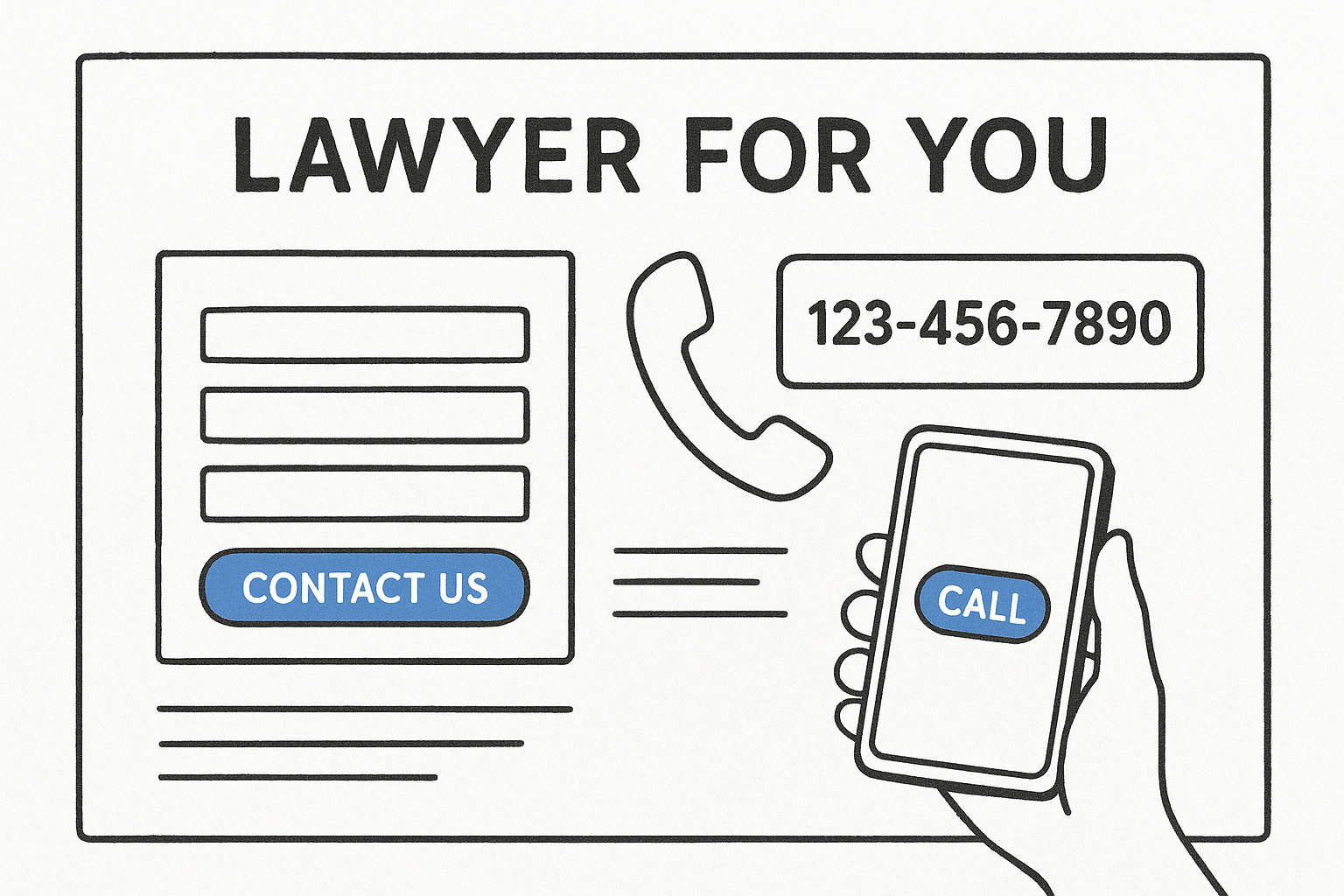
- Headline repeats the exact phrase from the ad group
- Phone number appears above the fold, tap-to-call on mobile
- Form asks for name, phone, and a one-line case description, nothing more
- Page loads in under three seconds on a mid-tier mobile connection
- Disclaimers match the ones already cleared on the ad copy
Generic contact forms tend to convert poorly on mobile, while a short, mobile-first form built for a single practice area usually does much better. That gap can add signed cases without spending another dollar on clicks.
Set up call tracking before the first call comes in
Most legal searches still end in a phone call, not a form fill, so tracking that call back to the keyword that produced it matters as much as the landing page itself. Assign a unique tracking number per campaign, not per firm, so you can see which ad group is generating calls versus which one is just generating impressions.
If you can't tell which keyword produced the call, you can't tell which keyword produced the case.
Use a system that records the call, tags the outcome (qualified, callback, spam), and reports the miss rate per number, since a missed call from a paid click is money spent for nothing. GavelGrow's built-in call tracking replaces a separate CallRail subscription and ties each recorded call directly to the campaign and keyword that generated it, so the number you report to a managing partner reflects actual attribution, not a guess.
Step 4. Launch, monitor, and optimize your campaigns
Launching is the easy part. What separates firms that make adwords for lawyers profitable from firms that quit after one bad quarter is what happens in the weeks after launch, when the temptation to touch everything is highest. Give Google's algorithm room to learn before you start pulling levers, and track the right numbers instead of the ones that just feel good to report.
Give the algorithm a real learning period
Don't touch bids or budgets for the first 10-14 days after launch. Google's own guidance on Smart Bidding notes that bid strategies need a learning phase, usually one to two weeks, before performance data becomes reliable. Pausing keywords on day three because the cost-per-click looks high tells you nothing, since you haven't collected enough clicks to know if that keyword produces cases.
- Days 1-14: Monitor only, no bid or budget changes
- Days 15-30: Pause keywords with zero conversions and 20+ clicks
- Days 30-45: Reallocate budget toward ad groups producing signed cases, not just leads
- Ongoing: Review call recordings weekly, not just the dashboard numbers
A campaign that looks expensive on day five might be your cheapest cost-per-signed-case by day forty five.
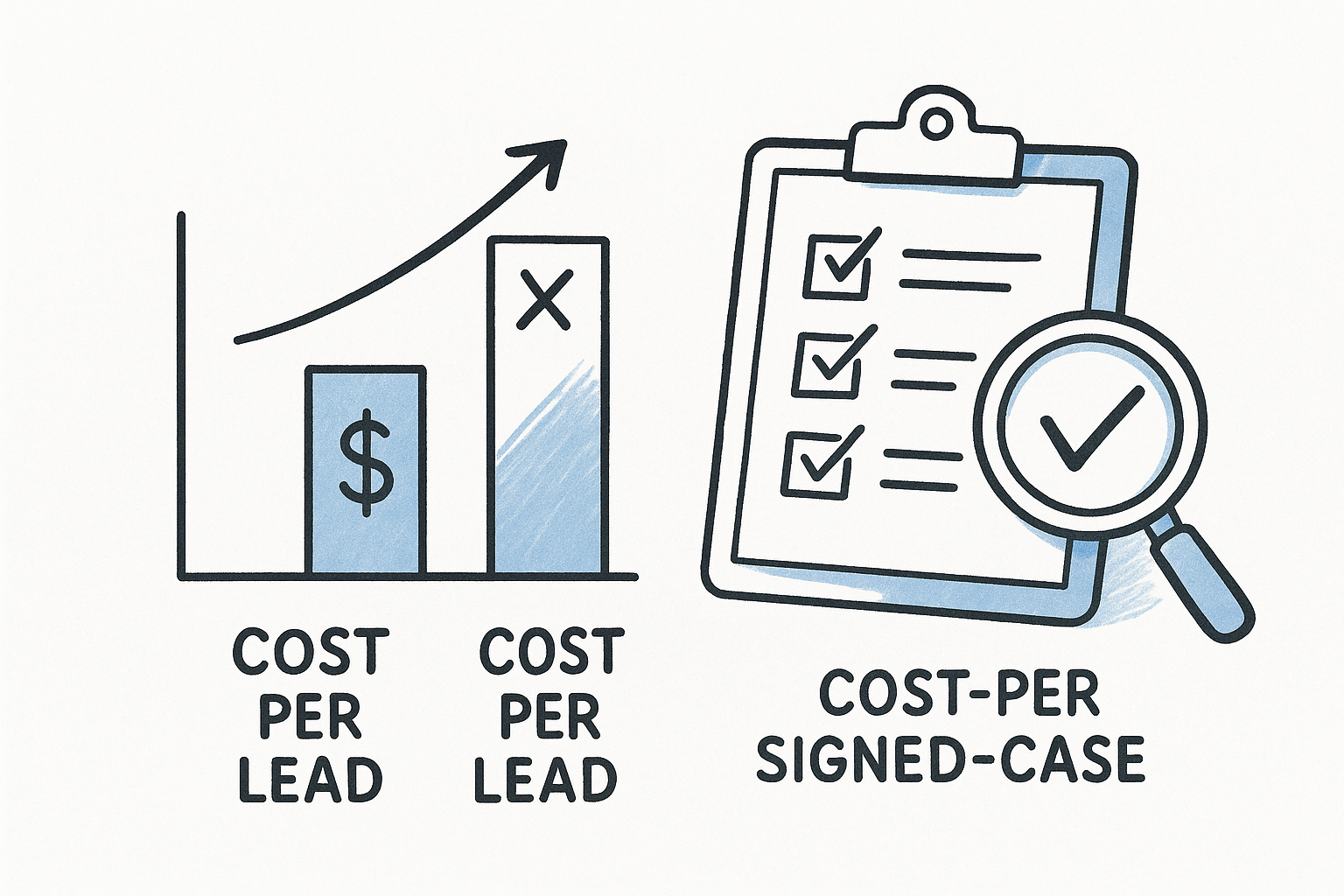
Track cost-per-signed-case, not cost-per-lead
Cost-per-lead is the metric agencies love to report because it always looks good. Cost-per-signed-case is the metric that actually tells a managing partner whether the campaign is working. A keyword generating leads at $40 each but zero signed cases is worse than one generating leads at $90 each that converts to retainers one in five times. Pull this comparison monthly:
Optimize based on intake data, not just ad metrics
Check your intake pipeline at least weekly, not just the Google Ads dashboard. A campaign can look healthy in Ads Manager while your intake team is missing half the calls or responding to form fills after six hours instead of six minutes. Leads contacted within five minutes are about 21 times more likely to qualify than leads first reached at 30 minutes, according to the Lead Response Management Study. If your ad spend is climbing but signed cases aren't, look at speed-to-lead and intake follow-through before you touch a single bid.
Frequently asked questions about Google Ads for lawyers
How much does Google Ads cost for lawyers?
Expect $3,000-$10,000/month minimum in ad spend to generate statistically useful data in a mid-size metro, with CPCs that can run $80 to $150 for personal injury in big markets or $15 to $40 for family law; LocaliQ's 2026 average for all attorneys and legal services is $9.87. Smaller practice areas like estate planning can run meaningful campaigns closer to $1,500/month. Budget for at least 45 days before judging results, since cost-per-signed-case takes longer to stabilize than cost-per-click.
Is Google Ads better than SEO for law firms?
They solve different timelines. Google Ads produces calls within days; organic SEO for competitive terms like "personal injury lawyer" often takes 6-12 months to rank. Run both: Google Ads while your SEO builds authority, then shift budget once organic rankings mature. Relying on either channel alone tends to make case flow less predictable.
How long before Google Ads produces signed cases?
Give it 30-45 days minimum. The first 10-14 days are Google's learning phase, where bid data is still unreliable. Most firms see their first signed cases between week three and week six, assuming intake follow-up happens within minutes, not hours.
A campaign judged on day ten is being judged before it's had a real chance to work.
Can small firms compete with big firms on Google Ads?
Yes, especially with tight geographic targeting and urgent-situational keywords big firms often ignore. A solo practitioner targeting "[city] DUI lawyer" at 2am search volume can outcompete a 200-attorney firm bidding broadly on "criminal defense attorney." Budget matters less than keyword precision and fast intake response.
Do I need an agency to run Google Ads for my law firm?
Not always. Solo and small firms comfortable in a dashboard can run campaigns using platforms like GavelGrow's self-serve tools, starting at $199/month. Firms managing $15,000+ monthly ad spend or lacking internal bandwidth often do better with managed services, where a dedicated strategist handles bid management and compliance review.
What's the biggest mistake law firms make with Google Ads?
Optimizing toward cheap leads instead of signed cases. A firm chasing a $20 cost-per-lead often ends up paying more per signed case than one accepting $90 leads that convert at a higher rate. Track cost-per-signed-case from day one, not cost-per-click.
Turning clicks into signed cases
Google Ads rewards firms that treat structure and attribution as seriously as they treat ad copy. Keyword precision, practice-area campaign separation, and a landing page built for the exact search that triggered the click all matter more than any headline trick. But none of it pays off without knowing which keyword actually produced a signed retainer, not just a phone call or a form fill.
That's the piece most firms never wire up correctly, and it's the piece that determines whether your next $10,000 in ad spend gets smarter or just gets spent again the same way. Call tracking, intake automation, and cost-per-signed-case reporting shouldn't require three separate subscriptions and a spreadsheet to reconcile them.
If you want a second set of eyes on your account structure and attribution setup before you scale spend further, book a free 45-minute strategy call and walk through it with GavelGrow, which has served 500+ law firms since 2015.
Frequently Asked Questions
How much does Google Ads cost for lawyers?
Expect $3,000-$10,000/month minimum in ad spend to generate statistically useful data in a mid-size metro, with CPCs that can run $80 to $150 for personal injury in big markets or $15 to $40 for family law; LocaliQ's 2026 average for all attorneys and legal services is $9.87. Smaller practice areas like estate planning can run meaningful campaigns closer to $1,500/month. Budget for at least 45 days before judging results, since cost-per-signed-case takes longer to stabilize than cost-per-click.
Is Google Ads better than SEO for law firms?
They solve different timelines. Google Ads produces calls within days; organic SEO for competitive terms like "personal injury lawyer" often takes 6-12 months to rank. Run both: Google Ads while your SEO builds authority, then shift budget once organic rankings mature. Relying on either channel alone tends to make case flow less predictable.
How long before Google Ads produces signed cases?
Give it 30-45 days minimum. The first 10-14 days are Google's learning phase, where bid data is still unreliable. Most firms see their first signed cases between week three and week six, assuming intake follow-up happens within minutes, not hours. A campaign judged on day ten is being judged before it's had a real chance to work.
Can small firms compete with big firms on Google Ads?
Yes, especially with tight geographic targeting and urgent-situational keywords big firms often ignore. A solo practitioner targeting "[city] DUI lawyer" at 2am search volume can outcompete a 200-attorney firm bidding broadly on "criminal defense attorney." Budget matters less than keyword precision and fast intake response.
Do I need an agency to run Google Ads for my law firm?
Not always. Solo and small firms comfortable in a dashboard can run campaigns using platforms like GavelGrow's self-serve tools, starting at $199/month. Firms managing $15,000+ monthly ad spend or lacking internal bandwidth often do better with managed services, where a dedicated strategist handles bid management and compliance review.
What's the biggest mistake law firms make with Google Ads?
Optimizing toward cheap leads instead of signed cases. A firm chasing a $20 cost-per-lead often ends up paying more per signed case than one accepting $90 leads that convert at a higher rate. Track cost-per-signed-case from day one, not cost-per-click.