TikTok Ads Manager: Login, Sign Up, And Campaign Setup
Categories: Legal Marketing Strategies
 Abram Ninoyan
Founder & Senior Performance Marketer
Credentials: Google Partner, Google Ads Search Certified, Google Ads Display Certified, Google Ads Measurement Certified, Google Analytics (IQ) Certified, HubSpot Inbound Certified, HubSpot Social Media Marketing Certified, Conversion Optimization Certified
Expertise: Google Ads, Meta Ads, Conversion Rate Optimization, GA4 & Google Tag Manager, Lead Generation, Marketing Funnel Optimization, PPC Management
LinkedIn Profile
TikTok isn't just for dance trends and recipe videos anymore. With over a billion active users and some of the lowest cost-per-click rates in paid social, the platform has become a serious channel for...
Key Takeaways
- TikTok Ads Manager: Login, Sign Up, And Campaign Setup
- What TikTok Ads Manager is and what you need
- Step 1. Find the official login and sign up
- Step 2. Set up Business Center and billing
TikTok Ads Manager: Login, Sign Up, And Campaign Setup
TikTok isn't just for dance trends and recipe videos anymore. With over a billion active users and some of the lowest cost-per-click rates in paid social, the platform has become a serious channel for client acquisition, and law firms are starting to pay attention. The TikTok Ads Manager is the hub where you create, launch, and optimize campaigns that put your firm in front of potential clients who are actively scrolling.
At GavelGrow, we manage paid advertising campaigns for law firms across the country, and we've seen firsthand how TikTok ads can generate qualified leads at a fraction of what Google or Facebook costs. But the platform's ad system works differently, and getting started requires a few specific steps that trip people up.
This guide walks you through exactly how to sign up, log in, and set up your first campaign inside TikTok Ads Manager, no fluff, just the steps. Whether you're a solo practitioner testing a new channel or a managing partner looking to diversify your firm's ad spend, you'll have everything you need to go live by the end of this article.
What TikTok Ads Manager is and what you need
TikTok Ads Manager is TikTok's self-serve advertising platform where you create campaigns, define your audience, set your budget, and track performance from one dashboard. Think of it as the equivalent of Meta Ads Manager or Google Ads, but built for TikTok's short-form video environment. For law firms, that means you can target users by location, age, interests, and behavior, then serve them ads that appear directly in their For You feed.
What the platform actually does
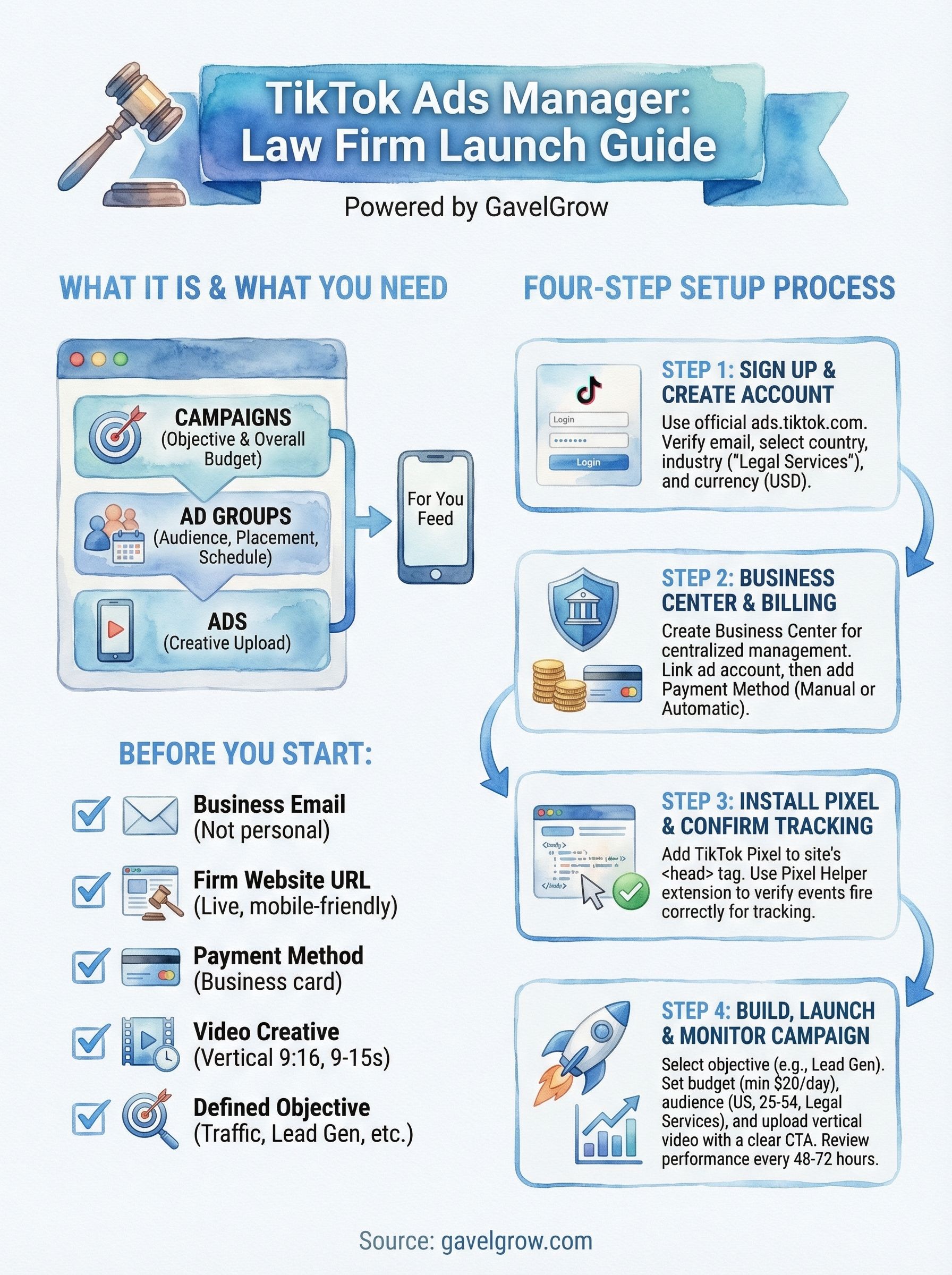
The platform organizes your advertising into three levels: campaigns (where you set your objective and overall budget), ad groups (where you define your audience, placement, and schedule), and ads (where you upload your creative). This structure gives you precise control over how your budget is allocated and who sees your content.
The clearer your campaign objective from the start, the less budget you waste testing the wrong audience segments.
You can run ads across TikTok's owned properties, including TopFeed, TopView, and standard in-feed placements. Most law firms start with in-feed ads because they blend into the user's scroll experience and carry the lowest minimum spend requirements.
What you need before you start
Gather these items before you open the platform. Stopping mid-setup to find a landing page URL or dig up a payment method wastes time and can cause errors in your account configuration.
- A business email address (not a personal Gmail or Yahoo account)
- Your firm's website URL with a live, mobile-friendly landing page
- A payment method such as a business credit or debit card
- Video creative in vertical 9:16 format, ideally 9 to 15 seconds long
- A defined campaign objective such as traffic, lead generation, or conversions
Step 1. Find the official login and sign up
The only official entry point for TikTok Ads Manager is ads.tiktok.com. Ignore third-party sites that claim to offer access or account setup services. Bookmark the direct URL now so you always land on the legitimate platform.
Going directly to ads.tiktok.com protects your account credentials and avoids phishing sites that closely mimic TikTok's interface.
How to create your account
If you already have a TikTok Business Account, click "Log In" on the homepage and enter your credentials. If you're starting fresh, click "Sign Up" and follow this sequence:

- Enter your business email address and create a password.
- Verify your email using the confirmation code TikTok sends.
- Select your country or region (choose United States).
- Enter your firm's name and phone number.
- Accept the terms and click "Register."
Once you complete registration, TikTok prompts you to set up your first ad account. You'll name the account, confirm your time zone and currency (set to USD), and select your industry. For law firms, choose "Legal Services" from the industry dropdown to keep your account properly categorized from the start.
Step 2. Set up Business Center and billing
TikTok Business Center is a separate management layer above your ad account that lets you control multiple ad accounts, team members, and creative assets from one place. You don't need it to run ads, but setting it up from the start prevents access problems as your campaigns scale. Inside TikTok Ads Manager, navigate to "Business Center" in the top navigation to get started.
Create Your Business Center
Click "Create" on the Business Center homepage, enter your firm's legal name, and assign yourself as the administrator. Once the center is active, link your existing ad account by going to "Ad Accounts" and selecting "Link Ad Account."
This connection gives you centralized reporting and lets you add or remove outside vendors without sharing your personal login credentials.
Link your ad account to Business Center before adding billing to keep your financial information centralized and reduce the risk of configuration errors.
Add Your Payment Method
Navigate to "Billing and Payments" inside your ad account settings, not inside Business Center itself. Select "Manual Payment" or "Automatic Payment" based on your preference, then enter your business card details. TikTok accepts the following payment options for US-based accounts:
- Credit and debit cards (Visa, Mastercard, American Express)
- PayPal
- Wire transfer (available for higher-spend accounts)
Step 3. Install the pixel and confirm tracking
The TikTok Pixel is a snippet of JavaScript that tracks visitor actions on your website and sends that data back to your ad account. Without it, you have no reliable way to measure which ads actually drive consultations or form submissions. Install it before your first campaign launches.
Skipping pixel setup means you cannot optimize your campaigns based on actual conversions, so you end up guessing where to put your budget.
Add the pixel to your site
Inside TikTok Ads Manager, go to "Assets," then "Events," and select "Web Events." Click "Create Pixel," name it after your firm, and choose your installation method:
Manual code: Copy the base code and paste it inside your site's <head> tag on every page.
- Partner integration: Use the TikTok for Business plugin if your site runs on WordPress to skip manual code edits.
Confirm your events are firing
After installation, add the TikTok Pixel Helper Chrome extension to your browser. Load your landing page, submit a test form, and confirm the extension shows a green confirmation for your conversion event.
If the event does not fire, clear your browser cache and verify the pixel code sits inside the <head> tag of every page you want to track, not just the homepage.
Step 4. Build, launch, and monitor your first campaign
With your pixel confirmed and billing active, you're ready to build inside TikTok Ads Manager. Click "Create" on the campaign dashboard and select your objective. For most law firms, "Lead Generation" works well if you want an on-platform form, while "Traffic" works better if you're sending users to your own landing page.
Set up your campaign and ad group
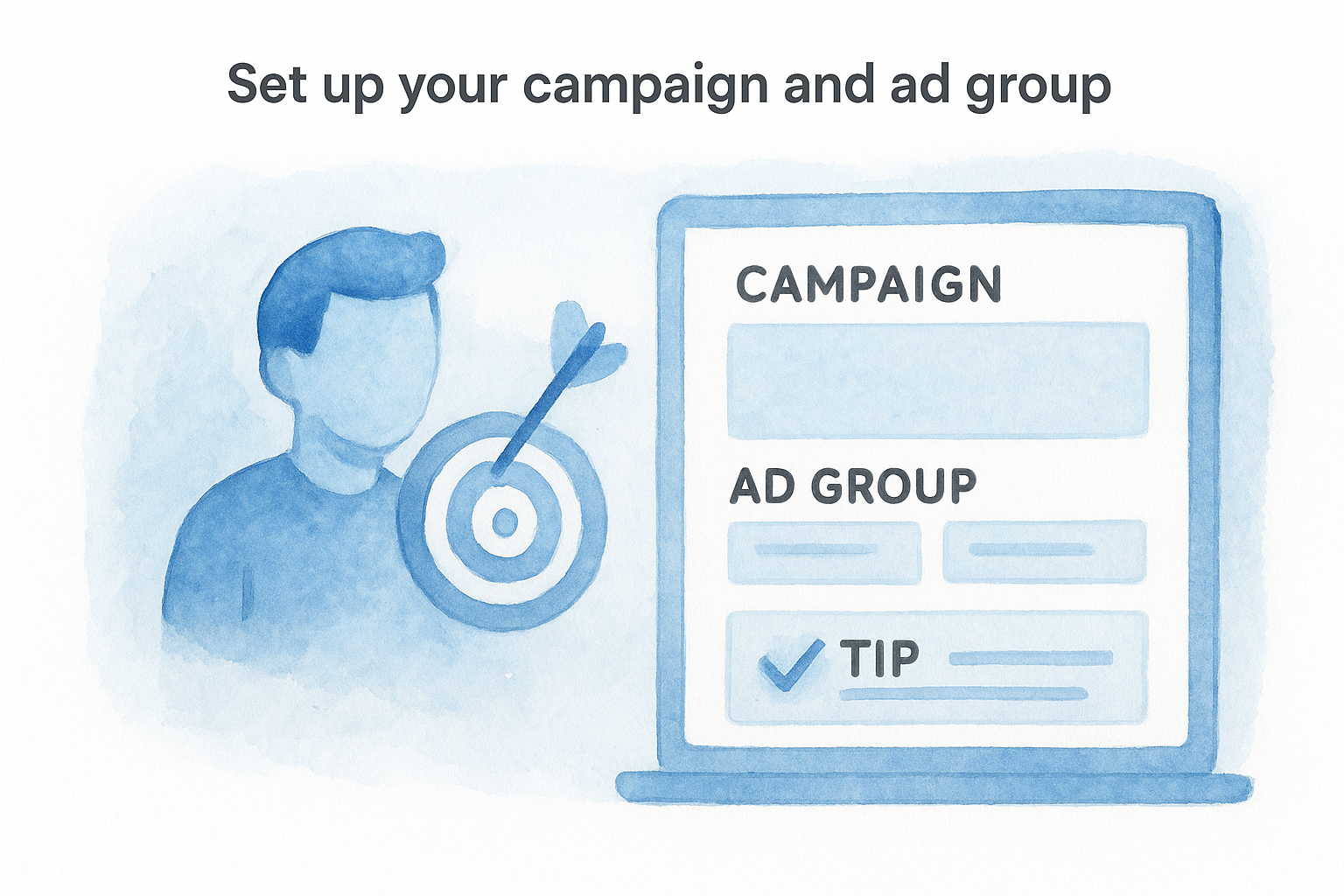
Select "Lowest Cost" as your bid strategy and set a daily budget of at least $20 to give the algorithm enough data to optimize. Under ad group settings, define your audience: United States, ages 25 to 54, and interest categories like "Legal Services."
- Enable Campaign Budget Optimization to let TikTok distribute spend across ad groups automatically
- Schedule your ads to run continuously rather than with a fixed end date
- Keep placements set to automatic for your first campaign
Upload your creative and launch
Vertical video in 9:16 format is required. Keep your ad under 15 seconds, open with a direct hook in the first 3 seconds, and end with a clear call-to-action like "Call now for a free consultation." Click "Submit" once your creative is uploaded; TikTok's review process typically completes within 24 hours.
Check your Cost Per Result and Click-Through Rate daily for the first 48 hours, and pause any ad group where cost exceeds your target before you burn significant budget.
Next Steps
You now have everything you need to go from zero to live inside TikTok Ads Manager: account creation, billing, pixel setup, and your first campaign structure. The platform rewards consistency, so plan to review performance every 48 to 72 hours during the first two weeks and make one change at a time when you optimize. Swap a creative before you adjust an audience, and adjust an audience before you touch your budget.
Running TikTok ads as a law firm adds a layer of complexity that general marketers miss. Legal advertising regulations, platform policies, and the pressure to convert views into signed cases all require a strategy built specifically for legal practices. If you want a team that knows how to run paid campaigns for law firms without the guesswork, talk to a legal marketing specialist at GavelGrow and get a custom roadmap built around your practice area and market.
Frequently Asked Questions
What is TikTok Ads Manager and how is it structured?
TikTok Ads Manager is TikTok's self-serve advertising platform, found at ads.tiktok.com, where you create campaigns, define audiences, set budgets, and track performance. It organizes advertising into three levels: campaigns (objective and overall budget), ad groups (audience, placement, and schedule), and ads (your creative). Most law firms start with standard in-feed ads for the lowest minimum spend.
What do I need before setting up a TikTok ad campaign?
Gather a business email address, your firm's website with a live mobile-friendly landing page, a business payment method, vertical 9:16 video creative around 9 to 15 seconds, and a defined objective such as traffic or lead generation. Having these ready before you open the platform prevents mid-setup errors and account misconfiguration.
Why do I need the TikTok Pixel installed?
The TikTok Pixel is a snippet of JavaScript that tracks visitor actions on your site and sends the data back to your ad account. Without it, you can't reliably measure which ads drive consultations or form submissions, so you end up guessing where to put budget. Install it inside the head tag of every page and confirm events fire with the TikTok Pixel Helper extension.
Which campaign objective should a law firm choose on TikTok?
For most firms, "Lead Generation" works well when you want an on-platform form, while "Traffic" fits better if you're sending users to your own landing page. Setting a clear objective from the start reduces wasted budget on testing the wrong audience segments. Keep placements automatic for your first campaign and let the algorithm gather data.
How should I monitor a new TikTok campaign?
Check your Cost Per Result and Click-Through Rate daily for the first 48 hours and pause any ad group where cost exceeds your target before it burns significant budget. Review performance every 48 to 72 hours during the first two weeks and change only one variable at a time, swapping creative before adjusting audience, and audience before budget.
Frequently Asked Questions
What is TikTok Ads Manager and how is it structured?
TikTok Ads Manager is TikTok's self-serve advertising platform, found at ads.tiktok.com, where you create campaigns, define audiences, set budgets, and track performance. It organizes advertising into three levels: campaigns (objective and overall budget), ad groups (audience, placement, and schedule), and ads (your creative). Most law firms start with standard in-feed ads for the lowest minimum spend.
What do I need before setting up a TikTok ad campaign?
Gather a business email address, your firm's website with a live mobile-friendly landing page, a business payment method, vertical 9:16 video creative around 9 to 15 seconds, and a defined objective such as traffic or lead generation. Having these ready before you open the platform prevents mid-setup errors and account misconfiguration.
Why do I need the TikTok Pixel installed?
The TikTok Pixel is a snippet of JavaScript that tracks visitor actions on your site and sends the data back to your ad account. Without it, you can't reliably measure which ads drive consultations or form submissions, so you end up guessing where to put budget. Install it inside the head tag of every page and confirm events fire with the TikTok Pixel Helper extension.
Which campaign objective should a law firm choose on TikTok?
For most firms, "Lead Generation" works well when you want an on-platform form, while "Traffic" fits better if you're sending users to your own landing page. Setting a clear objective from the start reduces wasted budget on testing the wrong audience segments. Keep placements automatic for your first campaign and let the algorithm gather data.
How should I monitor a new TikTok campaign?
Check your Cost Per Result and Click-Through Rate daily for the first 48 hours and pause any ad group where cost exceeds your target before it burns significant budget. Review performance every 48 to 72 hours during the first two weeks and change only one variable at a time, swapping creative before adjusting audience, and audience before budget.