GavelGrow vs Clio Grow: 11 Differences in Pricing & ROI
Categories: Legal Marketing Strategies
 Abram Ninoyan
Founder & Senior Performance Marketer
Credentials: Google Partner, Google Ads Search Certified, Google Ads Display Certified, Google Ads Measurement Certified, Google Analytics (IQ) Certified, HubSpot Inbound Certified, HubSpot Social Media Marketing Certified, Conversion Optimization Certified
Expertise: Google Ads, Meta Ads, Conversion Rate Optimization, GA4 & Google Tag Manager, Lead Generation, Marketing Funnel Optimization, PPC Management
LinkedIn Profile
GavelGrow tracks marketing ROI from ad click through signed retainer, while Clio Grow focuses on intake workflows and contact management. If you're weighing GavelGrow vs Clio Grow, the right pick depe...
Key Takeaways
- GavelGrow vs Clio Grow: 11 Differences in Pricing & ROI 2026
- 1. Pricing and minimum monthly cost
- 2. Setup fees and implementation timeline
- 3. What each platform optimizes for in ROI
GavelGrow vs Clio Grow: 11 Differences in Pricing & ROI 2026
GavelGrow tracks marketing ROI from ad click through signed retainer, while Clio Grow focuses on intake workflows and contact management. If you're weighing GavelGrow vs Clio Grow, the right pick depends on whether your firm needs a full-funnel attribution platform or a standalone intake tool that plugs into Clio Manage.
Full disclosure: we built GavelGrow, so we obviously have skin in this game. Rather than pretend otherwise, we'll lay out the specific differences, pricing tiers, feature gaps, what each platform actually measures, and let you decide which fits your firm. Where Clio Grow genuinely does something better, we'll say so. Where it doesn't, we'll show the receipts with the numbers behind our modelled benchmarks.
Both platforms serve U.S. law firms. Both handle intake forms and lead management. But that's roughly where the overlap ends. Clio Grow was built as an intake add-on for firms already running Clio Manage. GavelGrow was built to answer a different question entirely: how much revenue did your marketing spend actually produce, and which campaigns generated signed cases versus dead leads? Those are two fundamentally different jobs.
This breakdown covers 11 specific differences across pricing, attribution, call tracking, intake automation, compliance, and ROI reporting, so you can stop comparing feature lists and start comparing what each platform will actually do for your cost-per-signed-case.
Key Takeaways:
- GavelGrow brings call tracking, intake and attribution reporting into one platform starting at $199/mo
- Clio Grow lacks built-in call tracking, ad attribution, and campaign-level cost-per-case reporting
- GavelGrow's intake forms include TCPA consent logging, carrier-level phone validation, and an instant email auto-reply
- GavelGrow includes modelled practice-area benchmarks for comparing your metrics by practice area and market size
- Clio Grow requires Clio Manage for full functionality; GavelGrow works independently with any practice management software
1. Pricing and minimum monthly cost
Pricing structure shapes every ROI calculation you make. Before you can compare gavelgrow vs clio grow on revenue impact, you need to understand that the two platforms charge in fundamentally different ways, which means the cost gap widens fast as your team grows.
How GavelGrow pricing works
GavelGrow uses flat monthly pricing, not per-seat billing. The Track plan runs $199/month, and Optimize costs $599/month (the tier most firms choose). Managed pricing is scoped on a strategy call. Track and Optimize come with a 7-day free trial and no credit card required. Annual billing includes two months free, so an Optimize annual subscriber pays $5,990 a year. Overage charges apply only for extra seats, SMS volume, and additional tracking numbers beyond what each plan includes. The base cost stays fixed whether one attorney uses the dashboard or five do.
How Clio Grow pricing works
Clio Grow is available either as a standalone intake product or bundled into Clio's higher tiers. Standalone Clio Grow pricing starts at approximately $49 per user per month (billed annually), but that gets you the intake and CRM layer only, not practice management. To unlock the full Clio workflow, most firms run Clio Grow alongside Clio Manage, which starts at $49/user/month for the EasyStart tier and climbs to $119/user/month for the Advanced plan that includes more automation features. That means your actual monthly spend is the sum of both products multiplied by your headcount.
A 5-person firm using Clio Grow standalone plus Clio Manage Essentials pays roughly $690/month before any add-ons. The same firm on GavelGrow Track pays $199/month flat.
What you actually pay at 1, 5, and 15 users
The per-seat model creates a widening cost curve that most firms underestimate at evaluation time. Here is a direct comparison using publicly listed pricing as of mid-2026:
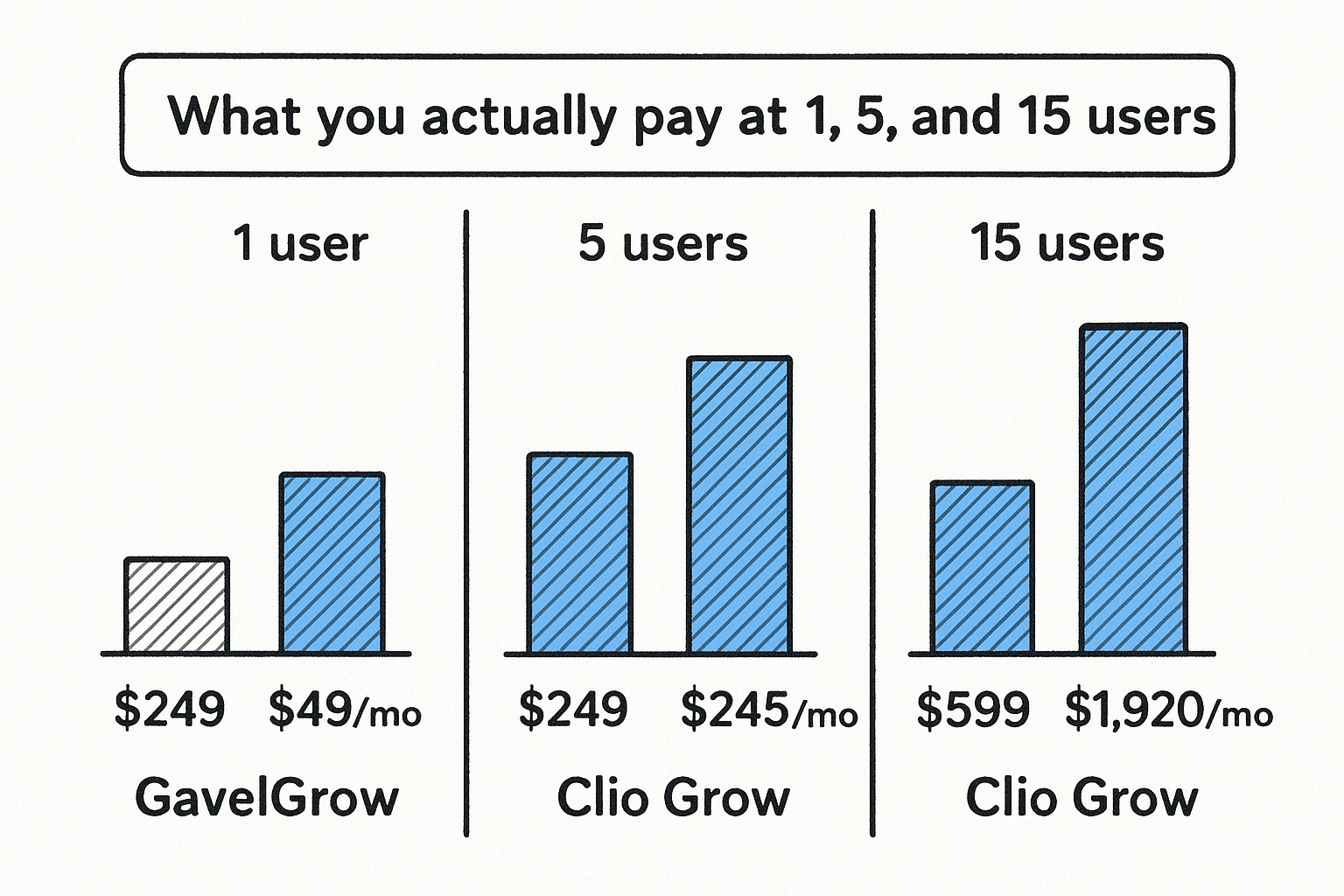
At one user, Clio Grow standalone looks cheaper on paper. By five users, the numbers are essentially equal for Clio Grow standalone alone, and GavelGrow is already less expensive once you factor in Clio Manage. At 15 users, Clio Grow plus Clio Manage costs more than three times what GavelGrow Scale costs.
What this does to your break-even ROI
Your break-even calculation changes depending on which pricing model you adopt. With flat-rate pricing, your cost per signed case drops as caseload grows because the platform cost stays fixed while your case volume scales. With per-seat pricing, your platform cost grows in direct proportion to headcount, which keeps the break-even threshold higher as you hire.
For a personal injury firm closing five cases per month at an average fee of $12,000, the difference between $199/month and $690/month in platform costs adds up to about $5,900 a year, which a single additional signed case more than covers. Before choosing either platform, run your own break-even calculation using your average case value and current team size, not a hypothetical future headcount.
2. Setup fees and implementation timeline
The time between signing up and generating your first attributed lead is real revenue time. In the gavelgrow vs clio grow comparison, setup speed matters more than most firms expect, because every week of delay means untracked leads slipping through your pipeline with no data attached to them.
How fast you can go live with GavelGrow
GavelGrow charges no implementation fee and requires no onboarding call to get started. You create your account, embed the intake form on your website, and connect your Google Ads account within the same day. Call tracking numbers provision automatically, so your first campaign-attributed call can come in within 24 to 48 hours of signup. The 7-day free trial starts immediately, so you are not paying while you configure the platform.
How Clio Grow onboarding typically works
Clio Grow's onboarding timeline depends on which tier you select and whether you are also activating Clio Manage. Most firms report a setup window of one to three weeks when configuring both products together, particularly when migrating contact data from another CRM. Clio provides onboarding support, but data migration, form customization, and connecting third-party call tracking tools each add time to that window. There is no separate setup fee for standard tiers, but the time cost is real and measurable.
Every week your intake system is not fully live is a week your cost-per-lead data is incomplete, which means your budget decisions rest on guesswork rather than facts.
Hidden time costs that impact revenue
The less visible cost is staff hours spent configuring separate integrations. If you add Clio Grow but still need a standalone call tracking tool, you now manage two setup processes, two vendor relationships, and two data streams that may never fully sync. GavelGrow consolidates call tracking, intake forms, and attribution into a single configuration process, which cuts that overhead significantly for most firms under 15 seats.
When a longer setup is still worth it
If your firm has years of matter history inside Clio Manage or complex data migration requirements, a longer Clio Grow setup may be justified. Rushing that migration creates duplicate contact records and broken attribution chains. In that specific scenario, the extra setup time protects your historical data rather than wastes your calendar.
3. What each platform optimizes for in ROI
ROI means different things to each platform, and that gap explains more about the gavelgrow vs clio grow decision than any feature comparison. Before you evaluate either tool, you need to know what each one is actually built to measure.
GavelGrow focus: cost per signed case
GavelGrow is built around a single question: how much did it cost your firm to sign each case? Every feature in the platform, from call tracking to intake forms to the attribution dashboard, feeds into one answer: campaign-level cost-per-signed-case. That number is calculated by pulling ad spend, form submissions, call outcomes, and signed retainer status into one unified view, without you manually joining data across three separate tools.
Clio Grow focus: intake and CRM workflow
Clio Grow is optimized for intake efficiency and contact organization, not marketing attribution. It helps your team move a prospect from first contact to signed retainer by managing follow-up tasks, storing contact records, and tracking where each potential client sits in your pipeline. That is genuinely useful work, but it stops at the intake layer. Clio Grow does not tell you which Google Ads campaign produced the leads that converted, or what your cost per retained client was by traffic source.
If you are spending $10,000 per month on ads, managing intake well without knowing which campaigns drove signed cases is like optimizing your checkout process while ignoring whether customers walked in from the right door.
Where firms misread ROI when comparing tools
Most firms make the mistake of comparing form submission volume as a proxy for ROI. A clean intake workflow that logs 200 leads per month looks impressive until you realize 140 of those leads came from a campaign with a $4,200 cost-per-case versus $800 from another. Without campaign-level attribution, your intake data gives you activity, not profitability.
Which KPI you should use in 2026
The correct KPI for any law firm marketing decision in 2026 is cost-per-signed-case, not cost-per-lead or number of intake forms completed. Lead volume flatters bad campaigns. Cost-per-lead hides the fact that cheap leads often convert poorly. Signed cases per dollar spent is the only number that connects your marketing budget directly to revenue, and it requires full-funnel attribution, not just intake tracking.
4. Tracking from ad click to signed retainer
Attribution is where the gavelgrow vs clio grow comparison gets most consequential for firms running paid ads. Without a connected data chain from the first click through a signed retainer, your campaign decisions rely on incomplete numbers, and incomplete numbers produce budget waste.
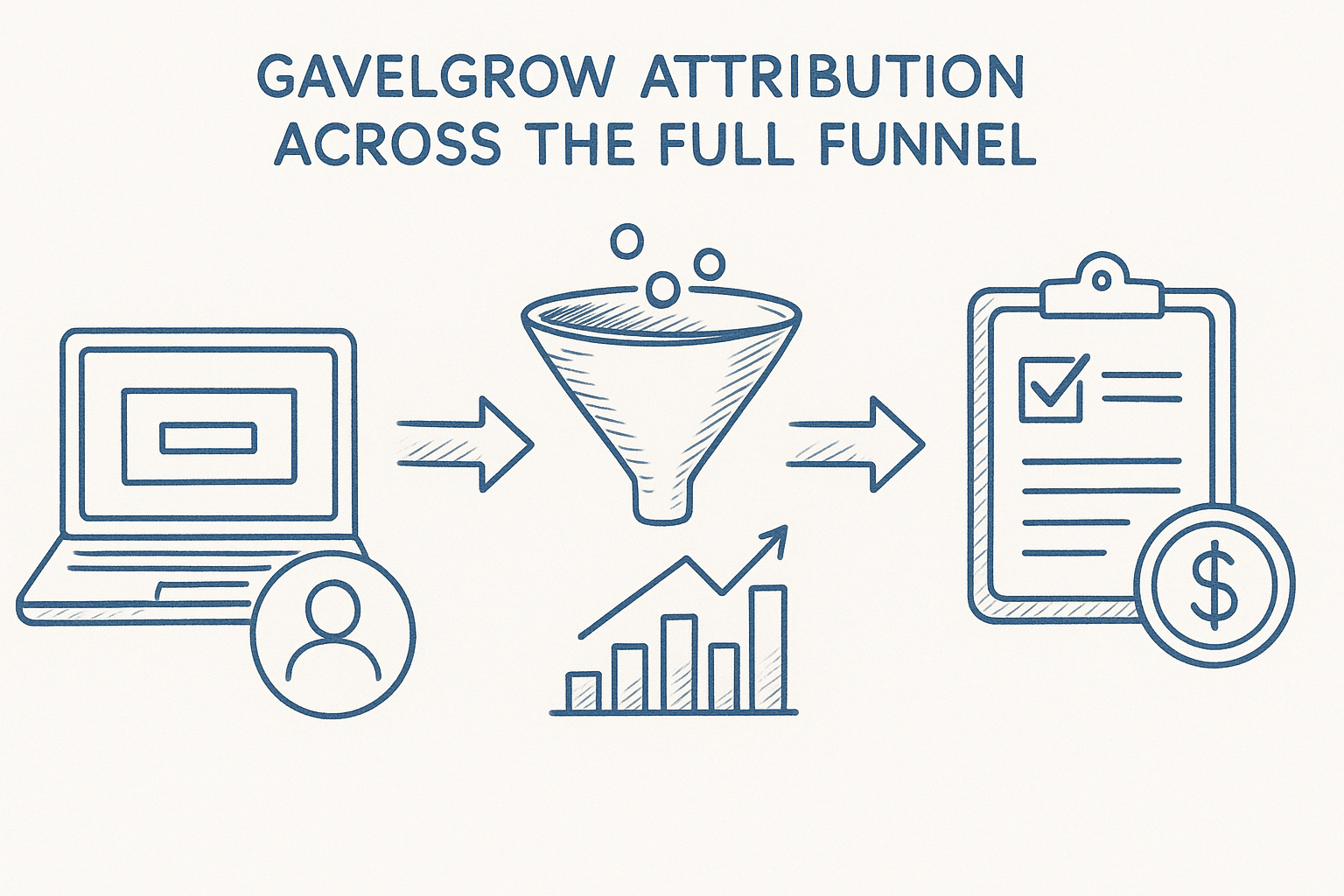
GavelGrow attribution across the full funnel
GavelGrow fires GA4, Meta Pixel, and GTM custom events natively at the moment a lead submits your intake form, tagging each conversion with a value and a transaction ID for deduplication. Every lead row in your pipeline carries its originating campaign, so you can trace any signed case back to the exact Google Ads campaign that generated it. Call tracking numbers are provisioned per campaign, meaning phone leads receive the same attribution treatment as form submissions, with no manual tagging required.
Clio Grow attribution and what it depends on
Clio Grow records intake and contact data efficiently, but campaign-level attribution depends entirely on what you connect externally. Without a separate call tracking tool and a deliberate UTM tagging strategy, Clio Grow can tell you how many leads came in, but not which ad campaigns produced the ones that signed. Connecting Google Analytics, a call tracking platform, and Clio Grow requires manual configuration that most small and mid-size firms either skip or set up inconsistently.
If your attribution chain breaks at any one integration point, every cost-per-case number you report after that point is wrong, and you will not know it until you audit the data months later.
Common attribution gaps that inflate CPL
The most common gap is untracked phone calls. A firm running Google Ads without per-campaign tracking numbers may count a call as a conversion but has no way to tie it back to a specific campaign. That gap inflates your CPL for campaigns that are actually performing well and misdirects budget toward cheaper-looking campaigns that generate unqualified volume. Duplicate leads create a second gap: without a deduplication layer, the same contact submits twice and counts as two leads in your cost-per-lead report.
What to ask before you trust any ROI report
Before you accept any attribution report at face value, ask your platform three questions: which campaigns drove signed cases (not just form fills), how phone leads are matched to ad campaigns, and whether the conversion data in your ad accounts matches what appears in your dashboard. If your current tool cannot answer all three without a manual spreadsheet, your ROI reporting has a gap that is costing you real budget.
5. Intake forms and lead capture quality
The intake form is the first point of data entry in your pipeline, and the quality of leads it captures directly determines how much of your ad spend produces billable work versus wasted follow-up time. In the gavelgrow vs clio grow comparison, this difference is more technical than it first appears.
GavelGrow intake forms and lead validation
GavelGrow's intake forms run carrier-level phone validation before a submission is accepted, which filters out disconnected numbers and fake contacts at the point of entry rather than during follow-up. Each form includes invisible bot protection and a 10-minute duplicate detection window, so the same prospect cannot submit twice in rapid succession and inflate your lead count. Forms are mobile-first, multi-step, and firm-branded, and they embed on any website via iframe or script snippet with no developer required.
Every submission fires TCPA consent into an append-only audit log, meaning your compliance record exists inside the same platform that captures the lead, not in a separate spreadsheet that someone maintains manually.
Clio Grow intake forms and client intake flow
Clio Grow provides customizable intake forms that feed directly into its CRM, creating a contact record automatically when a prospective client submits. The forms handle basic field collection and support e-signatures for engagement letters, which is genuinely useful when your intake process includes a document-signing step. However, built-in phone validation and automated duplicate detection are not native features, so your team may still spend time chasing invalid numbers or reconciling duplicate contact records manually.
How form design changes conversion rate
Multi-step forms consistently outperform single-page forms for legal intake because they reduce the perceived effort of the first interaction. Asking one or two questions per screen keeps a prospective client moving forward rather than confronting a wall of fields at once. Mobile conversion rates on single-page forms in legal average between 1% and 2%, while well-structured multi-step forms routinely hit 4% to 6%, according to GavelGrow's modelled benchmarks.

That gap means a firm getting 1,000 monthly website visitors either captures 10 to 20 leads or 40 to 60 leads from the same traffic, with no change in ad spend.
When you need pre-qualification vs volume
High-volume practice areas like mass torts and workers' comp benefit most from validation features, because unqualified leads in those verticals consume disproportionate intake staff time. If your firm runs a lower-volume, higher-value practice like complex business litigation or medical malpractice, the e-signature capability in Clio Grow may matter more than phone validation, since each lead already receives a thorough manual review before any form submission becomes a file.
6. Speed-to-lead automation and follow-up
Response time is a direct revenue variable, not a customer service metric. The gavelgrow vs clio grow comparison on speed-to-lead matters because the gap between a 1-minute reply and a 30-minute reply changes your conversion rate more than almost any other variable you can control.
GavelGrow auto-replies and follow-up sequences
GavelGrow fires an SMS (once US carriers approve your number) and email auto-reply within minutes of every intake form submission. That reply goes out automatically, without anyone on your team touching a keyboard, even if the lead comes in at 11 PM on a Sunday. Follow-up sequences continue from that first touchpoint, and CTIA opt-out keywords like STOP and HELP are handled automatically so your sequences stay compliant without manual monitoring.
Clio Grow follow-up and intake automation
Clio Grow supports follow-up tasks and reminders inside its intake workflow, but automated SMS sequences firing within seconds of form submission are not a native out-of-the-box feature on standard tiers. Your team can set manual follow-up tasks, and Clio does support some automation through higher tiers or connected tools, but achieving the same sub-60-second response window typically requires additional configuration or third-party integrations that add cost and setup time.
How response time shows up in signed cases
The data on this is consistent and significant. Leads contacted within 5 minutes are 21 times more likely to qualify than leads contacted after 30 minutes, a figure that shows up repeatedly in legal marketing benchmarks. Every minute your follow-up sequence waits after form submission reduces the probability that the prospect is still available, still interested, and has not already filled out a competitor's form.
If your intake system relies on staff to manually send the first reply, your response time is only as fast as your slowest team member on their busiest day.
How to build a contact policy your team follows
Automation handles the first reply, but a written contact policy closes the gap between the automated message and the first live conversation. Set a hard internal rule that every new lead receives a live call attempt within 15 minutes during business hours. Pair that rule with a triage view that shows lead age in real time, so no submission sits uncontacted for more than one business day.
7. Call tracking and phone lead handling
Phone leads still represent the highest-intent contacts most law firms receive, yet they are often the least tracked. In the gavelgrow vs clio grow comparison, the gap between the two platforms on call handling is wide enough to change your entire cost-per-case calculation.
GavelGrow call tracking and outcome tagging
GavelGrow provisions per-campaign tracking numbers so every inbound call ties back to a specific ad source, search term, or referral channel automatically. Your team tags each call with an outcome, qualified, callback needed, unqualified, or spam, directly inside the platform. Those tags feed back into your attribution data, so a "qualified" call from your personal injury campaign carries a different weight in your cost-per-case report than a spam call from an unrelated keyword.
Call recordings and a miss-rate breakdown per tracking number are included in every plan, which means you can identify which campaigns generate calls your team fails to answer, not just which ones generate volume.
Clio Grow phone tracking and what you add on
Clio Grow does not include native call tracking or per-campaign phone numbers. If you run paid ads and want to know which campaigns drove inbound calls, you need a third-party tool like CallRail connected separately. That adds cost, a second login, and a data sync that breaks any time one platform updates its API. Your call data and your intake data live in different systems, which means your cost-per-case report requires manual reconciliation rather than a single dashboard view.
How missed calls change your true CAC
Every missed call that never gets returned is a silent cost increase in your customer acquisition calculation. If your tracking numbers show a 20% miss rate on your highest-spend campaign, your true cost-per-acquired-client is not what your ad account reports, it is closer to 25% higher once you account for the leads that rang and vanished.
Firms that track miss rates by campaign consistently find at least one high-spend source where poor call handling doubles their effective cost-per-case.
When call tracking matters more than CRM depth
If your firm spends more than $3,000 per month on paid ads, call tracking attribution matters more than CRM workflow depth at this stage of your growth. You can manage intake tasks manually at low volume. You cannot recover the budget you waste on untracked, unattributed phone leads without campaign-level call data feeding your decisions.
8. SMS compliance and consent logs
TCPA compliance is not a legal formality you delegate to your intake coordinator. It is a financial risk sitting inside every text message your firm sends, and the gavelgrow vs clio grow comparison on this point reveals a structural difference in how each platform handles that risk from the moment a lead submits your form.
GavelGrow TCPA-first consent collection
GavelGrow captures written TCPA consent at the intake form level and stores every consent record in an append-only audit log that cannot be edited or deleted after the fact. That log timestamps each consent event and ties it to the specific form submission, device, and IP address. If your firm ever faces a TCPA complaint, you can pull the exact consent record for that contact in seconds rather than searching through email archives or asking a staff member to reconstruct what happened.
CTIA opt-out keywords like STOP and HELP are handled automatically inside the platform, so a prospect who texts STOP immediately stops receiving messages without any manual intervention from your team. That automatic handling removes one of the most common compliance gaps, which is a staff member missing an opt-out request during a high-volume intake week.
Clio Grow texting and consent management
Clio Grow supports SMS communication through its intake workflow, but consent capture and audit logging depend significantly on how your team configures the platform and which add-ons you connect. Native append-only consent records tied to individual lead submissions are not a standard built-in feature, which means your compliance documentation may live in a separate spreadsheet or rely on manual data entry to maintain.
Where compliance risk becomes an ROI problem
A single TCPA class action can cost a firm $500 to $1,500 per text message sent without verifiable consent, and class actions can aggregate those damages quickly across a contact list. At that cost, weak consent logging is not an administrative gap, it is a balance-sheet risk.
Your intake system should generate its own compliance record automatically, not require your team to build one manually after the fact.
How to reduce risk without killing conversions
You reduce TCPA risk by making consent language visible and specific on your intake forms, not buried in fine print. A single checkbox with plain-language disclosure converts well and satisfies regulatory requirements. GavelGrow includes this structure by default; if you use another platform, audit your current form language against the FCC's 2024 one-to-one consent rules before your next campaign launch.
9. Pipeline, CRM, and matter handoff
Pipeline visibility and matter handoff are where your intake process either accelerates or stalls. In the gavelgrow vs clio grow comparison, both platforms manage contacts and case status, but the structure each uses reflects very different assumptions about where your team spends its time and what data it needs in front of it.
How GavelGrow handles pipeline and case status
GavelGrow's pipeline view shows every lead with last-activity aging, SMS consent badges, and linked-case indicators displayed inline, so your intake team sees at a glance which prospects are fresh, which have gone cold, and which already have an open matter attached. Status changes update directly in the pipeline row without opening a separate record, which cuts the number of clicks required per lead update. Per-campaign CPL sits inline on every row, so your intake coordinator and your marketing decision-maker are looking at the same data without switching tabs.
How Clio Grow handles CRM and handoff to Manage
Clio Grow passes contact records to Clio Manage when a prospect converts, which creates a clean handoff inside the Clio ecosystem for firms already running both products. That handoff works well when intake staff and attorneys both live inside Clio daily. The CRM layer tracks contact history, follow-up tasks, and pipeline stage, and the connection to Manage means matter creation does not require re-entering client data. The tradeoff is that this workflow depends on your team actively using both platforms together rather than one or the other.
If part of your team works in Clio and part does not, the handoff breaks at the human layer long before it breaks at the software layer.
Where duplicate data entry kills adoption
Duplicate records appear when intake staff log contacts in one system and attorneys pull them into another without a reliable sync. That problem shows up in both platforms whenever your team treats the intake tool and the case management tool as separate systems rather than a connected workflow. The fix is not a better integration, it is a clear data ownership rule that designates one system as the record of truth at each stage of the matter lifecycle.
Which approach fits your intake team structure
If your intake team and your attorneys work inside the same platform daily, Clio Grow's handoff to Manage removes friction. If your firm runs paid advertising at meaningful volume and your intake team's primary job is triaging and converting marketing leads, GavelGrow's pipeline view gives them attribution context that a CRM-first tool does not.
10. Reporting, benchmarks, and decision-making
Reporting is only valuable when it changes a decision. In the gavelgrow vs clio grow comparison, the difference is not just what each platform measures but whether those measurements connect directly to budget and staffing choices your firm makes every month.
GavelGrow reporting and performance benchmarks
GavelGrow generates campaign-level reports that show cost-per-signed-case broken down by traffic source, not just cost-per-lead summaries that flatten the difference between a $400 case and a $40,000 one. Every report pulls from the same data chain that runs from the ad click through the signed retainer, so the numbers you see in your dashboard match what your ad accounts report.
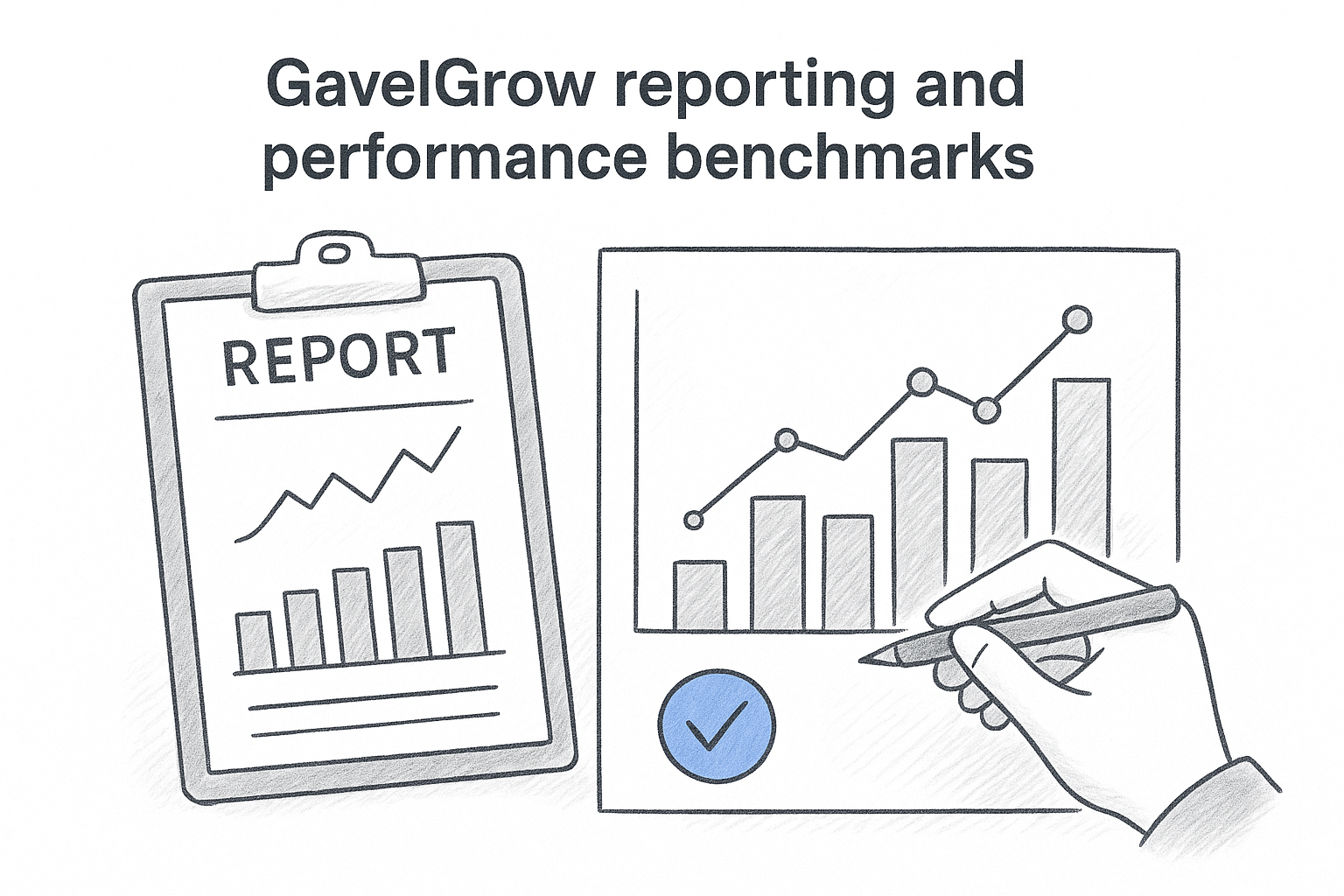
GavelGrow also includes modelled practice-area benchmarks. You can compare your CPL, conversion rate, and close rate with modelled ranges for your practice area and market size, which helps show whether a metric that looks acceptable is actually underperforming.
Clio Grow reporting and intake visibility
Clio Grow gives you clear visibility into intake activity, including how many prospects entered your pipeline, where they stalled, and which follow-up tasks your team completed. That data is genuinely useful for managing intake staff and identifying bottlenecks inside the contact-to-retainer workflow.
What Clio Grow does not show you is which paid campaign produced the leads that converted, because that attribution layer requires external tools. Your intake report and your marketing report live in separate systems, which means a complete ROI picture requires manual consolidation every time you run numbers.
Reporting that stops at intake volume tells you how busy your team was, not whether your marketing budget was well spent.
Reports that change budget decisions in 30 days
The reports that produce real budget reallocation decisions are the ones that compare cost-per-signed-case across campaigns side by side. Within 30 days of running full-funnel attribution, most firms find at least one campaign spending heavily on leads with a conversion rate below 5%, while another campaign with lower volume produces cases at a fraction of the cost.
What to review weekly vs monthly
Review lead aging and miss rates weekly so your intake team catches stale contacts before they go permanently cold. Review campaign-level cost-per-case monthly when you have enough data volume to make statistically meaningful budget shifts rather than reacting to a single week of noise.
11. Integrations, ecosystem lock-in, and stack fit
In the gavelgrow vs clio grow comparison, integrations matter less than most buyers expect and ecosystem lock-in matters more. Before you commit to either platform, you should understand what each one assumes about the rest of your tech stack and what it costs to leave later.
GavelGrow fit in a mixed tech stack
GavelGrow runs independently of any practice management software, which means you can use it alongside Clio Manage, MyCase, Lawmatics, or any other case management tool your firm already runs. The platform connects natively to Google Ads for daily campaign sync and fires conversion events to GA4, Meta Pixel, and GTM without requiring a middleware connector. If your firm already has a practice management tool you are satisfied with, GavelGrow adds attribution, call tracking, and intake automation on top without forcing you to replace anything.
Clio Grow fit inside the Clio ecosystem
Clio Grow is built to work as part of the Clio suite, and that design choice gives it a genuine advantage when your attorneys and intake staff both operate inside Clio daily. Contact records move from Grow to Manage without re-entry, and the shared data layer keeps client history consistent across both products. The tradeoff is that Clio Grow delivers its full value only when paired with Clio Manage, which means your platform cost scales with your seat count and your workflow becomes increasingly dependent on a single vendor relationship.
The deeper your firm builds into any single vendor's ecosystem, the higher your effective switching cost becomes over time, regardless of how satisfied you are today.
Switching costs that most firms ignore
Switching costs are not just contract penalties. They include staff retraining time, data migration complexity, and the attribution gap that opens during any platform transition. A firm that has three years of contact history and call recordings inside one platform faces a real productivity hit when it moves, regardless of which direction it switches. Factor that cost into your decision now rather than after you have committed.
How to choose if you already use Clio Manage
If your firm already runs Clio Manage and is satisfied with it, you do not need to choose between the two platforms outright. Many firms use Clio Manage for matter management and GavelGrow for marketing attribution, call tracking, and intake automation. The two tools solve different problems, and running both costs less than replacing your practice management software just to gain attribution capability.
Your Next Step
The gavelgrow vs clio grow decision comes down to what your firm needs to measure. If you run paid ads and need to know exactly which campaigns produced signed cases, GavelGrow gives you full-funnel attribution, call tracking, and intake automation in one platform starting at $199 per month. If your firm already runs Clio Manage and your primary need is a cleaner intake workflow inside that same ecosystem, Clio Grow handles that job well.
Before you commit to either tool, run your own numbers. Use the free cost-per-acquisition calculator to calculate your current cost-per-signed-case and identify where your attribution chain breaks. If the gaps are significant, that calculation will tell you faster than any feature comparison. You can also book a free 45-minute strategy call with the GavelGrow team to walk through your current setup and get a direct recommendation based on your practice area and ad spend.
Disclosure: Clio and Clio Grow are trademarks of Themis Solutions Inc. GavelGrow is not affiliated with, endorsed by, or sponsored by Themis Solutions Inc. Pricing accurate as of June 2026; verify current pricing with the vendor.
Frequently Asked Questions
What is the difference between GavelGrow and Clio Grow?
GavelGrow tracks marketing ROI from ad click through signed retainer, while Clio Grow focuses on intake workflows and contact management. Clio Grow was built as an intake add-on for firms already running Clio Manage, whereas GavelGrow was built to answer how much revenue your marketing spend produced and which campaigns generated signed cases. The right pick depends on whether you need full-funnel attribution or a standalone intake tool.
How much does GavelGrow cost compared to Clio Grow?
GavelGrow uses flat monthly pricing that stays fixed regardless of team size, starting at $199/month for Track and $599/month for Optimize, with a 7-day free trial and no credit card required. Clio Grow uses per-user billing, so its cost grows in direct proportion to headcount. Run your own break-even calculation using your average case value and current team size rather than a hypothetical future headcount.
Does Clio Grow include call tracking?
No. Clio Grow does not include native call tracking or per-campaign phone numbers, so if you run paid ads and want to know which campaigns drove inbound calls, you need a third-party tool like CallRail connected separately, which adds a second login and a data sync that can break. GavelGrow provisions per-campaign tracking numbers so every inbound call ties back to a specific ad source automatically.
Which KPI should a law firm use to measure marketing ROI in 2026?
The recommended KPI is cost-per-signed-case, not cost-per-lead or number of intake forms completed. Lead volume flatters bad campaigns, and cost-per-lead hides the fact that cheap leads often convert poorly. Signed cases per dollar spent is the number that connects your marketing budget directly to revenue, and it requires full-funnel attribution rather than intake tracking alone.
Do you need Clio Manage to use Clio Grow?
Clio Grow is available as a standalone intake product, but most firms run it alongside Clio Manage to unlock the full workflow, including the clean handoff of contact records when a prospect converts. GavelGrow, by contrast, runs independently of any practice management software, so you can use it alongside Clio Manage, MyCase, Lawmatics, or any other case management tool your firm already runs.
Frequently Asked Questions
What is the difference between GavelGrow and Clio Grow?
GavelGrow tracks marketing ROI from ad click through signed retainer, while Clio Grow focuses on intake workflows and contact management. Clio Grow was built as an intake add-on for firms already running Clio Manage, whereas GavelGrow was built to answer how much revenue your marketing spend produced and which campaigns generated signed cases. The right pick depends on whether you need full-funnel attribution or a standalone intake tool.
How much does GavelGrow cost compared to Clio Grow?
GavelGrow uses flat monthly pricing that stays fixed regardless of team size, starting at $199/month for Track and $599/month for Optimize, with a 7-day free trial and no credit card required. Clio Grow uses per-user billing, so its cost grows in direct proportion to headcount. Run your own break-even calculation using your average case value and current team size rather than a hypothetical future headcount.
Does Clio Grow include call tracking?
No. Clio Grow does not include native call tracking or per-campaign phone numbers, so if you run paid ads and want to know which campaigns drove inbound calls, you need a third-party tool like CallRail connected separately, which adds a second login and a data sync that can break. GavelGrow provisions per-campaign tracking numbers so every inbound call ties back to a specific ad source automatically.
Which KPI should a law firm use to measure marketing ROI in 2026?
The recommended KPI is cost-per-signed-case, not cost-per-lead or number of intake forms completed. Lead volume flatters bad campaigns, and cost-per-lead hides the fact that cheap leads often convert poorly. Signed cases per dollar spent is the number that connects your marketing budget directly to revenue, and it requires full-funnel attribution rather than intake tracking alone.
Do you need Clio Manage to use Clio Grow?
Clio Grow is available as a standalone intake product, but most firms run it alongside Clio Manage to unlock the full workflow, including the clean handoff of contact records when a prospect converts. GavelGrow, by contrast, runs independently of any practice management software, so you can use it alongside Clio Manage, MyCase, Lawmatics, or any other case management tool your firm already runs.