Google Ads Help Center: Contact Options And Troubleshooting
Categories: Legal Marketing Strategies
 Abram Ninoyan
Founder & Senior Performance Marketer
Credentials: Google Partner, Google Ads Search Certified, Google Ads Display Certified, Google Ads Measurement Certified, Google Analytics (IQ) Certified, HubSpot Inbound Certified, HubSpot Social Media Marketing Certified, Conversion Optimization Certified
Expertise: Google Ads, Meta Ads, Conversion Rate Optimization, GA4 & Google Tag Manager, Lead Generation, Marketing Funnel Optimization, PPC Management
LinkedIn Profile
The Google Ads Help Center lives at support.google.com/google-ads and gives you access to troubleshooting articles, step-by-step guides, live chat, phone callbacks, and community forums where other ad...
Key Takeaways
- Google Ads Help Center: Contact Options And Troubleshooting
- What is the Google Ads Help Center?
- Why use the Help Center instead of Google Search?
- How to find the right help article fast
Google Ads Help Center: Contact Options And Troubleshooting
The Google Ads Help Center lives at support.google.com/google-ads and gives you access to troubleshooting articles, step-by-step guides, live chat, phone callbacks, and community forums where other advertisers and Google Product Experts weigh in on account issues.
If you're a law firm running paid search campaigns, knowing how to actually reach Google support, and what to expect when you do, saves hours of frustration when something breaks. A disapproved ad, a billing error, or a sudden campaign suspension can stall your intake pipeline overnight. The problem is that Google's support structure has changed repeatedly over the past few years, and finding the right contact method for your specific issue isn't always obvious. Some options are buried behind multiple menus, and availability depends on your account's spend level.
This guide walks through every current contact option, explains which support channels resolve issues fastest, and covers the most common troubleshooting scenarios law firms encounter. We also cover where GavelGrow's Google Ads sync and attribution tools fit in, because half the "problems" firms bring to Google support are actually tracking and conversion gaps that a legal-specific platform like GavelGrow's campaign-level cost-per-signed-case reporting can surface before they snowball.
What is the Google Ads Help Center?
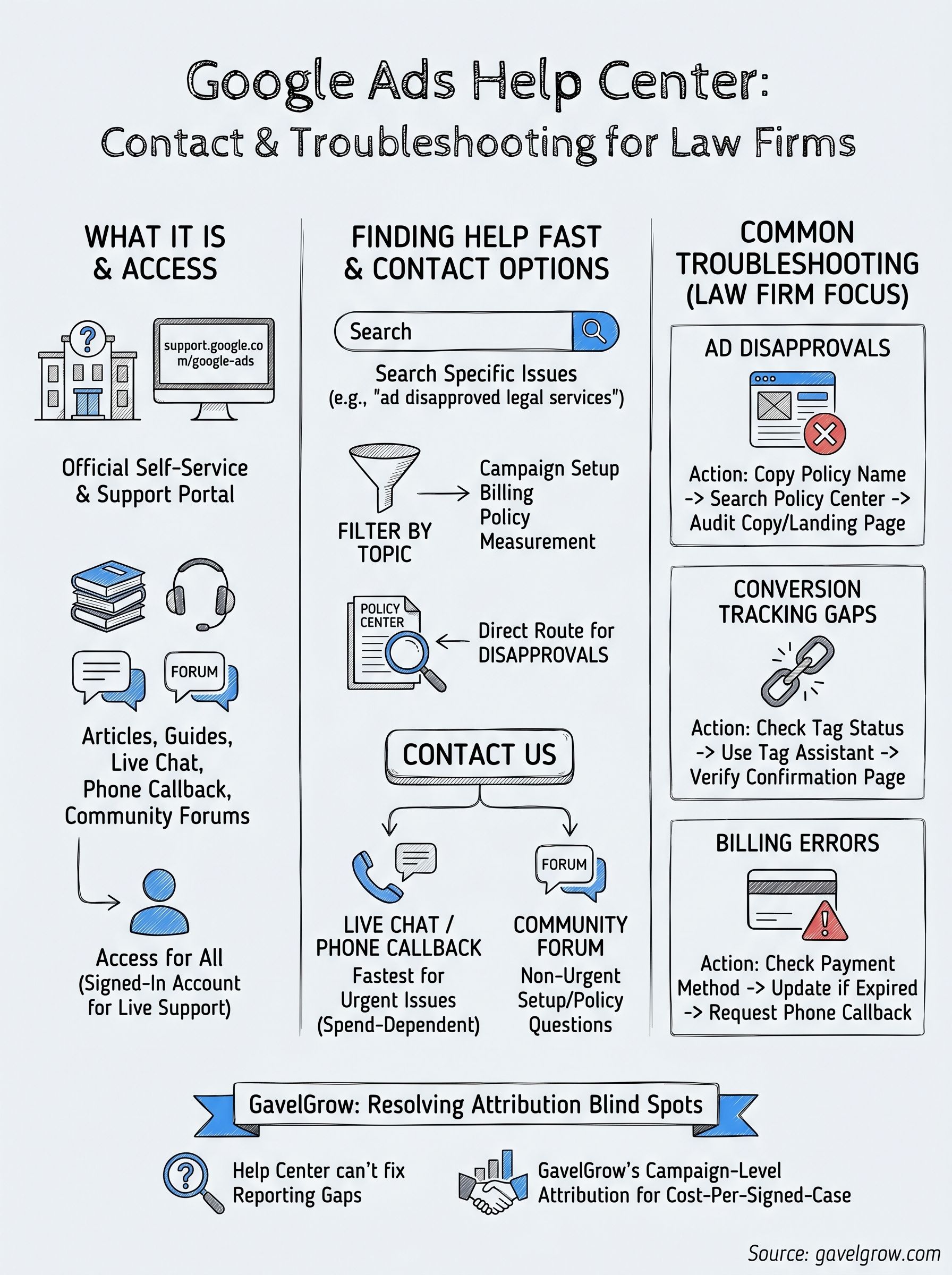
The Google Ads Help Center is Google's official self-service support portal, located at support.google.com/google-ads. It gives any advertiser access to thousands of documented articles, policy explanations, billing guides, and step-by-step walkthroughs covering every part of the Google Ads platform. Beyond the articles, it also serves as the gateway to live support channels including phone callbacks, live chat, and the Google Ads Community forum.
What the Help Center covers
The Help Center is organized into distinct topic clusters so you can navigate to your problem area without running a generic search. The major categories include:
- Campaign setup and management - creating campaigns, ad groups, keywords, and bidding strategies
- Billing and payments - invoice issues, payment methods, and account credits
- Policy and ad approval - disapproval reasons, restricted content categories, and appeal processes
- Measurement and conversion tracking - setting up conversion actions, tag verification, and Google Analytics linking
- Account access and security - manager accounts, user permissions, and two-factor authentication
If your ad was disapproved or your account was suspended, the Policy center articles under the Help Center are the fastest route to understanding exactly which policy was triggered and what your appeal options are.
Who can access the Help Center
Every Google Ads account holder can access the public-facing help articles at no cost, regardless of spend level. However, direct support access (live chat, phone callback) depends on your account's monthly spend and your country. Higher-spend accounts generally get priority routing and shorter wait times. You do not need to be logged in to browse articles, but you must be signed into your account to open a support case or reach a live agent.
Why use the Help Center instead of Google Search?
Running a generic Google search for an ad issue pulls up a mix of outdated blog posts and forum threads that describe platform versions from years ago. The Google Ads Help Center publishes documentation maintained by Google's own teams, so you're working from the same source as the reviewers handling your case.
Going straight to support.google.com/google-ads removes the noise and puts verified, current information in front of you faster.
The Help Center is the only official path to live support
When your ad gets disapproved, the exact policy language matters. Third-party summaries often paraphrase Google's actual rules and can send you in the wrong direction when you build an appeal. The Help Center shows you the specific policy text Google's review teams use, so you can address the actual violation rather than guessing.
Beyond articles, the Help Center is also the only official gateway for reaching a live agent. Third-party sites and forums cannot open a case on your behalf. Accessing support through your logged-in account ensures Google can verify your account details and route your issue to the correct team without delays.
How to find the right help article fast
The Google Ads Help Center search bar at the top of support.google.com/google-ads is your fastest starting point. Type your specific issue rather than broad terms. Searching "ad disapproved legal services" returns more targeted results than searching "disapproved ad."
Specific, problem-focused search terms cut through the article library faster than category browsing alone.
Use filters and topic categories
Once you land on a results page, filter by topic category to narrow the list. If your issue involves billing, select the Billing and Payments filter immediately. This removes unrelated articles and keeps you focused on the exact problem area without scrolling through irrelevant content.
Check the policy center for disapprovals
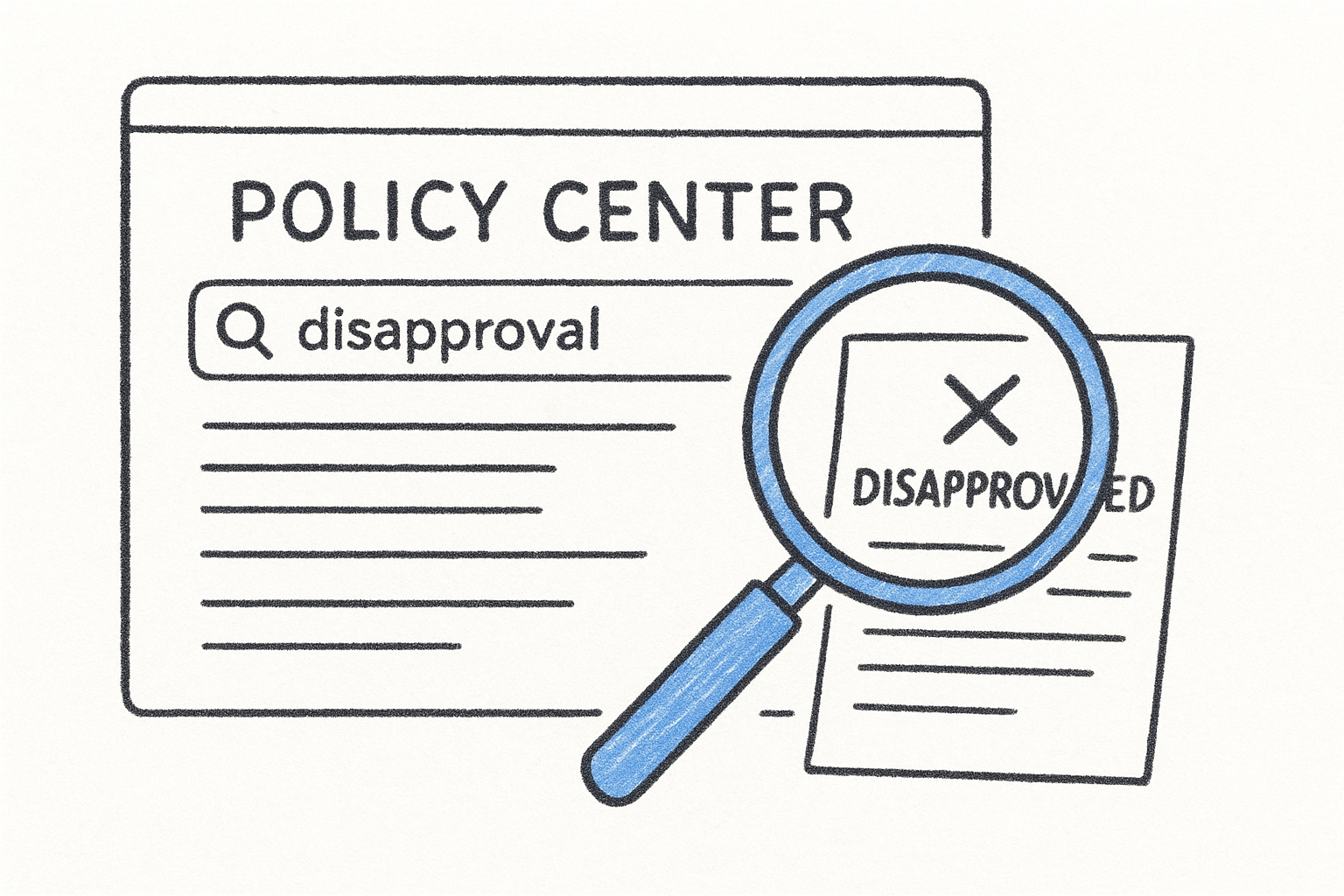
If your law firm's ad was disapproved, go directly to the Policy Center section within the Help Center rather than the general search. Each disapproval notice in your account includes a policy name you can paste directly into the Policy Center search bar. This takes you to the exact policy page Google's review team used, which is the only reliable basis for drafting an appeal that addresses the actual violation.
How to contact Google Ads support
The Google Ads Help Center routes you to live support through your signed-in account. From any Help Center page, click "Contact Us" at the bottom, answer a few questions about your issue category, and the system presents the contact options available to your account.
Phone callback and live chat
Live chat and phone callback are the two fastest ways to reach a real agent. To access both, log in to your Google Ads account, open the Help Center, and select "Contact Us." Google will present available options based on your account's spend history and your location. Higher-spend accounts typically see both options; lower-spend accounts may see chat only or be directed to the community forum.
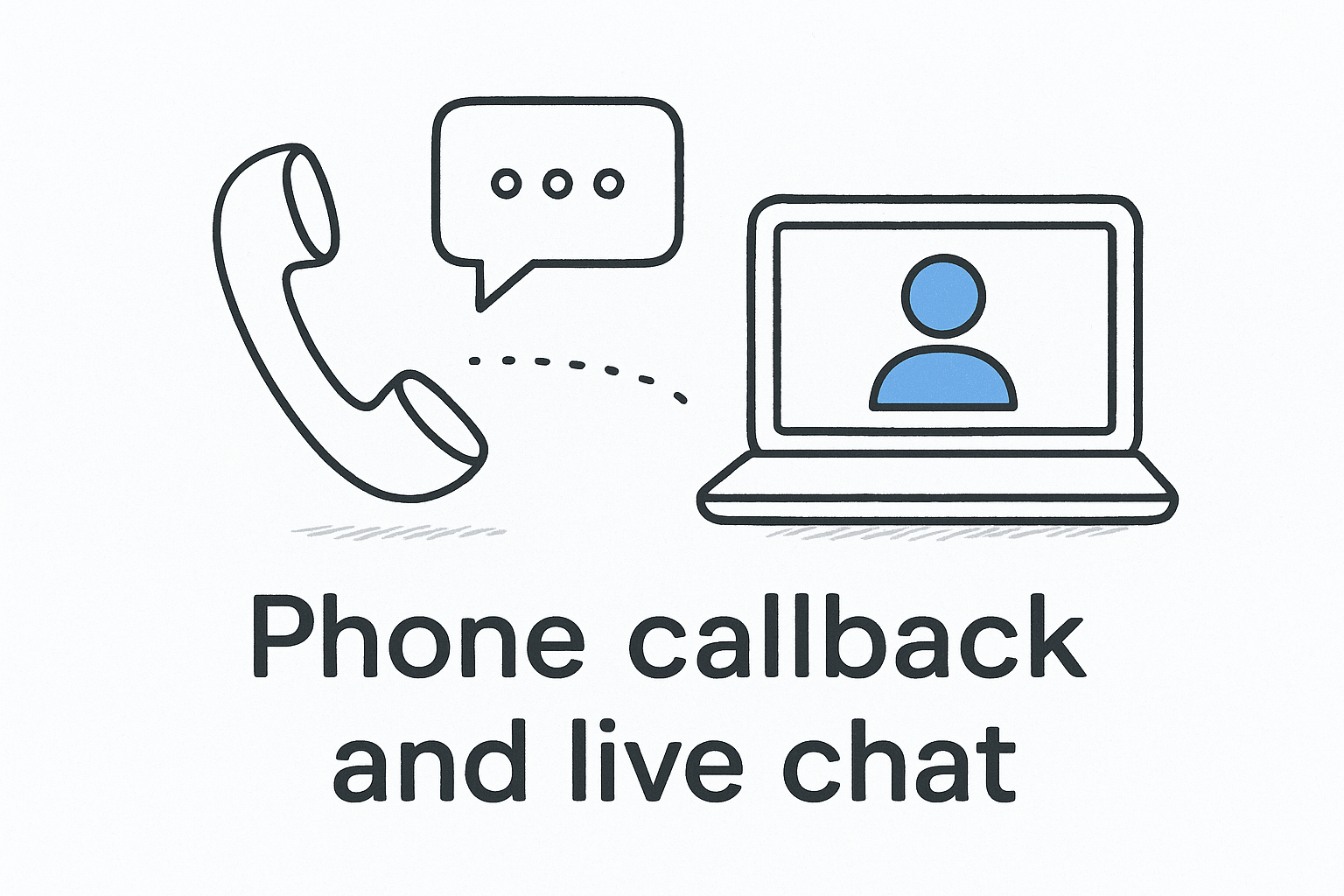
If your campaign is suspended or billing is blocked, request a phone callback for faster resolution rather than waiting on chat.
Google Ads Community forum
The Google Ads Community at support.google.com/google-ads/community connects you with Google Product Experts and other advertisers who answer questions daily. It works best for non-urgent setup questions and policy clarifications. For billing disputes or account suspensions, stick with live chat or phone callback rather than the community forum, since those issues require account verification that forum members cannot perform.
Troubleshooting the most common Google Ads issues
Most problems law firms bring to the Google Ads Help Center fall into three categories: ad disapprovals, conversion tracking gaps, and billing errors. Knowing where each issue starts saves you significant time before you contact support.
Ad disapprovals and policy violations
Your disapproval notice includes a policy name and a short description of the violation. Copy that policy name directly into the Policy Center search bar. Read the exact policy text, then audit your ad copy and landing page against each listed requirement. Legal services ads face additional restrictions around claims, credentials, and settlement references, so check those sections specifically before submitting an appeal.
Appealing without reading the exact policy language first is the most common reason law firms receive a second disapproval on the same ad.
Conversion tracking not recording
If your conversion column shows zero or "No recent conversions," check your tag status under Tools and Settings, then Conversions. Confirm the tag fires on your confirmation page, not your form page. A misplaced tag is the most frequent cause, and Google's Tag Assistant Chrome extension shows you exactly which pages trigger a conversion event without requiring a support ticket.
Billing errors and payment failures
Billing issues block your campaigns immediately, so treat them as urgent. Check your payment method under Billing Settings first. An expired card or a bank flag on an automated charge stops your ads faster than any policy issue. Update your payment method, then request a phone callback through the Help Center if the charge still fails after 24 hours.
Next Steps
The Google Ads Help Center gives you every tool you need to resolve the most common account issues yourself, but knowing where to look is half the battle. Start with the Policy Center for disapprovals, use Tag Assistant before filing a tracking ticket, and reach live support through your logged-in account rather than searching for third-party contact numbers.
For law firms running paid search, conversion tracking gaps and attribution blind spots often look like Google Ads problems when they're actually platform gaps. If your campaigns generate clicks but you can't trace which ones produced signed cases, that's a reporting problem the Help Center won't fix.
GavelGrow's campaign-level attribution connects every ad click to a signed retainer so you always know your true cost per case, not just your cost per lead. Book a free 45-minute strategy call to see how it works for your firm.
Frequently Asked Questions
How do I contact Google Ads support?
Reach live support through your signed-in Google Ads account. From any Help Center page at support.google.com/google-ads, click "Contact Us" at the bottom, answer a few questions about your issue, and the system shows the options available to you. Live chat and phone callback are the fastest routes to a real agent, though availability depends on your account's spend history and location.
Why was my law firm's Google ad disapproved?
Your disapproval notice includes a specific policy name and a short description of the violation. Copy that policy name into the Policy Center search bar to read the exact language Google's review team uses, then audit your ad copy and landing page against each requirement. Legal services ads face extra restrictions around claims, credentials, and settlement references, so review those sections before appealing.
Why is my Google Ads conversion tracking not recording?
If your conversion column shows zero or "No recent conversions," check your tag status under Tools and Settings, then Conversions. The most frequent cause is a misplaced tag, so confirm it fires on your confirmation page rather than your form page. Google's Tag Assistant Chrome extension shows exactly which pages trigger a conversion event, often resolving the issue without a support ticket.
Can everyone access live Google Ads support?
Every account holder can browse the public help articles for free, regardless of spend level, without even logging in. Direct support access like live chat and phone callback depends on your account's monthly spend and country, with higher-spend accounts generally getting priority routing and shorter waits. You must be signed into your account to open a case or reach a live agent.
How should I handle a Google Ads billing error or payment failure?
Treat billing issues as urgent because they block your campaigns immediately. Check your payment method under Billing Settings first, since an expired card or a bank flag on an automated charge stops ads faster than any policy issue. Update the payment method, then request a phone callback through the Help Center if the charge still fails after 24 hours.
Frequently Asked Questions
How do I contact Google Ads support?
Reach live support through your signed-in Google Ads account. From any Help Center page at support.google.com/google-ads, click "Contact Us" at the bottom, answer a few questions about your issue, and the system shows the options available to you. Live chat and phone callback are the fastest routes to a real agent, though availability depends on your account's spend history and location.
Why was my law firm's Google ad disapproved?
Your disapproval notice includes a specific policy name and a short description of the violation. Copy that policy name into the Policy Center search bar to read the exact language Google's review team uses, then audit your ad copy and landing page against each requirement. Legal services ads face extra restrictions around claims, credentials, and settlement references, so review those sections before appealing.
Why is my Google Ads conversion tracking not recording?
If your conversion column shows zero or "No recent conversions," check your tag status under Tools and Settings, then Conversions. The most frequent cause is a misplaced tag, so confirm it fires on your confirmation page rather than your form page. Google's Tag Assistant Chrome extension shows exactly which pages trigger a conversion event, often resolving the issue without a support ticket.
Can everyone access live Google Ads support?
Every account holder can browse the public help articles for free, regardless of spend level, without even logging in. Direct support access like live chat and phone callback depends on your account's monthly spend and country, with higher-spend accounts generally getting priority routing and shorter waits. You must be signed into your account to open a case or reach a live agent.
How should I handle a Google Ads billing error or payment failure?
Treat billing issues as urgent because they block your campaigns immediately. Check your payment method under Billing Settings first, since an expired card or a bank flag on an automated charge stops ads faster than any policy issue. Update the payment method, then request a phone callback through the Help Center if the charge still fails after 24 hours.