Ahrefs Keyword Explorer: How To Do Keyword Research Fast
Categories: Legal Marketing Strategies
 Abram Ninoyan
Founder & Senior Performance Marketer
Credentials: Google Partner, Google Ads Search Certified, Google Ads Display Certified, Google Ads Measurement Certified, Google Analytics (IQ) Certified, HubSpot Inbound Certified, HubSpot Social Media Marketing Certified, Conversion Optimization Certified
Expertise: Google Ads, Meta Ads, Conversion Rate Optimization, GA4 & Google Tag Manager, Lead Generation, Marketing Funnel Optimization, PPC Management
LinkedIn Profile
Ahrefs Keyword Explorer is one of the most capable keyword research tools available, but most people barely scratch the surface of what it can do. They type in a seed term, glance at search volume, an...
Key Takeaways
- Ahrefs Keyword Explorer: How To Do Keyword Research Fast
- Key Takeaways
- What is Ahrefs Keywords Explorer, and what does it do?
- Step 1. Build a seed keyword list for your practice area
Ahrefs Keyword Explorer: How To Do Keyword Research Fast
Ahrefs Keyword Explorer is one of the most capable keyword research tools available, but most people barely scratch the surface of what it can do. They type in a seed term, glance at search volume, and call it a day. That approach leaves thousands of valuable keyword opportunities buried in the data.
We've used Ahrefs extensively at GavelGrow to build SEO and paid search strategies for over 500 U.S. law firms since 2015. Whether we're mapping out a personal injury campaign in Phoenix or an immigration content strategy in Miami, Keyword Explorer is typically where the research starts. That hands-on experience across hundreds of competitive legal markets has taught us which features actually move the needle, and which workflows waste time.
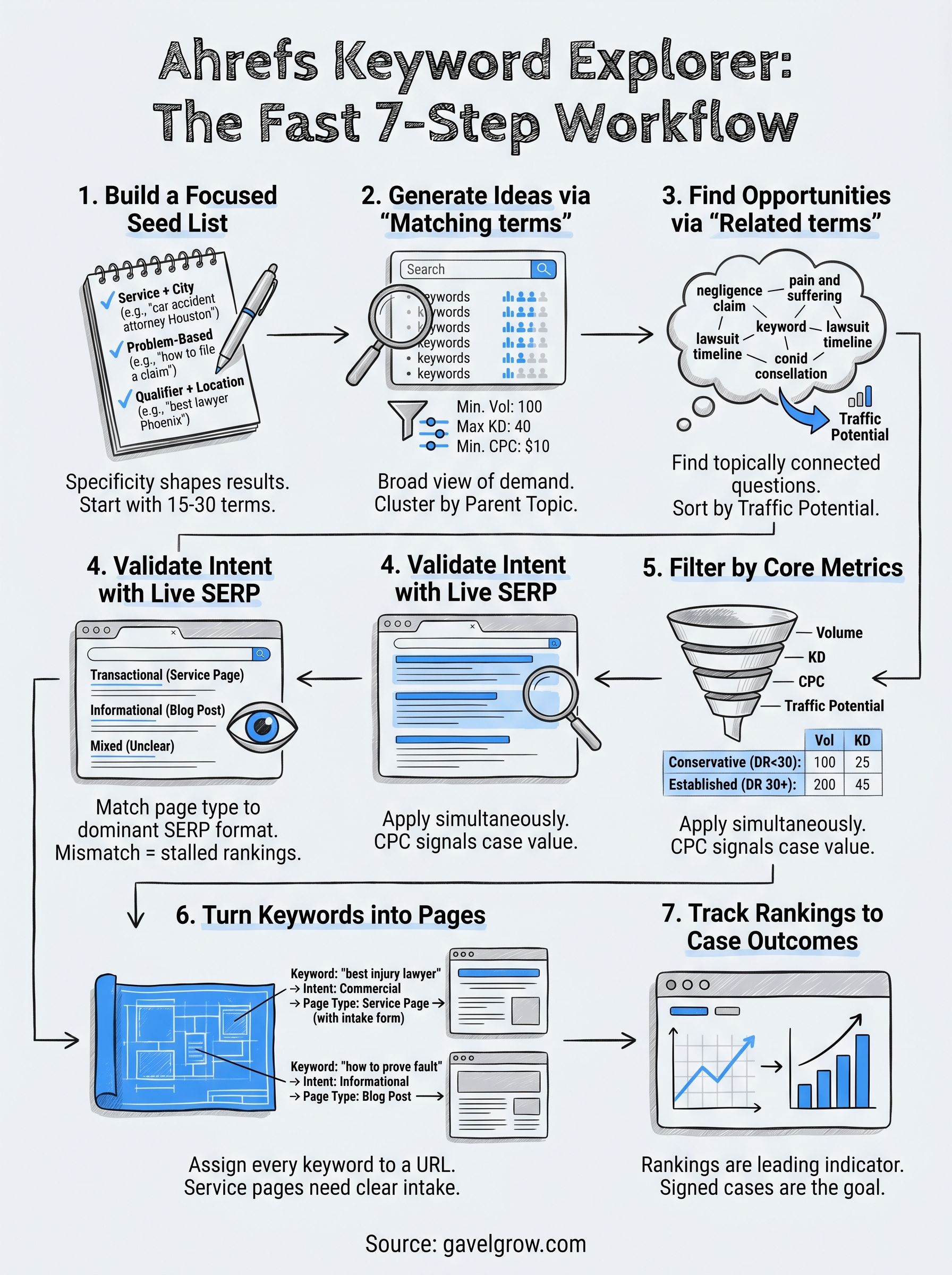
This guide walks you through how to use Ahrefs Keyword Explorer efficiently, from pulling your first keyword list to filtering, analyzing, and prioritizing terms that lead to real business results. You'll learn the specific features, filters, and reports that matter most, along with practical steps you can apply to your own campaigns right after reading.
Key Takeaways
If you want to get useful results from Ahrefs Keyword Explorer fast, the biggest mistake to avoid is treating it as a simple search volume checker. The tool gives you traffic potential, keyword difficulty, click-through rate data, and live SERP snapshots all in one place. Knowing which metrics to prioritize at each stage of research cuts your workflow time in half and keeps you from chasing keywords that look good on paper but never convert.
- Seed keywords are the starting point, not the finish line. Build your list around practice areas, services, and locations first.
- Matching terms reveals thousands of phrase variations you would never think to search manually.
- Related terms surfaces what your audience actually searches, including terms your competitors may have missed.
- SERP review tells you whether the intent behind a keyword matches the page you plan to build.
- Volume, KD, CPC, and traffic potential together filter your list down to keywords worth targeting.
The most valuable keywords for law firms are often mid-volume terms with strong commercial intent and a CPC above $30 because those metrics signal that someone is actively looking to hire.
Why Most Keyword Research Stalls Before It Starts
Most keyword research projects slow down because people add too many terms, too fast, without a clear framework for cutting the list down. You pull 2,000 keywords and suddenly feel stuck deciding what to do next. The seven-step process in this guide solves that by giving you a specific job to do at each stage, whether that is generating ideas, checking intent, or filtering by the metrics that matter most for your goals.
Starting with a focused seed list keeps your research anchored to your actual business. For a personal injury firm in Dallas, that means starting with terms like "car accident attorney Dallas" and "truck accident lawyer Texas" rather than generic terms like "attorney" or "lawyer." Specificity at the seed stage shapes every downstream decision, from which filters you apply to which pages you prioritize building.
How This Guide Applies to Legal Marketing Specifically
Legal SEO operates in one of the most competitive paid and organic search environments in the country. A single signed case in personal injury can be worth tens of thousands of dollars, which means advertisers bid heavily on high-intent keywords and organic competition is equally fierce. Understanding traffic potential alongside keyword difficulty helps you identify where organic rankings are actually achievable versus where paid search may deliver faster results.
Throughout this guide, you will see examples drawn from legal practice areas because that is the context where keyword research decisions have the highest financial stakes. The same framework applies to any niche, but law firms benefit most from the CPC data inside Keyword Explorer because competitor ad spend is a reliable signal of genuine commercial intent. Each step builds on the last, so by the time you reach the final section, you will have a complete, prioritized keyword list ready to map to specific pages and campaigns.
What is Ahrefs Keywords Explorer, and what does it do?
Ahrefs Keywords Explorer is a keyword research tool built on one of the largest independent search databases in the industry. You enter one or more seed terms, and the tool returns hundreds or thousands of related keyword ideas along with the metrics you need to decide which ones are worth pursuing. It pulls data from Google and a dozen other search engines, giving you a broader view of search demand than most tools offer by default.
The Core Data Points It Surfaces
Every keyword in Ahrefs Keyword Explorer comes with a set of metrics that tell you whether a term is worth targeting. The most important ones are search volume, Keyword Difficulty (KD), clicks, click-through rate (CTR), cost-per-click (CPC), and traffic potential. Understanding what each metric means before you start filtering saves you from building a strategy on the wrong signals.
How It Differs from a Basic Keyword Tool
Most free keyword tools give you a search volume estimate and a vague competition label. Ahrefs goes further by showing you the live SERP for any keyword directly inside the tool, so you can see exactly which pages rank, how many backlinks they have, and what content format dominates the results page. That context changes how you interpret the data.
Traffic potential is consistently more reliable than raw search volume when you are evaluating whether a keyword is worth a full content or landing page investment.
For law firms especially, the CPC column acts as a real-time signal of case value because personal injury and mass tort terms regularly show CPCs above $50, which confirms those searches carry genuine commercial intent.
Step 1. Build a seed keyword list for your practice area
Your seed keyword list is the foundation everything else builds on inside Ahrefs Keyword Explorer. A weak seed list produces weak output, regardless of how much time you spend with the filters afterward. The goal here is to collect 15 to 30 terms that describe your services, practice areas, and target locations before you open the tool, not inside it.
Seed keywords are not your final keyword targets. They are the inputs that unlock thousands of related terms you would never generate manually.
How to Pick Your Starting Terms
Start by writing down every service your firm offers, then combine each with a location modifier. Specificity matters more than volume at this stage because broad terms like "lawyer" or "attorney" will flood your results with irrelevant data. If you run a personal injury firm in Houston, your seeds should look more like the examples below.
Use these three categories to structure your initial list:
- Service + location: "car accident attorney Houston," "slip and fall lawyer Texas"
- Problem-based: "what to do after a car accident in Texas," "how to file a workers comp claim"
- Competitor intent: "best personal injury lawyer Houston," "top-rated DUI attorney Dallas"
A Seed Keyword Template for Law Firms
The table below shows a repeatable format you can apply to any practice area. Fill in your own service types, city names, and state to generate your starting list before you run a single search in Ahrefs.
Copy this table into a spreadsheet, fill in your firm's details, and you will have a clean seed list ready to paste directly into Ahrefs Keyword Explorer in the next step.
Step 2. Generate keyword ideas with Matching terms
Once your seed list is ready, paste all your terms into Ahrefs Keyword Explorer at once, separated by commas or line breaks. The tool accepts up to 10,000 keywords in a single session, so you are not limited to one term at a time. From the left-side navigation, click Matching terms to see every keyword in the Ahrefs database that contains one or more of your seed phrases in any order.
Matching terms gives you the broadest possible view of demand around your seed keywords, which is why running it early in your research prevents you from missing high-value variations.
How to Filter the Matching Terms Report Immediately
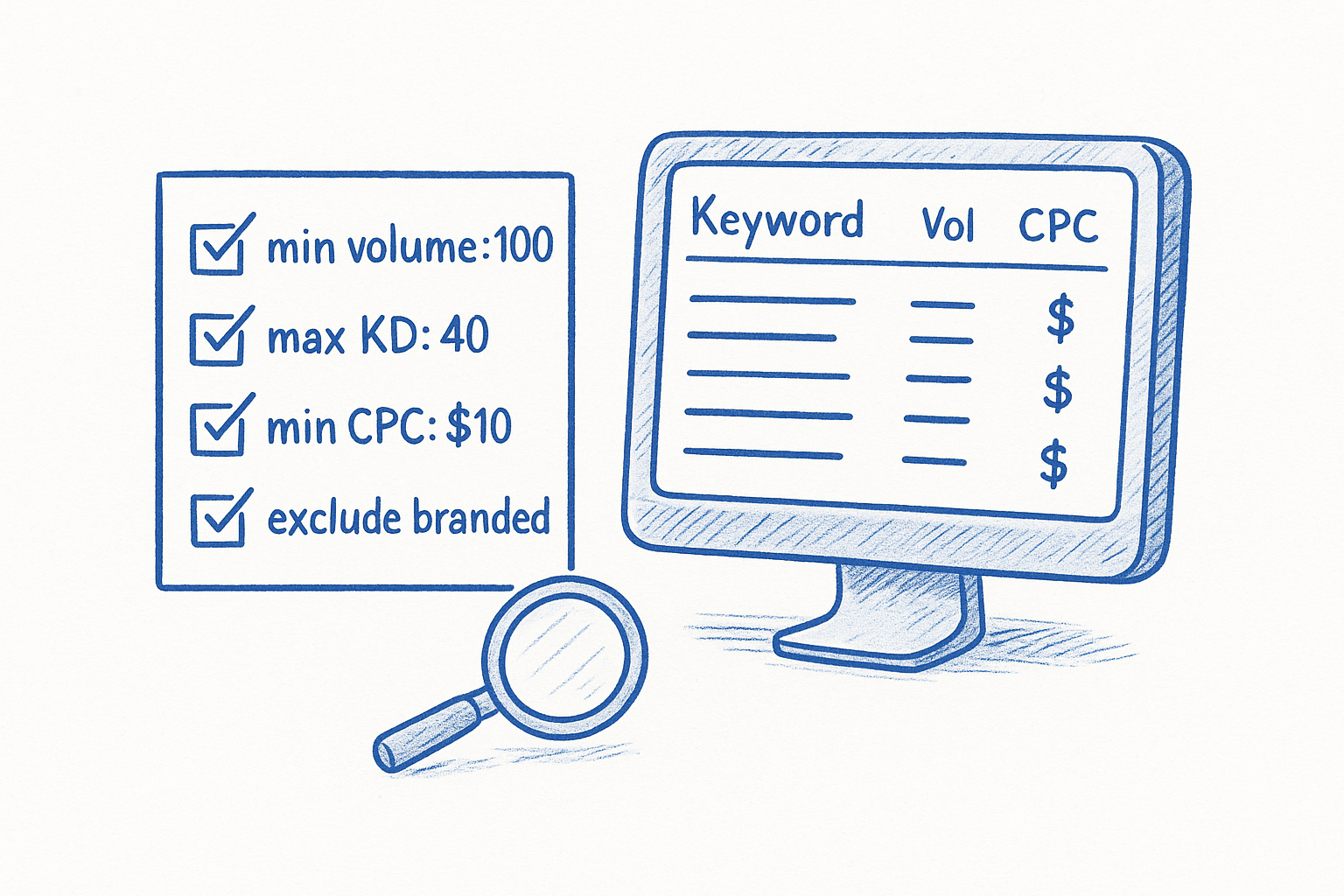
The raw Matching terms output can return tens of thousands of rows, which makes filtering your first move, not an afterthought. Set a minimum search volume of 100 to cut zero-traffic terms, then apply a maximum Keyword Difficulty of 40 if you want to focus on realistic organic targets. For law firms, adding a minimum CPC of $10 also removes terms with weak commercial intent before you spend time reviewing them.
Apply filters in this order to get a clean, workable list fast:
- Minimum volume: 100 searches per month
- Maximum KD: 40 (adjust to 30 for newer sites with fewer backlinks)
- Minimum CPC: $10 for service pages; $5 for informational content
- Exclude: branded competitor names unless you are running a comparison strategy
How to Identify the Best Keyword Clusters from the Output
After filtering, group the remaining keywords by topic rather than reviewing them one by one. Ahrefs displays a "Parent topic" column that clusters related terms under the highest-volume version of the phrase. Use that column to identify which topics have enough supporting keywords to justify a dedicated landing page or content cluster.
For a personal injury firm, you might see "car accident attorney Houston" as a parent topic with 15 related variations underneath it. That cluster alone gives you the keyword targets for one practice area page plus several supporting blog posts covering questions people ask before hiring an attorney.
Step 3. Find hidden opportunities with Related terms
Matching terms shows you keywords that contain your seed phrase. Related terms works differently. It surfaces keywords that are topically connected to your seeds but may not share a single word with them. Switching to Related terms inside Ahrefs Keyword Explorer is where most people find the keyword gaps their competitors have overlooked, because the report pulls from co-occurrence patterns across millions of ranking pages, not just phrase matches.
What Makes Related Terms Different from Matching Terms
Related terms reveals the questions and searches that surround your topic rather than just variations of your seed phrase. A personal injury firm in Atlanta searching for "car accident attorney" under Matching terms will see phrase variations. Under Related terms, they will see searches like "negligence claim Georgia," "pain and suffering settlement," and "how long does a lawsuit take," which are terms potential clients search at different stages of their decision process.
Use the Related terms report to build out three distinct keyword categories:
- Pre-hire research terms: Questions people ask before choosing an attorney ("how much does a personal injury lawyer cost")
- Process-based terms: Steps involved in the legal process ("how to prove fault in a car accident")
- Outcome-focused terms: What clients want to achieve ("average settlement for rear-end collision Georgia")
Capturing pre-hire and process-based searches with informational content builds topical authority, which strengthens your rankings for high-competition transactional terms over time.
How to Apply the Related Terms Report Without Getting Lost
Set your filters before you review the results, or the volume of data will slow you down. Apply the same minimum volume (100) and maximum KD (40) you used in Step 2. Then add one new filter specific to this report: sort by Traffic Potential in descending order rather than search volume. Traffic potential reflects what the top-ranking page actually earns, not just what one keyword promises.
After filtering, scan the Parent topic column to see whether each Related term belongs to a cluster you already identified in Step 2 or represents a genuinely new topic worth a separate page. If it is new and shows a CPC above $10, add it to your spreadsheet as a candidate for a dedicated content asset.
Step 4. Validate intent by reviewing the live SERP
Before you commit a keyword to your content plan, you need to confirm that the search intent behind it matches the page you plan to build. Keyword volume and KD scores tell you how competitive a term is, but they do not tell you what kind of content Google currently rewards for that query. Ahrefs Keyword Explorer solves this by embedding a live SERP snapshot directly inside the tool, so you can review the top 10 results without leaving your research session.
How to Read the SERP Snapshot Inside Ahrefs
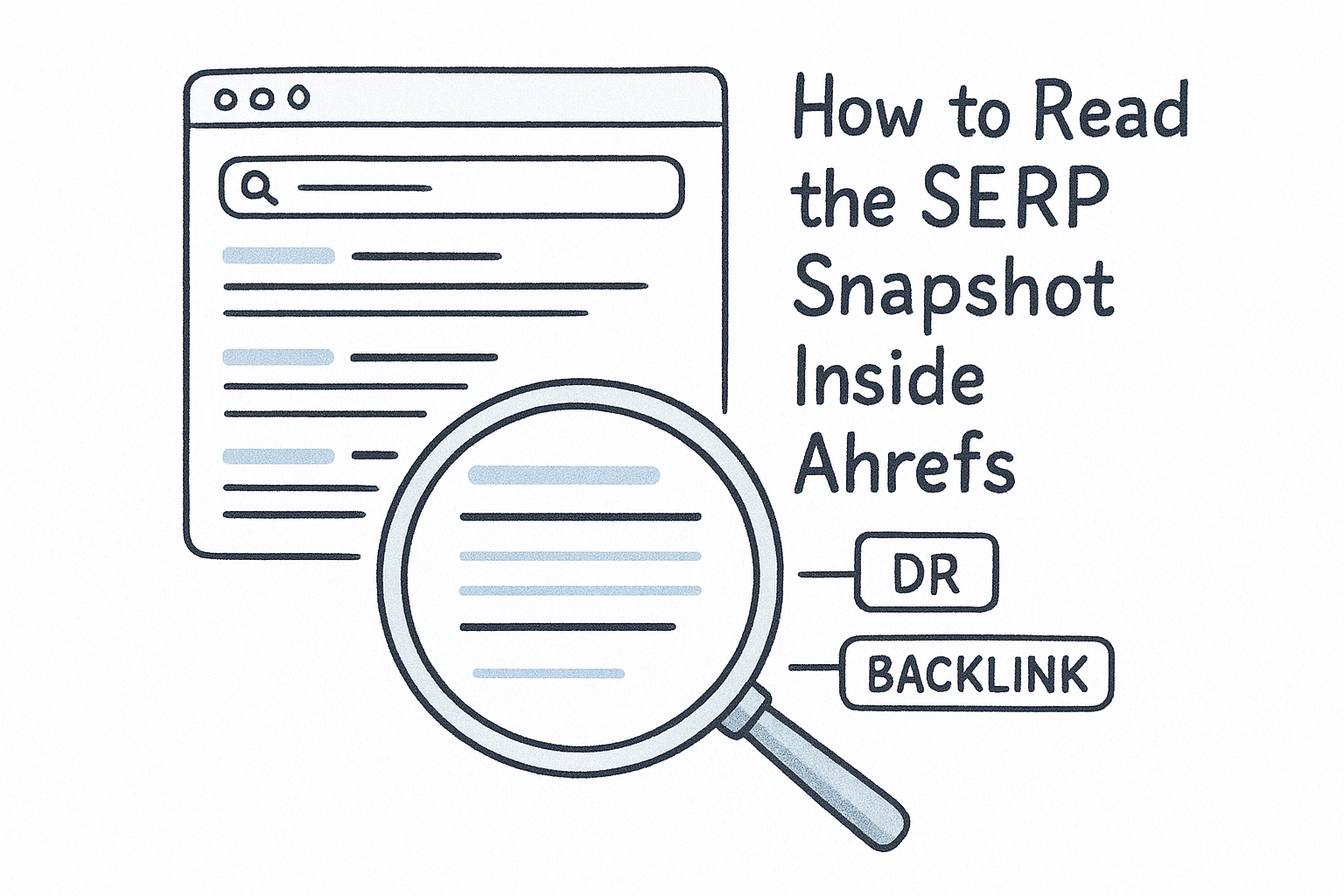
Click the SERP overview button next to any keyword, and Ahrefs loads the current top 10 results along with each page's Domain Rating, backlink count, and estimated traffic. Your goal at this stage is not to analyze those authority metrics. Your goal is to identify the content format that dominates the page: are the top results service pages, blog posts, listicles, or a mix?
Look for these signals in the SERP snapshot before moving a keyword forward:
- Transactional intent: Top results are law firm service pages or landing pages with clear calls to action
- Informational intent: Top results are guides, FAQs, or blog posts explaining a process
- Mixed intent: A split between service pages and articles, which signals Google is uncertain about the query
When the top results are all service pages, that keyword belongs on a practice area landing page, not a blog post.
What Mismatched Intent Costs You
Building the wrong page type for a keyword is one of the most common reasons rankings stall, even when your content is thorough and well-written. If someone searching "car accident attorney Houston" sees eight service pages in the top 10 and you publish a blog post, Google will not rank your page in the same positions because it interprets your format as a weaker match to what searchers want. Matching your page type to the dominant SERP format is a zero-cost optimization that most firms skip entirely, and fixing it consistently improves rankings faster than building new backlinks.
Step 5. Filter fast with volume, KD, CPC, and traffic potential
By this point in your research, you likely have hundreds of keywords across two or three reports inside Ahrefs Keyword Explorer. Filtering is what converts that raw list into a focused set of targets. The four metrics that matter most at this stage are search volume, Keyword Difficulty, CPC, and traffic potential, and applying them in the right sequence prevents you from wasting time on terms that look attractive but deliver nothing.
Traffic potential is the single most underused filter in keyword research because it shows actual page-level traffic, not just what one query promises.
How to Set Your Filter Thresholds
Your thresholds should reflect your site's current authority and your business goals. A newer firm website with few referring domains needs tighter KD limits than an established firm with years of link-building behind it. Use the table below as a starting point, then adjust based on your own Domain Rating inside Ahrefs.
Apply all four filters simultaneously rather than one at a time. Stacking them gives you a smaller, higher-quality output that is actually usable, not a list you have to manually review row by row.
Why CPC Changes How You Prioritize Service Pages
CPC tells you what advertisers currently pay to appear for a keyword, which is a direct proxy for how much money is at stake in that search. A keyword with 300 monthly searches and a $65 CPC outranks a keyword with 2,000 searches and a $3 CPC for any service page targeting signed cases. Legal keywords routinely carry CPCs between $30 and $150, which means a modest-volume term can still justify a full landing page investment when the case value is high enough.
After filtering, export your remaining keywords to a spreadsheet and tag each one as either a service page target or a content target based on the intent signals you confirmed in Step 4.
Step 6. Turn keywords into pages that convert leads
A filtered keyword list from Ahrefs Keyword Explorer only creates value when each term connects to a specific page on your site. At this stage, your job is to assign every keyword you kept after filtering to either an existing page or a new page you plan to build. Without that mapping step, keywords stay in a spreadsheet and never produce rankings or cases.
The page you build matters as much as the keyword you target, because a mismatched page type will rank poorly even when your content is strong.
How to Match Each Keyword to a Page Type
Your intent analysis from Step 4 already told you whether each keyword belongs on a service page or a content page. Now you need to translate that into a concrete page plan. Use the template below to map your top keywords before you write a single word of content.
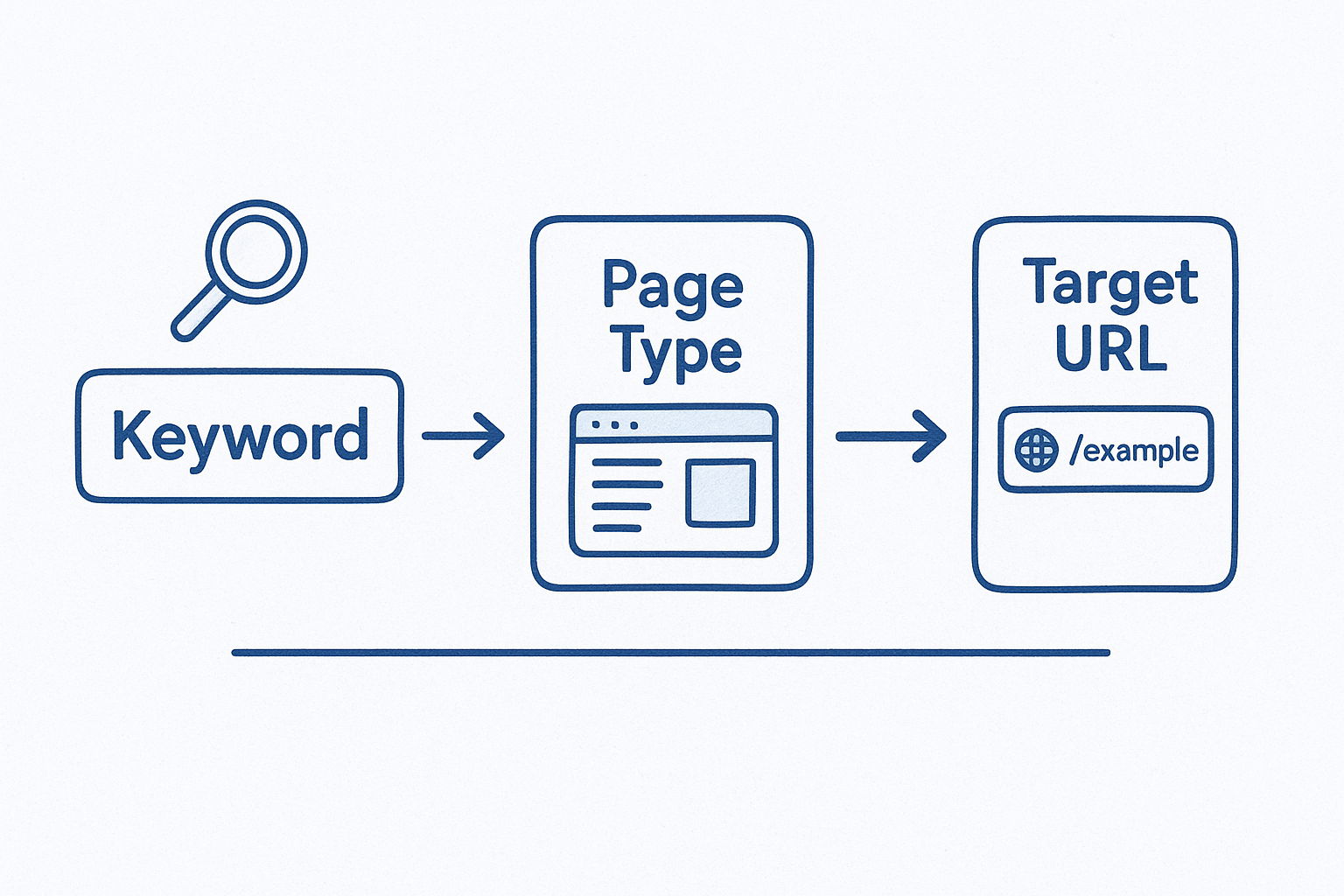
Fill in one row per keyword cluster, not per individual keyword. A single service page can target five to ten related terms, so group your variants under the highest-traffic parent topic before you assign a URL.
What a Converting Service Page Needs
A service page that ranks but fails to convert is just as costly as one that never ranks at all. Every practice area landing page should include a visible headline matching the search term, a brief description of what you handle, social proof like reviews or case results, and a form or phone number above the fold. Those four elements cover the basics, but the intake form is where most firms lose leads they already paid to attract.
Embedding a mobile-optimized intake form with TCPA-compliant consent language and instant SMS follow-up closes the gap between a site visit and a signed case. GavelGrow's platform ships with hosted and embeddable intake forms built specifically for law firms, including carrier-level phone validation and a 10-minute duplicate detection system that prevents duplicate leads from clogging your pipeline.
Step 7. Track rankings and signed cases in one dashboard
Keyword research from Ahrefs Keyword Explorer only pays off when you connect ranking movements to the business results they generate. Tracking position changes in isolation tells you your pages are moving up, but it does not tell you whether those rankings produce phone calls, form submissions, or signed retainers. Closing that loop requires a dashboard that ties SEO data to intake activity and case outcomes in one place.
Rankings are a leading indicator, but signed cases are the only metric that tells you whether your keyword strategy is working.
How to Connect Keyword Rankings to Case Outcomes
Start by tagging each page on your site with the primary keyword cluster you assigned in Step 6, then monitor ranking changes for that cluster alongside form submission volume from the same page. When a page moves from position 8 to position 3 for "car accident attorney Houston," you should see a corresponding lift in organic leads from that URL within two to four weeks. If rankings improve but leads do not follow, the page has a conversion problem, not a keyword problem, and you need to review the intake form, page speed, or call-to-action placement.
Use this three-column tracking format in your spreadsheet to keep the connection clear each month:
What to Review Each Week Inside Your Dashboard
Pull your ranking data from Ahrefs weekly for your top 10 target keywords, then compare movement against the lead volume your intake system records. Look for any keyword that dropped more than five positions in a single week, because a sharp drop usually signals a page-level issue like a crawl error or a content change that hurt relevance.
GavelGrow's platform connects intake form submissions, call tracking, and campaign attribution in a single view, so you can see which keywords generate leads and which leads become signed cases without switching between four separate tools. That full-funnel visibility is what turns a keyword list into a measurable business asset.
Next Steps
You now have a complete seven-step workflow for using Ahrefs Keyword Explorer, from building a focused seed list to connecting ranking movements to signed cases. Each step builds on the last, so run through them in order the first time rather than jumping between reports. Pick your top 10 keyword targets from your filtered list, assign each one to a specific page type based on intent, and start building or optimizing whichever page your firm needs most urgently.
Tracking keyword performance alongside intake and case data is where the strategy produces real returns. Before you invest time building new content, see how your current marketing metrics compare with the modelled ranges in GavelGrow's free law firm marketing benchmarks report. If you want personalized guidance on which practice areas and locations to target first, and how to connect your SEO work to a full-funnel intake system, book a free 45-minute strategy call with our team.
Frequently Asked Questions
What is Ahrefs Keywords Explorer and what does it do?
Ahrefs Keywords Explorer is a keyword research tool built on one of the largest independent search databases in the industry. You enter one or more seed terms and it returns hundreds or thousands of related keyword ideas, each with metrics like search volume, Keyword Difficulty, clicks, CTR, cost-per-click, and traffic potential. It also shows a live SERP snapshot so you can see which pages currently rank before committing to a term.
How do you build a good seed keyword list for a law firm?
Collect 15 to 30 terms that describe your services, practice areas, and target locations before you open the tool. Structure them in three categories: service plus location ("car accident attorney Houston"), problem-based ("what to do after a car accident in Texas"), and competitor-intent ("best personal injury lawyer Houston"). Specificity at the seed stage matters more than volume, because broad terms like "lawyer" flood your results with irrelevant data.
What is the difference between Matching terms and Related terms in Ahrefs?
Matching terms returns every keyword in the database that contains your seed phrase in any order, giving you the broadest view of phrase variations. Related terms works differently: it surfaces keywords that are topically connected to your seed but may share no words with it, pulling from co-occurrence patterns across ranking pages. Related terms is where firms often find pre-hire and process-based questions their competitors overlooked.
Why does CPC matter more than search volume for legal keywords?
CPC reflects what advertisers currently pay to appear for a term, which is a direct proxy for how much money is at stake in that search. A modest-volume legal keyword with a high CPC can outrank a high-volume, low-CPC term for any service page targeting signed cases, because case value is high. That is why the CPC column acts as a reliable signal of genuine commercial intent when prioritizing keywords for law firms.
How do you know whether a keyword should target a service page or a blog post?
Review the live SERP snapshot inside Ahrefs and identify which content format dominates the top results. If the top ten are law firm service pages, the keyword belongs on a practice area landing page; if they are guides, FAQs, or explanatory posts, build informational content instead. Matching your page type to the dominant SERP format is a zero-cost optimization, and building the wrong page type is a common reason rankings stall.
Frequently Asked Questions
What is Ahrefs Keywords Explorer and what does it do?
Ahrefs Keywords Explorer is a keyword research tool built on one of the largest independent search databases in the industry. You enter one or more seed terms and it returns hundreds or thousands of related keyword ideas, each with metrics like search volume, Keyword Difficulty, clicks, CTR, cost-per-click, and traffic potential. It also shows a live SERP snapshot so you can see which pages currently rank before committing to a term.
How do you build a good seed keyword list for a law firm?
Collect 15 to 30 terms that describe your services, practice areas, and target locations before you open the tool. Structure them in three categories: service plus location ("car accident attorney Houston"), problem-based ("what to do after a car accident in Texas"), and competitor-intent ("best personal injury lawyer Houston"). Specificity at the seed stage matters more than volume, because broad terms like "lawyer" flood your results with irrelevant data.
What is the difference between Matching terms and Related terms in Ahrefs?
Matching terms returns every keyword in the database that contains your seed phrase in any order, giving you the broadest view of phrase variations. Related terms works differently: it surfaces keywords that are topically connected to your seed but may share no words with it, pulling from co-occurrence patterns across ranking pages. Related terms is where firms often find pre-hire and process-based questions their competitors overlooked.
Why does CPC matter more than search volume for legal keywords?
CPC reflects what advertisers currently pay to appear for a term, which is a direct proxy for how much money is at stake in that search. A modest-volume legal keyword with a high CPC can outrank a high-volume, low-CPC term for any service page targeting signed cases, because case value is high. That is why the CPC column acts as a reliable signal of genuine commercial intent when prioritizing keywords for law firms.
How do you know whether a keyword should target a service page or a blog post?
Review the live SERP snapshot inside Ahrefs and identify which content format dominates the top results. If the top ten are law firm service pages, the keyword belongs on a practice area landing page; if they are guides, FAQs, or explanatory posts, build informational content instead. Matching your page type to the dominant SERP format is a zero-cost optimization, and building the wrong page type is a common reason rankings stall.