7 Best Keyword Research Services for SEO & PPC
Categories: Legal Marketing Strategies
 Abram Ninoyan
Founder & Senior Performance Marketer
Credentials: Google Partner, Google Ads Search Certified, Google Ads Display Certified, Google Ads Measurement Certified, Google Analytics (IQ) Certified, HubSpot Inbound Certified, HubSpot Social Media Marketing Certified, Conversion Optimization Certified
Expertise: Google Ads, Meta Ads, Conversion Rate Optimization, GA4 & Google Tag Manager, Lead Generation, Marketing Funnel Optimization, PPC Management
LinkedIn Profile
Picking the right keywords can mean the difference between a campaign that prints money and one that burns through budget with nothing to show for it. Whether you're running SEO or PPC, the foundation...
Key Takeaways
- 7 Best Keyword Research Services for SEO & PPC (2026)
- 1. GavelGrow
- 2. Loganix
- 3. WordStream Free Keyword Tool
7 Best Keyword Research Services for SEO & PPC (2026)
Picking the right keywords can mean the difference between a campaign that prints money and one that burns through budget with nothing to show for it. Whether you're running SEO or PPC, the foundation is the same: you need to know exactly what your potential clients are searching for. That's where keyword research services come in, and choosing the wrong one can set your entire strategy back months. At GavelGrow, we've spent over a decade building SEO and PPC campaigns for law firms, so we know firsthand how much weight this single step carries.
Not every service works the same way, though. Some are full-service agencies that handle research as part of a broader strategy. Others are standalone tools or freelance specialists who focus purely on uncovering high-value search terms. The right fit depends on your goals, your budget, and whether you need someone to execute on the data or just hand it over. Knowing the difference saves you time and money.
Below, we break down seven of the best options available right now, covering agencies, platforms, and independent experts, so you can find the service that actually matches what your campaigns need. Each pick includes what it does well, where it falls short, and who it's best suited for.
1. GavelGrow
GavelGrow is a specialized legal marketing agency that has worked with over 500 U.S. law firms since 2015. Unlike general digital agencies that serve any industry, every campaign they run, including their keyword research services, is built specifically around legal practice areas and the competitive local markets attorneys operate in. That focus matters when the difference between a good keyword list and a great one is knowing how people actually search for legal help.
What you get for SEO and PPC keyword research
GavelGrow builds keyword lists around practice-area intent and local search behavior, not just raw search volume. For SEO, that means targeting terms that attract clients actively looking for legal representation, not just general legal information browsers who will never pick up the phone. For PPC, the team focuses on high-converting, low-waste terms that keep your cost per click manageable while driving qualified consultations directly into your intake pipeline.
The research process accounts for geographic competition, practice-area nuance, and seasonal demand shifts, which are factors that a generic keyword tool simply cannot weigh the same way a team with deep legal marketing experience can.
How the research ties to signed cases and ROI tracking
Most keyword tools hand you a spreadsheet and leave you to figure out what to do with it. GavelGrow connects keyword targeting directly to case outcomes, tracking which search terms produce consultations, which consultations convert to signed clients, and what each case costs to acquire.
Knowing which keywords produce signed cases, not just clicks, is the single most important factor in making your marketing budget work harder over time.
Their monthly reporting includes cost-per-acquisition data broken down by keyword group, so you can see exactly where your budget produces results and where it needs reallocation.
Best fit for law firms and practice areas
GavelGrow works exclusively with U.S.-based law firms, which means every keyword recommendation reflects real experience in legal marketing. They serve firms across personal injury, family law, criminal defense, immigration, estate planning, business law, and employment law. If you run a high-competition local firm or a multi-practice operation, this level of specialization delivers a clear edge over working with a generalist agency that treats legal the same as retail.
Their exclusivity guarantee ensures they will never run campaigns for a direct competitor in your market simultaneously, protecting the full value of the keyword strategy they develop for you.
Pricing and engagement model
GavelGrow starts every relationship with a free 45-minute strategy consultation that includes competitive analysis and a custom marketing roadmap for your firm. Ongoing engagements are scoped to your practice area, local competition, and budget, with some firms spending a few thousand dollars per month and others committing $15,000 or more for full-scale SEO and PPC campaigns. There is no fixed pricing menu, which reflects how seriously they treat building a custom strategy for each client.
2. Loganix
Loganix is a white-label SEO fulfillment company that offers keyword research services as a standalone product, making it a practical option for agencies that need to scale output without hiring additional staff. Their research packages are structured and clearly documented, which takes much of the guesswork out of ordering and reviewing deliverables.
What you get for SEO keyword research deliverables
Loganix delivers organized keyword reports that include target keywords, search volume data, difficulty scores, and groupings by topic cluster or page intent. Each report is designed to map directly to your content or on-page SEO strategy, so you can hand the deliverable to a writer or developer and move forward without needing to interpret raw, unformatted data on your own.
A well-structured keyword report saves hours of internal work by telling you not just what people search for, but how to organize your pages around it.
Process, turnaround times, and communication
Orders are placed through Loganix's self-serve platform, and most keyword research packages are completed within a few business days. Communication runs through a project dashboard rather than a dedicated account manager, which keeps things efficient but means less strategic consultation compared to a full-service agency engagement.
Best fit for agencies and in-house teams
Loganix works best for SEO agencies or in-house marketing teams that already have a clear strategy in place and need research output they can plug directly into their workflow. If you need someone to build a strategy around the data rather than just deliver it, you will likely need additional support beyond what this service provides.
Pricing and ordering options
Loganix prices keyword research packages on a per-project basis, with costs scaling based on the number of keywords and depth of analysis. You can order directly through their website without a long-term commitment, making it easy to test the service on a single project before placing larger orders.
3. WordStream Free Keyword Tool
WordStream offers a free keyword research tool that pulls data from a combination of Google and Bing search data, giving you a quick look at what people are searching for across both platforms. It sits in a different category from full-service keyword research services, functioning as a self-serve discovery tool rather than a managed research solution.
What the tool provides and where the data comes from
WordStream's tool generates keyword suggestions based on a seed term or URL you enter, then filters results by industry and country. The data draws from aggregated search query information across Google and Bing, which gives you a reasonable starting point for identifying broad keyword themes without paying for a premium subscription.
Free tools like this work best as a first pass, not as a replacement for deeper analysis tied to intent, competition, and conversion data.
Strengths and limits for SEO vs PPC planning
For SEO, the tool surfaces related keyword ideas quickly, but it does not give you granular difficulty scores or SERP feature data that would help you prioritize which terms are actually winnable. For PPC, the cost-per-click estimates are directionally useful but lack the precision you need to set accurate bids before launching a paid campaign.
Best fit for quick keyword discovery on a budget
WordStream's free tool fits best if you need a fast brainstorm session or want to validate whether search demand exists for a topic before investing more time. Small teams with limited research budgets can use it to build a rough keyword list before moving to more detailed analysis.
Pricing and access requirements
The tool is free to access with no account required for basic use. WordStream does prompt you to sign up for a free account to unlock additional keyword results beyond the initial preview, but there is no paid tier attached to the keyword tool itself.
4. Google Ads Keyword Planner
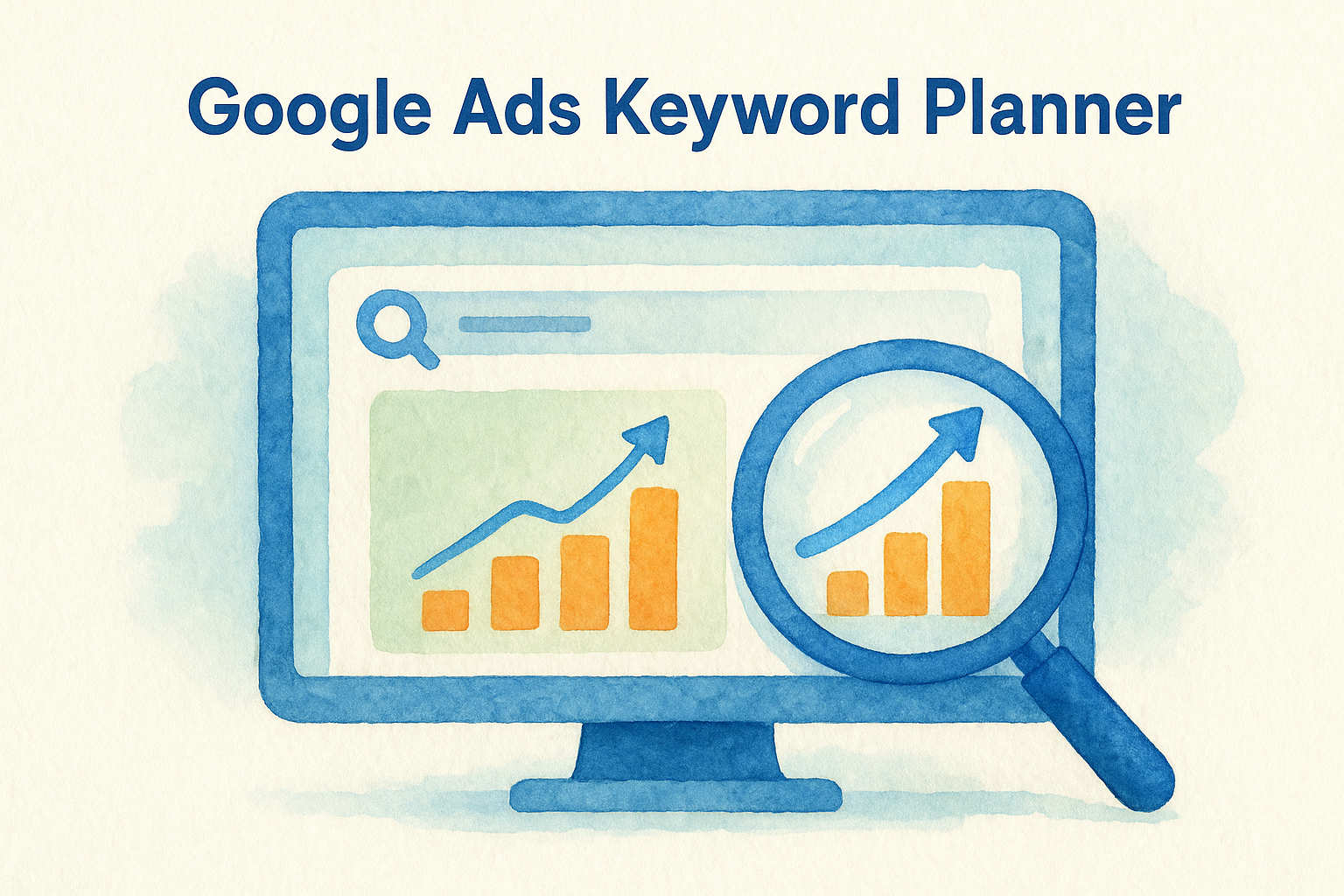
Google Ads Keyword Planner is a free tool built directly into the Google Ads platform that pulls search volume data, bid estimates, and competition levels straight from Google's own advertising network. Unlike third-party keyword research services that model their data from scraped sources, Keyword Planner gives you figures that reflect actual search behavior across Google Search, making it a strong foundation for any PPC or local SEO project.
What Keyword Planner is best at
Keyword Planner delivers accurate cost-per-click estimates and search volume ranges based on real auction data from Google's ad system. Because the numbers come from the same infrastructure that runs Google Ads itself, the bid estimates reflect current market conditions more reliably than what you would get from any third-party approximation.
For PPC planning specifically, no free tool gets you closer to real auction pricing than Keyword Planner does.
How to use it for PPC and SEO targeting
You can run Keyword Planner in two modes: generating new keyword ideas from a seed term, or uploading an existing list to pull volume and competition data against it. For PPC, this lets you set realistic budgets before a campaign goes live. For SEO, the monthly search trend data gives you a directional read on whether demand for a topic is growing or declining, though the tool prioritizes paid search metrics over organic ranking signals.
Best fit for advertisers and local campaigns
Keyword Planner suits businesses running location-specific ad campaigns particularly well, since you can filter all data by city, state, or designated market area. Local service firms get the most value here because the geographic filtering reveals real demand at the zip code or city level before you commit any ad budget.
Pricing and account requirements
The tool is completely free through any Google Ads account. You need an active account to unlock exact monthly search volume figures rather than broad ranges, but setting up an account carries no cost if you are not running active campaigns.
5. SpyFu
SpyFu is a competitive intelligence platform that lets you dig into the keyword strategies your competitors are running across both organic search and paid advertising. Unlike most keyword research services that start from a blank slate, SpyFu works backward from what other businesses in your space are already doing, giving you a research shortcut that can surface high-value terms you might otherwise miss.
What you can learn from competitor keywords and ads
SpyFu shows you every keyword a domain ranks for organically and every paid keyword they have ever bid on, along with historical ad copy and estimated monthly spend. You can enter any competitor's URL and immediately pull a full picture of their search strategy, including which terms they have consistently invested in over time, which signals those keywords actually convert.
The strongest keyword ideas are often the ones your competitors have been quietly bidding on for years without drawing attention to them.
Strengths and limits for SEO and PPC research
SpyFu excels at competitive gap analysis, particularly for finding keywords your rivals rank for that your site does not yet target. For PPC research, the historical ad data is genuinely useful for writing better ad copy and structuring tighter campaigns. The limits show up in data accuracy at very local or niche levels, where search volume estimates can be less reliable than what you would get from Google Ads Keyword Planner directly.
Best fit for competitive markets and gap analysis
SpyFu works best when you are entering a crowded market and need a fast read on what the established players are doing. Firms trying to identify content gaps or PPC opportunities without starting from scratch will get the most out of it.
Pricing and plan considerations
SpyFu offers plans starting around $39 per month, with higher tiers unlocking more data exports and deeper history. Annual billing brings the monthly cost down significantly, making it easier to justify for ongoing competitive research.
6. Semrush
Semrush is one of the most widely used all-in-one SEO and PPC platforms on the market, and its keyword research capabilities sit at the core of what makes it valuable. Unlike standalone keyword research services, Semrush combines discovery, analysis, and competitive data in a single interface, which cuts down significantly on the number of tools your team has to juggle.
Keyword research features that matter for SEO and PPC
Semrush gives you access to a massive keyword database spanning billions of terms across multiple countries and search engines. You can run searches by seed keyword, pull keyword gap reports between domains, or explore entire topic clusters through their Keyword Magic Tool, which groups related terms by subtopic so you can build content architecture rather than just a disconnected keyword list.
How to evaluate difficulty, intent, and SERP features
Each keyword in Semrush comes tagged with a difficulty score and a search intent label, categorized as informational, navigational, commercial, or transactional. That intent data matters because targeting a transactional keyword with an informational page rarely converts. Semrush also flags SERP features like featured snippets, local packs, and People Also Ask boxes, so you know before you build a page what type of content you need to compete.
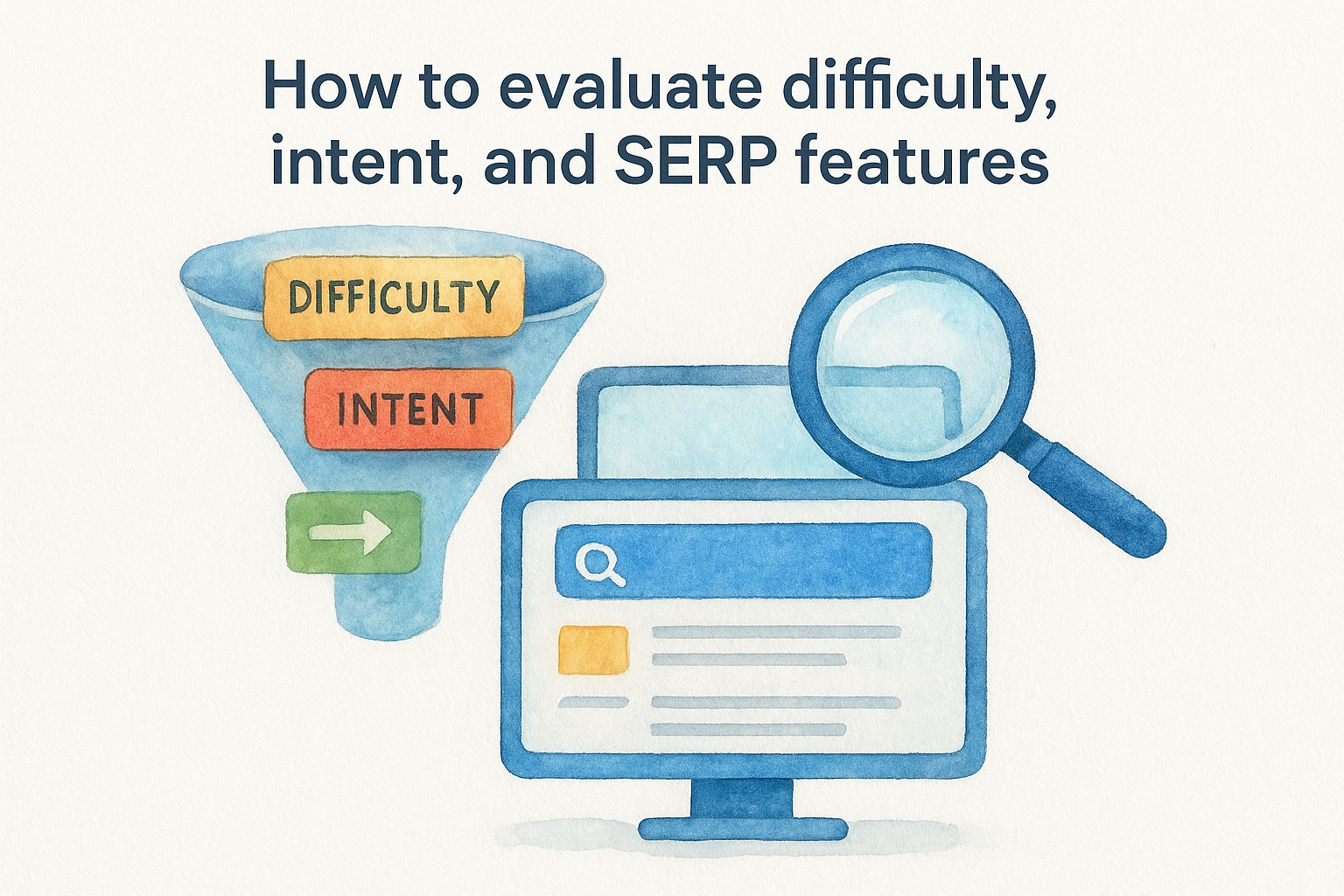
Matching your content format to the SERP features Google already shows for a keyword is one of the fastest ways to improve click-through rates.
Best fit for teams that need workflows and reporting
Semrush fits marketing teams and agencies that need to manage multiple clients or campaigns inside a single platform with built-in reporting. Solo operators with simpler needs may find the interface more than they require.
Pricing and free plan limits
Semrush offers a free account with limited daily searches, which is enough to test the platform but not enough for active campaign management. Paid plans start at $139.95 per month and scale up based on user seats and data volume.
7. Fiverr Keyword Research Freelancers
Fiverr gives you access to a large pool of independent specialists who offer keyword research services at a wide range of price points. The quality varies more here than with any other option on this list, which means you need to approach it with a clear scope before you place an order.
What services typically include and what varies
Most Fiverr keyword research gigs deliver a spreadsheet with keyword suggestions, search volume data, and basic competition scores sourced from tools like Semrush or Ahrefs. Some freelancers include keyword clustering, intent labeling, or separate SEO and PPC groupings. What varies significantly is depth, accuracy, and whether the freelancer actually understands your industry or just runs a seed term through a tool and exports the output.
How to vet freelancers and avoid low-quality lists
Before ordering, review the freelancer's work samples and past reviews closely, focusing on whether previous clients mention actionable results rather than just fast delivery. Ask the seller directly which tools they use and how they group keywords by intent. A freelancer who cannot explain their methodology in plain terms is unlikely to deliver research you can build a real campaign around.
A keyword list is only useful if it tells you what to target and why, not just what people search for.
Best fit for one-off projects and tight timelines
Fiverr works well when you need a quick keyword list for a single page or campaign and do not require ongoing strategy support. It suits small businesses and solo operators who have a clear brief ready and want fast turnaround without a long-term agency commitment.
Pricing ranges and scope guardrails
Freelancer rates typically run from $30 to $300 per project, depending on keyword count and deliverable depth. Set a firm scope in writing before paying, including the number of keywords, niche focus, and format, to avoid disputes over what the final deliverable should include.
Next Steps
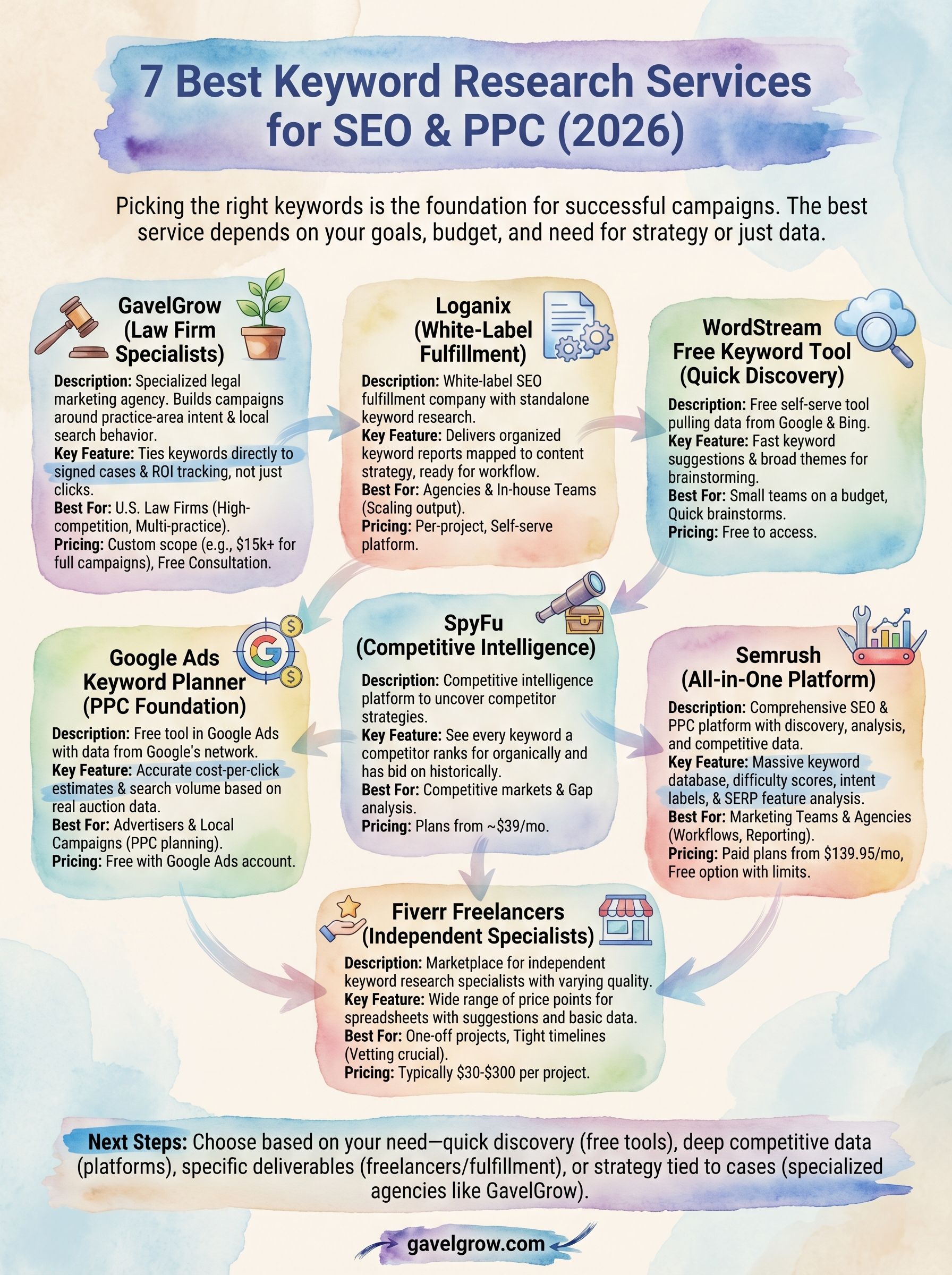
The seven keyword research services covered here serve very different needs, so the right choice comes down to what your campaigns actually require. If you need a tool for fast discovery, Google Ads Keyword Planner or WordStream will get you moving without spending a dime. If you need deeper competitive data, SpyFu and Semrush give you the infrastructure to build a serious strategy. Freelancers on Fiverr or a fulfillment partner like Loganix make sense when you need specific deliverables without a long-term commitment.
For law firms that need keyword research tied directly to signed cases and measurable ROI, the generalist options on this list will only take you so far. Your practice area, local competition, and client intake process all shape which keywords actually matter. If you want a strategy built around those specifics, schedule a free strategy consultation with GavelGrow and see exactly what a legal-focused keyword strategy looks like for your firm.
Frequently Asked Questions
What are keyword research services?
Keyword research services help you identify the exact terms your potential clients search so you can target them in SEO and PPC campaigns. They come in a few forms: full-service agencies that handle research as part of a broader strategy, standalone tools or platforms, and freelance specialists who focus purely on uncovering high-value search terms. The right fit depends on your goals, budget, and whether you need someone to execute on the data or just hand it over.
What is the difference between a keyword research agency, tool, and freelancer?
An agency builds strategy around the research and often executes on it, which suits firms that want an end-to-end partner. A standalone tool, such as a keyword platform or a free planner, hands you data to interpret yourself and works well when you already have a strategy. A freelancer typically delivers a one-off keyword list for a single page or campaign, making it a fit for tight timelines without ongoing strategic support.
Are free keyword research tools good enough for law firms?
Free tools like the WordStream Free Keyword Tool or Google Ads Keyword Planner work best as a first pass, not a full strategy. They're useful for fast discovery, validating that search demand exists, and, in Keyword Planner's case, pulling accurate cost estimates straight from Google's ad auction. Their limits show up in granular difficulty scoring, SERP-feature data, and intent-based analysis, which deeper paid platforms handle better.
Why should a law firm use a legal-specific keyword research service?
A legal-specific service builds keyword lists around practice-area intent and local search behavior rather than raw search volume alone, which matters when the difference between a good list and a great one is knowing how people actually search for legal help. It also accounts for geographic competition, practice-area nuance, and seasonal demand. Most importantly, it can tie keywords to case outcomes, so you see which terms produce signed cases, not just clicks.
How does GavelGrow price keyword research for law firms?
GavelGrow starts every relationship with a free 45-minute strategy consultation that includes competitive analysis and a custom marketing roadmap. Ongoing engagements are scoped to your practice area, local competition, and budget rather than a fixed menu, with managed campaigns scoped on a strategy call. GavelGrow works exclusively with U.S. law firms and won't run campaigns for a direct competitor in your market at the same time.
The same intent data that shapes organic targeting also decides where paid budget goes, which is why sound keyword work underpins any smart approach to PPC for law firms.
Targeting the right search terms is one lever inside a much bigger system, laid out step by step in our attorney lead generation guide.
The highest-value search terms in this vertical are also the most expensive, which is exactly why the economics of personal injury leads deserve their own analysis.
The keywords worth pursuing aren't the ones with the highest search volume but the ones that actually produce signed cases, which is why we ground practice-area targeting in our Law Firm Marketing Benchmark, aggregated from more than 500 firms, to tie each keyword back to real cost-per-signed-case outcomes.
Frequently Asked Questions
What are keyword research services?
Keyword research services help you identify the exact terms your potential clients search so you can target them in SEO and PPC campaigns. They come in a few forms: full-service agencies that handle research as part of a broader strategy, standalone tools or platforms, and freelance specialists who focus purely on uncovering high-value search terms. The right fit depends on your goals, budget, and whether you need someone to execute on the data or just hand it over.
What is the difference between a keyword research agency, tool, and freelancer?
An agency builds strategy around the research and often executes on it, which suits firms that want an end-to-end partner. A standalone tool, such as a keyword platform or a free planner, hands you data to interpret yourself and works well when you already have a strategy. A freelancer typically delivers a one-off keyword list for a single page or campaign, making it a fit for tight timelines without ongoing strategic support.
Are free keyword research tools good enough for law firms?
Free tools like the WordStream Free Keyword Tool or Google Ads Keyword Planner work best as a first pass, not a full strategy. They're useful for fast discovery, validating that search demand exists, and, in Keyword Planner's case, pulling accurate cost estimates straight from Google's ad auction. Their limits show up in granular difficulty scoring, SERP-feature data, and intent-based analysis, which deeper paid platforms handle better.
Why should a law firm use a legal-specific keyword research service?
A legal-specific service builds keyword lists around practice-area intent and local search behavior rather than raw search volume alone, which matters when the difference between a good list and a great one is knowing how people actually search for legal help. It also accounts for geographic competition, practice-area nuance, and seasonal demand. Most importantly, it can tie keywords to case outcomes, so you see which terms produce signed cases, not just clicks.
How does GavelGrow price keyword research for law firms?
GavelGrow starts every relationship with a free 45-minute strategy consultation that includes competitive analysis and a custom marketing roadmap. Ongoing engagements are scoped to your practice area, local competition, and budget rather than a fixed menu, with managed campaigns scoped on a strategy call. GavelGrow works exclusively with U.S. law firms and won't run campaigns for a direct competitor in your market at the same time. The same intent data that shapes organic targeting also decides where paid budget goes, which is why sound keyword work underpins any smart approach to PPC for law firms . Targeting the right search terms is one lever inside a much bigger system, laid out step by step in our attorney lead generation guide . The highest-value search terms in this vertical are also the most expensive, which is exactly why the economics of personal injury leads deserve their own analysis. The keywords worth pursuing aren't the ones with the highest search volume but the ones that actually produce signed cases, which is why we ground practice-area targeting in our Law Firm Marketing Benchmark , aggregated from more than 500 firms, to tie each keyword back to real cost-per-signed-case outcomes.