HubSpot Marketing Automation: Features, Workflows & AI
Categories: Legal Marketing Strategies
 Abram Ninoyan
Founder & Senior Performance Marketer
Credentials: Google Partner, Google Ads Search Certified, Google Ads Display Certified, Google Ads Measurement Certified, Google Analytics (IQ) Certified, HubSpot Inbound Certified, HubSpot Social Media Marketing Certified, Conversion Optimization Certified
Expertise: Google Ads, Meta Ads, Conversion Rate Optimization, GA4 & Google Tag Manager, Lead Generation, Marketing Funnel Optimization, PPC Management
LinkedIn Profile
Law firms generate leads through SEO, PPC, and content marketing, but what happens after that first click often determines whether a prospect becomes a signed case. That's where HubSpot marketing auto...
Key Takeaways
- HubSpot Marketing Automation: Features, Workflows & AI
- What HubSpot marketing automation includes
- Why it matters for law firm growth
- Core features to know in HubSpot
HubSpot Marketing Automation: Features, Workflows & AI
Law firms generate leads through SEO, PPC, and content marketing, but what happens after that first click often determines whether a prospect becomes a signed case. That's where HubSpot marketing automation comes in. It bridges the gap between attracting potential clients and actually converting them, using workflows, email sequences, and AI-powered tools to nurture leads without manual follow-up eating into billable hours.
At GavelGrow, we build full-funnel marketing systems for law firms, and automation is a critical layer in that process. We've seen firsthand how firms that automate their lead nurturing and intake follow-ups sign more cases from the same volume of traffic. HubSpot remains one of the most capable platforms for doing exactly that, especially for firms ready to scale beyond spreadsheets and sticky notes.
This guide breaks down HubSpot's core automation features, walks through how workflows and AI-powered journeys function, and covers the training resources available to get your team up to speed. Whether you're evaluating the platform for the first time or looking to get more out of a current subscription, you'll walk away with a clear picture of what HubSpot automation can do for a growing legal practice.
What HubSpot marketing automation includes
HubSpot marketing automation is not a single tool but a connected system of features that work across your contacts, communications, and data. The platform sits inside HubSpot's CRM, which means every automated action ties directly to contact records, giving you a complete view of how a prospect moved from first click to signed intake form. For law firms, this integration matters because your team can see what content a potential client read, what emails they opened, and when they submitted a contact form, all in one place without toggling between separate systems.
Contact management and segmentation
Your automation is only as useful as the data behind it. HubSpot stores every contact in a central CRM and lets you organize them into lists based on properties, behaviors, and lifecycle stages. You can build static lists (fixed snapshots) or active lists that update automatically as contacts meet or stop meeting your criteria. For a personal injury firm, that might mean a list of everyone who visited your car accident FAQ page but never filled out a consultation form. That list becomes the trigger for an automated follow-up sequence without anyone on your team lifting a finger.
The more precisely you segment your contacts, the more relevant your automated messages become, and relevant messages convert at a significantly higher rate than generic ones.
HubSpot also lets you sync contacts from external sources like your website forms, landing pages, and ad campaigns directly into the CRM. Once a lead enters from any channel, it becomes available for automation immediately, without requiring manual data entry from your intake staff.
Email and multi-channel automation
Email sits at the center of most automation strategies in HubSpot, but the platform extends well beyond the inbox. You can automate follow-up emails, internal task creation, contact property updates, and SMS messages (through third-party integrations), all from inside a single workflow builder. This matters for law firms running time-sensitive campaigns where a lead who does not hear back quickly will call a competitor.
HubSpot's email builder lets you personalize messages using contact tokens, so a prospect who downloaded your guide on estate planning receives a different sequence than someone who asked about business litigation. Personalization at this level takes manual effort off your team and puts the right information in front of the right person at the right time.
Lead scoring and lifecycle stages
Not every lead deserves the same level of immediate attention, and HubSpot gives you a structured way to rank contacts based on their behavior and profile data. You assign positive or negative point values to actions like opening an email, visiting a pricing page, or bouncing after one visit. Contacts that cross a score threshold can automatically trigger alerts to your intake staff or shift into a new lifecycle stage.
Lifecycle stages in HubSpot move a contact from subscriber to lead to marketing-qualified lead (MQL) to sales-qualified lead (SQL) and beyond. For your firm, this means your intake coordinator only gets notified when a prospect has shown real buying signals, instead of chasing every unqualified form submission. Fewer wasted calls translates directly into a lower cost per signed case.
Reporting and analytics
Every automated action in HubSpot generates data, and the platform collects it in dashboards you can customize by campaign, contact property, or date range. You can track open rates, click-through rates, form submissions, and workflow completion rates without exporting anything to a spreadsheet. Your marketing team gets clear attribution data showing which automated sequences contributed to signed consultations, making it straightforward to cut what does not work and scale what does.
Why it matters for law firm growth
Law firms face a specific challenge that most other service businesses do not: a slow or inconsistent follow-up process loses cases permanently. A potential client who just experienced an auto accident or received divorce papers is often contacting multiple attorneys at the same time. The firm that responds first with the right information typically wins the case. HubSpot marketing automation addresses this problem directly by removing the dependency on manual follow-up and letting your system respond to leads the moment they come in.
Speed to contact determines who gets hired
Research consistently shows that the first business to respond to an inbound lead significantly increases its odds of converting that lead. For law firms, the window can close in under an hour. Your intake staff cannot monitor every form submission, live chat, and email inquiry around the clock, but an automated system can. When a prospect submits a contact form at 11 PM on a Saturday, HubSpot can immediately send a confirmation email, log the contact in your CRM, and create a task for your intake coordinator to call first thing Monday morning. That chain of actions happens without anyone at your firm being awake.
A lead that receives no immediate acknowledgment is far more likely to sign with a competitor before your team ever makes contact.
Consistency without adding headcount
Growing a law firm used to mean hiring more support staff to handle a larger volume of inquiries. Automation changes that math. With the right workflows in place, your existing team can manage a significantly larger pipeline without dropping the ball on follow-ups or losing track of where each prospect stands. Every lead goes through the same structured process regardless of which team member is on duty that day.
Standardized touchpoints also improve your intake quality because prospects receive accurate, professionally written information about your services rather than a rushed phone message or a generic email. A family law firm, for example, can automatically send a guide on what to expect during a divorce consultation to every new lead, which pre-qualifies the conversation before your attorney even picks up the phone. That kind of consistent, educational communication builds trust before the first meeting and shortens the time it takes to move a prospect toward a signed retainer. For firms focused on growth, that efficiency compound over months and significantly reduces the cost per signed case.
Core features to know in HubSpot
HubSpot marketing automation runs through several distinct tools that each serve a specific purpose inside the platform. Understanding which features handle which tasks helps you build a system that works as a whole rather than a collection of disconnected pieces. The features below represent the core building blocks your team will use most often.
The workflow builder
The workflow builder is the engine behind HubSpot's automation. You set an enrollment trigger (a form submission, a contact property change, a specific page view) and then build a sequence of actions that execute automatically from that point. Those actions can include sending emails, updating contact records, notifying team members, or adding contacts to other workflows, giving you precise control over how your firm communicates with each lead at every stage.
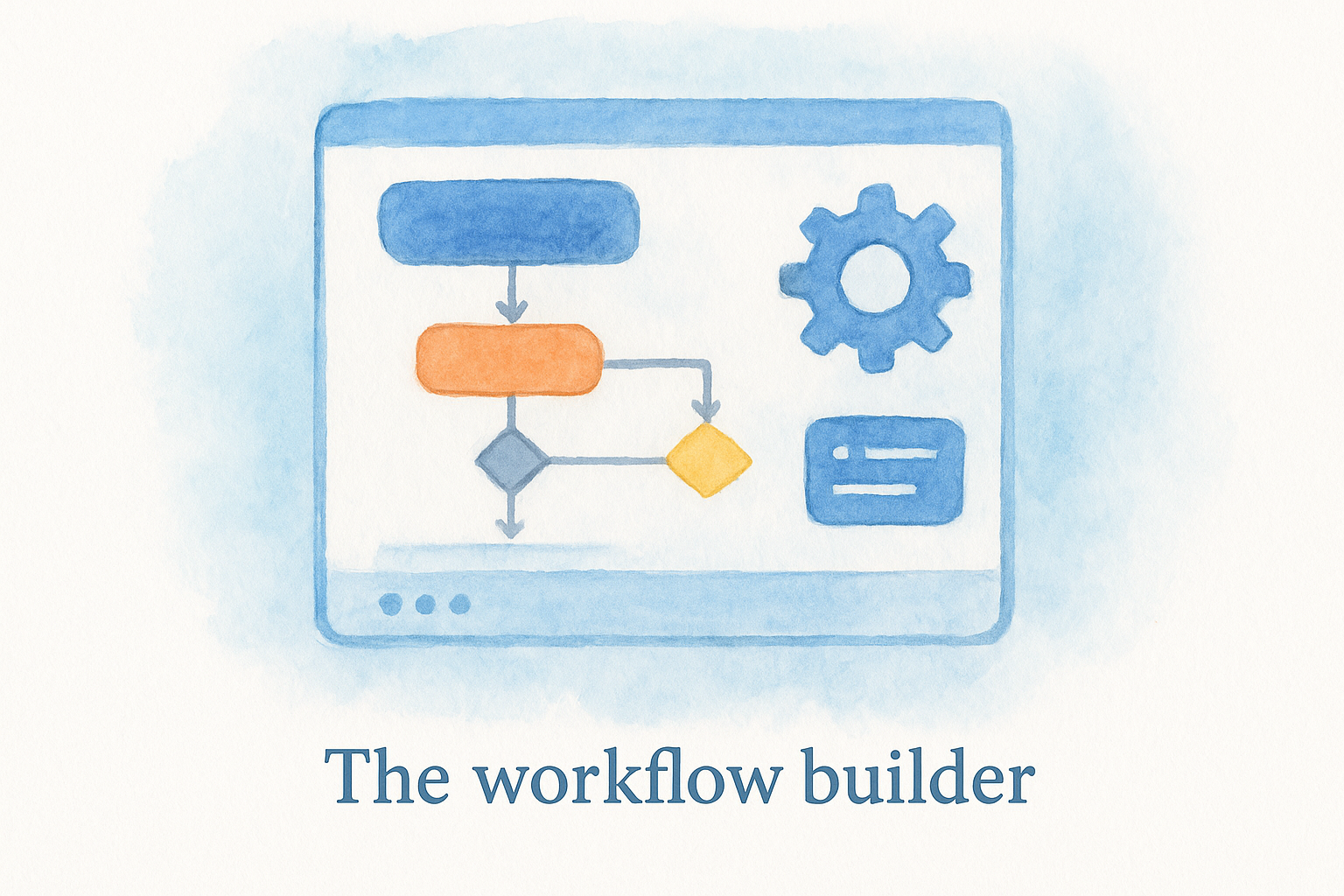
Workflows also support branching logic, which means you can split a sequence based on contact behavior. If a prospect opens your email but does not click the link, they go down one path. If they click through and visit your services page, they follow a different path with a stronger call to action. This kind of conditional logic lets you handle different prospect types without building separate campaigns from scratch for each situation.
Forms and landing pages
HubSpot's built-in forms capture lead information directly into your CRM without requiring a third-party integration. You can embed forms on your existing website or host them on HubSpot landing pages, and both options feed into the same contact database. Every submission triggers whatever workflows you have connected to that form, so the automation starts the moment a prospect raises their hand.
The tighter the connection between your forms and your workflows, the faster your firm responds, and speed is one of the strongest predictors of whether a lead converts.
Landing pages inside HubSpot include A/B testing tools and performance analytics so you can measure which version of a page drives more form completions. For a firm running paid traffic to a specific practice area, this data tells you exactly which headline or layout pulls in more qualified consultations.
Smart content and personalization tokens
Smart content lets you display different versions of the same page or email based on who is viewing it. A returning visitor who already submitted a form sees different copy than someone arriving for the first time. Personalization tokens pull contact data directly into your emails and pages, so a prospect sees their name, their specific inquiry type, or their location referenced in your messaging without your team writing individual emails for each person.
How HubSpot workflows and AI journeys work
HubSpot workflows operate on a simple logic: something happens, then something else happens automatically. A contact submits a form, and HubSpot sends a confirmation email, updates a contact property, and creates a follow-up task for your intake team, all within seconds. This cause-and-effect structure is what makes HubSpot marketing automation practical for law firms that handle high volumes of inbound inquiries but cannot afford to let a single lead fall through the cracks.
How workflows are built
Every workflow starts with an enrollment trigger, which is the specific event or condition that pulls a contact into the sequence. Common triggers include submitting a form, reaching a certain lead score, visiting a specific page, or being added to a list. From there, you chain actions and delays in whatever order fits your intake process. You might send an immediate acknowledgment email, wait 24 hours, then send a more detailed follow-up, then notify your intake coordinator if the contact still has not responded.
Workflows also support if/then branches, which split the sequence based on what a contact does or does not do. A prospect who opens your email and clicks through to your services page moves down a path with a stronger call to action. A prospect who ignores the email entirely goes down a different path with a softer re-engagement message. This branching logic means one workflow handles multiple scenarios without requiring your team to monitor each contact manually.
The more your workflow mirrors how a thoughtful intake coordinator would follow up, the better it performs at moving prospects toward a signed consultation.
How AI-powered journeys extend this
HubSpot's AI-powered tools build on top of the traditional workflow structure by analyzing contact behavior and suggesting optimizations your team might not spot on their own. The platform can recommend the best time to send a specific email based on when similar contacts have historically engaged, which directly improves open rates without requiring you to run manual tests.
AI journeys also help you identify contacts who are showing disengagement signals before they drop off entirely, giving you a window to re-engage them with a different message or offer. For a law firm nurturing leads across a longer decision cycle, like estate planning or business litigation, this kind of predictive insight keeps your pipeline warm without requiring your team to manually review every contact record on a recurring basis.
How to implement automation step by step
Getting HubSpot marketing automation running inside your firm does not require a technical background, but it does require a clear plan before you log into the platform. Most firms that struggle with automation skip the planning stage and jump straight to building workflows, which leads to sequences that do not reflect how their actual intake process works. Starting with a documented picture of your current lead flow saves significant rework later and produces better results from day one.
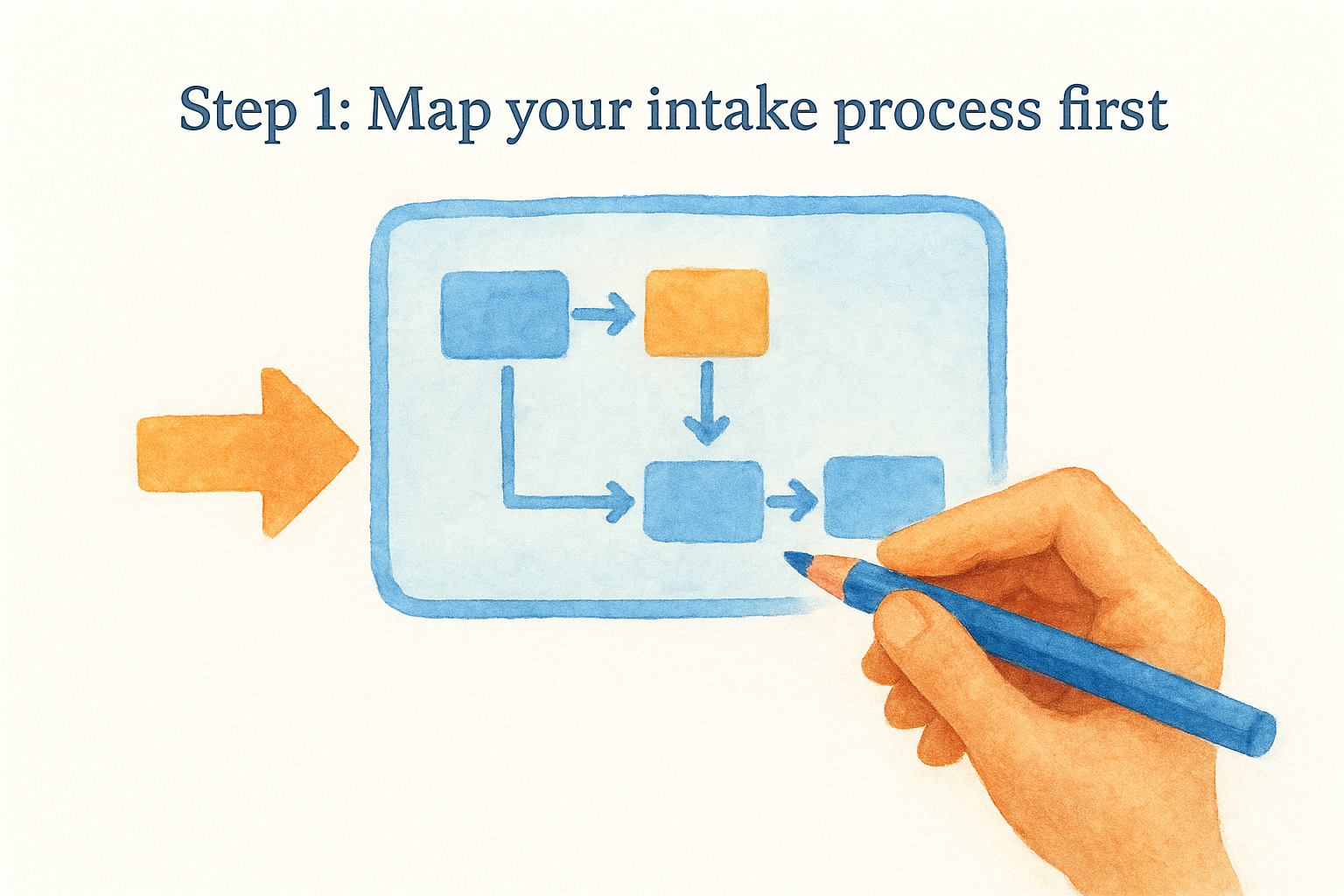
Step 1: Map your intake process first
Your automation can only replicate a process you already understand. Write out every touchpoint a prospect currently experiences from the moment they submit a form to the moment they sign a retainer. Note where delays happen, where leads drop off, and where your team is doing repetitive manual tasks. Those repetitive steps are your first automation candidates, and identifying them before touching HubSpot keeps your build focused and efficient.
The firms that get the most out of automation treat it as a digital version of their best intake process, not a substitute for thinking that process through.
Step 2: Configure your contact properties and lists
Once your process is mapped, you need to make sure HubSpot's contact records capture the right data to power your automation logic. Review the default contact properties in HubSpot and add custom properties specific to your practice areas, such as case type, inquiry source, or consultation status. These properties become the conditions your workflows check when deciding which path to send a contact down. Without clean, consistent data in these fields, your automation cannot segment accurately or deliver the right message to the right person.
Build your active lists based on these properties so contacts move in and out of segments automatically as their status changes. A prospect who signs an agreement should exit your nurture sequences immediately, and active lists handle that update without anyone on your team manually removing contacts from a running campaign.
Step 3: Build, test, and launch your first workflow
Start with one high-impact workflow rather than trying to automate everything at once. A strong first choice is a post-form submission sequence that immediately confirms receipt, creates a follow-up task for your intake coordinator, and sends one educational email within 24 hours. Before activating anything, use HubSpot's test enrollment feature to run a contact through the sequence yourself and confirm each action fires correctly and in the right order. Launching a broken workflow on live leads costs you cases, so testing is not optional.
Where to go from here
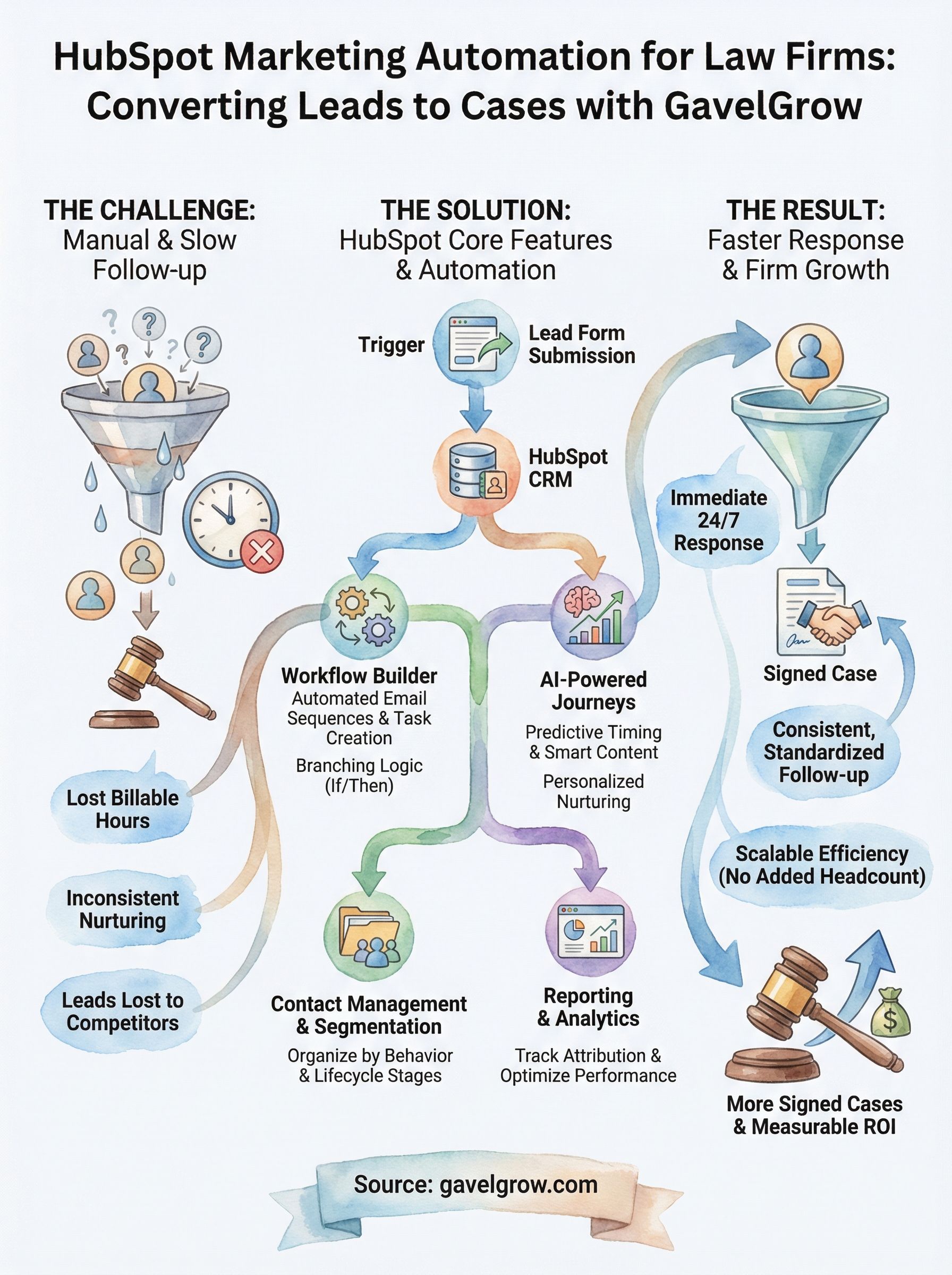
HubSpot marketing automation gives your law firm a structured way to respond faster, follow up consistently, and sign more cases from the leads you are already generating. You now have a clear picture of the platform's core features, how workflows and AI journeys function, and a step-by-step path to getting your first automation live. The next move is applying that knowledge to your specific practice area and intake process rather than leaving it as theory.
If you want help building a full-funnel system that connects your marketing directly to signed cases and measurable ROI, working with a team that specializes in legal marketing puts you ahead much faster than figuring it out alone. GavelGrow builds these systems exclusively for law firms across the United States. Book a free 45-minute strategy session and get a custom roadmap built around your firm's goals by visiting GavelGrow's legal marketing specialists.
Frequently Asked Questions
What does HubSpot marketing automation include?
HubSpot marketing automation is a connected system rather than a single tool, built on top of HubSpot's CRM. It includes contact management and segmentation, email and multi-channel automation, lead scoring and lifecycle stages, a workflow builder, forms and landing pages, and reporting dashboards. Because every automated action ties to a contact record, your team sees how a prospect moved from first click to signed intake form in one place.
How do HubSpot workflows work?
Every workflow starts with an enrollment trigger, such as a form submission, a lead score threshold, or a specific page view, then chains actions and delays automatically from there. Workflows support if/then branching, so a prospect who opens an email and clicks through follows a different path than one who ignores it. This lets a single workflow handle multiple scenarios without your team monitoring each contact manually.
Why does marketing automation matter for a law firm?
Law firms lose cases permanently when follow-up is slow or inconsistent, because prospects facing an accident or divorce often contact several attorneys at once and the first responder usually wins. Automation removes the dependency on manual follow-up so your system can send a confirmation, log the contact, and create an intake task the moment a lead arrives, even overnight. It also lets your existing team manage a larger pipeline without adding headcount.
What do HubSpot's AI-powered journeys add to workflows?
HubSpot's AI tools build on traditional workflows by analyzing contact behavior and suggesting optimizations your team might miss, such as the best time to send a specific email based on when similar contacts have historically engaged. They also help identify contacts showing disengagement signals before they drop off, which is useful for firms nurturing longer decision cycles like estate planning or business litigation.
How should a law firm start implementing HubSpot automation?
Start by mapping your existing intake process before you log into the platform, noting every touchpoint from form submission to signed retainer and where repetitive manual tasks happen. Next, configure contact properties and active lists so your data can power the automation logic. Then build, test, and launch one high-impact workflow, such as a post-form-submission sequence, using test enrollment to confirm each action fires correctly before going live.
Frequently Asked Questions
What does HubSpot marketing automation include?
HubSpot marketing automation is a connected system rather than a single tool, built on top of HubSpot's CRM. It includes contact management and segmentation, email and multi-channel automation, lead scoring and lifecycle stages, a workflow builder, forms and landing pages, and reporting dashboards. Because every automated action ties to a contact record, your team sees how a prospect moved from first click to signed intake form in one place.
How do HubSpot workflows work?
Every workflow starts with an enrollment trigger, such as a form submission, a lead score threshold, or a specific page view, then chains actions and delays automatically from there. Workflows support if/then branching, so a prospect who opens an email and clicks through follows a different path than one who ignores it. This lets a single workflow handle multiple scenarios without your team monitoring each contact manually.
Why does marketing automation matter for a law firm?
Law firms lose cases permanently when follow-up is slow or inconsistent, because prospects facing an accident or divorce often contact several attorneys at once and the first responder usually wins. Automation removes the dependency on manual follow-up so your system can send a confirmation, log the contact, and create an intake task the moment a lead arrives, even overnight. It also lets your existing team manage a larger pipeline without adding headcount.
What do HubSpot's AI-powered journeys add to workflows?
HubSpot's AI tools build on traditional workflows by analyzing contact behavior and suggesting optimizations your team might miss, such as the best time to send a specific email based on when similar contacts have historically engaged. They also help identify contacts showing disengagement signals before they drop off, which is useful for firms nurturing longer decision cycles like estate planning or business litigation.
How should a law firm start implementing HubSpot automation?
Start by mapping your existing intake process before you log into the platform, noting every touchpoint from form submission to signed retainer and where repetitive manual tasks happen. Next, configure contact properties and active lists so your data can power the automation logic. Then build, test, and launch one high-impact workflow, such as a post-form-submission sequence, using test enrollment to confirm each action fires correctly before going live.