Wix Landing Page Builder: Step-by-Step Setup & Launch Guide
Categories: Legal Marketing Strategies
 Abram Ninoyan
Founder & Senior Performance Marketer
Credentials: Google Partner, Google Ads Search Certified, Google Ads Display Certified, Google Ads Measurement Certified, Google Analytics (IQ) Certified, HubSpot Inbound Certified, HubSpot Social Media Marketing Certified, Conversion Optimization Certified
Expertise: Google Ads, Meta Ads, Conversion Rate Optimization, GA4 & Google Tag Manager, Lead Generation, Marketing Funnel Optimization, PPC Management
LinkedIn Profile
Wix gives you a drag-and-drop editor, a template library, and hosting under one roof, which makes the Wix landing page builder a reasonable starting point when you need a standalone page up fast. For...
Key Takeaways
- Wix Landing Page Builder: Step-by-Step Setup & Launch Guide
- Key takeaways
- What is the Wix landing page builder and what do you need?
- Step 1. Create a landing page and choose a template
Wix Landing Page Builder: Step-by-Step Setup & Launch Guide
Wix gives you a drag-and-drop editor, a template library, and hosting under one roof, which makes the Wix landing page builder a reasonable starting point when you need a standalone page up fast. For law firms running Google Ads or local campaigns, a dedicated landing page can mean the difference between a $50 lead and a $300 one, simply because it removes the distractions a full website homepage creates.
But building the page is only half the job. What happens after someone fills out your form, how fast you respond, whether the lead gets tracked back to a specific campaign, and whether your intake process meets TCPA requirements, determines whether that landing page actually produces signed cases. That's the gap we see constantly at GavelGrow, where our platform connects ad clicks to signed retainers with built-in intake automation and call tracking designed specifically for law firms.
This guide walks you through the full process: choosing a template, customizing your page, configuring forms, connecting a domain, publishing, and setting up the conversion tracking you'll need to know what's working. Whether you stick with Wix long-term or eventually move to a legal-specific platform, the fundamentals here apply either way.
Key takeaways
The Wix landing page builder gives you everything you need to build and publish a standalone page in an afternoon, but the page itself is only one variable in whether your campaign generates signed cases. Before you dive into templates and drag-and-drop sections, here is what you need to know at a glance.
- Wix lets you build a standalone landing page without writing a single line of code.
- Choosing a niche-specific template saves time and reduces blank-page friction.
- Mobile layout requires a separate review pass since Wix does not auto-translate desktop edits.
- TCPA-compliant forms and sub-60-second lead response are what convert clicks into consults.
- Call tracking and conversion events tied to individual campaigns tell you which pages actually produce cases.
A landing page that lacks proper form tracking and fast lead response is just an expensive brochure.
Why a dedicated landing page outperforms your homepage
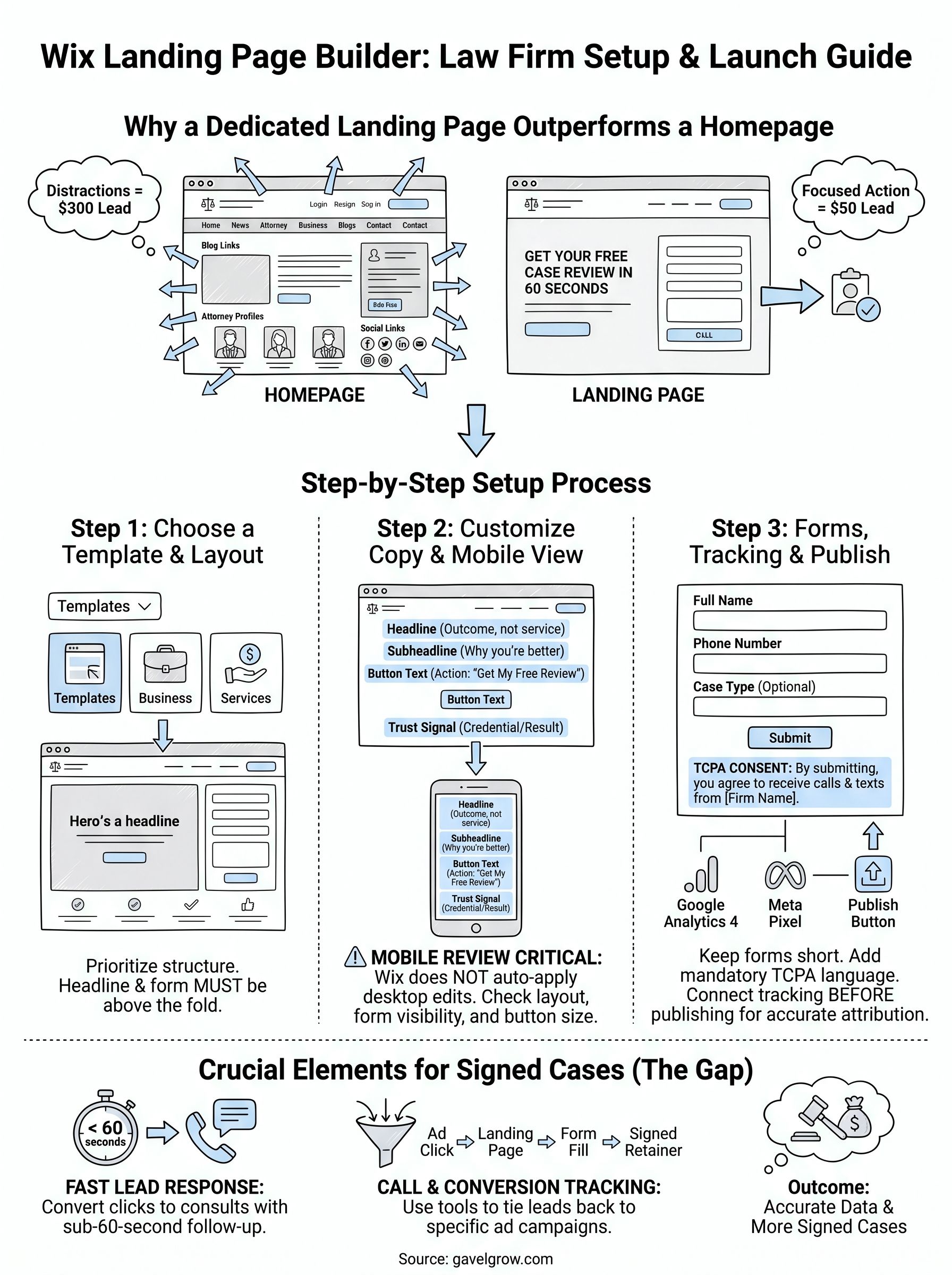
When you send paid traffic to your homepage, visitors encounter navigation menus, blog links, attorney bios, and practice area overviews. Every extra click path is an exit opportunity. A dedicated landing page removes those distractions and keeps one action in front of the visitor: fill out the form or call the number.
For law firms running Google Ads or Local Services Ads, this single change routinely drops cost-per-lead by 30 to 50 percent because the page message matches the ad promise exactly. A personal injury ad that lands on a page saying "Hurt in an accident? Get your free case review today" outperforms a generic homepage every time.
What the setup process actually covers
Building a page in Wix involves more than dragging a headline onto a template. You will work through template selection, section customization, mobile layout review, form configuration, domain connection, and conversion tracking setup before you can confidently push traffic to the page.
Each step in this guide addresses one of those stages in order. By the end, you will have a published landing page with a working lead form, a tracking number tied to your campaign, and conversion events firing so your Google Ads or Meta account receives accurate attribution data rather than blind guesses about what is generating leads.
What is the Wix landing page builder and what do you need?
The Wix landing page builder is a drag-and-drop editor built into the Wix platform that lets you create a standalone, distraction-free page without touching code. Unlike a full website, a landing page built in Wix has no global navigation, no sidebar links, and no footer menus pulling visitors away from your single call to action. You design the page, connect it to a domain, and send paid or organic traffic directly to it.
A landing page with one clear action converts consistently better than a homepage with ten competing options.
What the builder includes
Wix gives you a visual editor, a template library, built-in hosting, and a basic form tool under one account. You do not need a separate hosting provider or a developer on call to get a page live. The editor works in your browser, and changes publish instantly once you hit the publish button.
The core tools you get with every Wix account include:
- Drag-and-drop section editing for text, images, buttons, and video
- A template library with landing page-specific layouts organized by goal
- A native form builder with email notification support
- Mobile editor for reviewing and adjusting the responsive layout separately
- Basic Wix Analytics for page views and form submissions
What you need before you start
You need a free or paid Wix account and a clear idea of the one action you want visitors to take. That action should be either a form submission or a phone call, not both at once. Having your headline, subheadline, and form fields drafted before you open the editor cuts build time significantly.
Step 1. Create a landing page and choose a template
Log into your Wix account and go to your site dashboard. If you do not have a site yet, select "Create New Site" and choose "Landing Page" as the site type. This keeps the builder in a single-page mode without the navigation, header, or footer elements that full websites include by default.
Navigate to the landing page setup
Once inside the editor, Wix prompts you to choose how you want to start: pick a template or start from a blank canvas. For most law firms, a template cuts setup time significantly. Select "Templates," then filter by category. Look under "Business" or "Services" rather than generic categories, since those layouts typically include a hero section, a form, and a trust-signal row, which are the three core sections a legal landing page needs.
Choosing a template that already has a form and a call-to-action section saves you at least 30 minutes of layout work.
Pick a template that matches your campaign goal
When you browse templates in the Wix landing page builder, prioritize structure over visuals. You will replace every color, font, image, and word anyway, so what matters is whether the layout places the headline and form above the fold on both desktop and mobile. A template with a large hero image and a form column on the right side typically outperforms a full-width image template where the form is buried below the fold.
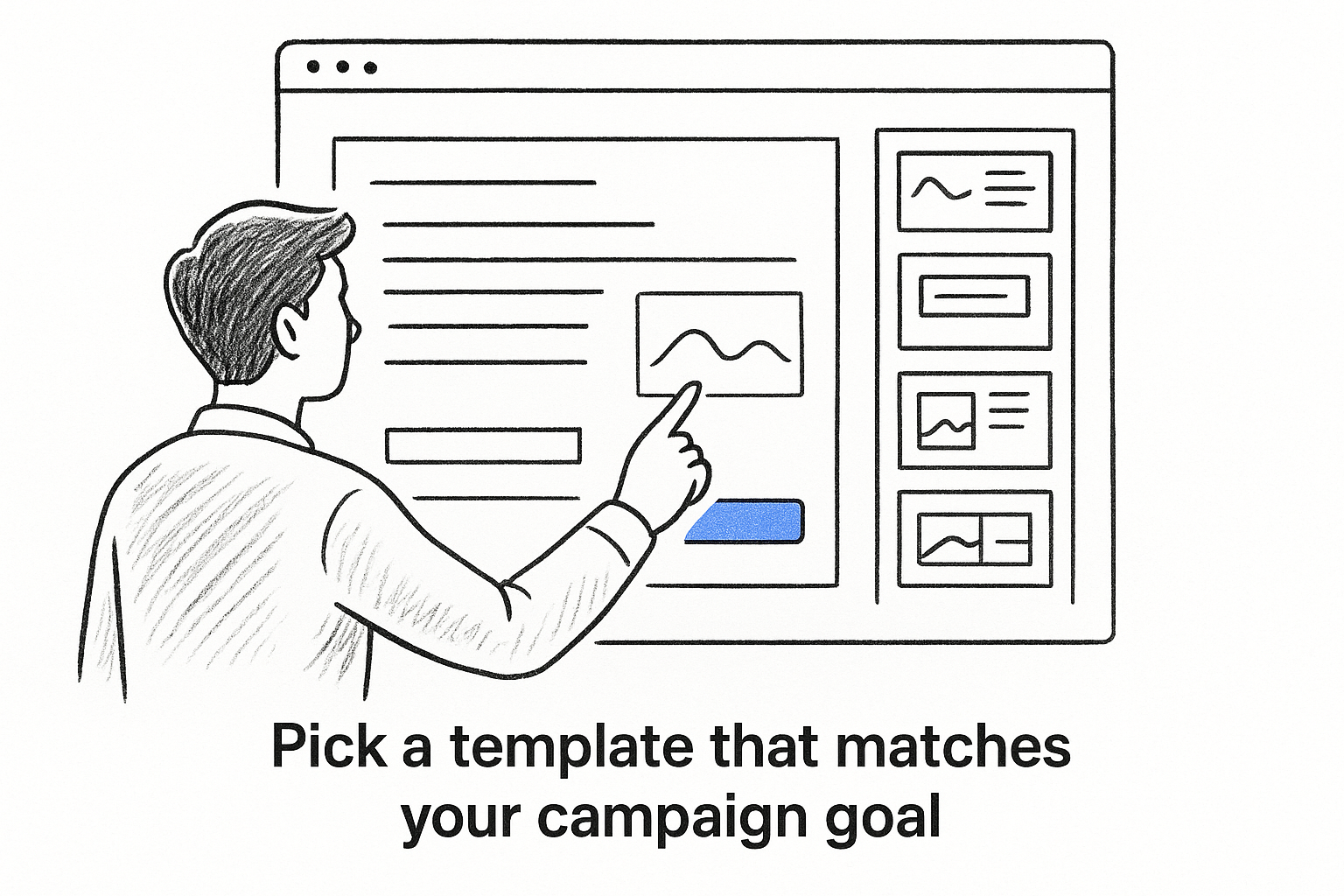
Select your template by clicking "Edit" and Wix loads it directly into the drag-and-drop editor. Your starting point is now set.
Step 2. Customize sections, copy, and mobile layout
With your template loaded inside the Wix landing page builder, click any element to select it and start replacing the placeholder content. Work top to bottom: headline first, then subheadline, then body copy and button text. Every section of your template is editable by clicking directly on it, so you do not need to hunt through a separate settings panel to change text.
Edit your sections and copy
Your headline should state the outcome, not just the service. "Get a Free Injury Case Review in 60 Seconds" outperforms "Personal Injury Attorney in Chicago" because it speaks to what the visitor wants, not what you do. Replace stock photography with an image relevant to your practice area, and cut any section that does not directly support your one call to action. Most templates include three to four more sections than a high-converting landing page actually needs.
Use this copy framework for your above-the-fold section:
Review and fix your mobile layout
Wix does not automatically apply your desktop edits to the mobile view. After you finish desktop customization, click the mobile icon at the top of the editor to switch views. Check that your headline is fully visible, your form sits above the fold, and your call button is easy to tap. Resize or reposition any element that looks cramped on a small screen before moving to the next step.
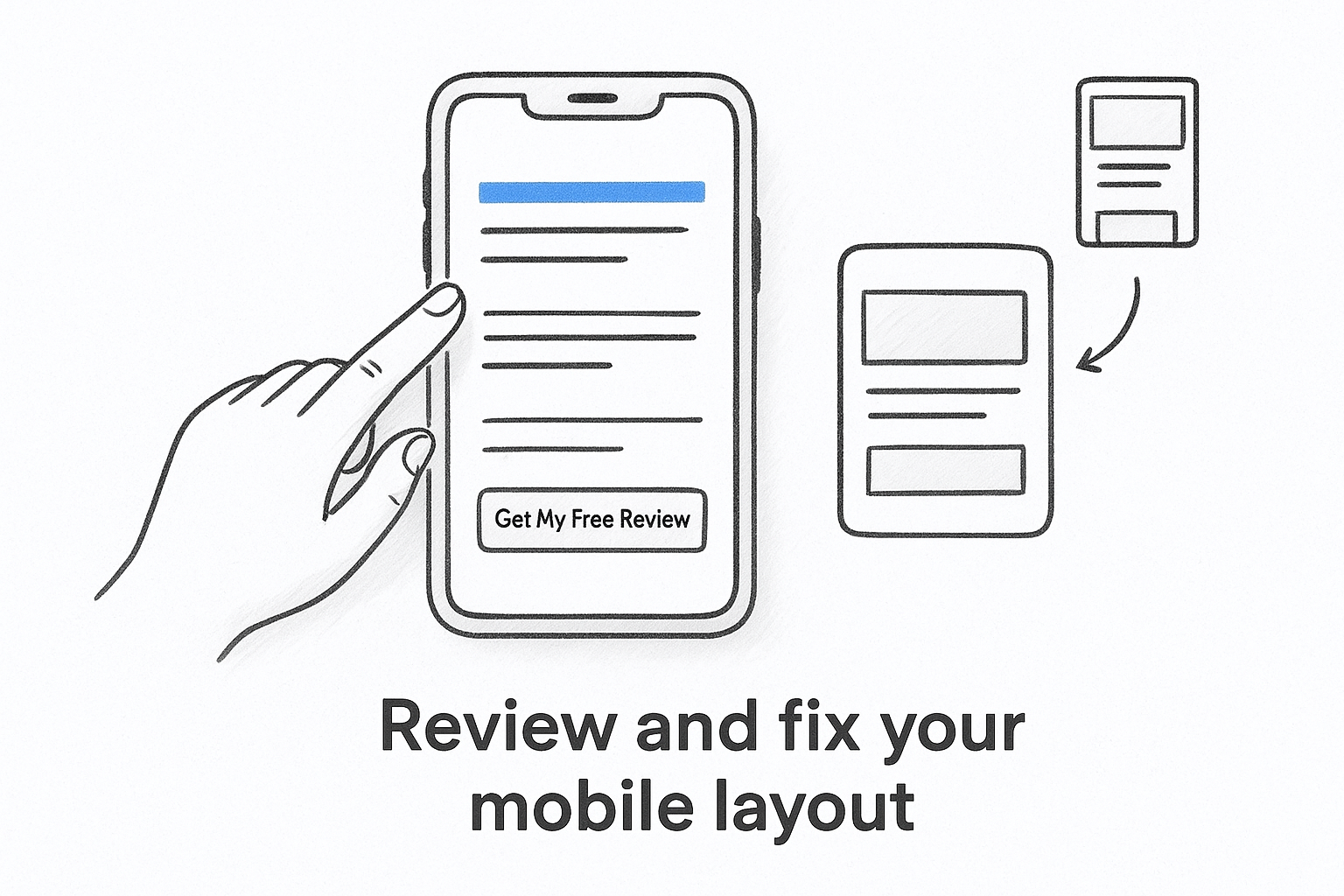
Most landing page conversions happen on mobile, so skipping this review step directly costs you leads.
Step 3. Add forms, tracking, and publish with confidence
With your design locked in, the Wix landing page builder gives you a native form tool you can drop into any section. Click "Add Elements," select "Contact & Forms," and drag a form onto your page. Keep the form short: name, phone number, and one qualifying question is enough for most legal campaigns. Every extra field you add reduces submission rates.
Configure your form fields and TCPA language
Open the form settings panel by clicking on the form element, then select "Manage Fields." Delete any pre-filled fields you do not need and add a phone number field if it is not already present. Below your submit button, add a short TCPA consent disclosure as a static text element: "By submitting this form, you agree to receive calls and texts from [Firm Name] regarding your inquiry." This language is not optional if you plan to follow up by SMS or phone.
Connect Google Analytics and publish
Before you hit publish, go to Settings > Marketing Integrations and connect your Google Analytics 4 property. This fires a page view event automatically and lets you build a conversion goal based on your form submission confirmation page. Once tracking is live, click "Publish" in the top right corner of the editor.
Publishing without analytics connected means your first batch of traffic produces zero attribution data.
After publishing, test your form by submitting a real entry and confirming the confirmation message displays and the notification email reaches your inbox within a few minutes.
Next steps
You now have everything you need to build and launch a page with the Wix landing page builder: a template, customized copy, a TCPA-compliant form, and conversion tracking connected before you send a single dollar of ad spend. The page is live, the form works, and your analytics account is receiving data.
The next step is to drive qualified traffic to the page and measure what actually converts. Check your cost-per-lead weekly, not monthly, so you can catch underperforming campaigns before they drain your budget. Review form submissions against the leads that actually become consults and signed retainers, because lead volume without case attribution tells you almost nothing useful.
If you want to go deeper on attribution, intake automation, and call tracking tied to individual campaigns, explore the GavelGrow platform features built specifically for law firms. Or book a free 45-minute strategy call to map out a full campaign setup with GavelGrow, which has served 500+ law firms since 2015.
Frequently Asked Questions
What is the Wix landing page builder and what do I need to use it?
It's a drag-and-drop editor built into Wix that lets you create a standalone, distraction-free page without touching code, with no global navigation or footer menus pulling visitors away. You need a free or paid Wix account and a clear idea of the single action you want visitors to take, either a form submission or a phone call, but not both at once.
Why use a dedicated landing page instead of my homepage for ads?
A homepage surrounds paid visitors with navigation, blog links, and bios, and every extra click path is an exit opportunity. A dedicated landing page keeps one action in front of the visitor, and because the page message matches the ad promise exactly, it typically lowers cost-per-lead. A page that lacks proper tracking and fast response is just an expensive brochure.
Do I need to review the mobile layout separately in Wix?
Yes. Wix does not automatically apply your desktop edits to the mobile view, so after finishing desktop customization you must switch to the mobile editor and check that your headline is visible, your form sits above the fold, and your call button is easy to tap. Most landing page conversions happen on mobile, so skipping this review directly costs leads.
What consent language should I add to a law firm lead form?
Below your submit button, add a short disclosure such as: "By submitting this form, you agree to receive calls and texts from [Firm Name] regarding your inquiry." This language is not optional if you plan to follow up by SMS or phone. Keep the form itself short, name, phone, and one qualifying question, since every extra field reduces submissions.
How do I set up conversion tracking before publishing a Wix page?
Before hitting publish, go to Settings > Marketing Integrations and connect your Google Analytics 4 property, which fires a page-view event and lets you build a conversion goal from your form-submission confirmation page. Publishing without analytics connected means your first batch of traffic produces zero attribution data. After publishing, submit a real test entry to confirm the notification email arrives.
Frequently Asked Questions
What is the Wix landing page builder and what do I need to use it?
It's a drag-and-drop editor built into Wix that lets you create a standalone, distraction-free page without touching code, with no global navigation or footer menus pulling visitors away. You need a free or paid Wix account and a clear idea of the single action you want visitors to take, either a form submission or a phone call, but not both at once.
Why use a dedicated landing page instead of my homepage for ads?
A homepage surrounds paid visitors with navigation, blog links, and bios, and every extra click path is an exit opportunity. A dedicated landing page keeps one action in front of the visitor, and because the page message matches the ad promise exactly, it typically lowers cost-per-lead. A page that lacks proper tracking and fast response is just an expensive brochure.
Do I need to review the mobile layout separately in Wix?
Yes. Wix does not automatically apply your desktop edits to the mobile view, so after finishing desktop customization you must switch to the mobile editor and check that your headline is visible, your form sits above the fold, and your call button is easy to tap. Most landing page conversions happen on mobile, so skipping this review directly costs leads.
What consent language should I add to a law firm lead form?
Below your submit button, add a short disclosure such as: "By submitting this form, you agree to receive calls and texts from [Firm Name] regarding your inquiry." This language is not optional if you plan to follow up by SMS or phone. Keep the form itself short, name, phone, and one qualifying question, since every extra field reduces submissions.
How do I set up conversion tracking before publishing a Wix page?
Before hitting publish, go to Settings > Marketing Integrations and connect your Google Analytics 4 property, which fires a page-view event and lets you build a conversion goal from your form-submission confirmation page. Publishing without analytics connected means your first batch of traffic produces zero attribution data. After publishing, submit a real test entry to confirm the notification email arrives.