Google Ads Audience Manager: What It Is and How to Use It
Categories: Legal Marketing Strategies
 Abram Ninoyan
Founder & Senior Performance Marketer
Credentials: Google Partner, Google Ads Search Certified, Google Ads Display Certified, Google Ads Measurement Certified, Google Analytics (IQ) Certified, HubSpot Inbound Certified, HubSpot Social Media Marketing Certified, Conversion Optimization Certified
Expertise: Google Ads, Meta Ads, Conversion Rate Optimization, GA4 & Google Tag Manager, Lead Generation, Marketing Funnel Optimization, PPC Management
LinkedIn Profile
Google Ads Audience Manager is the tool inside your Google Ads account where you build, store, and reuse audience segments across campaigns, things like website visitors, past clients, or people who s...
Key Takeaways
- Google Ads Audience Manager: What It Is and How to Use It
- Why does audience segmentation matter for law firms?
- How to set up Google Ads Audience Manager for your firm
- Which audience segments should law firms build first?
Google Ads Audience Manager: What It Is and How to Use It
Google Ads Audience Manager is the tool inside your Google Ads account where you build, store, and reuse audience segments across campaigns, things like website visitors, past clients, or people who searched for a divorce attorney near them. If you run Google Ads as a law firm in personal injury or family law and you're not using it, you're paying to reach cold strangers when warmer, cheaper audiences are sitting right there in your account.
For a law firm, Audience Manager answers a specific question: who should see your ads, and who has already raised their hand. You can build remarketing lists from site visitors who never filled out your intake form, upload a customer match list from past clients for referral or repeat-matter campaigns, and layer in-market or affinity segments on top of your Local Services and Search campaigns.
This article walks through what Audience Manager actually does, the audience types worth using in a legal practice, and how to set up your first segments correctly. We'll also cover where audience data connects to signed-case tracking, since a bigger audience list means little if you can't tell which segment actually turned into retained clients, something GavelGrow's tracking platform for law firms is built to show alongside your ad platforms.
Why does audience segmentation matter for law firms?
Every dollar you spend on Google Ads either goes toward someone who's never heard of your firm or someone who's already shown some sign of intent. Without audience segmentation, your campaigns treat both the same way. A visitor who read three pages of your car accident content and abandoned your intake form gets the identical bid strategy as a random searcher who's never heard your firm's name. That's the core problem audience segmentation solves: it lets you separate warm prospects from cold ones and spend accordingly.
Google's own case studies and advertiser documentation on remarketing confirm what most performance marketers already assume: people who've already engaged with your site are cheaper to convert than people who haven't. For a personal injury or family law firm, that gap matters more than in most industries, because your average case value is high enough that even a modest improvement in cost per signed case changes your monthly math significantly.
A warm audience isn't a nice-to-have. It's the difference between paying for attention and paying for a second chance at a lead you already earned once.
Legal matters have unusually long decision windows
Someone doesn't get in a car accident, search "personal injury lawyer," and sign a retainer within the hour. Family law matters, immigration cases, and estate planning inquiries often stretch over weeks while the prospective client compares firms, talks to family, or waits for the right moment to act. That gap is exactly where retargeting advertising for law firms earns its keep. If you're not building a list of people who visited your practice-area pages but didn't convert, you're letting that entire consideration window go to waste, and likely letting a competitor's ad show up in it instead.
Practice areas don't behave the same way
A criminal defense search often signals urgency measured in hours. A workers' comp inquiry might follow months of trying to handle a claim without an attorney. Estate planning searches are frequently research-driven and slow. Treating all of these with one generic "in-market for legal services" audience ignores how differently each practice area's prospective client actually shops. Segmenting by behavior, not just by keyword, lets you match ad frequency and messaging to how each type of case actually moves toward a signed retainer.
What good segmentation actually buys you
Here's a quick look at how segmentation changes what you can do with the same ad budget:

That last row is where most firms fall short. Google Ads will happily tell you which audience segment generated the most clicks or even the most form fills. It won't tell you which segment actually turned into a signed case, because Google Ads doesn't know what happens after the lead reaches your intake team. That's a signed-case attribution gap, and it's the reason platforms like GavelGrow's marketing dashboard exist to sit alongside your ad accounts and connect audience-level spend to actual retainers, not just conversions the ad platform assumes are qualified.
The compliance angle firms can't ignore
Segmentation also touches on something law firms have to be more careful about than most advertisers: how audience data gets collected and reused. Uploading a customer match list of past clients, or building a remarketing audience from people who filled out an intake form, means you're handling personal data tied to potentially sensitive legal matters. State bar advertising rules vary, and some firms have stricter internal policies than others about how client information gets used for marketing purposes. We'll cover the specific consent mechanics later in this article, but it's worth flagging here: audience segmentation done well isn't just a targeting tactic, it's also a data-handling responsibility your firm needs to take seriously from the first list you build.
How to set up Google Ads Audience Manager for your firm
Getting into Audience Manager takes about thirty seconds once you know where Google hid it. Log into your Google Ads account, click the wrench-shaped Tools and Settings icon in the top navigation, then look under the Shared Library column for Audience Manager. From there you'll see two tabs: Segments, where you build and manage your lists, and Audience Manager, where you can view size, membership duration, and which campaigns are actively using each list. Firms new to the platform often skip this step entirely and rely only on Search and Local Services default targeting, which means every campaign starts cold every single time, so it helps to understand how Google Ads bidding and targeting actually work before you build lists.
Connecting your data sources first
Before you build a single segment, make sure your Google tag is firing correctly across your site. Audience Manager pulls its remarketing lists from visitor data captured through this tag, so if it's missing from your intake pages, practice-area pages, or contact form, you'll never build a usable list from that traffic. Check under Tools and Settings > Audience Manager > Data Sources to confirm the tag status shows as active, not just installed. If you're also running GA4, linking that account here lets you build segments off deeper site behavior, like time on page or scroll depth, not just page visits.
Audience Manager is only as good as the tag data feeding it, so fix your tracking before you touch a single audience list.
Building your first list
Once your data source is confirmed active, creating a segment follows a consistent pattern regardless of which type you choose:
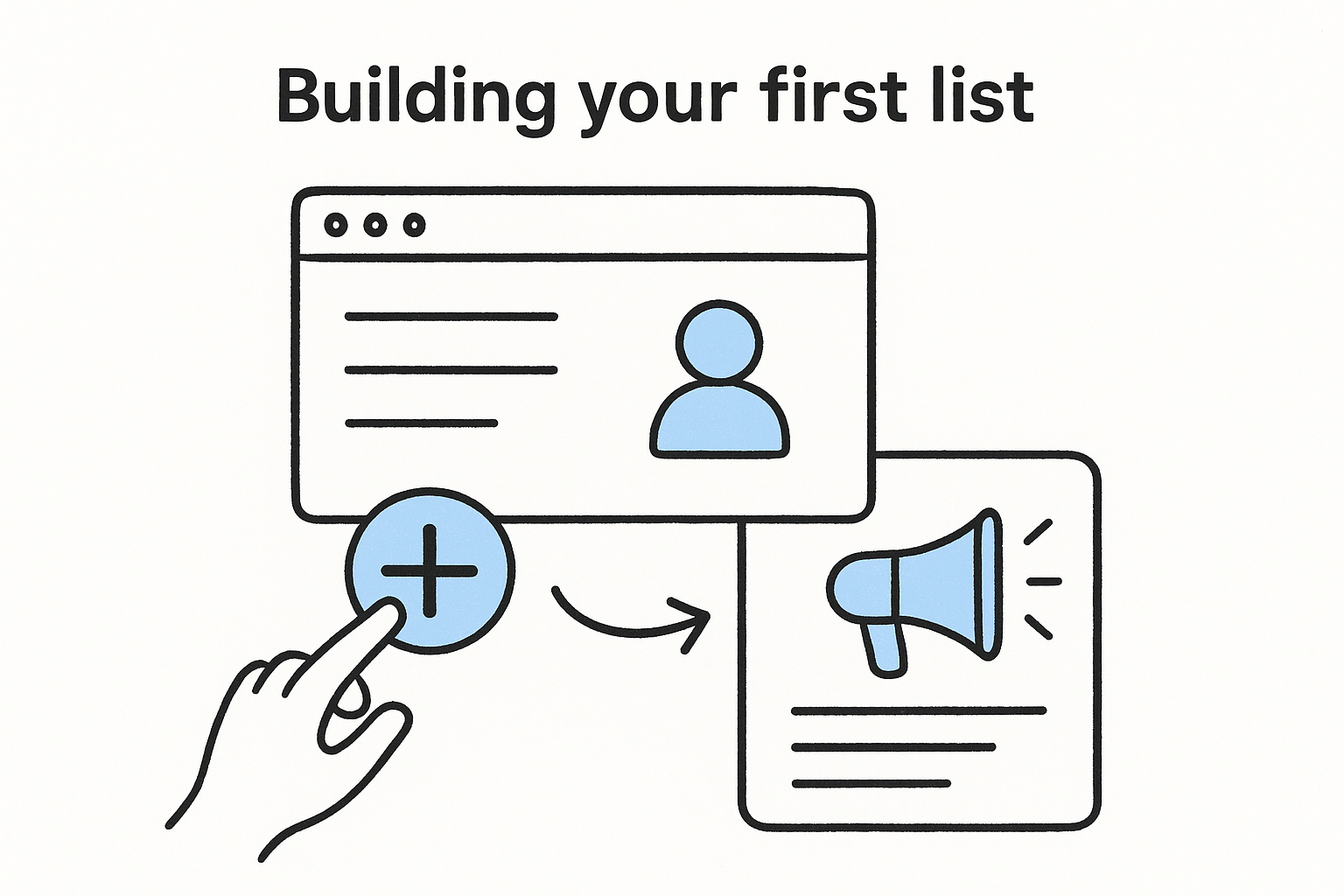
- Click Segments inside Audience Manager, then the blue plus button.
- Choose your segment type: Website visitors, Customer list, App users, or YouTube users.
- Set your membership duration (Google allows up to 540 days for most website-visitor lists).
- Name the segment something you'll actually recognize later, like "PI Intake Form Abandoners 30 Day" instead of the default label.
- Save it, then wait for the list to populate. Google requires a minimum audience size, usually around 100 active users for Search campaigns, before the segment becomes usable for targeting.
That minimum size requirement trips up smaller firms more than anything else. A single-location estate planning practice with modest site traffic might need several weeks before a niche remarketing list is even large enough to activate.
Attaching segments to campaigns
Rather than building lists and forgetting them, attach each one to a specific ad group or campaign as soon as it's ready. Inside any campaign, go to Audiences, then Edit Audience Segments, and choose between Observation (bid adjustments only, no restriction on reach) or Targeting (ads only show to that segment). Most firms should start in Observation mode for new lists so you can watch performance before narrowing reach entirely. Segments only earn their keep once they're actively influencing bids or messaging, and pairing this setup with GavelGrow's conversion tracking, which fires GA4 and Meta Pixel events natively into your own accounts, means the audience data you build here eventually connects back to which visitors actually became signed clients, not just which ones clicked twice, so get your conversion tracking setup right first.
Which audience segments should law firms build first?
Not every audience type deserves equal attention out of the gate. Most firms have limited traffic and limited ad spend, so the goal is building the segments that reach usable size fastest and connect most directly to signed cases, not chasing every option Google Ads offers. Google Ads Audience Manager supports a long list of segment types, but for a law firm, three or four of them do almost all the work.
Website visitors who didn't fill out your intake form
Start here. Intake form abandoners are the single highest-intent audience you can build, because these are people who read your practice-area content, clicked through to your contact page, and then left without submitting anything. Build a remarketing list scoped specifically to visitors of your intake or contact page who did not reach your thank-you or confirmation URL. This segment usually reaches Google's minimum size threshold faster than any other list, since even modest traffic produces a steady trickle of people who start a form and abandon it.
If you build only one audience segment this quarter, make it the people who almost became clients and didn't.
Past clients for referral and repeat-matter campaigns
Upload a customer match list built from your case management system, scrubbed down to just the fields Google requires: name, email, or phone. This list serves two purposes. First, you can run a separate, low-budget campaign encouraging referrals or repeat business for firms that handle recurring matter types like family law or business law. Second, and just as important, you exclude this list from your acquisition campaigns so you're not spending new-client budget showing ads to people who already retained you. Uploading this data does mean handling client information for marketing purposes, so make sure whoever manages your Google Ads account understands your firm's policy on using client lists this way.
Practice-area page visitors, segmented by page
A visitor to your workers' comp page and a visitor to your DUI defense page are not the same prospect, so don't lump them into one generic "site visitors" list. Build separate segments by URL path so your messaging and bids can differ by practice area, the same way marketing built for each practice area does. This is where most firms under-invest, because it takes a bit more setup work than a single blanket remarketing list, but the payoff shows up directly in cost per signed case once you can bid more aggressively on the practice areas that actually convert.
A reasonable build order for most firms
- Intake form and contact page visitors (all practice areas combined if traffic is low)
- Past client customer match list, used for exclusion and referral campaigns
- Practice-area page visitors, split by URL once traffic supports it
- In-market and affinity segments layered on top of Search and Local Services Ads campaigns, added last since they're the coldest audiences on this list
Once these lists exist, the next challenge is proving which one actually produced retained clients rather than just clicks, which is where audience data needs to connect to your firm's own case outcomes, not just Google's conversion counts. GavelGrow's case management tracking exists for exactly that handoff.
How to connect ad audiences to signed cases, not clicks
Google Ads will tell you exactly which audience segment generated the most clicks, the most form fills, and even the most phone calls if you've got call conversion tracking wired up. What it can't tell you is which of those leads actually became a signed retainer, because that decision happens in your intake process, not inside Google's servers. Following an ad click all the way to the signed retainer requires closing a loop that Google Ads never sees on its own, and most firms never build that connection, so they end up optimizing toward the audience segment that produces the cheapest form fill instead of the cheapest client.
Why click data lies to you
Here's the trap: an in-market audience might produce leads at $40 apiece while your intake-form-abandoner remarketing list produces leads at $95 apiece. Look at cost per lead alone and the in-market segment wins easily. But if that cheap in-market audience mostly generates unqualified inquiries, wrong-practice-area calls, or people outside your service area, and the remarketing list converts to signed cases at three or four times the rate, the math flips completely once you measure what a signed case actually costs instead of cost per lead. Google Ads has no way to know this happened unless you tell it.
Cost per lead tells you what a click cost. Cost per acquisition tells you what a client cost, and only one of those numbers should drive your budget decisions.
Feeding signed-case data back into Google Ads
Google Ads supports offline conversion imports, which let you upload outcomes, like a signed retainer, back into the platform tied to the original click ID (GCLID) or call details from that lead. Once imported, Google can attribute that signed case back to the exact audience segment, ad, and keyword that produced it, and Smart Bidding strategies can start optimizing toward that outcome instead of just optimizing toward form fills. Setting this up manually usually means:
- Capturing the GCLID or call data at the moment a lead comes in.
- Tracking that lead through your intake process to a signed or declined outcome.
- Formatting a conversion import file with the GCLID, conversion name, and timestamp.
- Uploading it to Google Ads on a recurring schedule, weekly at minimum.
Most firms attempt this once, find the manual export-import cycle unsustainable alongside everything else intake staff handle, and quietly stop after a month or two.
Where an intake platform closes the gap automatically
This is the exact handoff GavelGrow's Smart Conversions feature is built to automate. Because leads flow through GavelGrow's intake pipeline and case management, from originating click through signed retainer, the platform can send signed-case outcomes back into Google Ads and Local Services bidding in real time on the Optimize and Managed plans, without anyone manually building an export file. Combine that with the marketing dashboard, which shows campaign-level cost per signed case broken out by audience segment, and you get a report that answers the actual question a managing partner asks: which audience segment is producing clients, not just clicks. Reviewing that report monthly, alongside modelled benchmark ranges for your practice area, is usually enough to catch a segment that's quietly burning budget on leads that never had a real shot at converting.
What consent rules apply to law firm audience data?
Building a customer match list or a remarketing audience means handling personal data tied to someone's legal problem, and that's a different level of responsibility than remarketing to visitors of a shoe store. Google requires advertisers to certify that they have the right to use the data they upload, and law firms carry an extra layer of exposure because the underlying matter, a divorce, a criminal charge, a bankruptcy filing, is often something the person never wanted advertised in the first place. Consent management for audience data isn't a legal footnote here. It's a core part of setting the segment up correctly.
Google's own customer match rules
When you upload a customer match list, Google's Customer Match policy requires you to confirm you collected that data lawfully and that you have permission to share it with Google for advertising purposes. Practically, that means a client's email address sitting in your case management system for billing purposes isn't automatically fair game for a referral campaign upload. Your intake process needs to establish, at the point of signup, that a client's information may be used for marketing communications, not just service delivery. If your engagement letter or intake form doesn't cover this, talk to whoever handles your firm's compliance before your marketing team uploads a single list.
Sensitive categories get extra restrictions
Google also limits how advertisers can build audiences around what it treats as sensitive personal circumstances, and legal matters often fall into that bucket. You generally can't build a remarketing audience explicitly labeled around someone's criminal charge or custody dispute in a way that reveals the sensitive detail back to that person through ad targeting alone. In practice, this pushes most firms toward broader remarketing scoped by page visited ("family law page visitors") rather than by inferred personal circumstance, which is a reasonable approach anyway since it keeps your targeting compliant without sacrificing much precision.
Treat every audience list as data about someone's legal problem, not just a marketing asset, and your setup will hold up to scrutiny.
Where TCPA and SMS consent intersect with audience data
The consent question doesn't stop at Google Ads. Once a lead reaches your intake process, any follow-up SMS or email sequence needs its own documented consent under TCPA rules for law firm marketing, separate from whatever permission covers ad targeting. This is where a lot of firms lose track, because the same lead touches three or four systems, an ad platform, a call tracking tool, an intake form, a CRM, and each one might record consent differently or not at all. GavelGrow's intake forms build a TCPA consent audit log directly into the intake step, so the record of what someone agreed to travels with the lead instead of living in a spreadsheet nobody checks. That matters more than most firms realize until a state bar complaint or a TCPA inquiry actually asks for the paper trail.
Given how much state bar rules vary, and how differently each state treats attorney advertising and client solicitation, run your list-building practices past whoever handles compliance for your firm rather than assuming Google's minimum requirements are the only bar you need to clear. What satisfies Google's upload policy won't necessarily satisfy your state bar's advertising rules, and the two are not the same checklist.
Common audience manager mistakes that waste ad spend
Most of the waste inside Audience Manager doesn't come from picking the wrong segment type. It comes from small setup mistakes that quietly burn budget for months before anyone notices, because the campaign still looks like it's running fine on the surface. Audience overlap, stale lists, and misconfigured targeting settings are the usual culprits, and every one of them is fixable in a single sitting once you know where to look.
Building lists too narrow to ever activate
Firms often carve their audiences so finely, by practice area, by page, by device, that no single list ever reaches Google's minimum size threshold. A remarketing list scoped to "mobile visitors to the truck accident page in the last 14 days" sounds precise, but if it never crosses roughly 100 active users, it just sits inactive while your campaign runs without it. Start broader, let the list populate, then split it once traffic supports the narrower version.
Switching to Targeting mode before you've watched performance
Setting a new segment straight to Targeting mode restricts your ad to only that audience before you've confirmed the list actually performs. If the segment is smaller or lower-intent than you assumed, you've cut off reach for no upside. Leave new lists in Observation mode for a few weeks, watch cost per lead and conversion rate against your other traffic, and only switch to Targeting once the data backs the decision.
The most expensive audience mistake is the one nobody checks on again after setup day.
Forgetting to exclude past clients from acquisition campaigns
If your customer match list only ever gets used for referral outreach and never gets applied as an exclusion, you're paying new-client rates to show acquisition ads to people who already retained you. This one is easy to miss because the campaign still converts, the firm just doesn't realize some of those "new" leads are repeat contacts padding the numbers.
Letting membership duration quietly expire
A remarketing list built with a 30-day membership duration stops holding anyone who visited more than a month ago, and firms rarely revisit that setting once it's live. For legal matters that take weeks to decide, a 30-day window can drop a warm prospect right before they're ready to convert. Google allows up to 540 days on most website-visitor lists, so match the duration to how long your practice area actually takes to close, not to whatever the default happened to be.
Running through that table once a quarter, alongside your cost per signed case by segment, catches most of the waste before it compounds into a real budget problem.
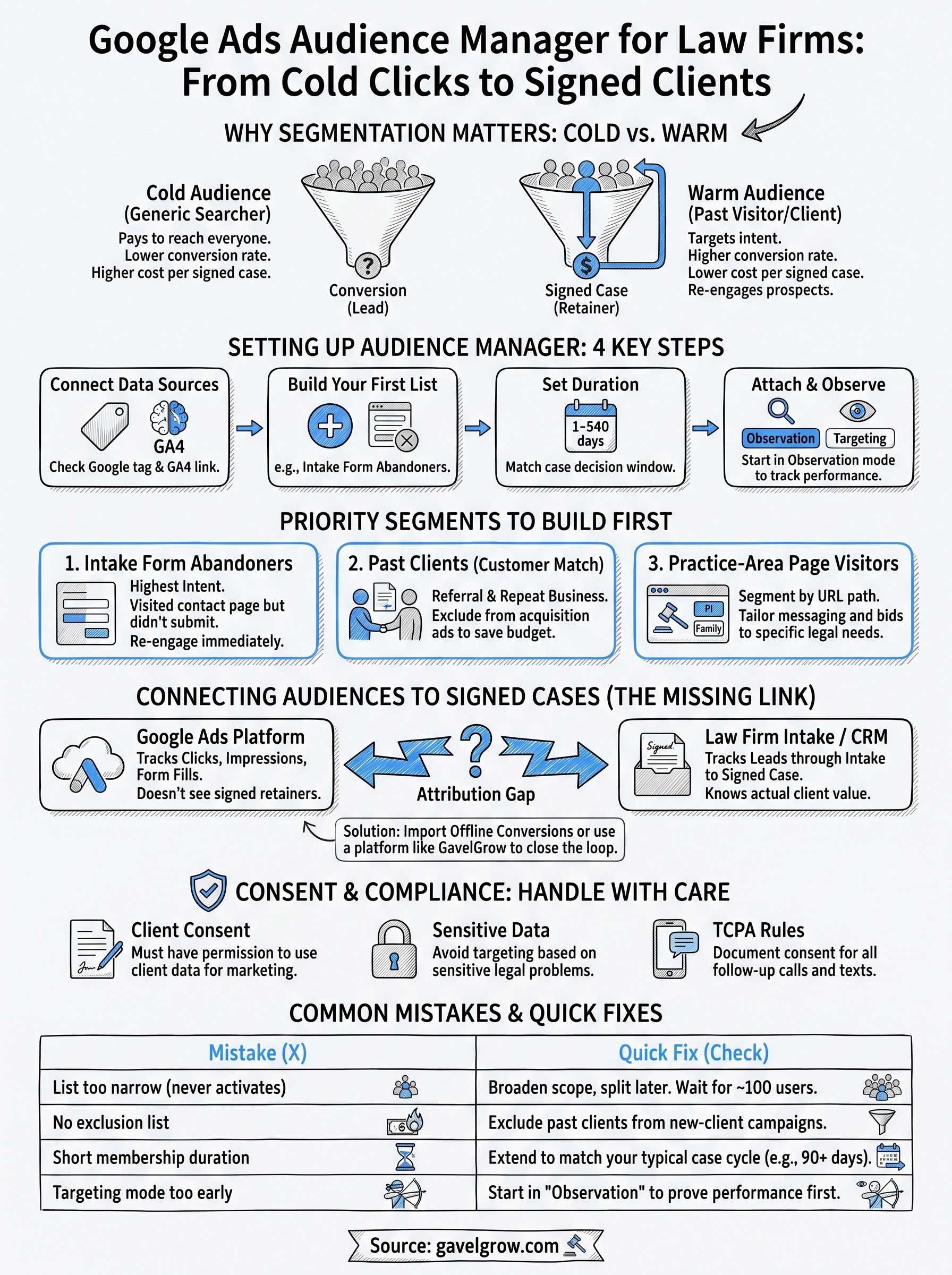
Putting audience data to work for your firm
Audience Manager only pays off when you treat it as a system, not a one-time setup task. Build the intake-abandoner list first, exclude past clients from acquisition campaigns, and extend membership duration to match how long your practice area actually takes to close. None of that matters, though, if you can't tell which segment produced signed retainers instead of just clicks. That's the piece most firms never solve on their own, because Google Ads simply doesn't see what happens after the lead reaches intake.
Getting cost per signed case by audience segment usually means pairing Google Ads with a platform built to track the full path from click to retainer. If your firm is still guessing which audiences are actually worth the spend, book a free strategy call and walk through your account with a team that has run managed Google Ads for law firms since 2015, not general small-business marketing.
Frequently asked questions about Google Ads Audience Manager
What is Google Ads Audience Manager?
It is the section of your Google Ads account where you build, store and reuse audience segments across campaigns. That includes remarketing lists built from site visitors, customer match lists uploaded from past clients, and Google's own in-market and affinity segments. You define a segment once and apply it wherever it is relevant instead of rebuilding targeting campaign by campaign.
Where do I find Audience Manager in my Google Ads account?
It sits under Tools, in the Shared Library, listed as Audience Manager. That screen holds your segments, your data sources including the Google tag and any customer match uploads, and the current status of each list, which is where you check whether a list has gathered enough members to serve.
Which audience segments should a law firm build first?
Start with intent you have already paid for. Visitors to a specific practice-area page, visitors who began an intake form without submitting it, and past clients uploaded as a customer match list for referral or repeat-matter work are the three most useful. Broad site-wide remarketing is the weakest of the group because it treats a serious inquiry and someone who read one blog post as the same person.
Do remarketing lists need a minimum size before they run?
Yes. Google requires a list to reach a minimum number of active users before it can serve, and the threshold is not the same on Search as it is on Display. Check the membership status column in Audience Manager, because a list below the threshold is not underperforming, it simply is not running. Smaller firms often need a longer membership duration to accumulate enough people.
What consent rules apply to law firm audience data?
Uploading client contact details to a customer match list means using information collected for a legal matter, so the consent you captured needs to cover marketing use and should be recorded at the point of collection rather than assumed afterwards. Consent settings also affect whether a visitor is added to a remarketing list at all. Treat audience building as a data-handling decision, not only a targeting one.
Frequently Asked Questions
What is Google Ads Audience Manager?
It is the section of your Google Ads account where you build, store and reuse audience segments across campaigns. That includes remarketing lists built from site visitors, customer match lists uploaded from past clients, and Google's own in-market and affinity segments. You define a segment once and apply it wherever it is relevant instead of rebuilding targeting campaign by campaign.
Where do I find Audience Manager in my Google Ads account?
It sits under Tools, in the Shared Library, listed as Audience Manager. That screen holds your segments, your data sources including the Google tag and any customer match uploads, and the current status of each list, which is where you check whether a list has gathered enough members to serve.
Which audience segments should a law firm build first?
Start with intent you have already paid for. Visitors to a specific practice-area page, visitors who began an intake form without submitting it, and past clients uploaded as a customer match list for referral or repeat-matter work are the three most useful. Broad site-wide remarketing is the weakest of the group because it treats a serious inquiry and someone who read one blog post as the same person.
Do remarketing lists need a minimum size before they run?
Yes. Google requires a list to reach a minimum number of active users before it can serve, and the threshold is not the same on Search as it is on Display. Check the membership status column in Audience Manager, because a list below the threshold is not underperforming, it simply is not running. Smaller firms often need a longer membership duration to accumulate enough people.
What consent rules apply to law firm audience data?
Uploading client contact details to a customer match list means using information collected for a legal matter, so the consent you captured needs to cover marketing use and should be recorded at the point of collection rather than assumed afterwards. Consent settings also affect whether a visitor is added to a remarketing list at all. Treat audience building as a data-handling decision, not only a targeting one.