How to Run Facebook Ads for Law Firms That Sign Cases
Categories: Legal Marketing Strategies
 Abram Ninoyan
Founder & Senior Performance Marketer
Credentials: Google Partner, Google Ads Search Certified, Google Ads Display Certified, Google Ads Measurement Certified, Google Analytics (IQ) Certified, HubSpot Inbound Certified, HubSpot Social Media Marketing Certified, Conversion Optimization Certified
Expertise: Google Ads, Meta Ads, Conversion Rate Optimization, GA4 & Google Tag Manager, Lead Generation, Marketing Funnel Optimization, PPC Management
LinkedIn Profile
Most law firms that try facebook ads for law firms get burned once, pull the budget, and swear off the platform. That's usually a targeting or intake problem, not a Facebook problem. Personal injury,...
Key Takeaways
- How to Run Facebook Ads for Law Firms
- What you need before running Facebook ads for your firm
- Step 1. Set up your law firm's Facebook page and tracking
- Step 2. Choose your campaign objective and target audience
How to Run Facebook Ads for Law Firms
Most law firms that try facebook ads for law firms get burned once, pull the budget, and swear off the platform. That's usually a targeting or intake problem, not a Facebook problem. Personal injury, family law, and criminal defense firms all show up in Facebook feeds every day and still get signed cases, but only when the campaign is built around legal-specific targeting and a follow-up process that doesn't let a warm lead go cold.
This guide answers the practical question every managing partner asks before spending a dollar: how do you actually run a Facebook ad campaign that produces retainers instead of likes? You'll get a step-by-step setup covering campaign objectives, audience building, ad creative that doesn't read like a billboard, and the budget benchmarks that separate a working campaign from a wasted one.
We'll also cover the intake side, because that's where most legal Facebook campaigns actually fail. A lead that fills out a form on mobile and waits three hours for a callback is a lead you paid for and lost, which is why most law firm leads never hear back at all. Along the way you'll see where a platform like GavelGrow's paid social management fits if you'd rather have a legal-only team run the campaign for you.
What you need before running Facebook ads for your firm
Before you write a single headline, get four things in place: a verified Facebook Business Page, a Meta Business Manager account, a call-tracking and intake system that logs every lead, and a budget large enough to leave Facebook's learning phase. Skip any one of these and you'll spend your first month finding out why the campaign doesn't work instead of finding out how well it does. This is true whether you're running facebook advertising for attorneys yourself or handing the reins to an agency.
Your Meta Business Manager and ad account
Set up your Business Manager account, the admin layer behind Meta Business Suite, separately from anyone's personal Facebook profile. Firms that skip this step tie the whole ad account to one employee's login, and when that person leaves, access goes with them. Give yourself admin access at the business level, then add a dedicated ad account underneath it.
- Create a Meta Business Manager account at business.facebook.com
- Add your firm's Facebook Page as a business asset, not a personal one
- Create a dedicated ad account under the business, separate from any personal ad account
- Assign at least two admins so access never depends on one person's login
- Install the Meta Pixel and, ideally, the Conversions API on your website
A budget that survives the learning phase
Meta's algorithm needs a run of conversion events before it can optimize your delivery, and that run takes real spend to produce. A firm testing facebook ads for law firms with $300 a month never generates enough signal for the system to learn who converts, so every lead ends up costing more than it should. Plan on a minimum viable budget in the range of $1,500 to $3,000 a month for a single-location practice area campaign, more for competitive fields like personal injury or mass torts where cost per click runs higher.
A campaign needs enough spend to clear the learning phase before you can judge whether it actually works.
Intake capacity and consent-ready forms
None of this matters if a signed lead sits in an inbox for three hours. Your intake process has to be ready before the first ad goes live, with a form that captures TCPA consent at the point of submission and a person or automated intake workflow that responds within minutes, not hours. GavelGrow's platform builds this consent audit log into every hosted intake form and fires an SMS (once US carriers approve your number) and email reply within minutes of a lead landing, so the campaign you're about to build doesn't leak leads at the finish line.
Step 1. Set up your law firm's Facebook page and tracking
With Business Manager built and admin access locked down, the next job is making the Page itself look like a firm worth calling, then wiring up the tracking that tells you which ad actually produced a signed case. Skip this step and you'll run legal facebook ads for weeks with no idea whether a click ever became a client.
Optimize your Page before you spend a dollar
A thin, half-filled Page kills conversion rate before the ad even runs, because prospects click through to check you out before they call. Fill in every field Facebook gives you: practice areas, service area, phone number, a link to your intake form, and a handful of case-result posts that show real work (subject to your state bar's rules on results and testimonials). Add a clear call-to-action button, usually "Call Now" or "Send Message," so a warm click has somewhere to go immediately.
Install the Pixel and build your UTM structure
The Meta Pixel and Conversions API you installed in the setup phase only earn their keep if you also tag every ad with consistent UTM parameters, so your call tracking and dashboard can match a signed case back to the exact campaign and ad set that generated it.
- utm_source=facebook
- utm_medium=paidsocial
- utm_campaign=pi_auto_accident_q3
- utm_content=video_testimonial_v2
If you can't trace a signed case back to a specific ad, you're guessing at what to scale and what to kill.
Run a test lead through your own form before launch. Confirm the Pixel fires, the UTM string lands in your CRM, and the phone number on the ad matches a line running through call tracking built for law firms, not your front desk's main number. GavelGrow's marketing dashboard matches campaign-level UTMs to signed cases automatically, so you're not stitching this together in a spreadsheet after the fact.
Step 2. Choose your campaign objective and target audience
Inside Facebook Ads Manager, Meta gives you a menu of campaign objectives, and picking the wrong one is the single most common reason facebook ads for law firms underperform. Awareness and Traffic objectives optimize for cheap clicks, not people who fill out a form or call your office. For legal marketing, you want the Leads objective (using an instant form or your own website form) or the Conversions objective tied to the Pixel event that fires when someone submits your intake form.
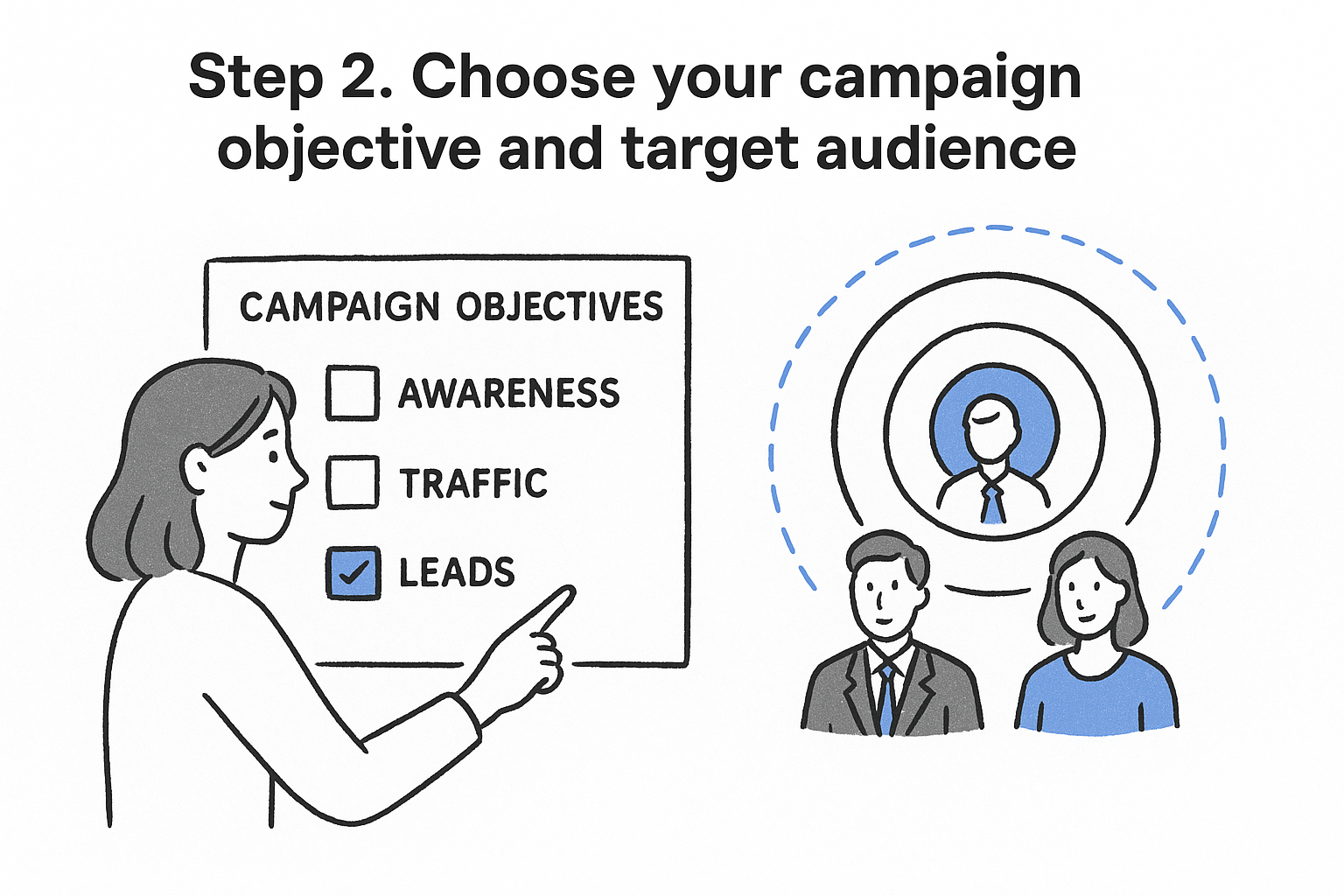
Choose the objective that optimizes for a signed lead, not the one that optimizes for a cheap click.
Match the objective to how you'll capture the lead
If your intake form loads fast and your Pixel is firing cleanly, run Conversions and send traffic straight to that form. If your site is slow or you want to reduce friction on mobile, Meta's native Lead Form option keeps the whole thing inside the platform, though you lose some of the qualifying detail a full intake form captures.
Build audiences around who actually hires a lawyer
Skip broad, unlocalized targeting. A local radius audience built around your office and drive-time market, layered with age and life-event signals relevant to your practice area, outperforms a nationwide blast every time for single-location firms, and there are more advanced targeting secrets for legal campaigns worth layering on top.
- Local geo-targeting: a 15 to 25 mile radius around your office, tighter in dense metro markets
- Life events and interests: divorce, new business formation, recent moves, depending on practice area
- Custom audiences: website visitors from the last 30 to 90 days who didn't convert
- Lookalike audiences: built from your list of past signed cases, not just any lead
- Exclusions: current clients and staff, so you're not paying to advertise to people who already found you
Run attorney facebook advertising audiences separately by practice area whenever your firm handles more than one, since a personal injury lookalike and a family law lookalike behave nothing alike.
Step 3. Build your ad creative and set your budget
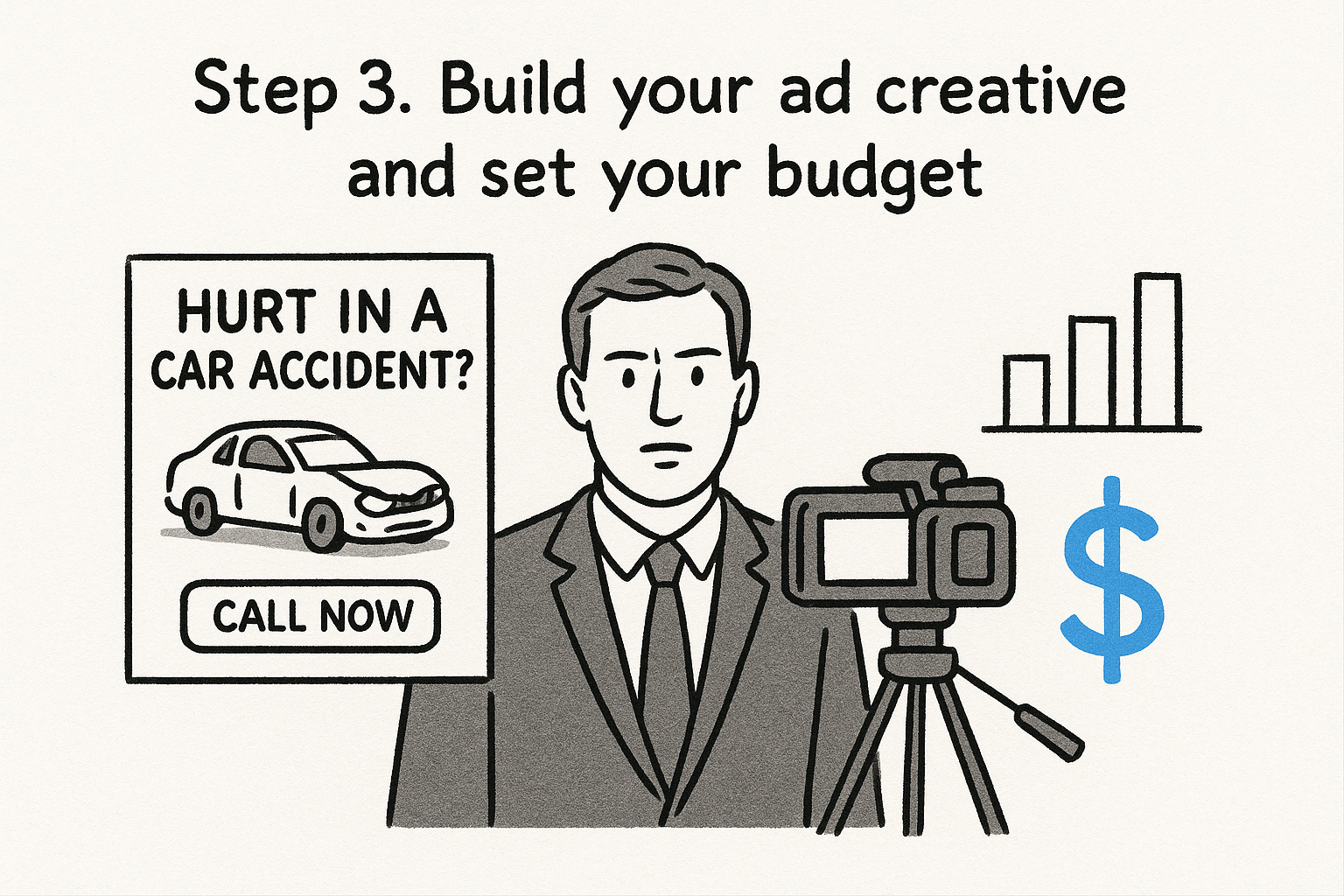
Once your audiences are built, the creative decides whether that audience stops scrolling or keeps going. Video testimonials, short client-story clips, and simple text-over-image ads that state the practice area and a clear next step ("Call now for a free consultation") consistently beat polished, agency-style production for legal facebook ads, and they line up with the creative and optimization practices that work for legal advertisers. Skip stock photos of gavels and handshakes. A real attorney speaking to camera for 20 seconds outperforms almost anything scripted, because it reads as trustworthy rather than promotional, which is the whole case for video content in a law firm's marketing mix.
Write copy that matches how someone searches for a lawyer
Keep headlines specific to the situation, not the firm. "Hurt in a car accident in [city]?" beats "Top-Rated Injury Attorneys" every time, and it keeps you clear of state-bar rules against superlative claims about your own firm. Structure every ad the same way so testing stays clean:
Headline: Hurt in a car accident in Dallas?
Primary text: You may be owed more than the insurance company offered. Free case review, no fee unless you win.
CTA: Call Now
Split your budget so you can tell what's working
Run three to five ad variations per ad set so Meta's delivery system has real options to test, but resist launching more than that at once. A budget spread across ten variations never generates enough data per ad to know which one is doing the work.
Test enough variations to find a winner, not so many that none of them ever get enough spend to prove itself.
Allocate your monthly budget roughly like this for a single practice-area campaign:
- 60% to your best-performing ad set once data comes in
- 25% to two or three new creative tests each month
- 15% held for retargeting website visitors who didn't convert
This structure works whether you're running attorney facebook advertising in-house or reviewing it inside a managed account.
Step 4. Launch your campaign and track signed cases
Before you flip the switch, double check every ad set against your Business Manager permissions, confirm the Pixel event matches your Conversions objective, and make sure your call tracking number is live on every ad variation. Launch during a week your intake team is fully staffed, since Meta's algorithm learns fastest in the first 72 hours and a slow response during that window teaches the system that your leads aren't worth pursuing.
Watch the first week closely, then leave it alone
Resist the urge to touch budgets or creative daily. Meta needs a stable signal to exit the learning phase, and constant edits reset that clock. Check in every 48 to 72 hours instead, watching cost per lead, form completion rate, and call answer rate rather than reach or impressions, which tell you nothing about signed cases.
- Day 1-3: confirm delivery, spend pacing, and that leads are landing in your CRM
- Day 4-7: review cost per lead by ad set, pause anything with zero conversions
- Week 2: compare cost per lead against your practice area's typical range using published budget and conversion benchmarks for law firms
- Week 3-4: shift budget toward the ad set producing signed cases, not just cheap leads
A cheap lead that never signs is more expensive than an expensive lead that does.
Trace every lead to a signed retainer, not just a form fill
Cost per lead is a vanity number if you stop measuring there. What actually matters is cost per signed case, which requires connecting an ad click to the retainer it produced by tying your ad platform data to your case management outcomes. GavelGrow's marketing dashboard does this automatically by matching campaign-level UTMs and call tracking numbers through to the signed retainer, so you can see which facebook ads for law firms campaign is actually filling your caseload, not just your lead pipeline, and reallocate spend accordingly instead of guessing from a spreadsheet.
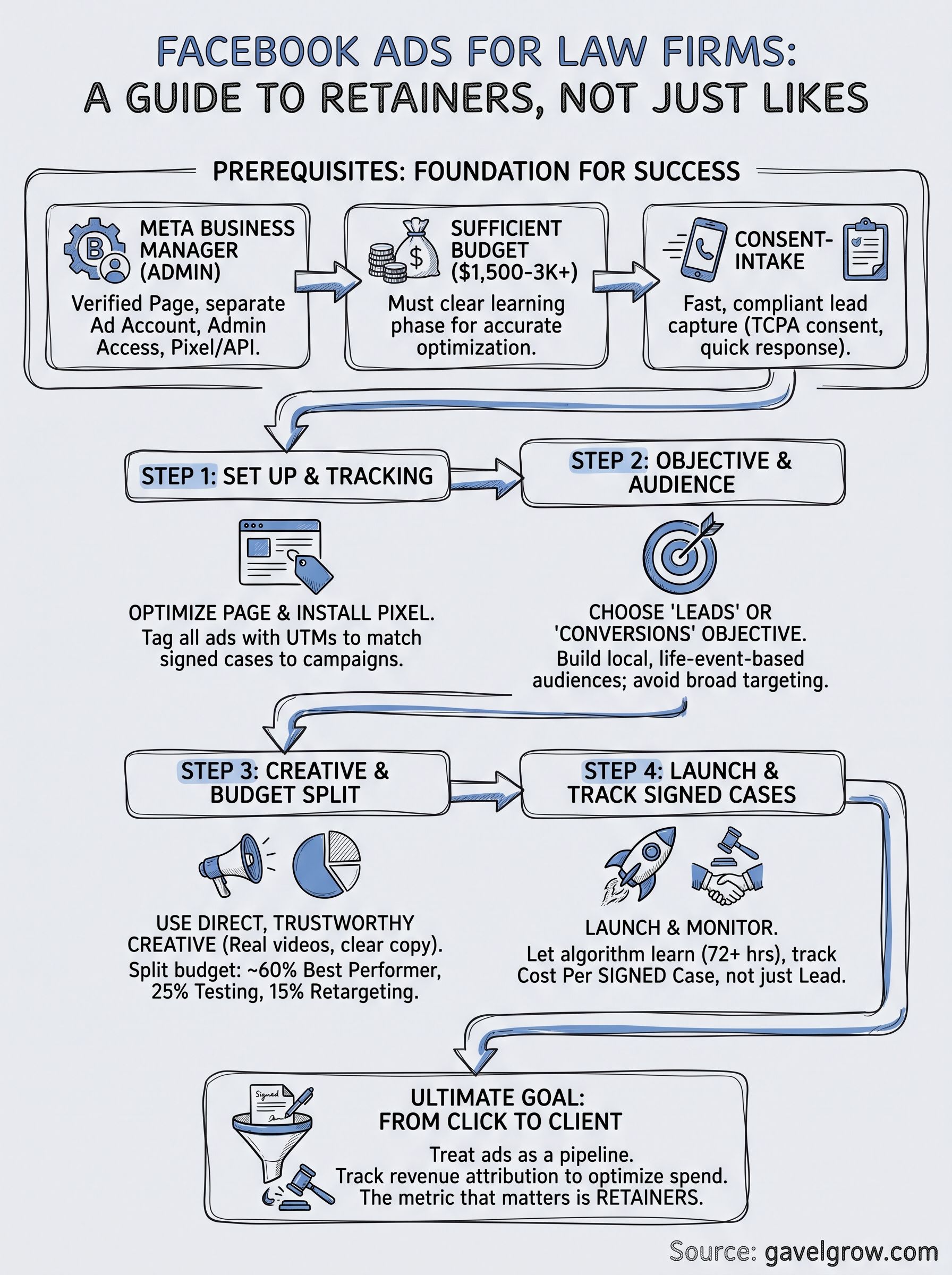
Turning Facebook clicks into signed clients
Facebook ads work for law firms when you treat the platform like a lead pipeline, not a billboard. That means a Business Manager set up correctly, a budget that survives the learning phase, audiences built around who actually hires an attorney in your practice area, and creative that reads like a real person talking, not an agency pitch. None of that matters, though, if a signed lead sits unanswered for three hours because your intake process couldn't keep pace with the campaign.
The firms that turn ad spend into retainers are the ones tracking cost per signed case, not cost per lead, from day one. If you want to see where your current numbers fall before you commit another dollar to Facebook, schedule a free 45-minute paid social review and walk through your funnel with someone who's done this for legal clients specifically.
Frequently asked questions about Facebook ads for law firms
How much should a law firm spend on Facebook ads to start?
Enough to clear the learning phase, which a few hundred dollars a month will not do. Below that, the campaign never gathers enough conversion signal to learn who actually converts, so every lead costs more than it should and the data never becomes reliable enough to judge.
Why do most law firm Facebook campaigns fail?
Usually targeting or intake, not the platform. Firms run one broad campaign, get slow leads, and conclude Facebook does not work for legal. The same feed produces signed cases for firms that target by practice area and answer fast, because the follow-up decides the outcome.
Which practice areas actually work on Facebook?
Personal injury, family law and criminal defense all sign cases from Facebook, because the need is often unplanned and people are reachable before they think to search. Practice areas where the client researches for weeks tend to do better on search than in a social feed.
What campaign objective should a law firm choose?
Pick the objective that matches the action you actually want, not reach or engagement. Optimizing for likes teaches the system to find people who like posts. Optimizing for a completed intake form teaches it to find people who fill in intake forms, which is what you are paying for.
Do Facebook ads for law firms need consent handling?
Yes. Any form that collects a phone number for follow-up needs consent captured and recorded at the point of submission, not added afterwards. Build that into the form before the first ad runs, and keep the record, because reconstructing consent later is not possible.
Frequently Asked Questions
How much should a law firm spend on Facebook ads to start?
Enough to clear the learning phase, which a few hundred dollars a month will not do. Below that, the campaign never gathers enough conversion signal to learn who actually converts, so every lead costs more than it should and the data never becomes reliable enough to judge.
Why do most law firm Facebook campaigns fail?
Usually targeting or intake, not the platform. Firms run one broad campaign, get slow leads, and conclude Facebook does not work for legal. The same feed produces signed cases for firms that target by practice area and answer fast, because the follow-up decides the outcome.
Which practice areas actually work on Facebook?
Personal injury, family law and criminal defense all sign cases from Facebook, because the need is often unplanned and people are reachable before they think to search. Practice areas where the client researches for weeks tend to do better on search than in a social feed.
What campaign objective should a law firm choose?
Pick the objective that matches the action you actually want, not reach or engagement. Optimizing for likes teaches the system to find people who like posts. Optimizing for a completed intake form teaches it to find people who fill in intake forms, which is what you are paying for.
Do Facebook ads for law firms need consent handling?
Yes. Any form that collects a phone number for follow-up needs consent captured and recorded at the point of submission, not added afterwards. Build that into the form before the first ad runs, and keep the record, because reconstructing consent later is not possible.