How to Build a Law Firm Testimonials Page Within Bar Rules
Categories: Legal Marketing Strategies
 Abram Ninoyan
Founder & Senior Performance Marketer
Credentials: Google Partner, Google Ads Search Certified, Google Ads Display Certified, Google Ads Measurement Certified, Google Analytics (IQ) Certified, HubSpot Inbound Certified, HubSpot Social Media Marketing Certified, Conversion Optimization Certified
Expertise: Google Ads, Meta Ads, Conversion Rate Optimization, GA4 & Google Tag Manager, Lead Generation, Marketing Funnel Optimization, PPC Management
LinkedIn Profile
To build a law firm testimonials page, ask every client for feedback at a fixed point in the matter, get written consent, edit each quote so it makes no promises, and publish it with the disclaimer yo...
Key Takeaways
- How to Build a Law Firm Testimonials Page Within Bar Rules
- Why does a law firm testimonials page need rules first?
- Step 1. Ask every client for feedback
- Step 2. Get consent and edit each quote
How to Build a Law Firm Testimonials Page Within Bar Rules
To build a law firm testimonials page, ask every client for feedback at a fixed point in the matter, get written consent, edit each quote so it makes no promises, and publish it with the disclaimer your state bar expects. Then review the page every quarter.
The problem is that a testimonial is your strongest trust signal and a regulated claim at the same time. A glowing quote that names a result, calls you the "best," or reveals case details can break your state's advertising rules or your confidentiality duties. Many firms react by burying a few stale quotes on a page nobody visits, or by skipping testimonials altogether.
This guide covers the rules first, then four steps: asking for feedback, handling consent and edits, building and placing the page, and keeping it current. GavelGrow has worked only with law firms since 2015, so the advice focuses on the decisions a managing partner or marketing director actually has to make.
Why does a law firm testimonials page need rules first?
A testimonials page needs rules first because regulators treat testimonials as advertising, so the standards that govern your ads govern your page. Settle those standards before you collect a single quote.
What the page does for your firm
Prospects comparing firms want proof from real clients before they call. A testimonials page gathers that proof in one place, and the same quotes reused on practice area and contact pages carry it to the moment of decision. It supports a strong intake process. It does not replace one.
A testimonial is advertising, so hold it to the same standard as any ad your firm runs.
Rules to check before you publish
Rules vary by state, so check your own bar's current advertising rules, or ask ethics counsel, before you publish. ABA Model Rule 7.1 bars false or misleading communications about a lawyer's services, and most states build on it. Ask these questions about your jurisdiction:
- Does it require a disclaimer, such as a statement that past results do not guarantee a similar outcome?
- Does it restrict testimonials that mention results or compare you to other lawyers?
- Does it limit words like "specialist" or "expert"?
- Would the quote reveal anything covered by confidentiality (Model Rule 1.6)?
Fake testimonials are also a federal problem. A Federal Trade Commission rule that took effect in 2024 prohibits fake or fabricated reviews and testimonials. Never write, buy, or invent a quote, and never promise or imply results.
Step 1. Ask every client for feedback
Ask every client, at the same point in every matter, by email with a direct link. Do not screen who gets asked.
Pick a fixed trigger
Choose a milestone for each practice area: the case closes, the estate plan is signed, the decree is entered, the settlement is disbursed. For ongoing matters, ask after a natural milestone. Ask every client, not only the happy ones. Google's review policies prohibit selective asking, routing unhappy clients to a private form before they can post publicly, and rewarding reviews. If a client has a complaint, resolve it with them directly.
Ask everyone at the same moment, and never filter or reward the answers.
Send an easy request
Keep the email short and give three open questions. Do not ask about the outcome, because outcome answers are the quotes you cannot use. Copy this template:
Subject: Would you share your experience with [Firm Name]?
Hi [First Name],
Thank you for trusting us with your [matter type]. We would value
your honest feedback on working with our team:
1. What was going on when you decided to call a lawyer?
2. What was it like working with our team?
3. What would you tell someone in a similar situation?
Reply to this email, or post a public review here: [Google review link].
If you reply, we will ask your permission before sharing anything
on our website.
Thank you,
[Name]
Step 2. Get consent and edit each quote
Get written permission for every quote, and edit only for length and clarity. Never change the meaning or add a claim.
Get written permission
A reply to your email is feedback, not consent to publish. Send a short release that lets the client choose how they appear: full name, first name and last initial, initials, or anonymous. Sensitive practice areas such as family, criminal defense, and immigration often call for the less identifying options. Keep every signed release on file with the exact text you published.
I give [Firm Name] permission to publish the following statement on
its website and marketing materials, shown as [full name / first name
and last initial / initials only / anonymous]. I understand the firm
may shorten it without changing its meaning, and I may withdraw
permission at any time by emailing [address].
Edit out the risky parts
Trim quotes to two to four sentences and fix typos, but keep the client's voice. Cut superlatives, outcomes, and case details. Here is how that looks in practice:
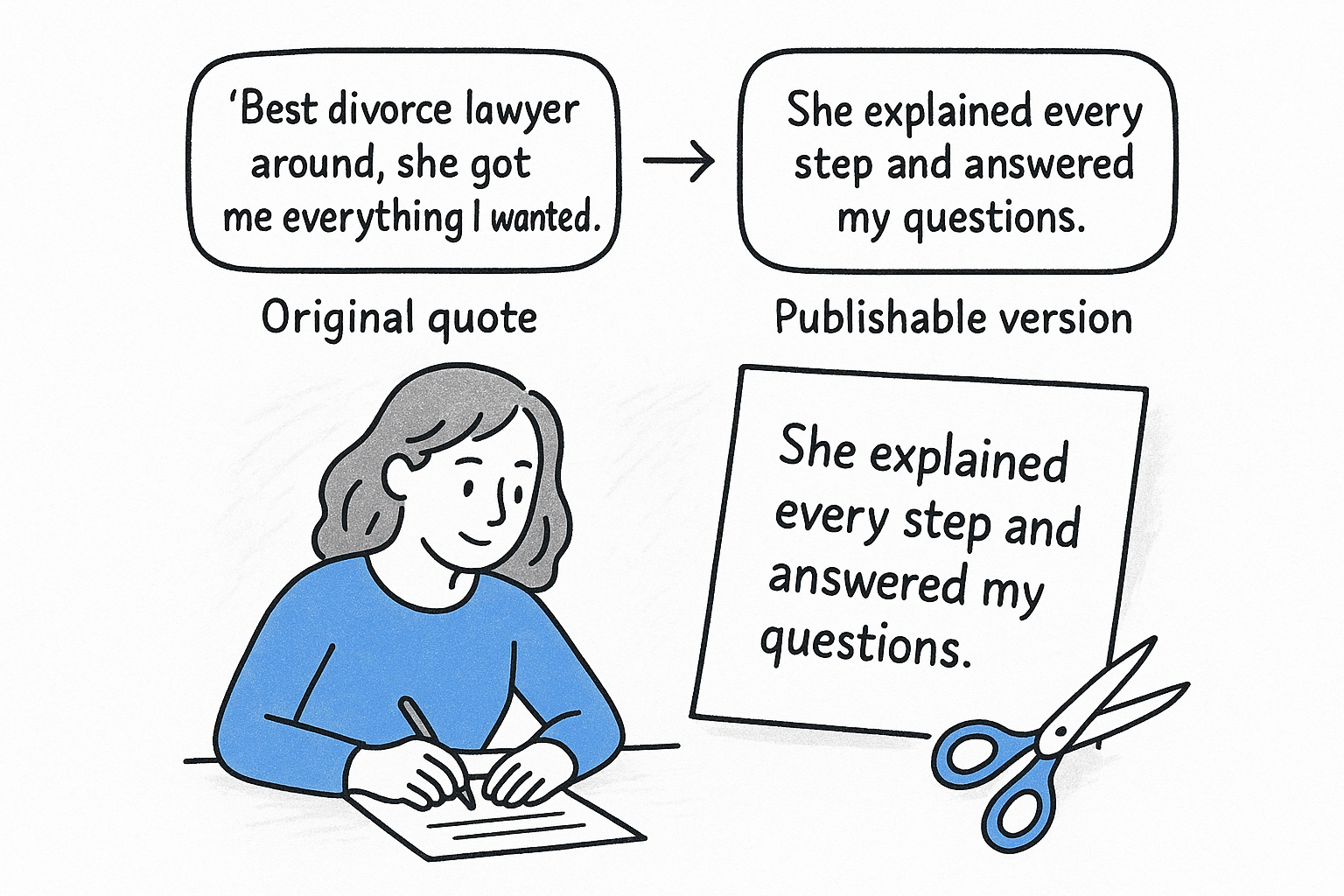
If a quote only works with the result in it, do not use it. Get a new one instead.
Edit for length and tone, never for meaning, and drop any quote that depends on the result.
Step 3. Build the page and place quotes
Build a dedicated page with a short intro, a disclaimer near the top, and quotes sorted by practice area. Then reuse the best ones where prospects decide to call.
Structure the page
Start with six to ten approved quotes rather than a long, weak list. Use this layout:
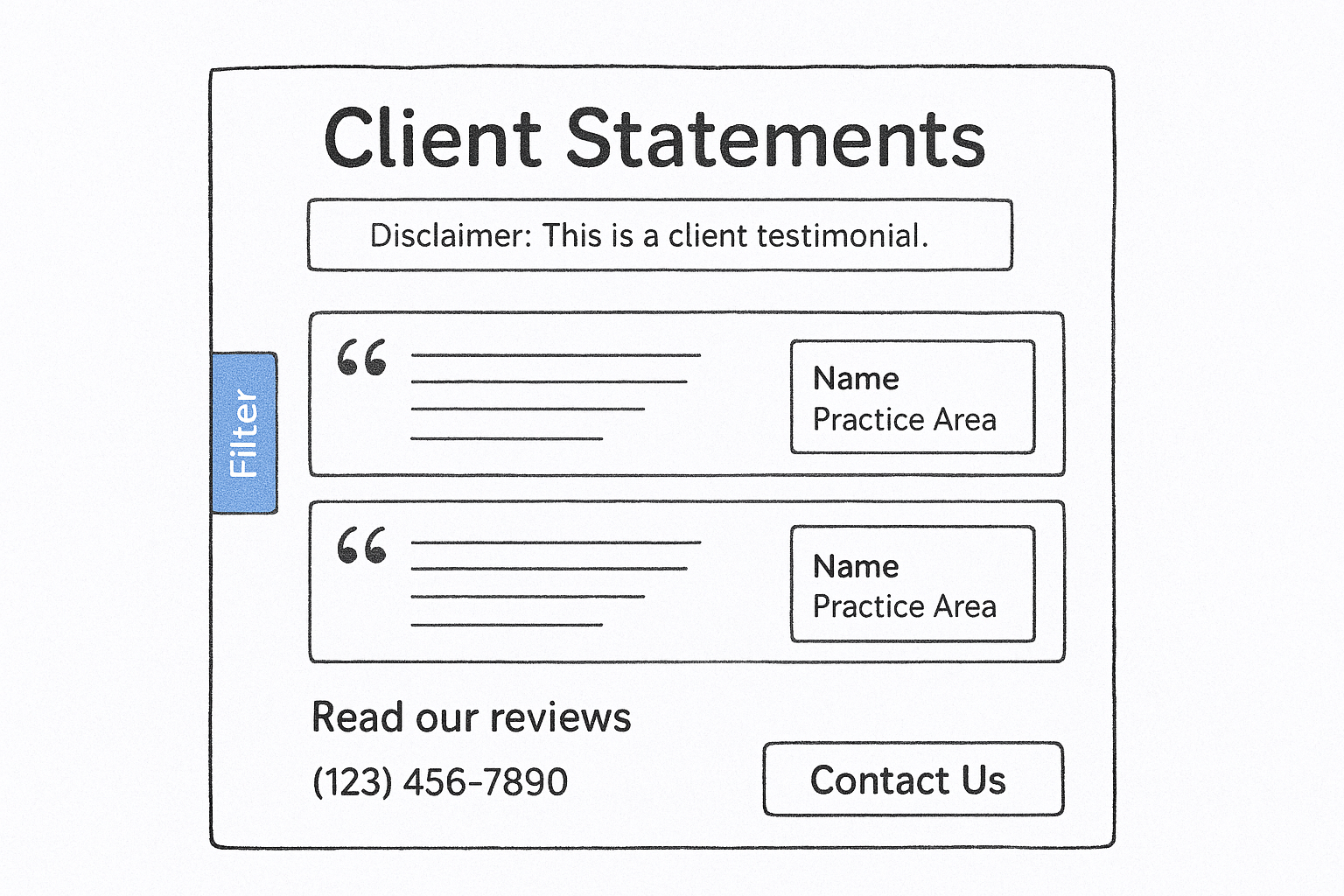
- A headline and one sentence explaining that these are client statements.
- Your state-required disclaimer, visible without scrolling.
- Each quote with the name format the client approved and the practice area.
- A filter or section break by practice area.
- A link to your public Google reviews, so visitors can see unedited feedback.
- A call to action at the bottom: your phone number and intake form.
Put quotes where decisions happen
Many visitors never see the testimonials page, so move the proof to them. Place a relevant quote on each practice area page, beside the intake form, and on attorney bios. Match quote to page: a DUI page should show a DUI client, not an estate planning one. Repeat the disclaimer wherever a quote appears. If your forms and landing pages convert poorly even with strong proof, conversion rate optimization on intake forms and call handling is the next lever.
A quote on the page where someone is about to call does more work than a quote on a page they never open.
Step 4. Review, measure, and refresh
Review the page every quarter: add new quotes, retire old ones, recheck your bar's rules, and track whether calls and forms come in.
Run a quarterly checklist
- Add new quotes from clients who recently consented.
- Retire quotes that are several years old or name an attorney who has left.
- Reread your state bar's advertising rules and confirm every disclaimer is in place.
- Respond professionally to every public review, without revealing confidential information.
Measure what the page does
A testimonials page is only useful if visitors act on it. Track calls and form submissions by campaign, and follow them through to signed cases. GavelGrow's platform does this with per-campaign call tracking numbers and hosted intake forms that report conversions to your own GA4, Meta Pixel, or Google Tag Manager. Judge the page by signed cases, not by traffic.
Measure the page by signed cases, not by how many people visit it.
Start with the quotes you already have
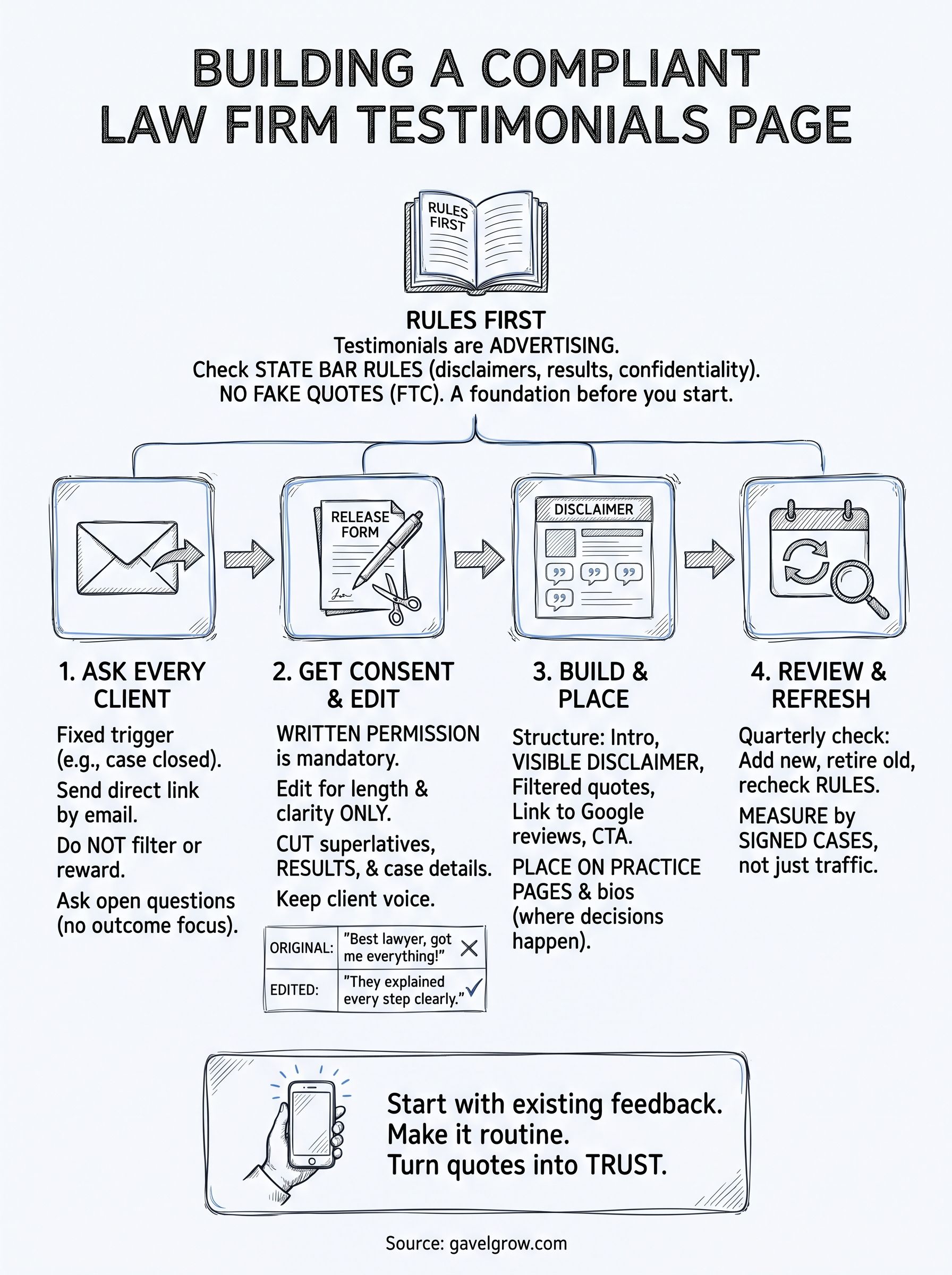
Collecting testimonials is simple once you make it routine: ask everyone, get written consent, edit for length instead of meaning, and publish with the disclaimer your bar expects. Place the strongest quotes where prospects are about to call, and review the page every quarter so it never goes stale.
Begin with the feedback you already hold in old emails and public reviews. Ask those clients for permission, and send the request template to every client who finishes a matter from now on. If you want help turning more of those visitors into signed cases, book a free strategy call with GavelGrow.