Local SEO Keyword Research for Law Firms in 5 Steps
Categories: Legal Marketing Strategies
 Abram Ninoyan
Founder & Senior Performance Marketer
Credentials: Google Partner, Google Ads Search Certified, Google Ads Display Certified, Google Ads Measurement Certified, Google Analytics (IQ) Certified, HubSpot Inbound Certified, HubSpot Social Media Marketing Certified, Conversion Optimization Certified
Expertise: Google Ads, Meta Ads, Conversion Rate Optimization, GA4 & Google Tag Manager, Lead Generation, Marketing Funnel Optimization, PPC Management
LinkedIn Profile
Local SEO keyword research for a law firm means finding the practice area and location phrases that future clients type into Google, then choosing the ones that match the cases you want and giving eac...
Key Takeaways
- Local SEO Keyword Research for Law Firms in 5 Steps
- Why does local keyword research work differently for law firms?
- Step 1. Build your practice area and place grid
- Step 2. What words do clients actually use?
Local SEO Keyword Research for Law Firms in 5 Steps
Local SEO keyword research for a law firm means finding the practice area and location phrases that future clients type into Google, then choosing the ones that match the cases you want and giving each one a home on your website or Google Business Profile. Work through five steps. Build a practice area and place grid, collect the words clients really use, check what Google shows for each term, pick the keywords worth a page, and map them to your pages and profile.
Most firms get stuck because they start with a tool. They take the biggest number on the screen and end up targeting "free legal advice" or a case type they do not handle. In small markets, tools show zero searches for phrases that still bring in calls. A lawyer's vocabulary also rarely matches how someone in a crisis describes the problem, so pages rank for nothing and the phone stays quiet.
This guide fixes the order. You start with your own practice areas, offices, and intake records, then use Google's free sources to confirm what the market does. GavelGrow has marketed only for law firms since 2015, so every example here is a legal one. Where a step needs a template, you can copy it straight into a spreadsheet.
Key Takeaways
- What is a local keyword for a law firm? A practice area paired with a city, county, or neighborhood.
- Where do the best keyword ideas come from? Your intake calls, forms, and Search Console, before any tool.
- Do you need "near me" on your pages? No, Google reads the searcher's location.
- How many pages do you need? One per practice area and office, each with real local detail.
- How do you know it worked? Calls and signed cases, not rankings alone.
Why does local keyword research work differently for law firms?
Local keyword research works differently for law firms because clients search by situation and urgency, and Google decides which firms to show based on where the searcher is. The useful keyword is therefore a practice area tied to a place, not a generic legal term. You also research for several result types at once, since one search can show ads, a map, and organic listings.
What local keyword research covers
Local keyword research is the work of finding the terms people use when they look for a lawyer in a specific area. Some name the place, such as "[practice area] lawyer [city]". These are explicit local keywords. Others, like "divorce lawyer", never name a place, yet Google still returns nearby firms because it reads the searcher's location. These are implicit local keywords, and you can rank for them without the city in your copy.
That distinction changes how you write. You do not need to put "near me" on your pages. Google works out "near me" from the searcher's location and your profile data, so repeating the phrase adds nothing. Spend those words on the practice area and the places you actually serve.
Where local keywords show up in Google
A local legal search can return up to three zones, and each runs on different inputs. For the map results, Google names relevance, distance, and prominence as its local ranking factors. Keyword research mostly feeds relevance, which is how well your profile and pages match the search. You cannot change distance, and prominence builds slowly through reviews and reputation.
What to have ready before you start
Gather these before you open a browser tab. Each one saves you from guessing later.
- Every practice area you want more of, and every case type you decline
- Every office, plus the cities and counties you serve
- A few months of intake notes, call recordings, and form submissions
- Access to Google Search Console and your Google Business Profile
- A blank spreadsheet with one row per keyword
The keyword that wins cases is a practice area tied to a place, backed by a page or profile that proves you serve it.
Step 1. Build your practice area and place grid
Build the grid by listing every case type you want, listing every place you serve at several levels of detail, and combining the two. The grid turns a vague goal like "rank in our city" into a concrete list of searches you can check one by one.

List case types, not departments
Break each practice area into the case types clients actually search. Personal injury becomes car accident, truck accident, motorcycle accident, and slip and fall. Family law becomes divorce, child custody, child support, and prenuptial agreements. Mark the ones you want more of and the ones you refuse, because a keyword for a case you decline is wasted traffic. If you want a view of how marketing differs by field, GavelGrow's practice-area solutions pages walk through it.
List places at several levels
Clients describe location in more than one way, so list each level that applies to your firm. Criminal defense and DUI searches often center on the county, because that is where the court sits. Injury and family searches lean toward city and neighborhood. Write "lawyer" and "attorney" versions of each phrase, since both are common.
Add the Spanish-language versions only if your firm can serve Spanish-speaking clients in practice, not just on paper.
Multiply them into a grid
Take a family law firm with offices in two cities. It also serves a nearby third city and two counties. It handles four case types: divorce, child custody, child support, and prenuptial agreements. That is 4 case types times 5 places, or 20 combinations. Add both "lawyer" and "attorney" and you have 40 phrases. That looks like a lot, but Step 3 will cut those 40 phrases down to 9 pages.
A grid of case types and places turns "rank in our city" into a finite list you can test, score, and finish.
Step 2. What words do clients actually use?
Clients use plain, situational words, and your own intake records show them first. Start with calls, forms, and emails, then confirm and expand with Google's free sources. Do this before touching a volume number, because tools only measure phrases you already thought to type.
Mine your intake records
Read the last few months of call recordings, form submissions, and intake notes. Pull out how people describe the problem in their first sentence. Someone in a crisis says "my husband wants a divorce and I have no job", not "contested dissolution with spousal support." Copy the exact phrases into your spreadsheet. Terms vary by state and region, so use your own market's words.
Use Google's own suggestions
Type a practice area and city into Google and read the autocomplete suggestions before you press enter. Then scroll to the "People also ask" box and the related searches at the bottom. Do it in a private window so your history does not skew results. Add each useful phrase to the sheet. These suggestions come from real searches, so they cost nothing and carry no guesswork.
Pull queries from Search Console
If your site is verified, the Search Console Performance report lists the searches your site already appears for, with impressions and clicks. Filter queries containing your city, then sort by impressions. Phrases with many impressions and few clicks are quick wins, because Google already links one of your pages to the topic and the page only needs to answer it better.
Add rough demand with Keyword Planner
Google's Keyword Planner sits inside Google Ads, and you need an account to use it. You do not have to run a campaign. Set your target city or metro and enter your seed phrases. Expect broad ranges instead of exact counts unless you spend on ads. Treat the numbers as a rough guide, because a phrase searched a few dozen times a month can still be worth a page if each caller is a valuable case.
Your intake calls tell you what clients say, Google's free sources tell you what the market types, and a paid tool is optional.
Step 3. Which keywords deserve a page?
A keyword deserves a page when it fits the cases you want, shows local intent in Google's results, and has demand and competition you can work with. Check the results page first, then remove the wrong-fit terms, then score what is left.

Search each term the way a client would
Open a private window and search your priority terms. Note which zones appear and who wins them. Results shift with location, so repeat the search from different parts of your service area, or ask someone at another office to do it. Conversational searches, like "who is a good divorce lawyer in [city]", can also bring up an AI answer above the usual results, which rewards the same clear, local, specific pages.
Remove terms that attract the wrong cases
Cut phrases built around words like "free," "cheap," "legal aid," "pro bono," "forms," or "represent myself." They bring people who cannot or will not hire you. Next, check geography. A volume figure that looks high for your city may come from a town with the same name in another state, so confirm the searches match your real service area. Finally, cut case types you decline.
Keep thin-market terms for real offices
If you have an office in a town, create the page even when a tool shows zero searches. Tools often cannot measure small markets, so zero usually means too little data, not no demand. Do not stretch this to every suburb. Build pages for cities and counties where you have an office or do real work, and cover the rest in your service-area text.
Score what is left
Use a simple rubric that you control. Score each phrase from 1 to 3 on four criteria: fit with the cases you want, clear intent to hire, demand, and how winnable the results look (3 is easiest). A total of 9 or more earns a page, and a fit score of 1 is an automatic cut.
Applied to the family law firm's 40 phrases, this leaves 9 pages. Both office cities get all four case types (8 pages), and the nearby city gets one divorce page (1 page). The counties are covered in service-area text and profile settings.
Score every phrase for fit first, because a high-volume keyword for a case you will not take costs you more than it earns.
Step 4. Map keywords to pages and your profile
Map keywords by giving every page one primary keyword and a few close variants, then reflect the same terms in your Google Business Profile. Each page should target one practice area in one place, and the profile should name the services you really offer.
Build a keyword map
Record each decision in a sheet so you can spot gaps. Group close variants under one page, since "divorce lawyer [City A]" and "divorce attorney [City A]" belong together. Copy this header into a spreadsheet to start:
Primary keyword,Variants,Practice area,Place,Intent,Monthly searches,Map pack shown,Target URL,Status,Current position
Write pages that deserve to rank
Put the primary keyword in the title tag, H1, and opening paragraph, then earn the page with detail only your firm has. Add the office address and directions, the courthouse or court your cases go through, the attorneys who handle the matter, and answers to the questions callers ask. Do not copy one page and swap the city name. Google's spam policies treat pages targeted at specific cities or regions, built only to funnel visitors, as doorway abuse.
Also check your state bar's advertising rules before you publish. Rules differ by state on words like "specialist" and "expert", and you should never promise results. Searchers type "best divorce lawyer [city]", and you can research that phrase, but do not put "best" or "top" on your own pages.
Apply the same terms to your Google Business Profile
Choose a primary category that matches your main practice area, such as "Personal injury attorney" or "Divorce lawyer", and add other categories only if they are accurate. List the services you offer and write the description for clients, not for rankings. Keep the business name as your real name, since stuffing keywords into it breaks Google's guidelines.
Reviews carry local keywords naturally, because clients mention the case type and the city. Ask every client for a review, resolve complaints with the client directly, and respond professionally to every public review. Do not offer incentives, and do not ask only happy clients.
One page per practice area and place, backed by an accurate profile, beats fifty near-identical city pages.
Step 5. Are your keywords producing cases?
Your keywords are producing cases when calls and signed retainers from local search rise, not only when rankings move. Track three layers: visibility, contact, and outcome. Rankings alone can improve while the phone stays quiet.
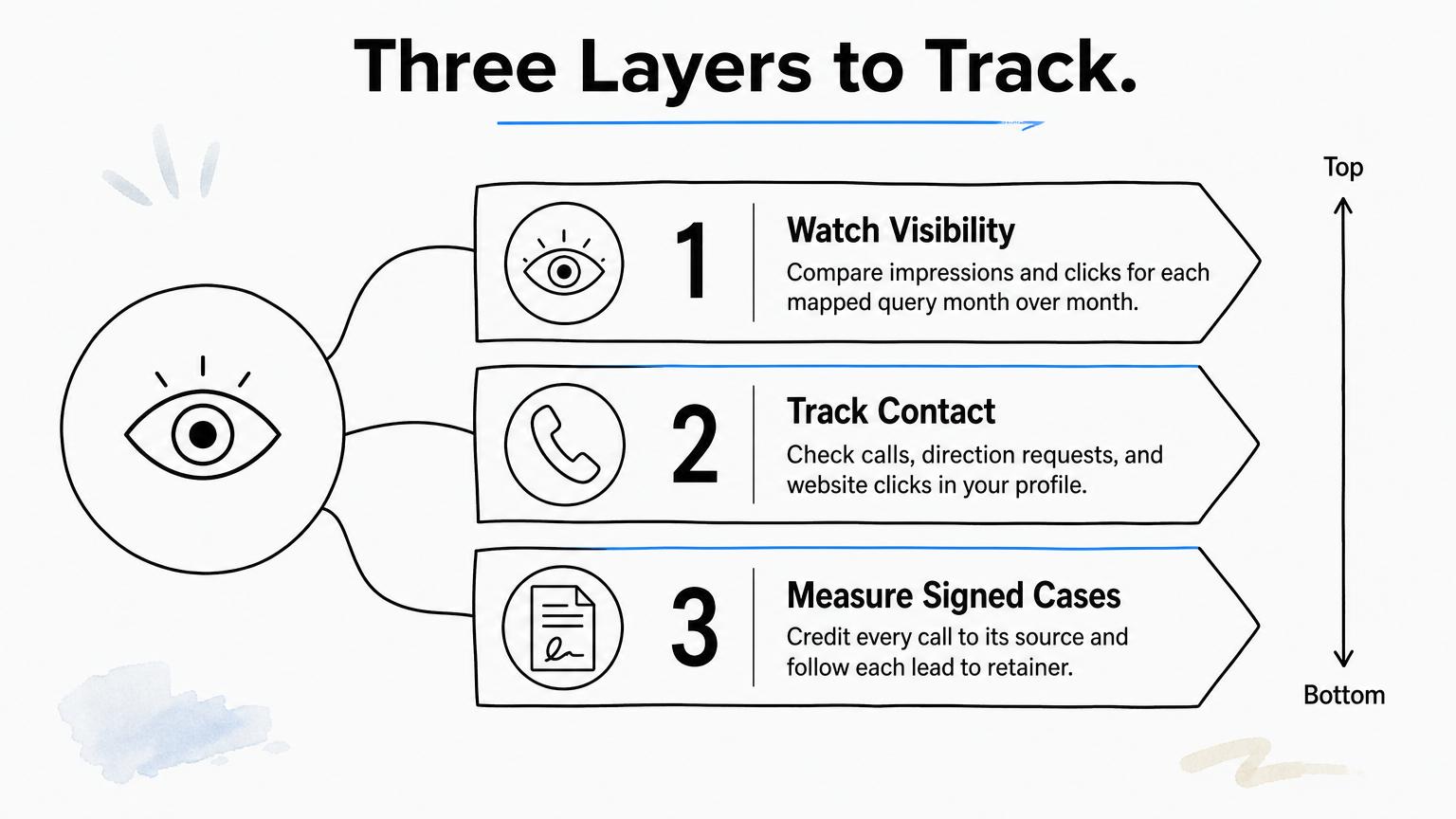
Watch visibility
In Search Console, compare impressions and clicks for each mapped query month over month. In your Business Profile performance view, check the searches that showed your listing, along with calls, direction requests, and website clicks. Search the priority terms from the neighborhoods you serve, since map results shift with the searcher's location.
Tie keywords to signed cases
Visibility only matters if it ends in a signed retainer. Give each source its own tracking number, such as your website and your ad campaigns, so every call is credited to where it came from. Whichever number setup you choose, keep your firm's name, address, and phone details consistent across your site and listings. Then follow each lead through intake to a signed case. GavelGrow's platform does this with built-in call tracking and click-to-signed-case attribution, including the leads that only ever phoned.
Review the list twice a year
Revisit the grid every six months, and again when you add a practice area or office. Move pages that earn calls up your priority list. Rework pages with impressions but no clicks, and retire keywords that bring the wrong cases.
A keyword is working when it produces signed cases, so measure the case, not just the ranking.
Frequently Asked Questions
How can you do local keyword research for free?
You can cover most of it with four free sources. Google autocomplete and the "People also ask" box show real phrasing. The Search Console Performance report lists queries your site already appears for and keeps 16 months of data. Keyword Planner is free inside a Google Ads account but often shows broad ranges unless you run ads. Google Trends compares relative interest over time, not search counts. Together they are enough for a firm working one market.
Should you put "near me" on your pages?
No, you do not need it. When someone searches "lawyer near me", Google substitutes the searcher's actual location and ranks firms using relevance, distance, and prominence. Repeating the phrase on a page does not change your distance. Spend your words on the practice area and the cities you serve, and make sure your Google Business Profile address, categories, and service area are accurate.
How many keywords does a law firm need?
Count pages, not phrases. In the worked example, a family law firm had 40 possible phrases but needed only 9 pages, because close variants share a page. Cover each case type you want in each office city, add pages for served cities only where you do real work, and handle small areas in service-area text. A solo firm may need fewer than ten pages.
Do keywords in your Business Profile help you rank on Maps?
They help only when they reflect what you actually do. Your primary category and accurate services tell Google what your profile is relevant to. Do not add keywords to your business name, because Google's guidelines require your real-world name, and violations can lead to suspension. Write the description for clients. Reviews and proximity matter alongside it.
How often should you repeat local keyword research?
Repeat it about every six months, and again when you add a practice area, open an office, or start serving a new county. Search Console keeps 16 months of query data, which is enough to see seasonal swings. Check which pages gained impressions, which phrases bring calls, and whether new wording shows up in your intake notes.
Do you need a separate page for every city you serve?
No. Build a city page when you have an office there or do real work in that area, and give it local detail like the courthouse, directions, and relevant attorneys. Google's spam policies single out pages targeted at specific cities or regions, and swapping only the city name is the classic problem. For smaller towns, list them in your service-area text.
Where to go from here
Local SEO keyword research comes down to a repeatable order. Build the grid from your own practice areas and offices, collect the words clients use, check the results page, score each term, and map the winners to pages and your Google Business Profile. Then measure calls and signed cases, and revisit the list twice a year.
Doing this well takes steady attention, and it tends to slip when the caseload gets heavy. If you would rather have a legal-only team build the keyword map, the pages, and the profile for you, GavelGrow offers done-for-you local SEO for law firms.
Frequently Asked Questions
How can you do local keyword research for free?
You can cover most of it with four free sources. Google autocomplete and the "People also ask" box show real phrasing. The Search Console Performance report lists queries your site already appears for and keeps 16 months of data. Keyword Planner is free inside a Google Ads account but often shows broad ranges unless you run ads. Google Trends compares relative interest over time, not search counts. Together they are enough for a firm working one market.
Should you put "near me" on your pages?
No, you do not need it. When someone searches "lawyer near me", Google substitutes the searcher's actual location and ranks firms using relevance, distance, and prominence. Repeating the phrase on a page does not change your distance. Spend your words on the practice area and the cities you serve , and make sure your Google Business Profile address, categories, and service area are accurate.
How many keywords does a law firm need?
Count pages, not phrases. In the worked example, a family law firm had 40 possible phrases but needed only 9 pages, because close variants share a page. Cover each case type you want in each office city, add pages for served cities only where you do real work, and handle small areas in service-area text. A solo firm may need fewer than ten pages.
Do keywords in your Business Profile help you rank on Maps?
They help only when they reflect what you actually do. Your primary category and accurate services tell Google what your profile is relevant to. Do not add keywords to your business name, because Google's guidelines require your real-world name, and violations can lead to suspension. Write the description for clients. Reviews and proximity matter alongside it.
How often should you repeat local keyword research?
Repeat it about every six months, and again when you add a practice area, open an office, or start serving a new county. Search Console keeps 16 months of query data, which is enough to see seasonal swings. Check which pages gained impressions, which phrases bring calls, and whether new wording shows up in your intake notes.
Do you need a separate page for every city you serve?
No. Build a city page when you have an office there or do real work in that area, and give it local detail like the courthouse, directions, and relevant attorneys. Google's spam policies single out pages targeted at specific cities or regions, and swapping only the city name is the classic problem. For smaller towns, list them in your service-area text.