Google Ads for Attorneys: How to Set Up and Track Campaigns
Categories: Legal Marketing Strategies
 Abram Ninoyan
Founder & Senior Performance Marketer
Credentials: Google Partner, Google Ads Search Certified, Google Ads Display Certified, Google Ads Measurement Certified, Google Analytics (IQ) Certified, HubSpot Inbound Certified, HubSpot Social Media Marketing Certified, Conversion Optimization Certified
Expertise: Google Ads, Meta Ads, Conversion Rate Optimization, GA4 & Google Tag Manager, Lead Generation, Marketing Funnel Optimization, PPC Management
LinkedIn Profile
The way to run Google Ads for attorneys profitably is to set up conversion tracking before you spend, build a Search-only campaign around hire-now keywords, write ads and landing pages that match each...
Key Takeaways
- Google Ads for Attorneys: How to Set Up and Track Campaigns
- How much should attorneys spend on Google Ads?
- Step 1. Set up conversion tracking first
- Step 2. Which keywords should you buy?
Google Ads for Attorneys: How to Set Up and Track Campaigns
The way to run Google Ads for attorneys profitably is to set up conversion tracking before you spend, build a Search-only campaign around hire-now keywords, write ads and landing pages that match each case type, and judge results by cost per signed case instead of cost per click. Do those things in that order and every ad dollar can be traced to a retainer.
Most firms do it in reverse. They launch ads, send clicks to the homepage, and look at the account a month later to find a pile of form fills and no idea which ones signed. Legal clicks cost far more than clicks in most industries, so a sloppy setup gets expensive fast. Google's default settings also spend budget on search partners, display inventory, and people outside your territory.
This guide gives you the budget math and four setup steps. It comes from GavelGrow, which has marketed only for law firms since 2015 and has served 500+ law firms since 2015. You will get a worked budget example, a keyword table, ad assets you can copy, and a weekly review routine. Check your own state bar's advertising rules before you publish anything.
How much should attorneys spend on Google Ads?
Spend what your case economics support, not what feels comfortable. A budget too small to produce usable data teaches you nothing, and a budget that ignores your fee per case can lose money even while leads roll in.
Key takeaways
These are the answers most firms want first. The rest of the guide shows you how to get each one done.
- Opening an account is free, and you pay only when someone clicks.
- Budget backward from your fee per case and your intake conversion rates.
- Start with Search campaigns, phrase and exact match, and negative keywords.
- Send signed cases back to Google so bidding learns from retainers.
- Match every ad to its own landing page and check your bar's rules.
What Google Ads costs a law firm
Opening a Google Ads account costs nothing, and you pay only when someone clicks an ad. The number that matters is the price per click. Legal keywords run from single digits for low-competition terms to well over $100 for the most contested personal injury searches in large markets. Published ranges from agencies disagree widely, which tells you the figure depends on your market, practice area, and Quality Score. Do not budget from an average.
Your budget also has a floor. As a rough rule, an ad group needs about 30 clicks a month before you can read a pattern. At $60 a click, that is $1,800 a month for one ad group. Spreading $1,500 across six practice areas gives you six experiments and no answers. Start with one practice area in one territory and fund it properly.
Work backward from case value
Start with what a signed case is worth, decide what share of the fee you will spend to win it, then divide by your conversion rates. The figures below are assumptions for illustration. Replace them with your own intake data, or run them through the cost-per-acquisition calculator.
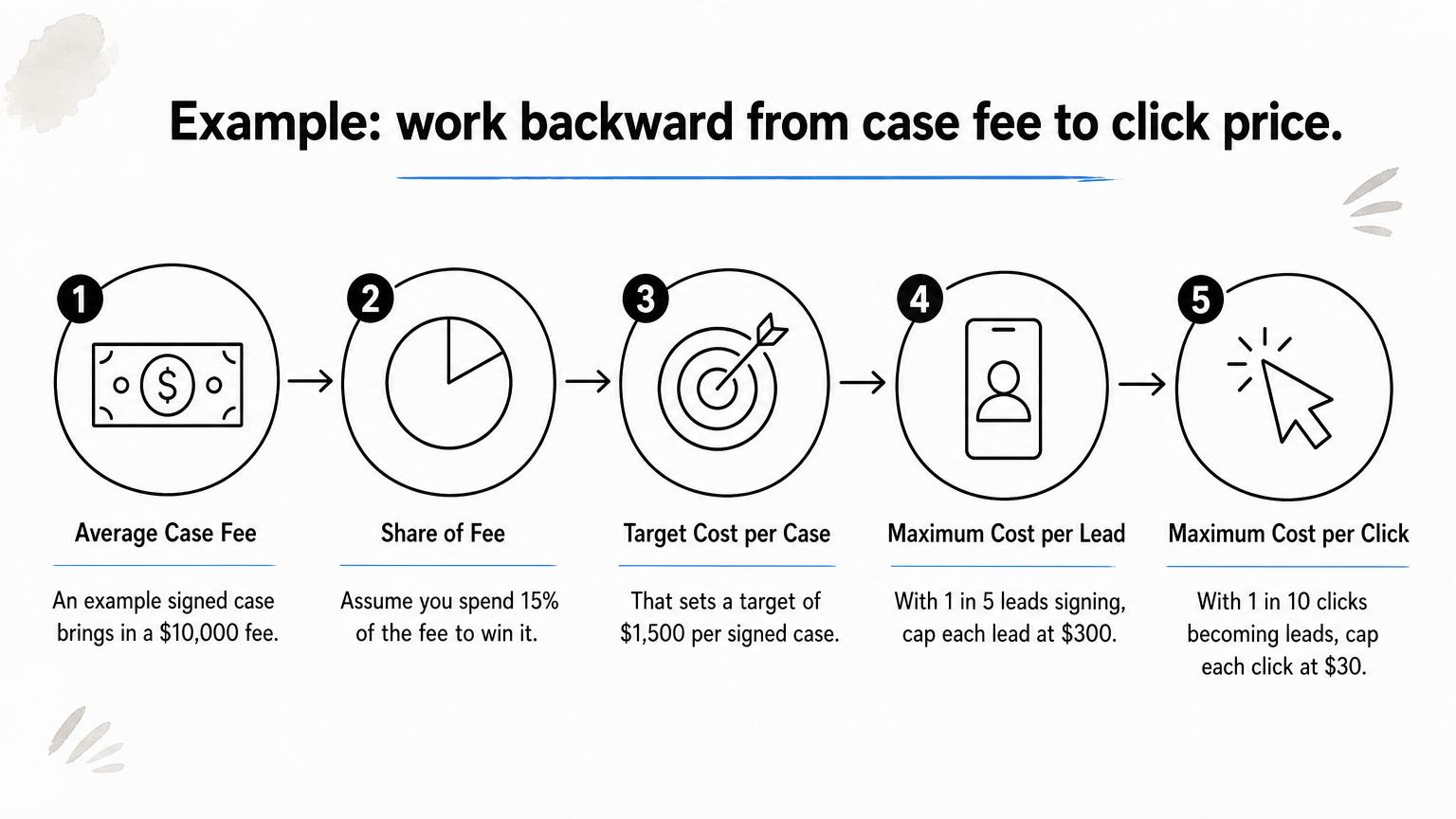
Now test your market against that ceiling. If clicks in your market cost $60, ten clicks make a $600 lead, and five leads per case makes your cost per signed case $3,000, double your target. The fix is a higher fee per case, tighter keywords, or better intake conversion. A bigger budget does not fix a broken ratio.
Budget backward from the fee on a signed case, and your maximum click price falls out of your own numbers.
Step 1. Set up conversion tracking first
Before launch, track every way a client can reach you (forms, calls, and texts) and tell Google which of those actions count. Google's bidding learns from whatever you label a conversion, so an untracked account teaches it to buy cheap clicks.
Track calls and forms
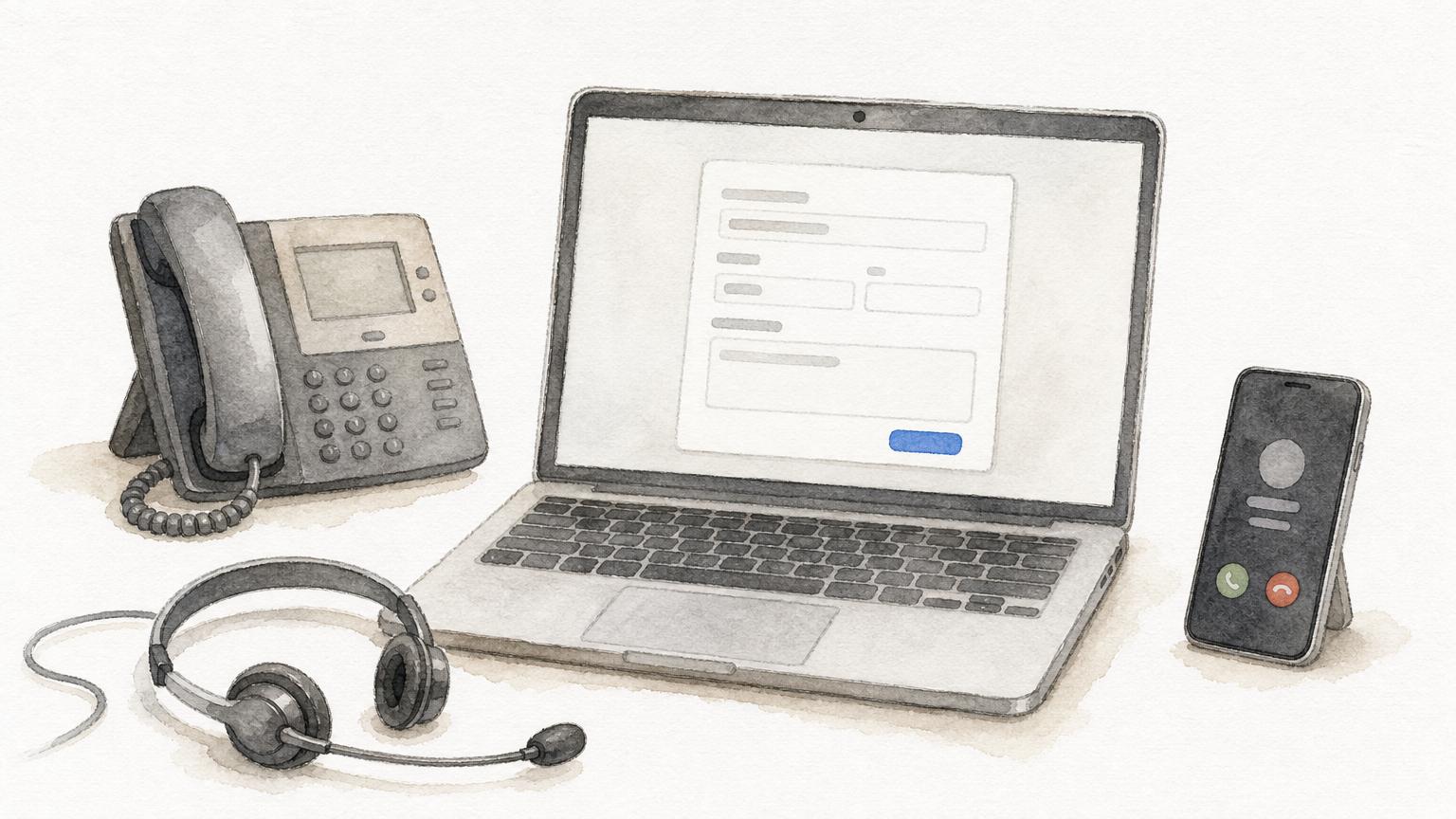
Many legal leads never touch a form. They pick up the phone. If your reporting only sees form fills, you will undervalue your best keywords and overvalue weak ones. Set up these actions before spending a dollar:
- Create the Google Ads account in your firm's own name, even if an agency will manage it, so you keep the history and the data.
- Track form submissions as one conversion action.
- Track calls from a tracking number on the landing page and click-to-call from mobile ads, with a minimum call length (60 seconds is a common starting point) to filter misdials.
- Mark only actions that produce cases as primary, because primary actions drive bidding.
On GavelGrow's platform, built-in call tracking gives each campaign its own number and credits every recorded call to the campaign that rang the phone. The hosted intake form fires conversion events to your own GA4, Meta Pixel, or Tag Manager IDs, so you see conversions inside your ad accounts.
Send signed cases back to Google
A form fill is not a client. Offline conversion import matches a signed retainer to the ad click that started it, so bidding can aim at cases instead of lead volume. Google explains how offline conversion imports work. You capture the click ID with each lead, then upload the conversion when the case signs.
You can do this by hand, through an API, or with software. On the Optimize plan ($599/month), Smart Conversions sends signed cases back to Google Ads as offline conversions at signing. Track ($199/month) includes a preview. Both start with a 7-day free trial and no credit card, and you can compare them on the pricing page. This signal helps Search campaigns only. Local Services Ads cannot accept it.
Tell Google which leads became clients, or it will keep buying you the cheapest form fills it can find.
Step 2. Which keywords should you buy?
Buy hire-now searches in a Search-only campaign, using phrase and exact match, with a negative keyword list in place on day one. Everything else in the account is a way to reach those searchers for less.
Choose campaign settings
Google's defaults favor Google's reach, not your territory. Change these when you create the campaign:
- Campaign type: Search. Leave Performance Max and Display off until tracking reports signed cases.
- Networks: untick search partners and the Display Network. Both are on by default for new Search campaigns.
- Location: choose "Presence: People in or regularly in your targeted locations." The default also reaches people who only show interest in your area. Target the counties or radius where you take cases and exclude states where you are not licensed.
- Bidding: with no conversion history, use manual CPC or maximize clicks with a CPC limit set from your Step 0 math. Move to conversion-based bidding once signed-case data accumulates.
- Structure: one campaign per practice area, and one ad group per case type, such as truck, motorcycle, and rideshare accidents.
- Schedule: run ads when someone can answer the phone. Urgent areas like DUI and criminal defense often justify around-the-clock coverage.
Target hire-now searches
Searchers move from research to hire. Early on they ask "do I need a lawyer." Later they type "car accident attorney near me." Put your money where the searching ends.
Add negatives and control match types
Phrase and exact match should carry the campaign. Broad match lets Google stretch beyond your words, so run it only in its own campaign with a capped budget and daily search-term review, if at all. Load negatives before launch, because legal search attracts job seekers, students, and people hunting for free help. A starter set:
- jobs
- salary
- careers
- how to become
- law school
- course
- template
- pro bono
Edit it for your practice area before pasting, since a negative that fits one area can block good traffic in another. Then read the search terms report weekly for the first eight weeks. It shows what you are actually buying, and it is where the expensive, non-obvious waste hides.
Buy the search that ends in a phone call, and block the searches that never could.
Step 3. Write ads and landing pages that convert
Write ads that name the case type and the next step, send each ad group to a page that repeats the same promise, and answer every lead fast. Message match tends to lower your cost per click and lift conversion at the same time.
Draft responsive search ads
Responsive search ads accept up to 15 headlines of 30 characters and four descriptions of 90 characters, which Google combines. Google documents the format. You approve the pieces, not a finished ad, so every piece must be safe on its own. Here is a starter set for a car accident ad group:
Headlines
Car Accident Attorney
Free Case Review Today
Speak With an Attorney
Injured in a Crash?
[City] Accident Attorney
No Fee Unless We Win
Descriptions
Hurt in a car accident? Call for a free case review. We answer calls and forms fast.
Our attorneys handle car accident claims. Tell us what happened and get a call back.
Swap in your city, keeping each headline at 30 characters or fewer. Use "No Fee Unless We Win" only if it is accurate for your fee structure and your state allows it. Never promise outcomes, and skip "best" and "top" claims, which many state bars restrict. Avoid dynamic keyword insertion, because it publishes text no attorney at your firm read. If an agency writes your copy, require every asset to reach you for approval before it runs.
Match the landing page and answer fast
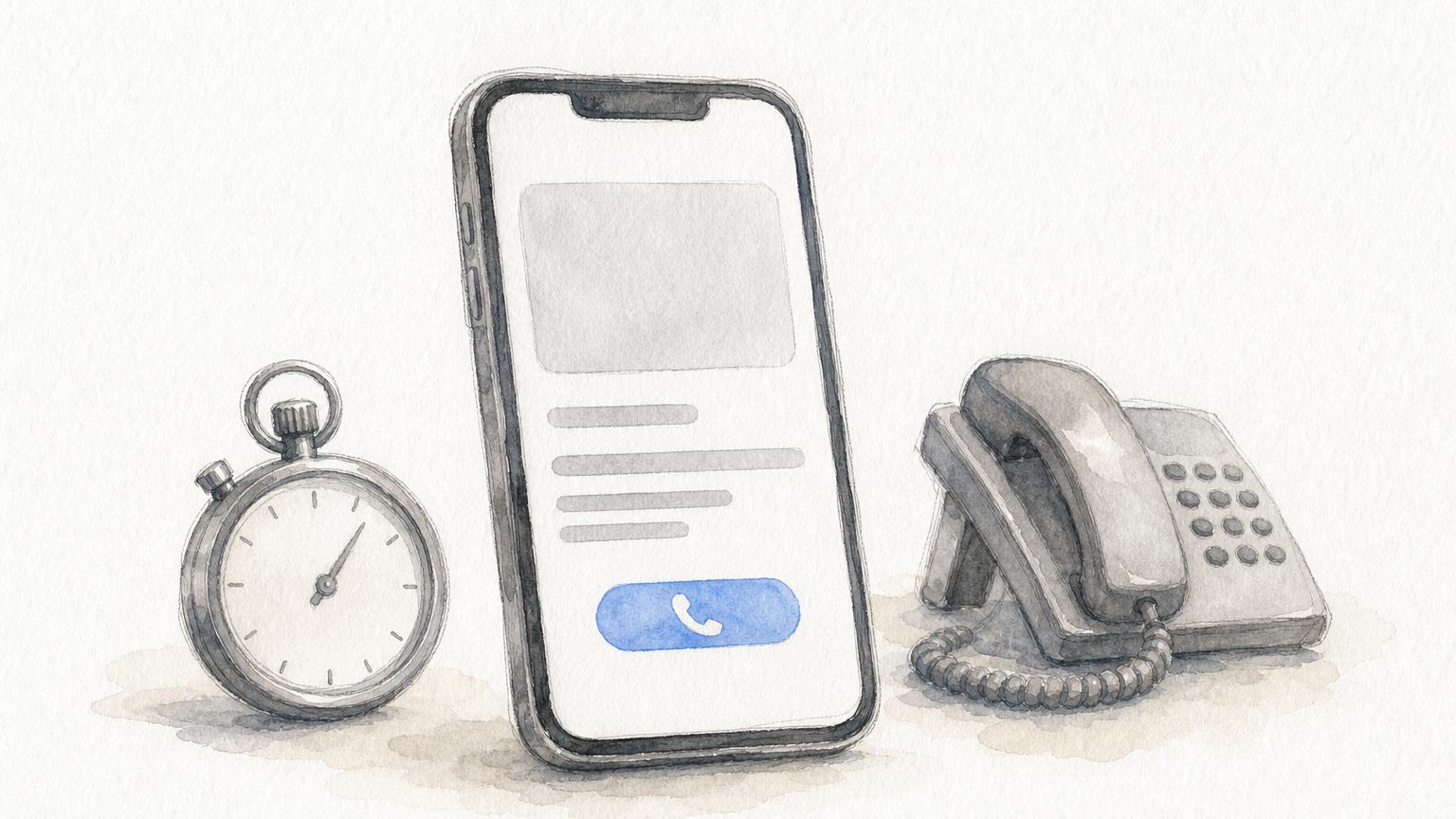
Never send ad clicks to your homepage. Each ad group needs its own page that repeats the case type and territory from the ad. Include these elements:
- A headline that echoes the ad and the search
- A click-to-call number visible on mobile without scrolling
- A short form asking for name, phone, and what happened
- Text-message consent captured at the form if you plan to text leads
- Proof you can state within your bar's rules, on a page that loads quickly on a phone
Speed after the click matters as much as the page. The Lead Response Management Study found that leads contacted within five minutes are far more likely to be qualified than leads first reached at thirty minutes. That measures the odds of qualifying a lead, not signed cases, but the direction is clear. Set a five-minute response target, and make sure missed calls trigger a follow-up.
The ad earns the click, but the page and the five-minute callback earn the case.
Step 4. Review results by signed cases
Judge the campaign by cost per signed case and signed-case volume. Everything else is diagnostic. Review weekly, change little, and give each change time to show up in the numbers.
Run a weekly review
Use the same five checks every week so you spot a pattern instead of reacting to a bad day.
Plan on 60 to 90 days before cost per signed case settles, and resist daily bid and budget edits, which keep the account in its learning phase. Legal matters also close slowly, so a click today may sign weeks from now. Read results by the month the lead arrived, not the month the case signed.
Know when to add more or get help
Once Search tracking is reliable, add Local Services Ads. They charge per valid lead and carry the Google Screened badge. Our Local Services Ads service covers that setup. Consider Performance Max only after signed cases feed back to Google, because it needs a trustworthy signal.
If you cannot review search terms and call outcomes every week, hand the work to people who will. GavelGrow's managed option is scoped on a strategy call, and ad accounts stay in your firm's name either way.
Change one thing at a time, wait for the data, and let signed cases decide.
Start with one campaign and count signed cases
Google Ads works for law firms when the setup follows the money. Work out your maximum cost per click from your fee and conversion rates. Track calls and forms, then send signed cases back to Google. Buy hire-now keywords in a Search-only campaign, match each ad to its own page, and review the numbers weekly.
Start small, with one practice area, one territory, and a budget big enough to learn from. If you would rather have a legal-only team build and run it for you, see how GavelGrow manages Google Ads for law firms, scoped on a strategy call with your ad spend paid straight to Google.