Moz Keyword Explorer: Features, Limits, And How To Use It
Categories: Legal Marketing Strategies
 Abram Ninoyan
Founder & Senior Performance Marketer
Credentials: Google Partner, Google Ads Search Certified, Google Ads Display Certified, Google Ads Measurement Certified, Google Analytics (IQ) Certified, HubSpot Inbound Certified, HubSpot Social Media Marketing Certified, Conversion Optimization Certified
Expertise: Google Ads, Meta Ads, Conversion Rate Optimization, GA4 & Google Tag Manager, Lead Generation, Marketing Funnel Optimization, PPC Management
LinkedIn Profile
Moz Keyword Explorer is one of the most established keyword research tools in SEO, offering search volume estimates, keyword difficulty scores, SERP analysis, and prioritized keyword suggestions insid...
Key Takeaways
- Moz Keyword Explorer: Features, Limits, And How To Use It
- Why does Moz Keyword Explorer matter for SEO?
- What metrics does Moz Keyword Explorer show?
- How does Moz estimate volume, difficulty, and CTR?
Moz Keyword Explorer: Features, Limits, And How To Use It
Moz Keyword Explorer is one of the most established keyword research tools in SEO, offering search volume estimates, keyword difficulty scores, SERP analysis, and prioritized keyword suggestions inside a single interface. If you're evaluating whether it belongs in your research stack, this guide breaks down exactly what it does, where it falls short, and how to get the most from each feature.
Pricing figures in this article reflect each vendor’s publicly listed rates as of July 2026 and are subject to change — always confirm current pricing on the vendor’s own site.
Picking the right keywords matters more in legal than almost any other vertical. A single personal injury term can carry a $150+ cost-per-click in Google Ads, and ranking organically for that same term can offset tens of thousands in monthly ad spend. That makes your keyword research tool a real business decision, not just a technical preference. At GavelGrow, we've run keyword strategy for over 500 U.S. law firms across paid and organic channels, so we've stress-tested Moz alongside every major competitor in the category.
This article walks through Moz Keyword Explorer's core features, its free and paid plan limits, practical steps for running keyword research, and honest comparisons with alternatives like Ahrefs and Semrush. Whether you're handling SEO in-house or vetting the work your agency sends over, you'll leave with a clear picture of what this tool can and can't do for your firm's organic growth.
Why does Moz Keyword Explorer matter for SEO?
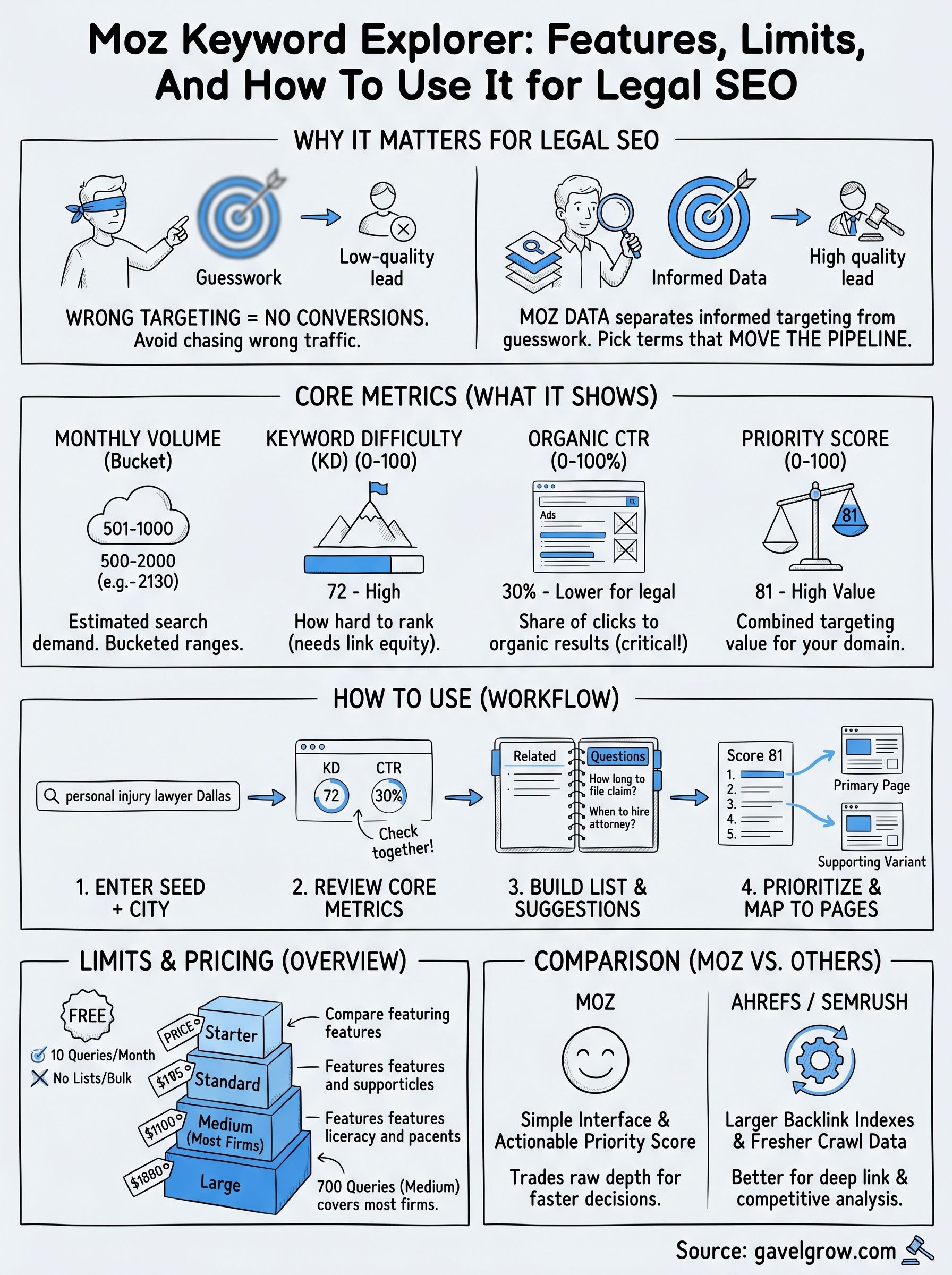
Most law firm websites fail to rank not because the content is bad, but because the keyword targeting is wrong from the start. Picking the wrong terms means you either chase traffic that never converts into consultations or avoid terms where you could realistically rank. Moz Keyword Explorer gives you the data layer that separates informed targeting from guesswork, so you spend time and budget on terms that actually move your pipeline.
Keyword research shapes which cases find you
Search engines match user intent to content. If your pages aren't built around the terms prospective clients type when they have a legal problem, those pages won't surface when it matters. A personal injury firm in Chicago, for example, needs to know whether "Chicago car accident lawyer" pulls more qualified traffic than "auto accident attorney Chicago" before writing a single word of content. Without accurate volume and competition data, you're making that call blind.
Choosing keywords without volume and difficulty data is the equivalent of running a Google Ads campaign without conversion tracking: you spend money and hope something works.
Moz Keyword Explorer surfaces monthly search volume, keyword difficulty, and organic click-through rate potential for any query you enter. That combination tells you whether a term is worth targeting, how hard the climb will be, and whether searchers even click organic results or jump straight to map packs and paid ads. For law firms in competitive markets, that last point is critical.
How intent data protects your content investment
Publishing content takes time and money. A 1,500-word practice area page typically requires several hours of drafting, editing, and formatting, plus the ongoing cost of page maintenance if laws or local rules change. Moz Keyword Explorer helps you validate that investment before you make it by showing you what people are actually searching, not what you assume they're searching.
The tool groups keyword suggestions by topic and surfaces related questions and long-tail variants alongside head terms. That means you can discover that "what to do after a car accident" pulls significant volume from people who are early in their research process, while "hire car accident lawyer [city]" captures bottom-of-funnel intent. Knowing the difference lets you build a content strategy that touches clients at multiple stages, not just when they're ready to call.
Where Moz fits in a legal SEO workflow
Moz isn't an isolated tool. It sits inside a broader workflow that includes on-page optimization, technical SEO audits, link building, and local search management. The keyword research you pull from Moz feeds directly into decisions about page titles, header structure, internal linking, and content briefs for writers. When you skip this step or use inaccurate data, every downstream decision in your SEO strategy rests on a weak foundation.
For law firms specifically, keyword research also informs your paid search strategy. When you know which terms carry organic competition you can realistically beat, you can shift ad spend away from those terms and toward high-difficulty queries where paid placement is the only realistic path to page one. That kind of cross-channel coordination requires reliable data, and Moz Keyword Explorer has been building its index since 2004, which means the underlying data covers a wide range of legal verticals and local market variations.
The tool also connects to the broader Moz Pro suite, including site audits and rank tracking, so the keywords you identify in research flow directly into your rank tracking lists and competitive benchmarks. That end-to-end continuity matters when you're reporting to a managing partner who wants to know whether the SEO budget is actually moving the needle on case volume, not just traffic numbers.
What metrics does Moz Keyword Explorer show?
Moz Keyword Explorer surfaces seven core metrics for every keyword you analyze. Each one answers a different question about whether a term is worth pursuing, and understanding what each metric actually measures helps you avoid the common mistake of chasing high-volume terms you have no realistic shot at ranking for.
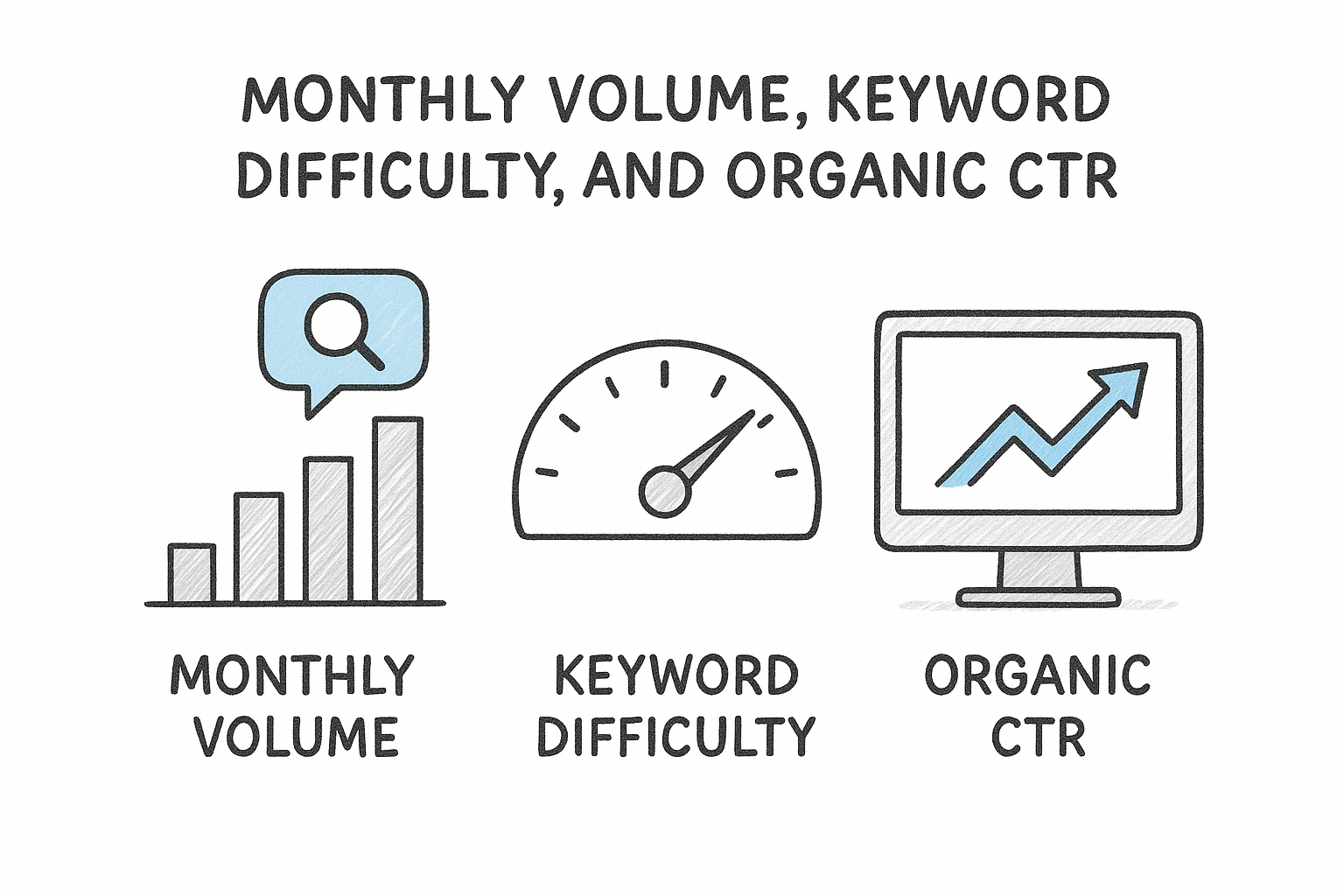
Monthly Volume, Keyword Difficulty, and Organic CTR
The three metrics you'll check first on any keyword are monthly search volume, Keyword Difficulty (KD), and organic click-through rate (CTR). Monthly volume gives you a range estimate of how many times a query is searched per month, displayed as a bucketed range rather than an exact figure. Keyword Difficulty scores keywords on a 0-to-100 scale, where higher numbers mean more authoritative pages dominate the SERP and displacing them requires serious link equity.
Organic CTR is the metric most firms ignore, and it's often the most important one: a keyword with 500 monthly searches but a 20% organic CTR delivers more clicks than a 1,000-search term where ads and map packs consume the entire first screen.
Organic CTR in Moz Keyword Explorer reflects the percentage of searchers who click an organic result rather than a paid ad, a local pack, or a featured snippet. For legal queries in competitive cities, that number frequently falls below 40% because Google's ad inventory and map pack dominate the visible screen. Knowing the CTR upfront saves you from building content around terms where organic effort pays almost nothing.
Priority Score and Keyword Suggestions
Moz combines volume, difficulty, and CTR into a single Priority Score that ranges from 0 to 100. You input your domain's current authority, and the tool weights the score based on how realistic ranking actually is for your specific site. A term with a Priority Score above 60 means the volume justifies the effort given your site's current competitive standing.
Below the main metrics, the tool returns a keyword suggestions panel with related terms, questions, and lexically similar phrases. These suggestions pull from Moz's clickstream data and search index, giving you variants you may not have considered. For a personal injury firm, entering "car accident lawyer" might surface "what does a car accident lawyer charge" or "when to hire an attorney after a crash," both of which carry strong bottom-of-funnel intent and lower difficulty than the head term.
How does Moz estimate volume, difficulty, and CTR?
Moz Keyword Explorer does not pull its metrics from a single data source. Instead, it combines clickstream data, its own web crawl index, and machine learning models to produce estimates that reflect real-world search behavior rather than raw query counts alone. Understanding how each estimate gets calculated helps you read the numbers with appropriate confidence and spot cases where the data may need a second opinion.
How Moz calculates search volume
Moz builds its volume estimates from anonymized clickstream data, which tracks actual browser behavior across a panel of real users rather than relying solely on data from Google's Keyword Planner. That approach lets Moz detect searches that Keyword Planner groups together or rounds aggressively. The trade-off is that clickstream panels have coverage limits, so low-volume niche queries, such as a highly specific local legal term like "workers comp lawyer Fresno bilingual," may show wider uncertainty bands than a national head term.
Volume figures in Moz appear as bucketed ranges rather than exact numbers, which is an honest acknowledgment that any third-party tool is estimating, not reading directly from Google's servers.
Because the estimates come from observed clicks rather than advertiser bid data, they tend to reflect organic search demand more accurately than tools built primarily around paid search infrastructure. For law firms comparing two practice area terms, that distinction matters: a term that advertisers bid heavily on may inflate in tools calibrated around ad data, while Moz's clickstream basis keeps the organic picture cleaner.
How Keyword Difficulty and CTR scores work
Keyword Difficulty uses Moz's Domain Authority and Page Authority metrics to analyze the strength of pages currently ranking in the top 10 results for a query. The algorithm weights link equity, page-level authority, and competitive density to produce a 0-to-100 score. A score of 65 or above for a legal term in a major metro typically signals that the top-ranking pages carry years of accumulated backlinks, which means a new page needs a serious link-building campaign before it competes.
Organic CTR works differently. Moz examines SERP feature presence, including ads, map packs, featured snippets, and knowledge panels, to estimate what share of searchers actually click an organic blue-link result. The model pulls SERP layout data from Moz's ongoing crawl of Google results pages and adjusts the CTR score downward whenever prominent features absorb click share. For competitive legal queries in large cities, that adjustment is often significant, and your Priority Score reflects it automatically so you're not chasing traffic that organic rankings can't actually deliver.
How to use Moz Keyword Explorer step by step
Running Moz Keyword Explorer effectively takes less than 20 minutes once you understand the sequence. The steps below follow the same workflow GavelGrow uses when building keyword maps for law firm SEO campaigns, starting from a blank search and ending with a prioritized list of terms ready to assign to specific pages.
Step 1: Enter your seed keyword and review core metrics
Start by typing your primary practice area term plus your city into the search bar. For example, a personal injury firm in Dallas would enter "personal injury lawyer Dallas" rather than just "personal injury lawyer." Local intent changes both the volume estimate and the competitive landscape, so querying at the city level gives you data that's actually actionable for your market.
Entering a geo-modified term from the start prevents you from wasting time analyzing national search volume that your single-location firm can't realistically capture.
Once the results load, look at Keyword Difficulty and Organic CTR together before anything else. A term scoring 70+ on difficulty with a 30% CTR tells you organic ranking is both hard and low-reward. If both numbers create friction, move to a longer-tail variant before investing in content production.
Step 2: Build your keyword list using suggestions
After reviewing your seed term, open the "Keyword Suggestions" and "Questions" tabs within the tool. These panels surface related queries your prospective clients type at different stages of their research. For law firms, the Questions tab frequently uncovers high-intent phrases like "how long do I have to file a personal injury claim in Texas" that carry lower difficulty than head terms and signal a searcher who is close to hiring.
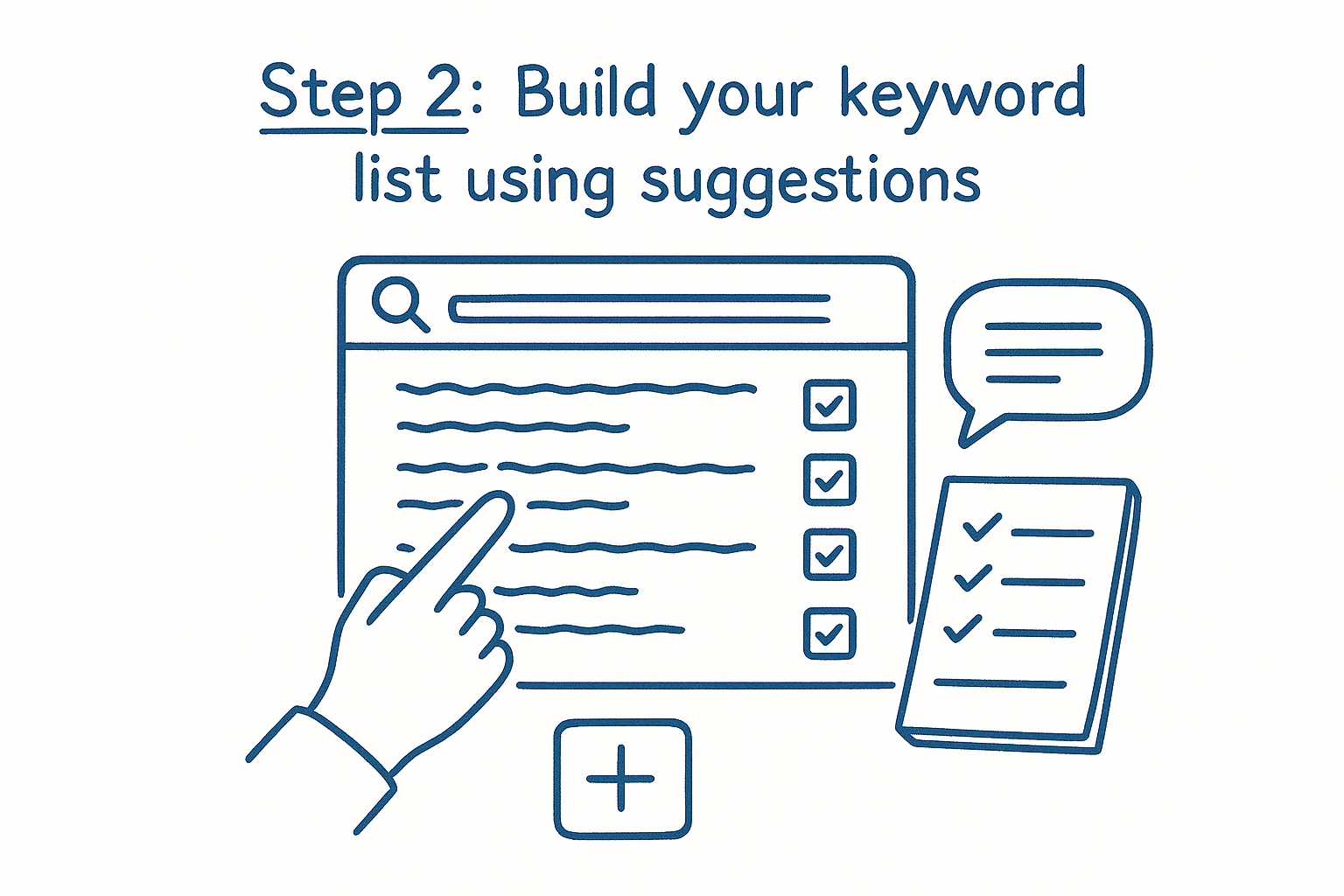
Add every relevant term to a keyword list inside your Moz account by clicking the list icon on each row. Grouping terms by topic cluster, such as one list for accident types and another for process-related questions, keeps your research organized when you move to content planning.
Step 3: Prioritize by Priority Score and map to pages
With your list built, sort by Priority Score in descending order to surface the terms that balance volume, difficulty, and CTR best for your specific domain authority. Assign each term to either an existing page that needs optimization or a new page on your content calendar.
Pages targeting one primary keyword plus two to four supporting variants consistently outperform pages stuffed with loosely related terms. Moz's keyword suggestions make identifying those supporting variants straightforward, which is why this step closes the loop between research and actual content production.
What are Moz Keyword Explorer limits and pricing?
Moz Keyword Explorer is available on both a free tier and paid Moz Pro subscriptions, with the free plan giving you enough access to evaluate the tool but not enough to run a full content strategy at scale. Knowing exactly where each tier cuts off helps you decide whether a paid plan justifies the cost for your firm's research volume.
Free plan restrictions
The free version of Moz allows 10 keyword queries per month without a credit card. Each query shows you the full metrics panel, including volume, Keyword Difficulty, and Priority Score, so you can verify the data quality before committing to a subscription. For a solo practitioner doing occasional research, that limit may be sufficient when combined with other free tools.
Once you hit 10 queries, the tool locks until the next calendar month, which means any time-sensitive research, such as competitive analysis before launching a campaign, requires a paid plan or careful query budgeting.
Where the free plan falls short is keyword list management and bulk analysis. You cannot save keyword lists, export data to a spreadsheet, or run SERP analysis on multiple terms in a single session without a Moz Pro account. For a law firm building out a full practice area content calendar, those missing features create real workflow friction.
Paid plan tiers and query limits
Moz Pro offers four paid tiers, each with progressively higher monthly query allowances and additional platform features beyond keyword research.
Annual billing reduces each tier by roughly 20%, which matters if you plan to use the platform consistently for ongoing content production rather than one-off research sprints. The Medium plan at $179 per month covers most law firms running active SEO programs, since 700 queries per month supports regular competitive monitoring, content planning, and new campaign research without hitting the ceiling.
Beyond query volume, the paid tiers also unlock full SERP analysis, bulk keyword import, historical data, and integration with Moz's rank tracking and site audit modules. For firms using those additional features, the value compounds quickly, and the keyword research component becomes one part of a broader SEO intelligence layer rather than a standalone cost.
Moz Keyword Explorer vs other tools for law firms
Law firms comparing keyword research platforms most often land on three options: Moz Keyword Explorer, Ahrefs, and Semrush. Each covers the fundamentals, but they differ in data freshness, interface complexity, pricing structure, and how well their underlying datasets handle local legal queries. Knowing where each tool wins helps you choose the one that fits your firm's workflow rather than paying for features you'll never use.
How Moz compares to Ahrefs and Semrush
Ahrefs and Semrush both carry larger backlink indexes and more frequently refreshed crawl data than Moz, which gives them an edge in competitive link analysis. If you're doing deep-dive research into why a rival firm ranks above you and which specific pages are driving their authority, Ahrefs' Site Explorer or Semrush's Backlink Analytics will surface more granular data than Moz's equivalent tools. For pure keyword research volume, Semrush's database is the largest of the three.
Where Moz Keyword Explorer holds its own is in interface simplicity and the Priority Score metric, which saves law firms time by combining volume, difficulty, and CTR into a single, actionable number rather than requiring manual interpretation of three separate columns.
Semrush and Ahrefs both require you to build that prioritization logic yourself, either mentally or through exported spreadsheets. For in-house marketers or firm administrators running SEO alongside a full caseload, that extra step creates real friction. Moz trades raw data depth for faster, cleaner decision-making, and for firms with limited research time, that trade is often worth it.
Which tool fits your firm's needs
Your choice depends on two variables: research depth and budget. Moz's Medium plan at $179 per month covers most active law firm SEO programs. Ahrefs starts at $129 per month for its Lite tier but restricts historical data and site audit crawl limits until you reach the $249 Standard plan. Semrush's Pro plan starts at $139.95 per month and similarly gates the most useful features behind higher tiers.
For firms running both SEO and Google Ads simultaneously, Semrush's integrated advertising research tools may justify the higher cost. Ahrefs makes more sense if your primary bottleneck is understanding competitor backlink profiles. If your goal is to build a prioritized keyword list for practice area pages and local content without a steep learning curve, Moz Keyword Explorer delivers the clearest path from query to actionable targeting decision. Match the tool to the specific workflow gap you're filling, and you'll get a faster return on the subscription cost.
Next steps
Moz Keyword Explorer gives you a reliable starting point for legal keyword research, but the tool only creates value when the keywords you find feed into pages that actually convert visitors into consultation requests. Solid keyword targeting tells you which terms to pursue; your intake and attribution setup determines whether that traffic turns into signed cases.
Once you have your keyword list built, the next move is auditing how well your firm captures the leads those rankings generate. GavelGrow's free law firm marketing scorecard takes less than five minutes to complete and shows you exactly where your intake, tracking, and attribution break down before you invest further in content production. If you'd rather talk through your keyword strategy and marketing gaps with someone who has worked with over 500 U.S. law firms, book a free 45-minute strategy call and get a clear plan tied to your specific practice area and market.
Frequently Asked Questions
What is Moz Keyword Explorer and what does it do?
Moz Keyword Explorer is one of the most established keyword research tools in SEO, offering search volume estimates, keyword difficulty scores, SERP analysis, and prioritized keyword suggestions in a single interface. It surfaces monthly volume, Keyword Difficulty, and organic click-through rate for any query, then combines them into a single Priority Score. It sits inside the broader Moz Pro suite, so the keywords you research can feed into rank tracking and site audits.
What metrics does Moz Keyword Explorer show?
Moz surfaces seven core metrics per keyword, with the three you check first being monthly search volume, Keyword Difficulty on a 0-to-100 scale, and organic click-through rate. It also produces a Priority Score that weights those factors against your site's authority, plus a suggestions panel of related terms and questions. Organic CTR is the metric many firms ignore, but it reveals whether searchers actually click organic results or jump to ads and map packs.
What are the limits of the free Moz Keyword Explorer plan?
The free version allows 10 keyword queries per month without a credit card, and each query shows the full metrics panel so you can verify data quality. Once you hit that limit, the tool locks until the next calendar month. The free tier also does not let you save keyword lists, export data to a spreadsheet, or run bulk SERP analysis, which creates workflow friction for a firm building out a full content calendar.
How does Moz Keyword Explorer compare to Ahrefs and Semrush?
Ahrefs and Semrush carry larger backlink indexes and more frequently refreshed crawl data, giving them an edge in deep competitor link analysis, and Semrush has the largest keyword database of the three. Moz's advantage is interface simplicity and its Priority Score, which combines volume, difficulty, and CTR into one actionable number instead of requiring you to interpret three columns. Moz trades raw data depth for faster, cleaner decision-making.
Why should a law firm enter city-level keywords in Moz Keyword Explorer?
Local intent changes both the volume estimate and the competitive landscape, so a single-location firm should query "personal injury lawyer Dallas" rather than just "personal injury lawyer." Entering a geo-modified term from the start prevents you from analyzing national search volume your firm cannot realistically capture. Reviewing Keyword Difficulty and organic CTR together on that local term tells you quickly whether ranking is worth the content investment.
Frequently Asked Questions
What is Moz Keyword Explorer and what does it do?
Moz Keyword Explorer is one of the most established keyword research tools in SEO, offering search volume estimates, keyword difficulty scores, SERP analysis, and prioritized keyword suggestions in a single interface. It surfaces monthly volume, Keyword Difficulty, and organic click-through rate for any query, then combines them into a single Priority Score. It sits inside the broader Moz Pro suite, so the keywords you research can feed into rank tracking and site audits.
What metrics does Moz Keyword Explorer show?
Moz surfaces seven core metrics per keyword, with the three you check first being monthly search volume, Keyword Difficulty on a 0-to-100 scale, and organic click-through rate. It also produces a Priority Score that weights those factors against your site's authority, plus a suggestions panel of related terms and questions. Organic CTR is the metric many firms ignore, but it reveals whether searchers actually click organic results or jump to ads and map packs.
What are the limits of the free Moz Keyword Explorer plan?
The free version allows 10 keyword queries per month without a credit card, and each query shows the full metrics panel so you can verify data quality. Once you hit that limit, the tool locks until the next calendar month. The free tier also does not let you save keyword lists, export data to a spreadsheet, or run bulk SERP analysis, which creates workflow friction for a firm building out a full content calendar.
How does Moz Keyword Explorer compare to Ahrefs and Semrush?
Ahrefs and Semrush carry larger backlink indexes and more frequently refreshed crawl data, giving them an edge in deep competitor link analysis, and Semrush has the largest keyword database of the three. Moz's advantage is interface simplicity and its Priority Score, which combines volume, difficulty, and CTR into one actionable number instead of requiring you to interpret three columns. Moz trades raw data depth for faster, cleaner decision-making.
Why should a law firm enter city-level keywords in Moz Keyword Explorer?
Local intent changes both the volume estimate and the competitive landscape, so a single-location firm should query "personal injury lawyer Dallas" rather than just "personal injury lawyer." Entering a geo-modified term from the start prevents you from analyzing national search volume your firm cannot realistically capture. Reviewing Keyword Difficulty and organic CTR together on that local term tells you quickly whether ranking is worth the content investment.