How to Do a Law Firm SEO Audit: Step-by-Step Guide
Categories: Legal Marketing Strategies
 Abram Ninoyan
Founder & Senior Performance Marketer
Credentials: Google Partner, Google Ads Search Certified, Google Ads Display Certified, Google Ads Measurement Certified, Google Analytics (IQ) Certified, HubSpot Inbound Certified, HubSpot Social Media Marketing Certified, Conversion Optimization Certified
Expertise: Google Ads, Meta Ads, Conversion Rate Optimization, GA4 & Google Tag Manager, Lead Generation, Marketing Funnel Optimization, PPC Management
LinkedIn Profile
A law firm SEO audit is a structured review of your website's technical health, content, and local search signals to find out why your rankings and organic leads have stalled. Most firms skip this ste...
Key Takeaways
- How to Do a Law Firm SEO Audit: Step-by-Step Guide
- What does a law firm SEO audit actually check?
- Step 1. Test your site's technical health
- Step 2. Review your on-page content and E-E-A-T signals
How to Do a Law Firm SEO Audit: Step-by-Step Guide
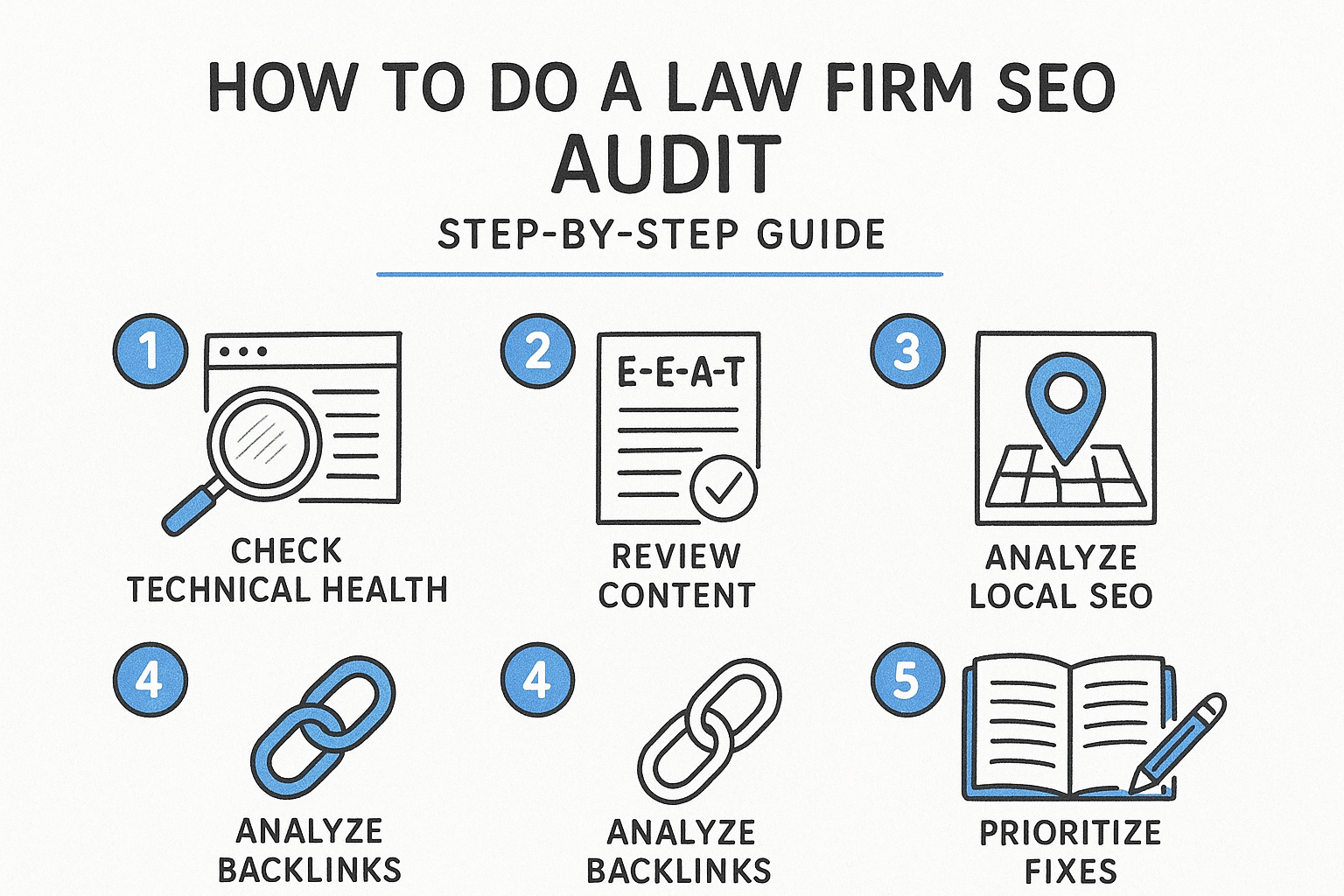
A law firm SEO audit is a structured review of your website's technical health, content, and local search signals to find out why your rankings and organic leads have stalled. Most firms skip this step and jump straight to hiring an SEO vendor, which means paying for fixes before anyone has confirmed what's actually broken, and before anyone has thought through how to choose the right law firm SEO strategy.
If you're searching for this, you already suspect something is off: rankings dropped after a redesign, your Google Business Profile stopped showing for "personal injury lawyer near me," or a competitor with fewer reviews outranks you anyway. A proper audit answers that by walking through crawlability and site speed, on-page content by practice area, backlink quality, and local pack visibility in the specific order that surfaces the real cause instead of guesses.
This guide gives you the step-by-step process to run that audit yourself, tool by tool, plus what to do with the findings once you have them. We'll cover technical checks, content and practice-area page gaps, local SEO and citation consistency, and how to prioritize fixes so your marketing spend and intake team aren't working against a broken foundation.
If you would rather have the audit run and the fixes made for you, GavelGrow's law firm SEO agency does exactly that and tracks the result through intake to signed cases.
What does a law firm SEO audit actually check?
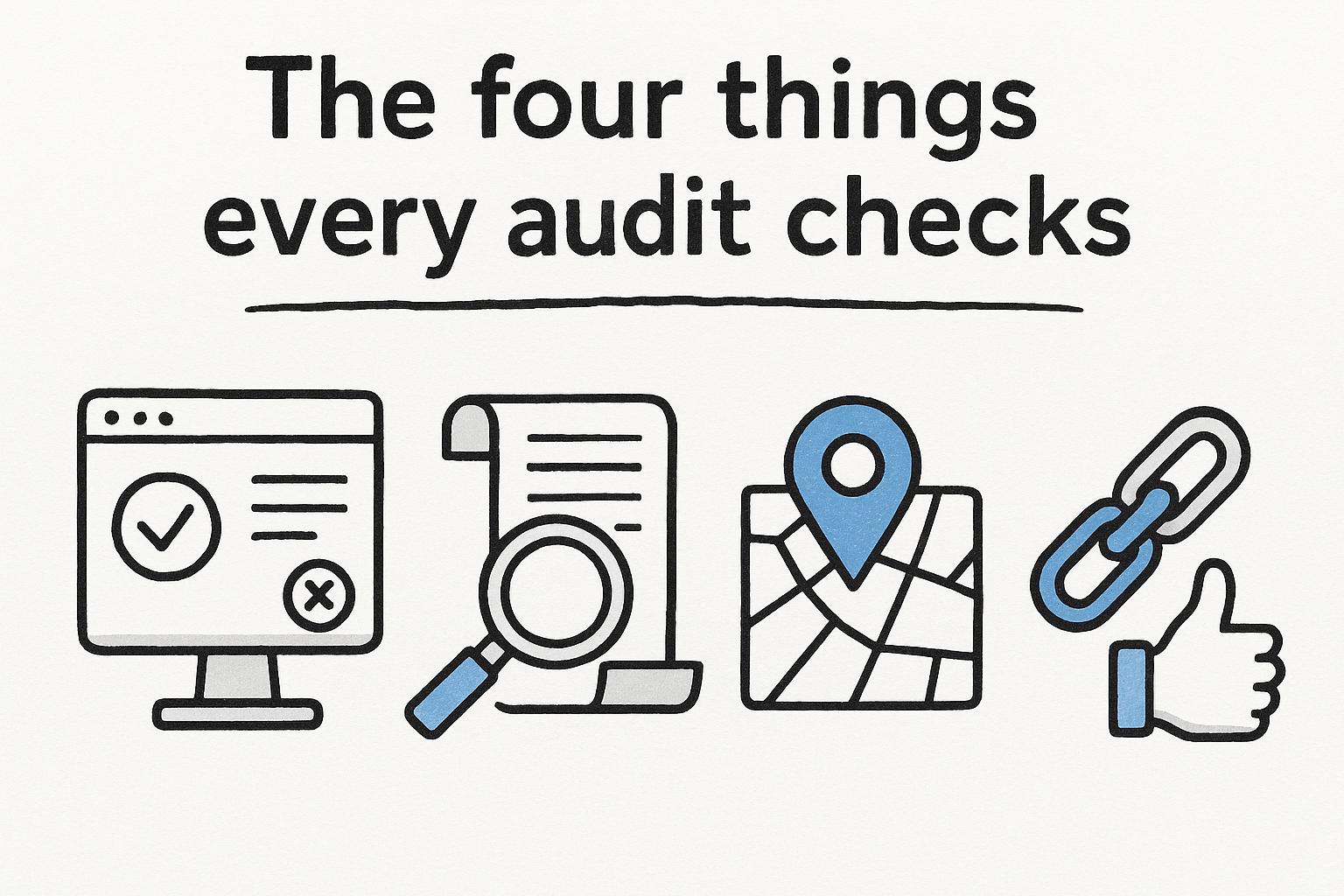
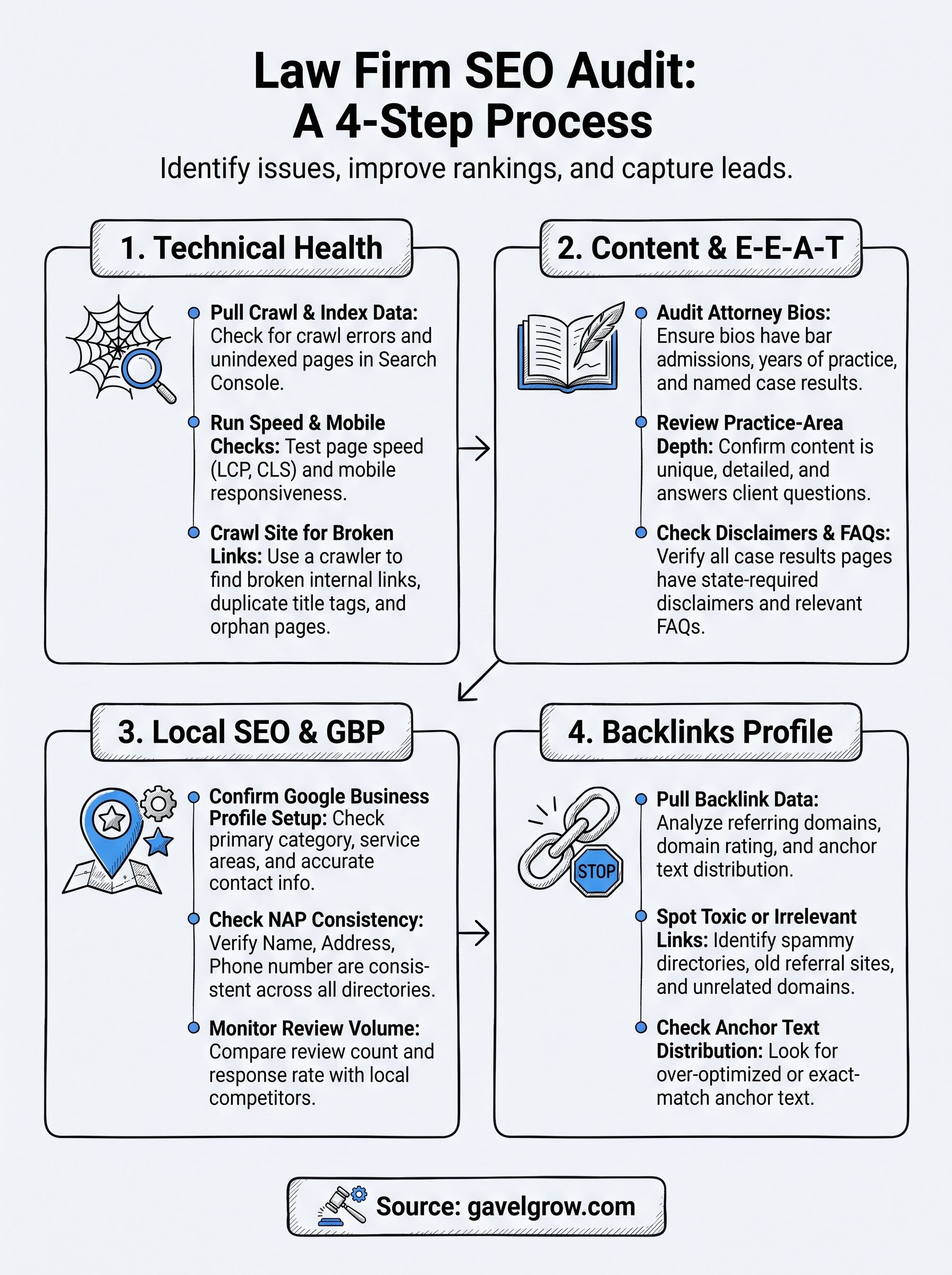
A real law firm SEO audit covers four areas: technical health, on-page content, local search signals, and backlinks. Skip any one of them and you'll misdiagnose the problem. A firm with a fast, well-coded site can still lose the local pack because its Google Business Profile categories are wrong. A firm with strong backlinks can still tank rankings because a migration left broken redirects across every practice-area page. The audit exists to isolate which layer is actually causing the drop before you spend another dollar on content or ads.
The four things every audit checks
Here's what falls into each category and why it matters more for a law firm than for a typical local business:
Why a generic SEO audit misses what matters here
Generic SEO checklists built for e-commerce or SaaS sites don't account for how Google evaluates legal content. Legal queries fall under what Google calls YMYL, or Your Money or Your Life, topics: content that can affect someone's finances, safety, or legal standing gets held to a higher bar for expertise and trustworthiness. That means an audit for a law firm has to check things a generic tool won't flag on its own, like whether attorney bios list actual bar admissions, whether case results pages carry the required disclaimers your state bar expects, and whether your practice-area pages read like they were written by someone who's actually handled that kind of case.
A law firm SEO audit isn't complete until it's checked whether Google can trust the person behind the content, not just whether the page loads fast.
Running through Google's own Search Essentials guidelines is a reasonable gut-check before you start, since it spells out the baseline Google expects from any site it wants to rank, legal or otherwise. From there, the five steps below walk through each layer in the order that actually surfaces root causes, starting with technical health because a crawl problem will mask every other issue you try to fix. If you'd rather have a legal-specific team run this diagnostic and act on it, GavelGrow's local and organic SEO services are built around exactly this kind of practice-area-by-practice-area review, not a generic template applied to every industry.
Step 1. Test your site's technical health
Start here because a crawl or indexation problem hides everything else. If Google can't reach your practice-area pages, it doesn't matter how good the content is or how many reviews you have. This is also the fastest step to run, so it's the right place to spend the first hour of any legal SEO audit, whether you handle it in-house or bring in one of the technical SEO audit firms that work on law websites.
Pull your crawl and index data first
Open Google Search Console and check the Coverage report before you touch anything else. Look for pages marked "Crawled, currently not indexed" or "Discovered, currently not indexed," both common after a site redesign that changed URL structures without proper redirects. Cross-check that number against your actual page count. If you have 40 practice-area and location pages but Search Console only shows 22 indexed, something is blocking the rest.
If Google can't crawl your practice-area pages, nothing else in the audit matters yet.
Run the speed and mobile checks
Use Google's PageSpeed Insights to test your homepage and your two or three highest-traffic practice-area pages separately, since a slow homepage doesn't always mean slow inner pages. Pay attention to Largest Contentful Paint and Cumulative Layout Shift specifically, since these two Core Web Vitals metrics correlate most closely with real user frustration on mobile. Most law firm sites lose points here from oversized attorney headshots and embedded video testimonials that never got compressed.
Crawl the site yourself
A free crawler like Screaming Frog (up to 500 URLs) will surface the issues Search Console won't, and it's worth running alongside a 16-point technical SEO checklist:
- Broken internal links, especially inside older blog posts linking to retired practice-area pages
- Duplicate title tags across city-specific location pages that were cloned from a template
- Missing or duplicate meta descriptions
- Redirect chains left over from a past migration
- Orphaned pages with no internal links pointing to them at all
Any practice-area page that shows up orphaned in this crawl is a page actively losing you cases, since it's effectively invisible to both Google and new visitors navigating your site.
Document every issue you find here in a spreadsheet with the URL, the problem, and a severity rating. You'll fold this into the fix-it plan in Step 5, so don't fix anything yet, just log it.
Step 2. Review your on-page content and E-E-A-T signals
Once the technical layer is clean, look at what's actually on the page. Google evaluates legal content against a higher bar because it falls under YMYL, so this step, where E-E-A-T signals for legal content get judged, is where most law firm sites lose ground even after the crawl issues get fixed. A practice-area page that ranked fine in 2019 can quietly slide if it never grew past 300 words of generic copy while a competitor's page added case examples, FAQs, and a named attorney's byline.
Audit your attorney bios and case results pages first
Check every attorney bio for bar admission details, years of practice, and named case results, not just a headshot and a one-line title. Google's algorithms and human quality raters both look for evidence that a real, credentialed person stands behind YMYL content, and a bio with no bar number or law school listed reads as thin no matter how well the rest of the site is built. Case results pages need the same scrutiny: confirm every one carries the disclaimer language your state bar requires, since a missing disclaimer is both a compliance risk and a signal that the page wasn't built carefully.
A practice-area page without a named, credentialed attorney attached to it is the single easiest E-E-A-T fix on the whole site.
Check practice-area depth and duplicate content
Run a duplicate content check across your practice-area and location pages, since firms with multiple offices often clone one template and swap the city name. Google can suppress both versions when it can't tell which page deserves to rank. Use these questions to grade each page:
- Does the page name specific case types the firm actually handles, not just the broad practice area?
- Does it answer the questions a client would actually ask before hiring, like what a case is worth or how long it takes?
- Is there unique language on every location variant, not just a swapped city name?
- Does the page link to a relevant blog post or FAQ that adds depth instead of restating the same three paragraphs, which is the reason most law firm blogs never bring in cases?
Flag every page that fails two or more of these checks. You'll prioritize rewrites in Step 5, but for now just note which pages read like a template and which read like they were written by someone who's handled the case type before.
Step 3. Check your local SEO and Google Business Profile
Most signed cases still start with someone typing "[practice area] lawyer near me" and clicking one of the three map pack results, so this step decides whether your firm shows up in the local map pack in that moment. A local SEO audit for a law firm has to check three things: your Google Business Profile setup, citation consistency across the web, and how your review volume compares to the firms currently outranking you.
Confirm your Google Business Profile is set up correctly
Open your profile and check the primary category first, since "Personal Injury Attorney" and "Law Firm" pull different search traffic and firms often pick the vague one by default when setting up a Google Business Profile. Confirm your service areas match where you actually accept clients, and that your listed hours, phone number, and website URL match what's on your site right now, not what was true two office moves ago. Multi-location firms should check every location's profile individually since Google can suppress an entire brand's visibility when one location has conflicting information.
A wrong Google Business Profile category can quietly cost you the map pack even when your website ranks fine.
Check NAP consistency across citations
Run your firm's name, address, and phone number, commonly called NAP, through a manual search across the directories that matter most for legal:
- Avvo, Justia, and FindLaw profiles
- Your local bar association directory
- Yelp and Bing Places
- Any old office address still listed from before a move
Even small mismatches, like "Suite 200" versus "Ste. 200," can weaken the trust signal Google uses to confirm your business is real and stable. Fix the worst offenders first: directories with high domain authority and directories that show up on page one when someone searches your firm's name directly.
Compare your review volume and response rate
Count your total reviews and your response rate against the two or three competitors currently beating you in the map pack. Google's own guidance is clear that firms should ask every client for a review, not just the satisfied ones, and should respond professionally to every review that comes in, which is why managing your firm's reviews and online reputation belongs in the same workflow. A thin gap in review count is fixable in a few months; a gap in response rate is fixable this week.
Step 4. Review your backlink profile
Backlinks are the last layer to check because a weak or toxic link profile can quietly cap your rankings even after the technical, content, and local fixes are done. For a law firm, this step matters more than most industries realize since legal directories, old referral networks, and defunct partner sites often make up a huge share of a firm's link profile, and not all of them are still helping you.
Pull your backlink data first
Google Search Console's Links report gives you a free, if incomplete, view of who links to you and which pages get the most external links. For a fuller picture, run your domain through Ahrefs' free backlink checker or one of the other backlink analysis tools worth using to see referring domain counts, domain rating, and anchor text at a glance. Compare that list against the two or three competitors currently outranking you in the map pack from Step 3. If they have three times your referring domains from bar associations and legal directories, that gap explains part of the ranking difference on its own, and closing it means understanding how link building actually works.
Spot toxic or irrelevant links
Legal sites accumulate a specific kind of link junk over the years: expired lawyer-referral networks, scraped directory sites, and paid link placements from a past marketing vendor who promised fast rankings. Flag any domain that fits these patterns:
- Directories with no real traffic and no legal focus
- Sites in unrelated languages or countries with no connection to your practice areas
- Old paid-link networks that were common in legal marketing before Google's algorithm updates targeted them
- Duplicate placements from a defunct partner or referral site that stopped operating years ago
A handful of spammy legal directory links rarely tanks a site on their own, but they add up when paired with thin content or a slow site.
Check anchor text distribution
Open the anchor text breakdown in your backlink tool and look for over-optimization, meaning too many links using the exact phrase "[practice area] lawyer" instead of your firm name or a natural phrase. A profile that's almost entirely exact-match anchor text looks manufactured to Google, even if every link is legitimate. Log every flagged domain and anchor pattern in the same spreadsheet from Step 1, since disavowing links is a last resort, not a first move, and belongs in the fix-it plan next.
Step 5. Turn your findings into a fix-it plan
By now you've got four separate spreadsheets full of flagged pages, broken redirects, missing disclaimers, and spammy backlinks. That volume of findings is exactly why most firms never act on an audit: everything looks urgent, so nothing gets fixed. The fix-it plan is where you rank every issue by impact and effort so your team, or your agency, works the highest-leverage items first instead of whatever's easiest to knock out.
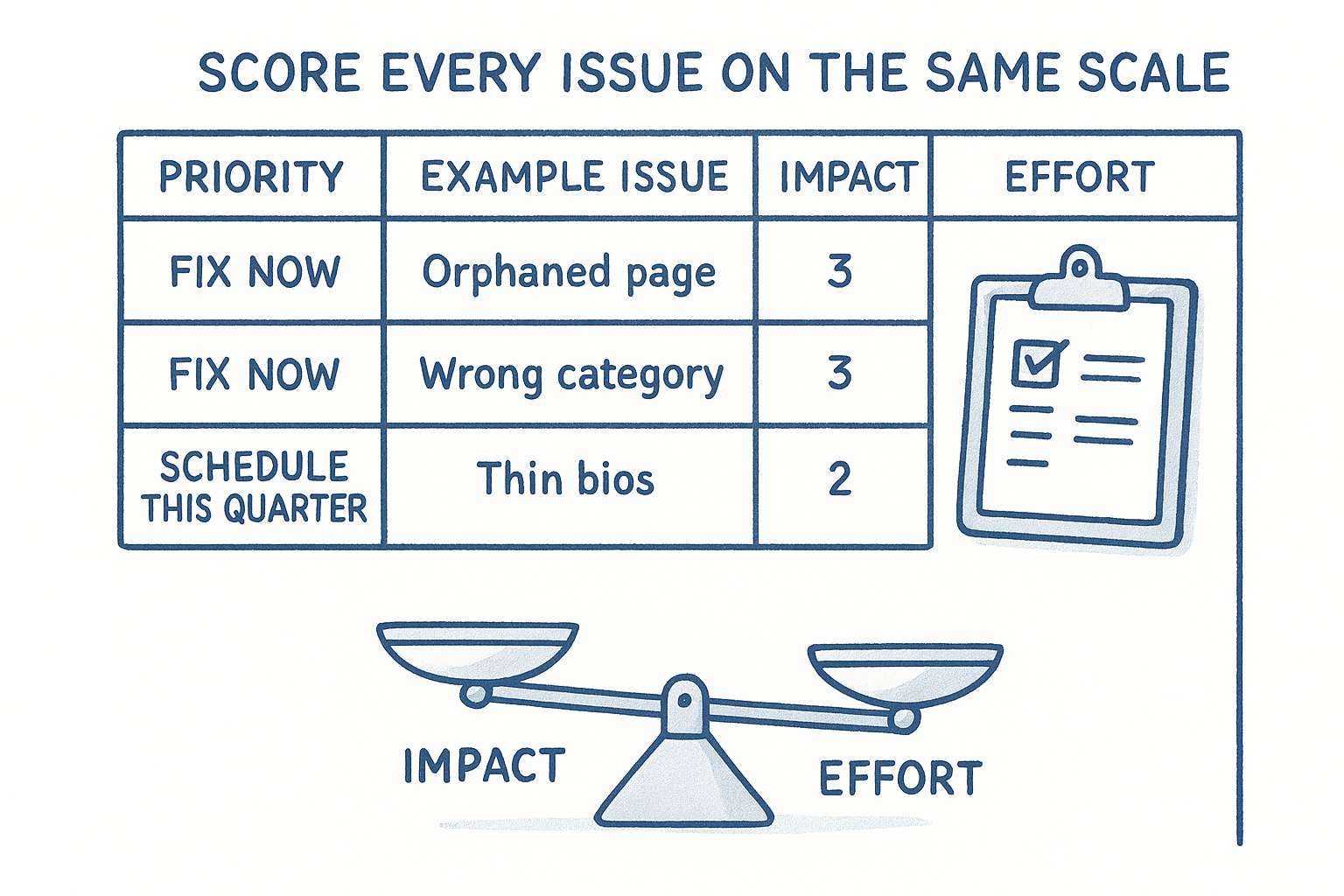
Score every issue on the same scale
Grade each flagged item from Steps 1 through 4 using a simple 1-3 scale for both impact and effort, then sort by the ratio. A single spreadsheet column for "impact minus effort" will surface your real priorities faster than any narrative summary.
The fastest audit wins are almost always the high-impact, low-effort fixes, not the ones that feel the most technical.
Assign owners and deadlines, not just a list
An unassigned spreadsheet is just a longer version of the problem you started with. Put a name and a date on every item, even if that name is "outside vendor" and the date is "next sprint." Technical fixes like redirects and orphaned pages usually belong with a developer, content and E-E-A-T gaps belong with whoever writes your practice-area pages, and local citation cleanup can often get handled in an afternoon by an office manager working from your NAP list.
Rerunning this same SEO audit for lawyers every quarter is what turns a one-time cleanup into an actual system, and that's easier when your marketing dashboard already tracks cost per signed case by practice area so you can see whether the fixes are moving the number that matters. GavelGrow's dashboard that tracks cost per signed case by practice area pulls that attribution together automatically, so you're not rebuilding the same spreadsheet from scratch every three months.
Making the audit part of your routine
A law firm SEO audit isn't a one-time cleanup you check off and forget. Search rankings shift every time Google updates its algorithm, a competitor rewrites their practice-area pages, or your own site picks up a broken link nobody noticed. Running through these five steps once a quarter, technical health, content and E-E-A-T, local signals, backlinks, and a fresh fix-it plan, catches problems while they're still cheap to fix instead of after they've cost you a year of rankings.
Doing this well takes time most managing partners don't have alongside actually running a firm. If you'd rather hand the diagnostic and the fixes to a team that only works with law firms, law firm SEO run by a legal-only team covers this exact audit process and acts on the findings, so your practice-area pages start ranking instead of sitting on a spreadsheet.
Frequently asked questions about law firm SEO audits
What does a law firm SEO audit include?
Four areas, checked in order: technical health (can Google crawl, render and index every practice-area and location page), on-page content and the expertise signals Google holds legal content to, local search signals including the Google Business Profile and citation consistency, and the backlink profile. Skipping any one of them is how a firm misdiagnoses a drop and pays for the wrong fix.
How often should a law firm audit its SEO?
A full audit once a year, and a short technical check after anything that touches the site: a redesign, a migration, a new practice-area section, or a change of hosting. Most serious ranking losses on law firm sites trace back to one of those events, and a redirect or indexing check the week after catches the damage while it is still cheap to reverse.
Can a law firm run an SEO audit without an agency?
The technical and local checks, yes, with free tools: Search Console for indexing and crawl errors, PageSpeed Insights for performance, and a manual review of the Google Business Profile against what the firm actually offers. Judging content quality and backlink risk takes more experience, and that is usually where a second set of eyes earns its fee.
Why does a law firm SEO audit differ from a generic one?
Because Google treats legal content as affecting someone's finances or legal standing and holds it to a higher bar for who wrote it and whether they are qualified. A generic checklist will not flag a missing bar admission on an attorney bio, a case-results page without the disclaimer a state bar expects, or a practice-area page that reads as though nobody who handled that kind of matter wrote it. Those are exactly the things that decide legal rankings.
What should a firm do with the audit findings?
Rank them by how directly each one blocks a signed case, not by how technical it sounds. A broken redirect on the busiest practice-area page outranks a slow image on the about page. Fix the crawl and index problems first, because nothing else counts until Google can read the site, then local signals, then content, then links. And track whether the fixes change signed cases rather than only rankings.
Frequently Asked Questions
What does a law firm SEO audit include?
Four areas, checked in order: technical health (can Google crawl, render and index every practice-area and location page), on-page content and the expertise signals Google holds legal content to, local search signals including the Google Business Profile and citation consistency, and the backlink profile. Skipping any one of them is how a firm misdiagnoses a drop and pays for the wrong fix.
How often should a law firm audit its SEO?
A full audit once a year, and a short technical check after anything that touches the site: a redesign, a migration, a new practice-area section, or a change of hosting. Most serious ranking losses on law firm sites trace back to one of those events, and a redirect or indexing check the week after catches the damage while it is still cheap to reverse.
Can a law firm run an SEO audit without an agency?
The technical and local checks, yes, with free tools: Search Console for indexing and crawl errors, PageSpeed Insights for performance, and a manual review of the Google Business Profile against what the firm actually offers. Judging content quality and backlink risk takes more experience, and that is usually where a second set of eyes earns its fee.
Why does a law firm SEO audit differ from a generic one?
Because Google treats legal content as affecting someone's finances or legal standing and holds it to a higher bar for who wrote it and whether they are qualified. A generic checklist will not flag a missing bar admission on an attorney bio, a case-results page without the disclaimer a state bar expects, or a practice-area page that reads as though nobody who handled that kind of matter wrote it. Those are exactly the things that decide legal rankings.
What should a firm do with the audit findings?
Rank them by how directly each one blocks a signed case, not by how technical it sounds. A broken redirect on the busiest practice-area page outranks a slow image on the about page. Fix the crawl and index problems first, because nothing else counts until Google can read the site, then local signals, then content, then links. And track whether the fixes change signed cases rather than only rankings.