Google Ads Optimization Checklist for Law Firms
Categories: Legal Marketing Strategies
 Abram Ninoyan
Founder & Senior Performance Marketer
Credentials: Google Partner, Google Ads Search Certified, Google Ads Display Certified, Google Ads Measurement Certified, Google Analytics (IQ) Certified, HubSpot Inbound Certified, HubSpot Social Media Marketing Certified, Conversion Optimization Certified
Expertise: Google Ads, Meta Ads, Conversion Rate Optimization, GA4 & Google Tag Manager, Lead Generation, Marketing Funnel Optimization, PPC Management
LinkedIn Profile
Most law firm Google Ads accounts are leaking money in the same handful of places: broad match keywords pulling in unqualified traffic, ad extensions nobody has touched since setup, and conversion tra...
Key Takeaways
- Google Ads Optimization Checklist for Law Firms
- 1. Track cost per signed case, not just cost per lead
- 2. Audit your keyword list and search terms report
- 3. Build a legal-specific negative keyword list
Google Ads Optimization Checklist for Law Firms
Most law firm Google Ads accounts are leaking money in the same handful of places: broad match keywords pulling in unqualified traffic, ad extensions nobody has touched since setup, and conversion tracking that stops at "lead" instead of following the case to a signed retainer. A google ads optimization checklist gives you a repeatable way to catch those leaks instead of guessing at what to fix next.
This checklist walks through the specific levers that move cost per signed case for legal advertisers, not generic ecommerce advice repackaged for law firms. That means negative keyword hygiene built around practice-area intent, call tracking that separates a qualified new-client call from a wrong number, and landing page structure that matches what someone searching "car accident lawyer near me" actually wants to see.
Work through each section in order, whether you run campaigns in-house on Track or Optimize or you want to know what your agency should already be doing. You'll also see where full-funnel attribution and Smart Conversions change how you should bid once you can see which clicks actually became signed cases, not just leads.
1. Track cost per signed case, not just cost per lead
Cost per lead is the number most Google Ads dashboards show you by default, and it's the number that quietly wrecks legal marketing budgets. A campaign can generate leads at $40 apiece and still lose money if half of them are unqualified calls, wrong-practice-area inquiries, or people who never sign a retainer. The only number that tells you whether a campaign is working is cost per signed case, and most law firms never build the tracking to see it.
What to check
Start by pulling attribution that follows an ad click all the way to the signed case, not just click to form fill or phone call. Look for:
- Which campaigns and ad groups produce leads that actually become clients, not just leads
- Whether your conversion actions in Google Ads fire on "lead submitted" or on something closer to "case signed"
- Practice-area breakdowns, since a personal injury campaign and a family law campaign will have wildly different cost-per-signed-case baselines
- Whether phone leads are matched back to the campaign that generated the call
If your current setup can't answer these questions, that's the gap to close first. GavelGrow's cost-per-signed-case dashboard was built around exactly this problem: it follows a lead from ad click through signed case, so you see campaign-level cost per signed case instead of cost per lead.
Why it matters for your firm
Spending decisions based on cost per lead alone will systematically favor the wrong campaigns. A search term or ad group that generates cheap, high-volume leads often looks great in a lead-based report and terrible once you factor in how many of those leads ever became a paying client.
If you're optimizing toward cost per lead instead of cost per signed case, you're optimizing toward the wrong number.
Firms using Smart Conversions can take this further: signing a case feeds back into Google Ads and Local Services bidding in real time, so the algorithm starts favoring the keywords and audiences that actually produce clients, not just clicks.
How often to review it
Check cost per signed case at the campaign level weekly, since that's frequent enough to catch a budget-draining campaign before it burns through a month of spend. Do a deeper practice-area review monthly, comparing this month's cost per signed case against the trailing three-month average for each practice area you run. Any campaign that's drifting up without a clear reason, like a new competitor entering your market, deserves a closer look at the keyword and search term level, which is where the next item in this checklist comes in.
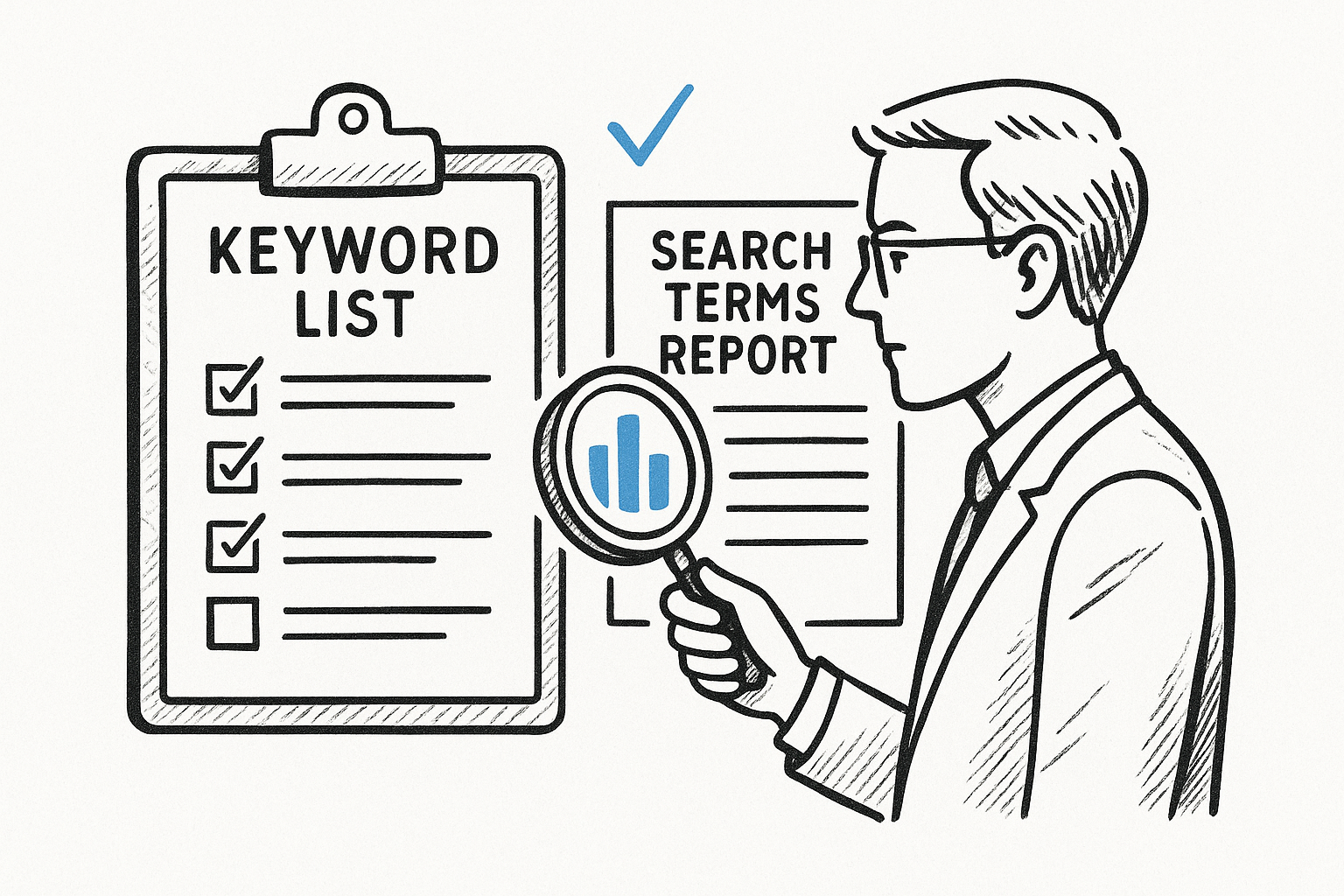
2. Audit your keyword list and search terms report
Your keyword list tells Google what you think you're bidding on. The search terms report tells you what you're actually paying for, and for most law firm accounts those two lists diverge fast. A keyword audit compares them side by side and asks whether the actual searches triggering your ads are the kind that turn into signed cases, or just close enough to your keywords that Google's matching decided to show your ad anyway.
What to check
Pull the search terms report for the last 30 to 90 days and check for:
- Search terms triggering ads that have nothing to do with your practice areas
- Broad match keywords pulling in informational searches, like "what to do after a car accident," that rarely convert to retained clients
- High-spend keywords with a cost per signed case well above your practice-area average
- Duplicate or overlapping keywords across ad groups bidding against each other
Why it matters for your firm
An unaudited keyword list drifts toward whatever Google's matching wants to show, not what actually produces clients. A personal injury firm running broad match on "accident lawyer" can end up paying for clicks from people researching insurance claims themselves, not people hiring a lawyer.
A keyword list you haven't audited in three months isn't your strategy anymore, it's Google's.
This is also where practice-area intent matters most. "Divorce lawyer cost" and "how to file for divorce" both look like family law traffic, but only one signals someone ready to hire.
How often to review it
Review the search terms report every one to two weeks on active campaigns, especially early in a new campaign's life when Google is still learning which terms convert. Once a campaign stabilizes, monthly is enough, unless cost per signed case starts climbing, which usually means it's time to pull the report again.
3. Build a legal-specific negative keyword list
Broad match keywords cast a wide net, and a negative keyword list is how you decide what falls out of it. Most law firm accounts start with a generic negative list, if they have one at all, and never add the terms specific to legal search behavior: job seekers, DIY researchers, and people looking for a lawyer in a different state entirely.
What to check
Build your list around the searches that waste spend without ever producing a client. Check for:
- Job-related terms like "paralegal jobs" or "attorney salary" that show up when you bid on your own practice area
- Free or DIY intent, such as "free legal advice" or "how to file [X] myself"
- Competitor firm names, unless you're deliberately running a conquesting campaign
- Geographic terms outside your service area, especially for firms bidding on broad practice-area terms
- Terms tied to a practice area you don't handle, like a family law firm catching "criminal defense lawyer" clicks
Why it matters for your firm
A thin negative keyword list is one of the fastest ways to burn a legal ad budget on clicks that were never going to become clients. Every dollar spent on a job seeker or a DIY researcher is a dollar not spent on someone actually shopping for representation.
A negative keyword list built once at launch and never updated is costing you money every single day it goes untouched.
This matters more in legal than most verticals, because legal-specific negative keywords rarely show up in generic PPC advice. Nobody writing for ecommerce accounts is thinking about "public defender" or "legal aid."
How often to review it
Add to your negative list every time you run the search terms audit from item two, since the two tasks feed each other directly. Expect the list to grow fastest in the first three months of a new campaign, then settle into occasional additions as new junk terms surface.
4. Check quality scores across your practice-area campaigns
Google assigns every keyword a quality score from 1 to 10 based on expected click-through rate, ad relevance, and landing page experience. Low scores don't just hurt your ranking, they raise your legal keyword click costs directly, which means two firms bidding the same amount can pay wildly different prices depending on how tight their account structure is. A quality score audit across practice-area campaigns catches the keywords quietly inflating your cost per signed case before you notice the trend in your monthly numbers.
What to check
Open the keyword-level quality score column in Google Ads and look for:
- Keywords scoring below 5, especially in your highest-spend practice areas
- Ad groups mixing multiple practice areas or case types under one generic ad
- Landing pages that don't mention the specific service in the ad copy above it
- Click-through rate trends by ad group, since a falling CTR usually precedes a falling quality score
Why it matters for your firm
Quality score problems compound. A family law campaign scoring 4s and 5s across the board is paying a premium on every click, which pushes your cost per lead up before you've even looked at conversion rate. Firms running several practice areas in one account tend to see the widest spread, since a tightly built personal injury campaign can mask a neglected estate planning campaign dragging down blended performance.
A quality score problem is a cost problem hiding in plain sight on a column most people never open.
Tighter ad groups built around single practice areas, matched to dedicated landing pages, are the fastest fix for most law firm accounts.
How often to review it
Check quality scores monthly at the ad group level, and immediately after any campaign restructuring or new practice-area launch, since new ad groups take a few weeks to accumulate enough data for the score to stabilize.
5. Match ad copy and landing pages to practice-area intent
Someone searching "truck accident lawyer" and someone searching "custody lawyer" are in completely different mental states, and your ad copy plus landing page need to reflect that immediately. When a practice-area landing page just points to your generic homepage, or your ad copy talks about "legal services" instead of the specific case type, you lose the click before it ever becomes a lead, which is why it helps to know what a landing page is and what it's supposed to do. Message match between search term, ad, and page is one of the cheapest fixes on this whole checklist.

What to check
Walk through your top campaigns and confirm:
- Each ad group has its own landing page built around one practice area or case type, not a shared page
- Headlines in the ad copy repeat the exact phrase or close variation of the keyword triggering it
- The landing page above the fold mentions the practice area, the intake form, and a phone number, with nothing generic standing in for those three things
- Mobile rendering of the page matches what desktop shows, since a page that looks fine on your laptop can bury the call-to-action on a phone
Why it matters for your firm
A mismatch between ad promise and page content raises your bounce rate, drags down quality score, and quietly kills your conversion rate before intake even sees the lead. Ad relevance isn't a nice-to-have here, it's the difference between a visitor who trusts they landed in the right place and one who hits back within five seconds.
A visitor who can't find their case type on the page you sent them to won't stick around to look for it.
How often to review it
Review message match whenever you launch a new ad group, and again quarterly for existing practice-area campaigns as your copy and pages age.
6. Review your bid strategy and smart bidding settings
Google defaults most new campaigns toward Maximize Conversions or Maximize Clicks, and neither strategy knows the difference between a signed case and a wrong-number call unless you've told it, so it pays to understand how Google Ads bidding and targeting actually work. A smart bidding audit checks whether the bid strategy your account is running actually optimizes toward the outcome you care about, or whether it's been quietly chasing lead volume since the day someone set it up and never looked back.
What to check
Open each campaign's bid strategy report and confirm:
- Which bid strategy is active (Maximize Conversions, Target CPA, Target ROAS, Manual CPC) and whether it matches your current conversion tracking
- Whether the conversion action driving bids is form submission or something closer to signed case
- Target CPA or ROAS values against your actual cost-per-signed-case numbers by practice area
- Whether campaigns are still in a learning phase after a recent change, since bid strategy edits reset the learning period
Why it matters for your firm
A bid strategy optimizing toward form fills will happily spend your budget on cheap, low-quality leads if that's the signal it's been given. Bid strategy alignment with real case outcomes is what makes Smart Conversions worth turning on in the first place: once signed cases feed back into Google Ads and Local Services bidding in real time, the algorithm starts favoring the keywords and audiences that actually produce clients.
A bidding strategy is only as smart as the conversion data you feed it.
Firms running Manual CPC out of habit often leave money on the table simply because nobody revisited the setting after switching to automated bidding elsewhere in the account.
How often to review it
Check bid strategy performance monthly, and hold off on changes for at least two weeks after any adjustment so the campaign has time to relearn before you judge results.
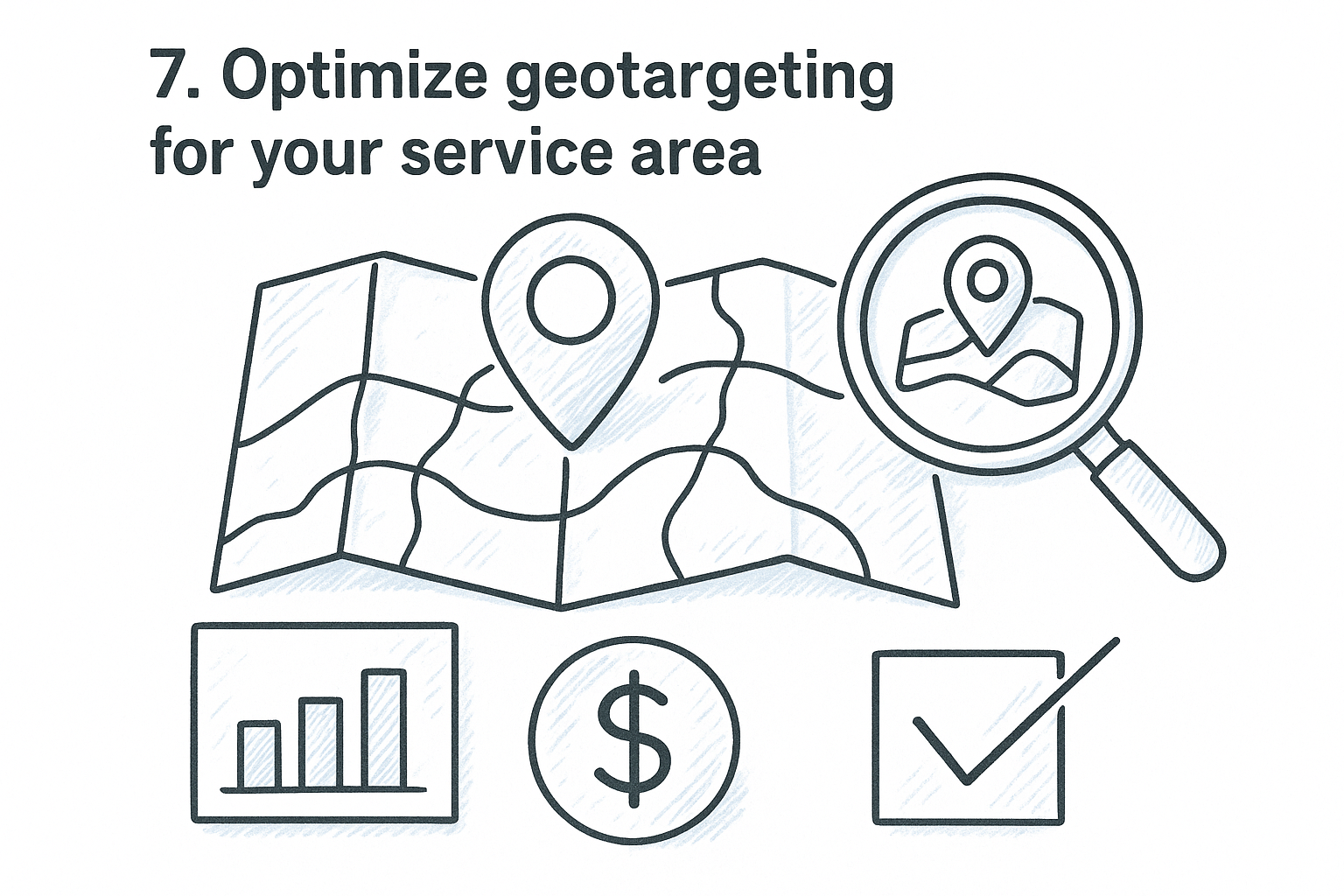
7. Optimize geotargeting for your service area
A lot of law firm accounts still run on Google's default location settings, which target "people in, or who show interest in" your chosen area. That setting can send your ad budget to someone in another state who once searched for your city, not someone actually sitting in your service area with a legal problem. Geotargeting optimization fixes a leak that's invisible until you check the location report and see how much spend went to clicks outside where you actually practice.
What to check
Pull the location report inside each campaign and look for:
- Whether the campaign is set to "presence" targeting instead of the default "presence or interest" setting
- Spend and conversion data broken out by city or zip code, not just state
- Radius targeting that's too wide for a solo practitioner or too narrow for a mass-tort campaign meant to run nationwide
- Bid adjustments by location, since some zip codes inside your service area convert at a much lower cost per signed case than others
Why it matters for your firm
A personal injury firm serving one metro area doesn't need clicks from three states over, and a family law firm limited to one county's courts definitely doesn't. Loose geotargeting quietly funds clicks from people who can never become clients no matter how good your intake process is.
If your ads can be seen outside the county you actually practice in, you're paying to educate people who can't hire you.
Mass-tort and class-action campaigns are the exception here. Those firms often want nationwide reach on purpose, so this check is about confirming the targeting matches the actual campaign goal, not defaulting to narrow for every account.
How often to review it
Check the location report monthly, and pull it again anytime you add a new office location or expand into a new practice area with a different service radius.
8. Adjust ad scheduling around call volume patterns
Google Ads runs your campaigns around the clock by default, spending your budget the same way at 3 a.m. as it does at 3 p.m. unless you tell it otherwise. Law firms rarely staff intake overnight, which means every click that comes in after hours either sits unanswered until morning or gets routed to voicemail. Ad scheduling matches your spend to the hours someone actually picks up the phone, instead of paying full price for clicks nobody answers.
What to check
Pull the hour-of-day and day-of-week reports inside each campaign and look for:
- Conversion rate and cost per signed case broken out by hour, not just by day
- Call volume against staffed intake hours, especially evenings and weekends
- Bid adjustments already in place by hour, since many accounts run flat bids around the clock
- Whether after-hours leads get any response at all before the next business day
Why it matters for your firm
A lead that calls at 11 p.m. and reaches voicemail is far less likely to become a signed case than one reached within minutes, and that's before you even factor in the ad spend it took to generate the call. Call volume patterns almost always cluster around specific windows, evenings after work and weekend mornings are common for personal injury and family law, and campaigns that ignore this keep paying full price for clicks during hours nobody's picking up, which is one of the law firm PPC strategies that turn ad spend into retainers.
Paying full price for a click nobody answers is the same as paying for a lead you threw away.
If staffing overnight intake isn't realistic, legal intake automation can still respond by SMS and email within seconds of a lead coming in, which keeps the lead warm until a human follows up.
How often to review it
Check hour-of-day performance monthly, and revisit it anytime you change intake staffing hours or add an after-hours answering service.
9. Audit call tracking and speed-to-lead performance
A call that never gets answered, or gets answered four hours later, is a lead you already paid for and might still lose. Call tracking audit work, the kind law firm call tracking software is built for, means pulling the recordings and timestamps for every campaign generating phone leads and checking not just whether the phone rang, but how fast someone picked it up and what happened after.
What to check
Pull your call logs by campaign and confirm:
- Missed-call rate by campaign and by time of day
- Average time from call to callback on missed calls
- Outcome tags on calls: qualified, callback, unqualified, spam
- Whether tracking numbers are matched correctly to the campaign that generated the call, not lumped into one generic number
GavelGrow's call tracking and intake feature set handles the outcome tagging and call-to-lead matching automatically, so you're reviewing a dashboard instead of listening to raw recordings one by one.
Why it matters for your firm
Speed-to-lead is one of the highest-leverage fixes on this whole checklist. The Lead Response Management Study found that leads contacted within five minutes are far more likely to be qualified than leads first reached after thirty minutes, and that gap only widens the longer a call sits unreturned. That's a difference in the odds of qualifying a lead, not a conversion guarantee, but it's still the clearest reason to fix response time before spending more on clicks.
Every minute a missed call sits unreturned, the odds of ever qualifying that lead keep dropping.
A campaign generating great cost per lead numbers is still losing money if intake takes hours to call back, and how many law firm leads never hear back at all is worth seeing before you raise budgets.
How often to review it
Check missed-call rate and callback speed weekly. Review outcome tags monthly to see whether unqualified or spam calls are concentrated in specific campaigns worth revisiting.
10. Fix mobile intake forms that leak leads
Most legal searches happen on a phone, and most law firm intake forms were built for a desktop screen years ago. A mobile intake form with a ten-field layout, a tiny submit button, or a dropdown that requires zooming in doesn't just annoy visitors, it costs you clicks you already paid for the moment someone gives up and closes the tab. This is one of the few items on this checklist where the fix rarely touches Google Ads at all, yet it directly changes your cost per signed case.
What to check
Open your own landing page on a phone and walk through the form as if you were a prospective client. Look for:
- Number of fields required before submission, and whether any could be collected later in the intake call instead
- Button size and placement, since a call-to-action buried below the fold on mobile gets missed entirely
- Load time on a mobile connection, not just your office Wi-Fi
- Whether the click-to-call number actually dials out on tap, instead of just displaying as text
Why it matters for your firm
Desktop forms tend to convert better than mobile ones, and a form that wasn't built mobile-first is usually the reason why, which is where most of the gains in law firm website conversion rates are hiding. Every abandoned form on mobile is a lead you already paid Google for, gone before intake ever saw it.
A form nobody can finish on a phone is a lead you bought and then threw away.
GavelGrow's hosted and embeddable intake forms are built mobile-first specifically to close this gap, with an instant email auto-reply (text replies follow once your firm's texting clears carrier approval) so a lead who does finish the form hears back immediately.
How often to review it
Test your forms on an actual phone quarterly, and again anytime you redesign a landing page or switch website platforms.
11. Review demographic and audience targeting
Google Ads lets you layer age, household income, and parental status on top of your keyword targeting, and most law firm accounts leave every one of these dials wide open. Demographic targeting matters more in legal than in most verticals because the person searching often isn't the person who'll pay the bill. A DUI campaign, for example, skews toward a much younger searcher than an estate planning campaign, and bidding the same way across both wastes budget on audiences unlikely to retain you.
What to check
Open the demographics tab for each practice-area campaign and look for:
- Age brackets with high spend but low conversion, especially the "unknown" bucket, which often hides a disproportionate share of budget
- Household income targeting for practice areas where ability to pay matters, like elective estate planning versus contingency-fee personal injury
- In-market and affinity audience segments layered onto search campaigns, and whether they're set to observation instead of accidentally narrowing your reach
- Performance differences between demographic segments within the same ad group
Why it matters for your firm
A personal injury campaign and a business law campaign should never share the same demographic assumptions, yet default settings often treat them identically. Audience segmentation by practice area lets you shift bids toward the groups that actually retain, instead of spreading spend evenly across everyone who happens to type the right search term.
Treating every practice area's audience the same way means overpaying for clicks that were never going to convert for that specific case type.
Refining these settings won't replace a strong keyword list, but it sharpens the targeting you already have without touching a single bid.
How often to review it
Check demographic performance quarterly, since these shifts move slowly and rarely need weekly attention like call volume or search terms do.
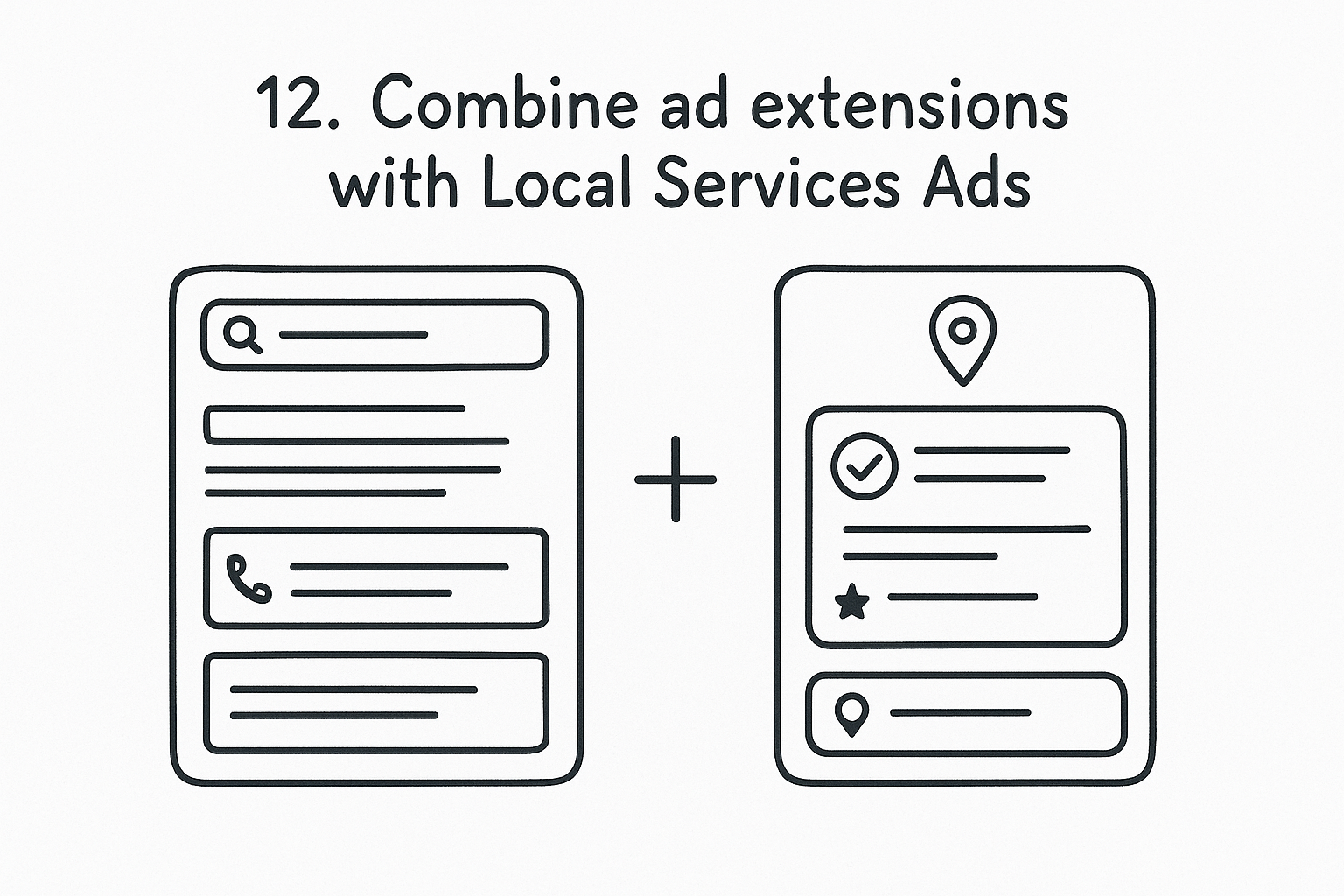
12. Combine ad extensions with Local Services Ads
Most law firm accounts run search ads and Local Services Ads as if they're separate businesses, when the two should reinforce each other on the same results page. Ad extensions, sitelinks, callouts, structured snippets, and location extensions, fill out your search ad with the practice areas, phone number, and address a prospective client needs before they even click. Pairing that with an optimized Local Services Ads profile, once you understand how LSAs rank and bill for law firms, means your firm can show up twice on the same page: once as a Google Guaranteed listing at the very top, and again as a search ad just below it.
What to check
Open each active campaign and confirm:
- Sitelinks point to specific practice-area pages, not the homepage
- Callout extensions highlight things like free consultations or contingency fees, where your state bar rules allow it
- Location extensions show the correct address and hours for every office
- Your Local Services Ads profile has accurate practice areas, service radius, and licensing verification on file
- Both listings appear together in a search preview for your top keywords
Why it matters for your firm
A search ad with no extensions takes up a fraction of the space it could, and a Local Services Ads profile running without a matching search presence gives up visibility to a competitor filling both slots. Firms that run both well tend to control more of the page for their highest-value searches.
A results page with only one of your listings on it is a results page you're sharing more than you need to.
GavelGrow's agency services team builds and manages both together for managed clients through its done-for-you Local Services Ads management, so extensions and Local Services Ads stay aligned instead of drifting apart.
How often to review it
Check extensions and Local Services Ads profile accuracy monthly, and immediately after any change to office hours, addresses, or licensing status.
13. Benchmark performance against comparable firms
Running your numbers in isolation only tells you half the story. A cost per signed case that looks fine in a vacuum might be well above what similar firms in your practice area and market size are seeing, and you'd never know without something to compare against. Practice-area benchmarking gives you that reference point, showing whether your account is actually performing well or just performing better than it used to, and the budget and conversion numbers most firms compare against are a good starting set.
What to check
Pull your cost per lead, cost per signed case, and intake conversion rate for each practice area you run, then compare them against modelled benchmark ranges for firms of similar size and market:
- Where your numbers fall inside, above, or below the modelled range for your practice area
- Whether a gap is consistent across months or a one-time spike tied to a specific campaign change
- Market size differences, since a solo practitioner in a small metro shouldn't expect the same cost per signed case as a multi-attorney firm in a major market
GavelGrow's modelled practice-area benchmark report gives Optimize and Managed accounts this comparison without needing a separate spreadsheet.
Why it matters for your firm
Without a benchmark comparison, it's easy to mistake a slow improvement for good performance when a competitor down the street is spending less per signed case for the same practice area.
A number that looks good on its own can still be losing you money compared to what's achievable in your market.
Benchmarks aren't a guarantee of what your firm will hit, but they flag when something in your account deserves a closer look.
How often to review it
Check benchmark comparisons quarterly, since practice-area ranges shift slowly and don't need the weekly attention that call volume or search terms do.
14. Set a recurring optimization schedule
Every item on this checklist has its own rhythm, weekly for call tracking, monthly for quality scores, quarterly for benchmarks, and none of it happens if nobody owns the calendar. A recurring optimization schedule turns this list from a one-time audit into the routine that actually keeps cost per signed case moving in the right direction. Firms that treat this checklist as a single cleanup project usually see performance drift right back to where it started within a quarter.
What to check
Build a simple recurring calendar, whether that's a shared doc, a project board, or calendar reminders, and assign an owner to each cadence:
- Weekly: cost per signed case by campaign, search terms report, missed-call rate
- Monthly: quality scores, bid strategy performance, ad scheduling, geotargeting, extensions and Local Services Ads accuracy
- Quarterly: message match review, demographic targeting, mobile form testing, benchmark comparison
Without a named owner, even a well-built calendar goes stale within a few months.
Why it matters for your firm
An account that gets optimized once at launch and never again drifts the same way an unaudited keyword list does: slowly, then all at once, usually right as cost per signed case starts climbing without an obvious cause. Ongoing optimization is what separates firms that treat Google Ads as a set-it-and-forget-it expense from firms that treat it as a channel they actively manage toward signed cases.
A checklist run once is an audit. A checklist run on a schedule is a system.
Firms working with GavelGrow's done-for-you marketing team get this cadence built into their engagement by default, since it's the named contact's job to work through it, not an extra task added to a managing partner's week.
How often to review it
Revisit the schedule itself twice a year, checking whether the cadence still matches how your account and practice-area mix have changed.
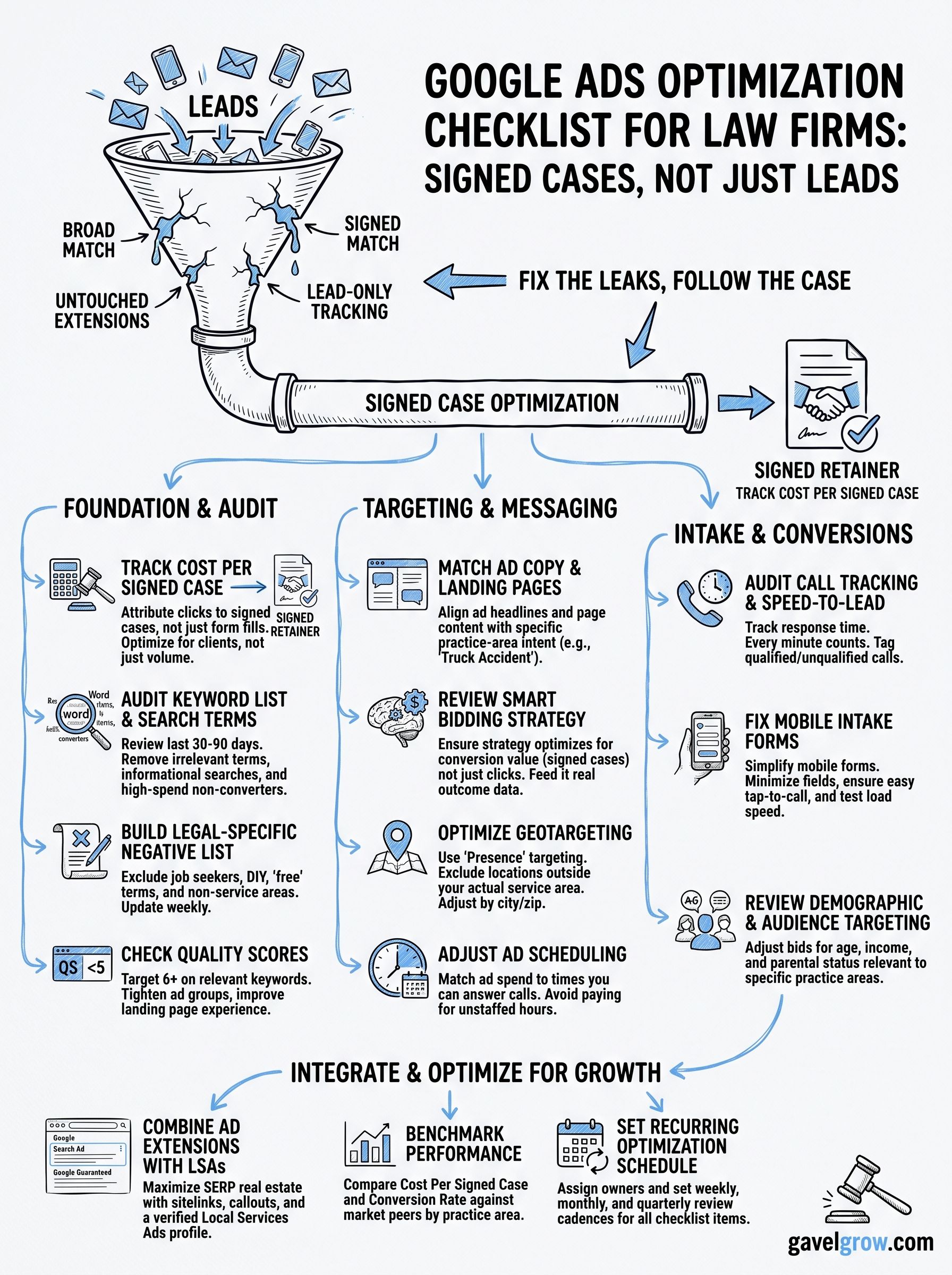
From checklist to signed cases
Fourteen items is a lot to hold in your head, but the fix isn't memorizing all of them, it's picking one this week and actually running it. Start with cost per signed case, since everything else on this list feeds into that number, then work down the checklist at the cadence each item calls for. Firms that treat this as a running system, not a one-time cleanup, are the ones whose cost per signed case keeps trending down instead of drifting back up every few months.
If running through this checklist by hand sounds like a full-time job on top of the one you already have, that's exactly what managed campaign management exists for. GavelGrow's legal-only team works this exact checklist inside every account it runs through its managed Google Ads service for law firms, so you get the audit and the fix without adding it to your week. Book a free strategy call and walk through where your account stands today.
Frequently asked questions about Google Ads optimization for law firms
How often should a law firm optimize its Google Ads account?
Search terms and negatives weekly, because that is where budget leaks fastest; bids, ad copy and landing pages monthly, once there is enough data to judge a change; the full checklist quarterly or after any change in practice area, market or budget. A campaign left alone for a quarter is usually spending a meaningful share of its budget on searches the firm would never want.
What is the most important Google Ads optimization for a law firm?
Getting the conversion definition right. If the account optimizes toward leads, Google will find more people who fill out forms, including the unqualified ones. If it optimizes toward signed cases, or the closest proxy the firm can measure, every other lever on the checklist gets pointed at the right outcome. Most law firm accounts never make this change and then optimize everything else around the wrong target.
Why does a law firm need a legal-specific negative keyword list?
Because legal searches are full of intent the firm cannot serve: people looking for free help, for jobs at a law firm, for forms to file themselves, for a lawyer in a practice area the firm does not handle, or for a competitor by name. Generic negative lists do not cover any of that. A legal-specific list, built from the firm's own search terms report, is usually the single largest saving on the checklist.
Should a law firm use Smart Bidding?
Only once it has enough conversion data pointed at the right conversion. Smart Bidding learns from whatever conversion action it is given; fed form fills, it will chase form fills. Fed signed cases, or qualified leads as a proxy, it can outperform manual bidding. A new account or a low-volume practice area usually needs a period of manual or enhanced bidding first, while the tracking gets built.
How do you tell which Google Ads campaigns actually produce signed cases?
Follow every click through the call or form to intake and on to case status, then match signed retainers back to the campaign, ad group and keyword that started them. Call tracking numbers per campaign and a landing-page field on every form carry the source through. Without that chain, the account can only be judged on leads, which is the number that quietly wrecks legal budgets.
Frequently Asked Questions
How often should a law firm optimize its Google Ads account?
Search terms and negatives weekly, because that is where budget leaks fastest; bids, ad copy and landing pages monthly, once there is enough data to judge a change; the full checklist quarterly or after any change in practice area, market or budget. A campaign left alone for a quarter is usually spending a meaningful share of its budget on searches the firm would never want.
What is the most important Google Ads optimization for a law firm?
Getting the conversion definition right. If the account optimizes toward leads, Google will find more people who fill out forms, including the unqualified ones. If it optimizes toward signed cases, or the closest proxy the firm can measure, every other lever on the checklist gets pointed at the right outcome. Most law firm accounts never make this change and then optimize everything else around the wrong target.
Why does a law firm need a legal-specific negative keyword list?
Because legal searches are full of intent the firm cannot serve: people looking for free help, for jobs at a law firm, for forms to file themselves, for a lawyer in a practice area the firm does not handle, or for a competitor by name. Generic negative lists do not cover any of that. A legal-specific list, built from the firm's own search terms report, is usually the single largest saving on the checklist.
Should a law firm use Smart Bidding?
Only once it has enough conversion data pointed at the right conversion. Smart Bidding learns from whatever conversion action it is given; fed form fills, it will chase form fills. Fed signed cases, or qualified leads as a proxy, it can outperform manual bidding. A new account or a low-volume practice area usually needs a period of manual or enhanced bidding first, while the tracking gets built.
How do you tell which Google Ads campaigns actually produce signed cases?
Follow every click through the call or form to intake and on to case status, then match signed retainers back to the campaign, ad group and keyword that started them. Call tracking numbers per campaign and a landing-page field on every form carry the source through. Without that chain, the account can only be judged on leads, which is the number that quietly wrecks legal budgets.