X Ads Manager: How To Access, Set Up, And Launch Campaigns
Categories: Legal Marketing Strategies
 Abram Ninoyan
Founder & Senior Performance Marketer
Credentials: Google Partner, Google Ads Search Certified, Google Ads Display Certified, Google Ads Measurement Certified, Google Analytics (IQ) Certified, HubSpot Inbound Certified, HubSpot Social Media Marketing Certified, Conversion Optimization Certified
Expertise: Google Ads, Meta Ads, Conversion Rate Optimization, GA4 & Google Tag Manager, Lead Generation, Marketing Funnel Optimization, PPC Management
LinkedIn Profile
X Ads Manager is the self-serve platform at ads.x.com where you create campaigns, set budgets, define audiences, and track performance for ads running on X (formerly Twitter). If you have an X account...
Key Takeaways
- X Ads Manager: How To Access, Set Up, And Launch Campaigns
- What is X Ads Manager and who is it for?
- How do you access and set up your ads account?
- Step 1. Build your first campaign in Ads Manager
X Ads Manager: How To Access, Set Up, And Launch Campaigns
X Ads Manager is the self-serve platform at ads.x.com where you create campaigns, set budgets, define audiences, and track performance for ads running on X (formerly Twitter). If you have an X account, you're a few steps away from launching your first campaign.
For law firms testing channels beyond Google Ads and Meta, X offers access to over 500 million monthly active users, many of whom engage with news, policy, and legal topics daily. But the platform's campaign structure, bidding options, and targeting controls work differently than what you're used to in Google Ads, so a clear walkthrough saves real budget from being wasted on poorly configured campaigns. That matters when every dollar needs to trace back to signed cases, not just impressions.
This guide walks you through accessing X Ads Manager, configuring your account, building your first campaign, and structuring it for measurable results. If you're already running paid acquisition through GavelGrow's platform or managed services, the attribution and conversion tracking principles here will plug directly into your existing full-funnel reporting, so you can evaluate X alongside every other channel on a cost-per-signed-case basis.
What is X Ads Manager and who is it for?
X Ads Manager is the self-serve advertising interface at ads.x.com that lets you build, manage, and measure paid campaigns across the X platform. Unlike boosting a post, Ads Manager gives you full control over campaign objectives, audience targeting, bid strategy, creative formats, scheduling, and spend caps, all from a single dashboard. You access it with any standard X account, and you can have your first campaign live within the same session.
X's 2024 advertiser documentation confirms the platform supports 12 distinct campaign objectives, from website traffic and app installs to video views and follower growth.
What the platform actually does
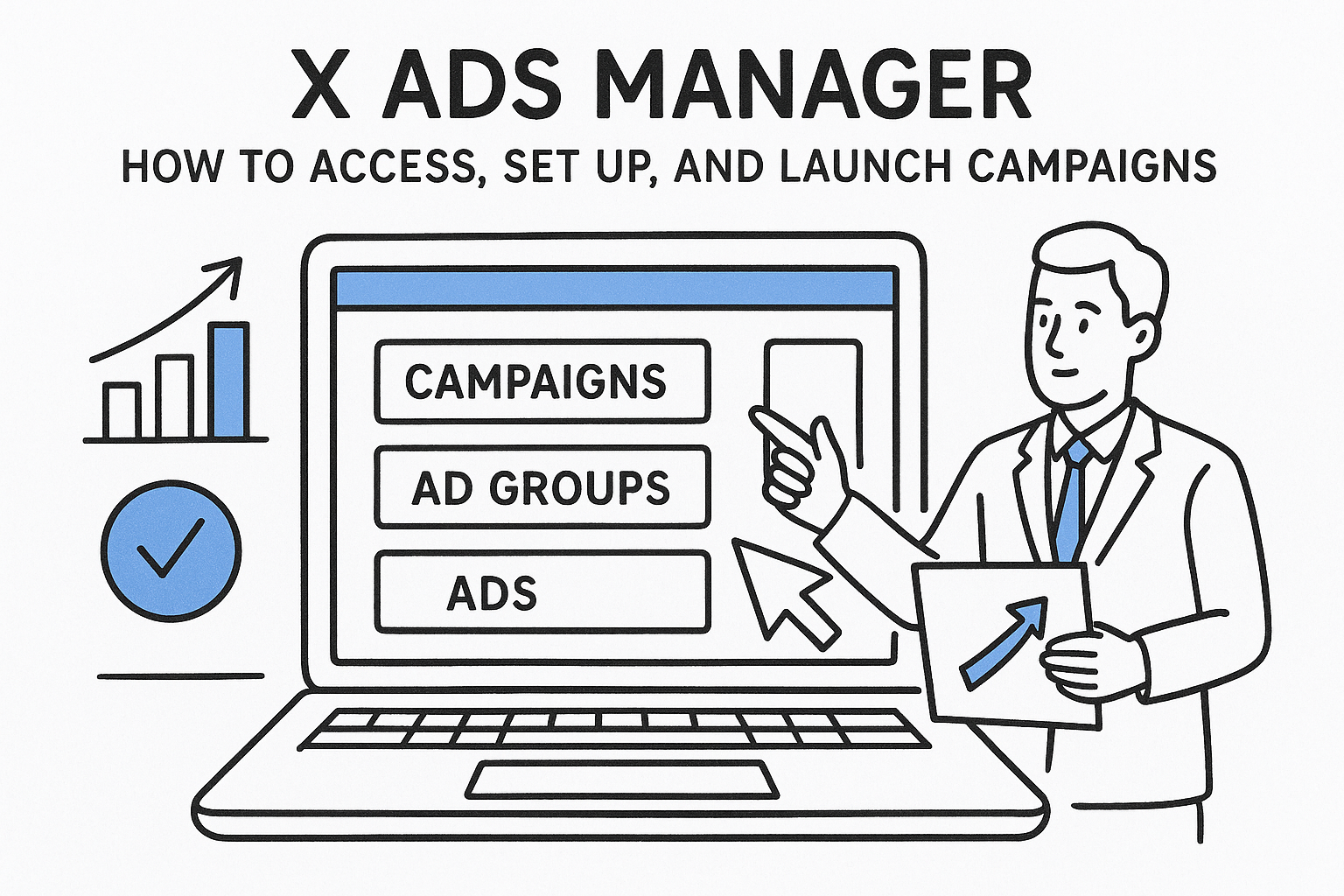
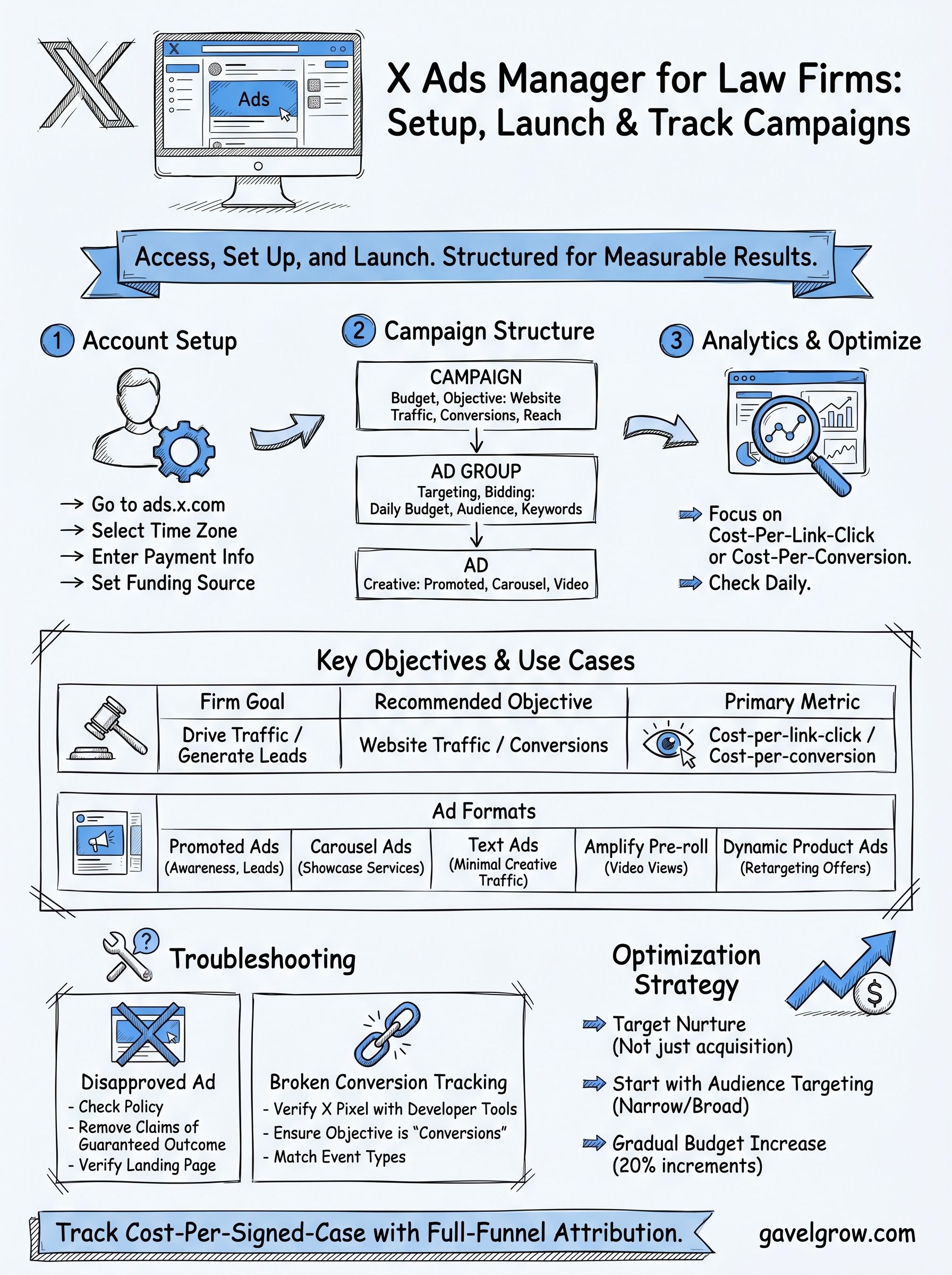
At its core, X Ads Manager functions as a three-layer system: campaigns sit at the top and hold your budget and objective, ad groups sit in the middle and hold your targeting and bidding rules, and individual ads sit at the bottom and hold your creative. Every setting you make at a higher layer flows down to the layers below it, so structuring campaigns cleanly from the start prevents wasted budget and confusing performance data later.
The platform supports multiple ad formats, each suited to a different goal:
Who should actually use X Ads Manager?
The platform fits advertisers who want access to a news-engaged, professional audience that skews toward decision-makers, journalists, and people actively following industry and policy conversations. For law firms, that profile lines up well with practice areas like employment law, business litigation, and immigration, where prospective clients research actively before making contact.
Smaller firms running limited budgets should set realistic expectations. X typically delivers lower search intent than Google Ads, so conversion rates on direct response campaigns tend to run below what you see on branded search. The platform works better as a reach and nurture channel than a pure acquisition channel. If your marketing stack already tracks cost-per-signed-case through a tool like GavelGrow's attribution dashboard, you can drop X into that same measurement framework and compare its performance against Google and Meta on the same terms, rather than treating it as a separate reporting silo.
How do you access and set up your ads account?
Getting into X Ads Manager takes less than five minutes if you already have an X account. Navigate to ads.x.com and sign in with your existing credentials. If you have never run ads before, X prompts you to activate an ads account on that first visit, which simply attaches a billing profile to your existing login.
How do you activate and fund your account?
Once you land on the ads dashboard, X walks you through a short setup flow before you can launch anything. Follow these steps in order:
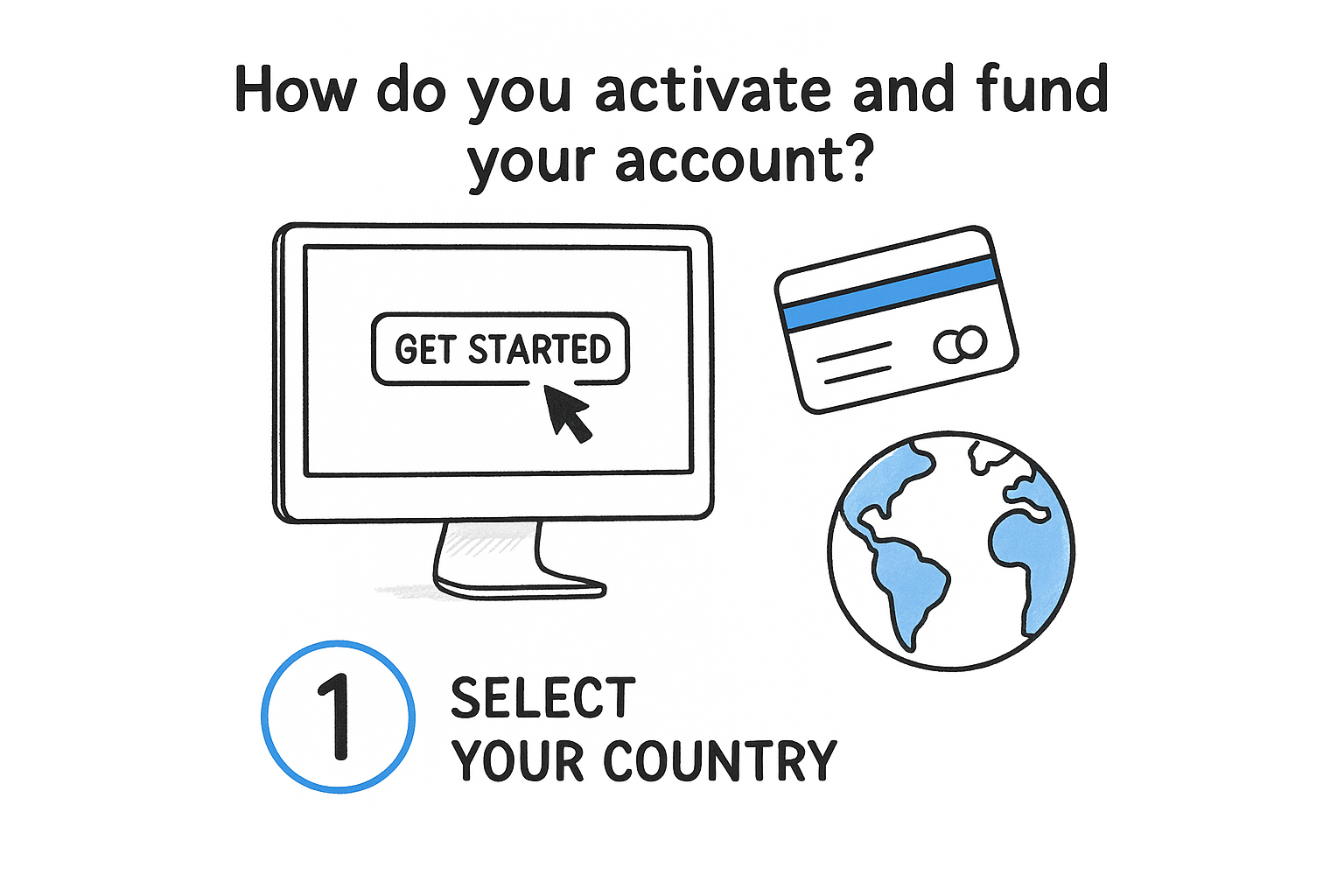
- Go to ads.x.com and click "Get started" or sign in with your existing account.
- Select your country and time zone. These settings are permanent, so choose the time zone where your firm operates.
- Enter payment information under the "Payment methods" tab in account settings. X accepts major credit cards and supports automatic billing thresholds.
- Set a funding source by adding a credit card or prepaid balance before your first campaign goes live.
X processes ad spend on a postpay basis by default, meaning charges accumulate until you hit a billing threshold, at which point your card is charged automatically.
What account settings should you configure before launching?
Before you build any campaign, lock in two additional settings. First, confirm your account name and handle accurately represent your firm, since this appears on every ad you run. Second, verify your notification preferences under settings so you receive alerts about disapproved ads or billing failures promptly. Missing a disapproval notice can stall campaigns for days, which directly impacts your ability to evaluate X against other paid channels on a cost-per-signed-case basis.
Step 1. Build your first campaign in Ads Manager
From the X Ads Manager dashboard, click the blue "Create campaign" button in the top right corner. X immediately asks you to choose a campaign objective, which determines which optimization options, bidding strategies, and ad formats become available to you in the steps that follow.
How do you choose your campaign objective?
Your objective selection locks in how X charges you and what actions it optimizes toward, so this choice has real budget implications. For law firms focused on generating intake form submissions or phone calls, "Website Traffic" or "Conversions" are the two most relevant objectives. "Conversions" requires you to install the X Pixel on your site first, but it delivers better cost-per-action performance once the pixel accumulates enough data.
Selecting the wrong objective early is the single most common reason campaigns underperform on X. You cannot change the objective after a campaign goes live.
The table below maps common firm goals to the right objective:
How do you configure your ad group and targeting?
After setting your objective, X moves you to the ad group level, where you define your audience, placement, and bid strategy. Set a daily budget rather than a total campaign budget to maintain tighter daily spend control. For geographic targeting, enter your target metro area or state under "Locations" and layer in relevant keyword or interest targeting to reach users engaging with legal, financial, or industry-specific content.
Step 2. Track results and optimize your spend
After your campaign goes live, X Ads Manager populates performance data within a few hours. Your primary dashboard shows impressions, clicks, spend, and conversions at both the campaign and ad group level. Check it daily for the first week, since early data reveals targeting problems before they drain meaningful budget.
How do you read the analytics dashboard?
The Analytics tab in X Ads Manager breaks your results into three core metric categories: delivery metrics (impressions, reach, frequency), engagement metrics (clicks, video views, link clicks), and conversion metrics (website conversions, cost-per-conversion). Focus on cost-per-link-click and cost-per-conversion as your primary signals, not impressions. High impressions with low link clicks usually indicate a targeting mismatch or weak creative.
If you run conversion campaigns without the X Pixel installed and verified, your cost-per-conversion data will be blank, which makes optimization impossible.
The table below shows which metric to check first based on your campaign objective:
What should you adjust first when performance is weak?
Start with audience targeting before touching creative or budget. Narrow or broad targeting causes more wasted spend than almost any other variable. If your click-through rate sits below 0.5%, swap in a different creative variant before adjusting bids. X's recommendation is to run at least two ad variations per ad group so the platform can optimize delivery toward the better performer automatically.
Once you stabilize performance, raise your daily budget gradually in 20% increments rather than doubling it overnight. Sudden budget spikes reset X's delivery algorithm and can temporarily inflate your cost-per-click while the system re-learns your audience.
How do you troubleshoot common X Ads issues?
Most problems in X Ads Manager fall into three categories: disapproved creatives, broken conversion tracking, and stalled delivery. Catching these early prevents them from quietly draining your budget while producing no measurable results.
Why did your ad get disapproved?
X reviews every ad before it goes live, and disapprovals block delivery immediately without pausing your campaign budget clock in all cases. When an ad gets rejected, X sends a notification to your registered email and flags the ad with a status label inside the dashboard. Open the disapproved ad, read the policy reason listed, and make the required edit directly in the creative panel.
X's ad policies prohibit claims that imply guaranteed legal outcomes, so law firm ads should use factual, qualification-based language to pass review consistently.
The table below covers the most common disapproval reasons and how to fix each one:
What should you do when conversions stop recording?
If your cost-per-conversion data goes blank or flatlines, start by verifying your X Pixel fires correctly on your confirmation or thank-you page. Open your browser's developer tools, navigate to the Network tab, and reload your thank-you page while filtering requests for "analytics.twitter.com" to confirm the pixel fires on that specific URL.
After confirming the pixel fires correctly, check that your campaign objective is still set to Conversions and that the conversion event tied to your pixel matches the event type selected in your ad group settings. A mismatch between pixel event type and ad group configuration is the second most common cause of blank conversion data in X Ads Manager.
Your next moves
You now have everything you need to access X Ads Manager, build your first campaign, and troubleshoot the issues that kill most early attempts. The platform rewards clean structure: set the right objective, target a focused audience, and measure cost-per-conversion rather than impressions. Treat X as a reach and nurture channel rather than a direct acquisition replacement for Google Ads, and your budget will go further.
For law firms, the bigger risk is running X campaigns in isolation while lacking visibility into which channel actually closes cases. If your intake and attribution tracking stops at the click level, you're guessing about ROI across every platform you pay for. GavelGrow's platform connects ad spend to signed retainers, so you can evaluate X alongside Google and Meta on the same cost-per-signed-case basis. See how the full-funnel attribution works on the GavelGrow platform before your next campaign goes live.
Frequently Asked Questions
What is X Ads Manager and who is it for?
X Ads Manager is the self-serve advertising platform at ads.x.com where you build, manage, and measure paid campaigns across X (formerly Twitter). It fits advertisers wanting a news-engaged, professional audience, which lines up well with practice areas like employment law, business litigation, and immigration where prospects research actively before making contact.
How do I set up and fund an X ads account?
Go to ads.x.com and sign in with your existing X account, then activate an ads account, which attaches a billing profile to your login. Select your country and time zone (these are permanent), add a payment method, and set a funding source before launching. X processes spend on a postpay basis by default, charging your card automatically once you hit a billing threshold.
Should law firms use X Ads as a primary acquisition channel?
X typically delivers lower search intent than Google Ads, so direct-response conversion rates tend to run below branded search. It generally works better as a reach and nurture channel than a pure acquisition replacement. Setting realistic expectations and measuring cost-per-conversion rather than impressions keeps the budget productive.
Why do X ads for law firms get disapproved?
X reviews every ad before it goes live, and its policies prohibit claims that imply guaranteed legal outcomes. Law firm ads should use factual, qualification-based language to pass review consistently. When an ad is rejected, X notifies your registered email and flags the ad in the dashboard; open it, read the policy reason, and edit the creative directly.
What should I do first when an X campaign underperforms?
Start with audience targeting before touching creative or budget, since targeting that is too narrow or too broad causes the most wasted spend. If click-through rate is very low, swap in a different creative variant before adjusting bids, and run at least two ad variations per ad group. Once performance stabilizes, raise the daily budget gradually rather than doubling it overnight.
Frequently Asked Questions
What is X Ads Manager and who is it for?
X Ads Manager is the self-serve advertising platform at ads.x.com where you build, manage, and measure paid campaigns across X (formerly Twitter). It fits advertisers wanting a news-engaged, professional audience, which lines up well with practice areas like employment law, business litigation, and immigration where prospects research actively before making contact.
How do I set up and fund an X ads account?
Go to ads.x.com and sign in with your existing X account, then activate an ads account, which attaches a billing profile to your login. Select your country and time zone (these are permanent), add a payment method, and set a funding source before launching. X processes spend on a postpay basis by default, charging your card automatically once you hit a billing threshold.
Should law firms use X Ads as a primary acquisition channel?
X typically delivers lower search intent than Google Ads, so direct-response conversion rates tend to run below branded search. It generally works better as a reach and nurture channel than a pure acquisition replacement. Setting realistic expectations and measuring cost-per-conversion rather than impressions keeps the budget productive.
Why do X ads for law firms get disapproved?
X reviews every ad before it goes live, and its policies prohibit claims that imply guaranteed legal outcomes. Law firm ads should use factual, qualification-based language to pass review consistently. When an ad is rejected, X notifies your registered email and flags the ad in the dashboard; open it, read the policy reason, and edit the creative directly.
What should I do first when an X campaign underperforms?
Start with audience targeting before touching creative or budget, since targeting that is too narrow or too broad causes the most wasted spend. If click-through rate is very low, swap in a different creative variant before adjusting bids, and run at least two ad variations per ad group. Once performance stabilizes, raise the daily budget gradually rather than doubling it overnight.