How to Measure Law Firm Intake ROI
Categories: Legal Marketing Strategies
 Abram Ninoyan
Founder & Senior Performance Marketer
Credentials: Google Partner, Google Ads Search Certified, Google Ads Display Certified, Google Ads Measurement Certified, Google Analytics (IQ) Certified, HubSpot Inbound Certified, HubSpot Social Media Marketing Certified, Conversion Optimization Certified
Expertise: Google Ads, Meta Ads, Conversion Rate Optimization, GA4 & Google Tag Manager, Lead Generation, Marketing Funnel Optimization, PPC Management
LinkedIn Profile
Most firms can tell you how many leads came in last month. Few can tell you what those leads actually cost per signed case, or which channel produced the retainers that paid the bills. That gap is why...
Key Takeaways
- How to Measure Law Firm Intake ROI
- What is law firm intake ROI, and why track it?
- Step 1. Define your intake ROI formula
- Step 2. Build your baseline before you change anything
How to Measure Law Firm Intake ROI
Most firms can tell you how many leads came in last month. Few can tell you what those leads actually cost per signed case, or which channel produced the retainers that paid the bills. That gap is why how to measure law firm intake roi trips up even experienced managing partners: cost per lead feels like progress, but it hides whether a click ever turned into a client.
The fix is a simple shift in what you track. Instead of counting form fills and calls, you follow each lead through intake conversion rates all the way to a signed retainer, then divide your marketing spend by that number. This gives you a real cost per signed case, the figure that tells you whether Google Ads, Local Services Ads, or a referral source is actually worth the money.
This guide walks through the formula, the data points you need from call tracking and case management, and how to build a full-funnel attribution view instead of guessing. You'll also see how a connected intake system like the one built into GavelGrow's platform removes the manual spreadsheet work most firms are still doing by hand.
What is law firm intake ROI, and why track it?
Intake ROI is the ratio between what you spend to generate leads and what you get back in signed cases, measured all the way through to retainer value, not just at the lead or call stage. It answers a narrower, harder question than "how many leads did we get": it asks how many of those leads actually became paying clients, and what each one cost you to land. Most firms already track lead volume and maybe cost per lead, and miss the intake metrics that show where leads actually drop off. Almost none track what it costs to acquire a signed case by source, which is the number that actually tells you where to put next month's budget.
Why cost per lead hides the real story
Consider two campaigns that both generate 100 leads a month at $50 per lead. On paper they look identical. But if one campaign's leads convert to signed cases at 8% and the other's convert at 20%, the real cost per signed case is $625 versus $250. That's a 2.5x difference hiding behind an identical cost-per-lead number. This is the trap that catches even experienced marketing directors: a campaign can look efficient at the top of the funnel and be a money loser once you follow it to the retainer.
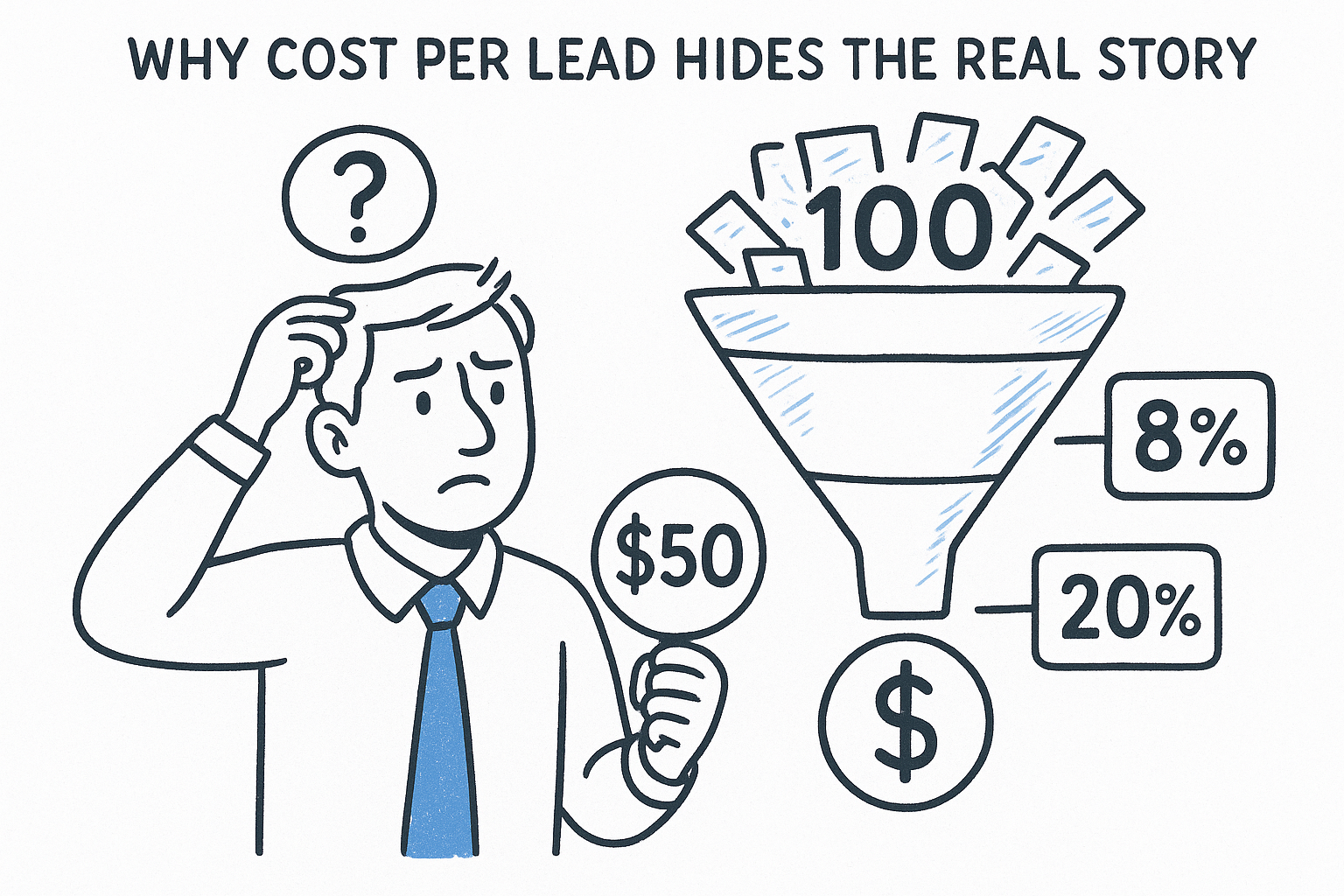
If you can't tie a signed case back to the ad, campaign, or referral source that produced it, you're marketing blind, no matter how good your lead numbers look.
What full-funnel tracking actually requires
Getting to a true intake ROI number means connecting data that usually lives in three or four disconnected places: your ad platforms, your call tracking numbers, your intake forms, and your case management system. Without that connection, someone on your team is manually matching spreadsheets, and that work rarely gets done consistently past the second month. A connected intake system removes that manual step by tying the lead's original source to its outcome automatically, which is exactly the kind of full-funnel attribution GavelGrow's call tracking, intake, and pipeline features are built to handle.
Here's a quick comparison of what shallow tracking shows you versus what full-funnel tracking reveals:
Why this matters more for law firms than most businesses
Legal matters close slowly compared to a typical ecommerce sale, sometimes months after the first call. That lag is exactly why so many firms give up on real attribution: by the time a case signs, nobody remembers which ad it came from. Personal injury and mass tort firms feel this acutely, since a signed retainer might not turn into a resolved case for a year or more, but the marketing spend that produced it happened on day one. Tracking intake ROI closes that gap with source-to-retainer tracking: attaching the source to the lead at the moment of capture, then carrying that link forward through every intake stage until the case signs, so you're never left guessing which campaign paid for itself and which one just generated noise.
Step 1. Define your intake ROI formula
Before you touch a spreadsheet, write down the exact formula you're going to use, and use it every time. Most firms skip this step and end up comparing numbers that were never calculated the same way twice. The formula itself is simple. The discipline of applying it consistently is what most firms actually lack.
Intake ROI = (Total Marketing Spend by Source) / (Signed Cases from that Source)
That gives you cost per signed case by source, which is the number that actually matters. You can flip it into a ratio if leadership prefers to see return instead of cost:
ROI Ratio = (Average Case Value x Signed Cases) / (Total Marketing Spend)
Pick your denominator carefully
The formula only works if "signed cases" means the same thing every month. Decide upfront whether a case counts the moment the retainer is signed, or only once it clears a conflict check and gets assigned to an attorney. Firms that flip between these definitions end up with numbers that look inconsistent from month to month, even when nothing in the marketing actually changed.
Pick one definition of a signed case and use it every month, or your ROI numbers will never be comparable to each other.
Match the formula to your practice area
A cost per signed case target that works for a high-volume practice like family law will look wrong for a mass tort intake, where cases take longer to qualify and case value is far higher. Set the formula the same way across practice areas, but expect the acceptable cost per signed case to vary widely between them. This is where modelled benchmark ranges for your practice area and market size become useful, since they give you a rough sense of whether your number is in a reasonable range before you've built up months of your own history.
If you're running this by hand, you'll need spend data from each ad account, lead source tags from your call tracking numbers and intake forms, and case outcomes from your case management system, then a manual join across all three, or a free calculator that does the cost-per-case math for you. GavelGrow's marketing dashboard calculates this automatically by source, so the formula runs in the background instead of living in a spreadsheet someone has to update by hand.
Step 2. Build your baseline before you change anything
Before you adjust a single campaign, spend one full month pulling your current numbers with no changes made. This baseline is what you'll measure every future decision against, and skipping it is the reason most firms can't tell if a marketing change actually helped or if the month was just slow. Pull the last 90 days if you have the data available, since a single month can be skewed by a holiday, a slow intake week, or one attorney being out of the office.
Gather these five numbers by source before you do anything else:
- Total marketing spend, broken out by channel (Google Ads, Local Services Ads, referrals, organic)
- Total leads generated per channel, including calls that never filled out a form
- Intake conversion rate at each stage, from lead to consultation to signed retainer
- Current cost per signed case by source, using the formula from Step 1
- Average time from first contact to signed retainer, by practice area
Why the baseline matters more than the first improvement
A baseline is the only thing that tells you whether a change actually moved the needle. If you switch ad platforms, adjust your intake script, or add a new call tracking number without a clean starting point, you'll never know if a conversion rate that ticked up 3% is a real trend or normal month-to-month noise. Firms that skip this step tend to chase whatever metric looks best that month, which usually means chasing lead volume instead of signed cases.
Without a baseline, every improvement is a guess dressed up as a data point.
Watch for gaps in your current data
Most firms discover during this exercise that their baseline has holes: calls that never got tagged to a source, leads that came in through a form with no UTM data attached, or a case management system that doesn't record which campaign originated the file. Document every gap you find rather than trying to patch it retroactively. Guessing at historical attribution introduces errors that will follow your numbers for months. If your current setup can't answer where a lead came from and where it ended up, that's the strongest signal that your call tracking and intake tools need to talk to each other before you can trust any ROI number you produce.
Step 3. Track lead sources and cost per lead
Every lead needs a source tag the instant it arrives, whether it comes through a phone call, a web form, or a chat widget on your site. Skip that step and you're stuck reconstructing attribution weeks later from memory, which almost always undercounts phone leads because nobody wrote down which ad drove the call. Source tagging at the point of capture is the single biggest lever for accurate cost per lead math, since you can't divide spend by leads you never attributed correctly in the first place, and it heads off the mistakes that quietly distort cost-per-lead math.
A lead with no source tag is a lead you'll never be able to price correctly, no matter how good your later numbers look.
Give every channel its own tracking number
Assign a dedicated tracking number to each campaign, not just each channel. One number for "Google Ads" tells you almost nothing once you're running five ad groups across three practice areas. Call tracking numbers built for law firms tie each call back to the exact campaign, keyword, or landing page that generated it, so the source data is attached automatically instead of relying on an intake staffer to ask "how did you hear about us" and type the answer in correctly.
At minimum, tag these sources separately:
- Google Ads, broken out by campaign
- Local Services Ads
- Paid social (Facebook, Instagram, LinkedIn)
- Organic search and Google Business Profile
- Referrals, by referring attorney or partner firm
Calculate cost per lead by channel, not blended average
A blended cost per lead across all channels flattens out exactly the differences you need to see, and makes it harder to compare your numbers against what law firms typically pay per lead. Calculate it separately for each source using total spend on that channel divided by leads it generated:
Cost Per Lead (by channel) = Channel Spend / Leads from that Channel
A quick example makes the gap obvious:
That table alone will tempt you to shift budget toward Local Services Ads for lawyers. Resist that instinct until you've run the same leads through Step 4, since cost per lead only tells half the story.
Step 4. Measure conversion at every intake stage
Cost per lead tells you what you paid to get someone's attention. It says nothing about what happened after that person called or filled out a form. Intake conversion rates measure the drop-off at every stage between first contact and signed retainer, and that drop-off is usually where the real money leaks out of a marketing budget. A firm that spends heavily on ads but lets calls go to voicemail is funding a leaky bucket, not a growth engine.
Break the funnel into distinct stages
Don't settle for a single "lead to case" percentage. Split the funnel into at least four checkpoints so you can see exactly where prospects fall away:
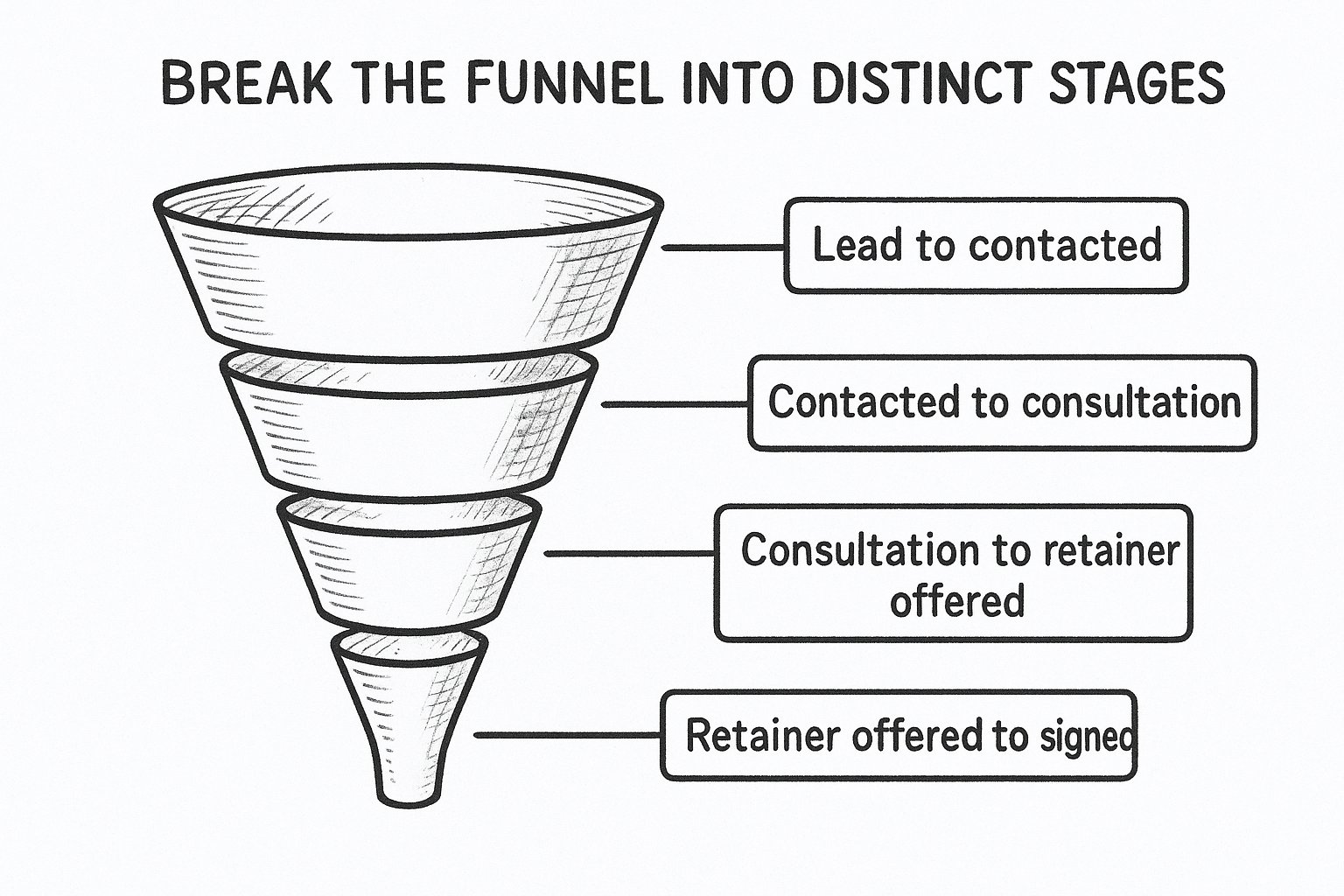
Each stage has its own failure mode. A weak first stage points to slow response or understaffed intake, which is the kind of leak a conversion audit of your intake funnel is designed to find. A weak middle stage often points to poor qualifying questions or an intake script that doesn't match the practice area.
A single conversion rate hides four different problems; break the funnel apart or you'll fix the wrong one.
Match stage data to lead source
Here's where source tagging from Step 3 pays off. Once you can see conversion by stage and by channel, you'll often find that a channel with a high cost per lead actually has a strong consultation-to-signed rate, while a cheap channel loses most of its leads before anyone even talks to an attorney. That pattern only shows up when stage data is tied back to source, which is exactly what GavelGrow's lead pipeline is built to surface, with cost per lead and stage status visible inline on every record instead of buried in a separate report.
Watch for these specific drop-off signals as you review the funnel:
- A big gap between lead and contacted usually means response speed, not lead quality
- A big gap between contacted and consultation usually means the intake script or scheduling process
- A big gap between consultation and signed usually means fee structure, competitor shopping, or attorney follow-up
Each of those points to a different fix, and most trace back to the places a firm's intake breaks down without anyone noticing, none of which show up in a blended cost-per-lead number.
Step 5. Calculate your true cost per signed case
Once you have spend, source, and conversion data flowing together, you can finally answer the question that started this whole exercise: what does a signed case actually cost, by channel? Multiply the drop-off you measured in Step 4 by the cost per lead from Step 3, and you get a number that's usually far higher, and far more honest, than the cost per lead alone ever suggested. This is the figure that should drive your next budget conversation, not raw lead volume.
True Cost Per Signed Case = Total Channel Spend / Signed Cases from that Channel
Cost per lead tells you what you spent to start a conversation. Cost per signed case tells you what you spent to win a client.
Add the costs cost-per-lead misses
Raw ad spend is only part of the real number. A true cost per signed case also accounts for intake staff hours spent chasing unresponsive leads, no-show consultations that never converted, and any referral fees paid to a partner attorney. Firms that only count media spend routinely understate their true cost by a wide margin, which makes a struggling channel look better than it actually is and throws off any comparison against what a signed case typically costs firms like yours. If your firm pays a flat monthly fee for the platform or agency running the campaign, fold that into the channel's total spend too, not just the media budget.
Run the full comparison by channel
Here's how the numbers from earlier steps come together once you add the missing costs back in:
That last column, not the media-only figure, is what should decide where next quarter's budget goes. GavelGrow's marketing dashboard builds this comparison automatically from connected spend, call, and case data, so you're comparing a real number instead of an estimate built on a partial spreadsheet. Once you can see true cost per signed case side by side across channels, the decision to shift budget usually makes itself.
Step 6. Monitor speed-to-lead and follow-up consistency
Speed matters more than most firms want to admit. The Lead Response Management Study found that leads contacted within five minutes are far more likely to be qualified than those first reached thirty minutes later. That's a study about qualifying a lead, not about signed cases, but it still points straight at your intake ROI number: a slow first response shrinks the pool of leads that ever gets a fair shot at converting, no matter how good your ad targeting was.
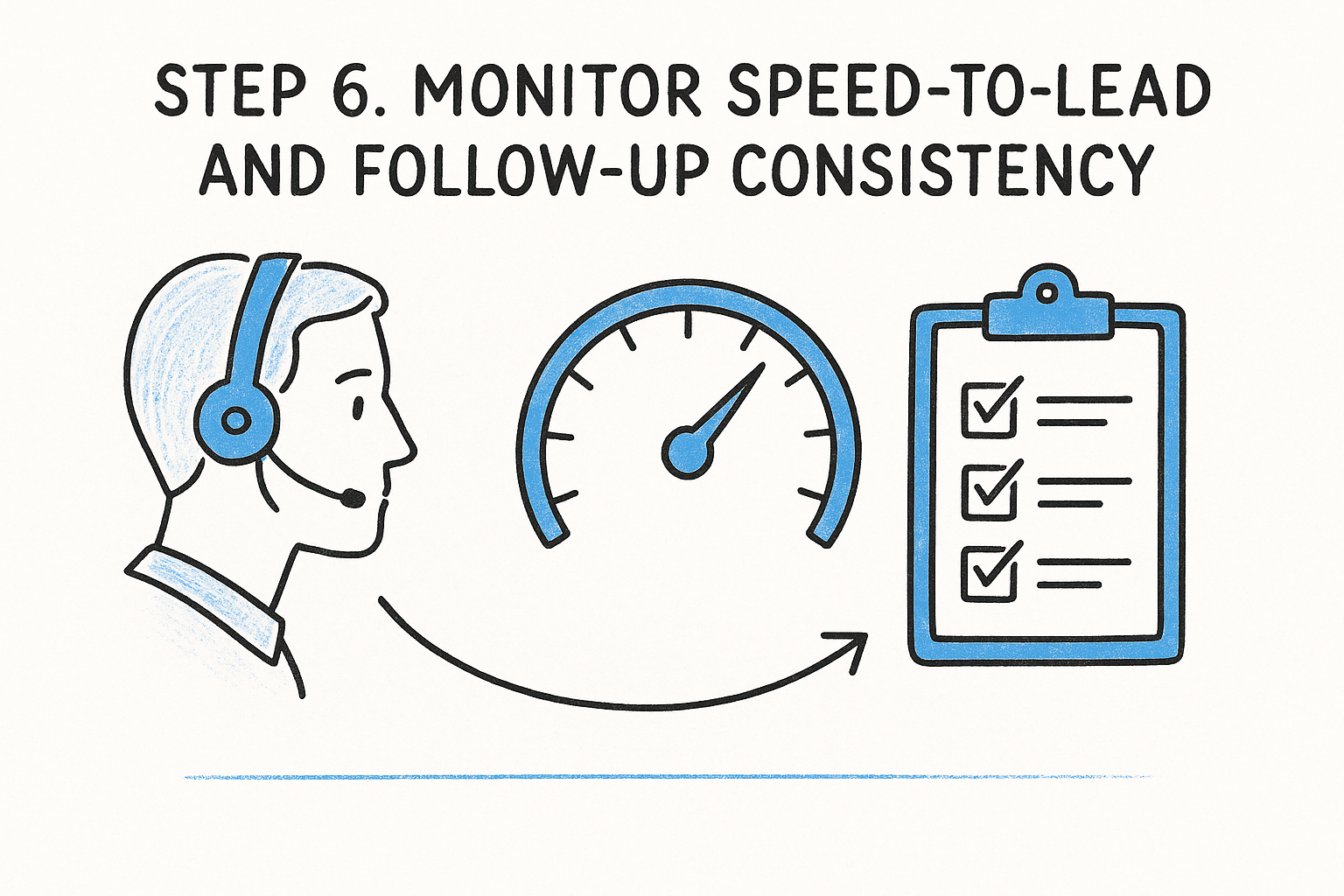
Why response speed changes the entire funnel
Go back to the four stages from Step 4. A slow response doesn't just delay a conversation, it often kills it, because the prospect has already called the next firm on their search results page, and plenty of paid leads never hear back from the firm at all. Speed-to-lead is the cheapest fix available to most firms, since it doesn't require a bigger ad budget, just a faster, more consistent process for the leads you're already paying for, and it is one of the easiest marketing benchmarks for budget and conversion to move.
A five-minute delay can cost you a client before your intake staff even picks up the phone.
Track these follow-up metrics weekly
Most firms only look at this data monthly, if at all. Pull it weekly so a bad week doesn't turn into a bad quarter:
- Average time from lead capture to first contact attempt, by channel
- Percentage of leads contacted within five minutes
- Number of leads with no contact attempt logged after 24 hours
- Missed-call rate and same-day callback rate
- Follow-up sequence completion rate for leads that don't answer the first call
Build consistency into the system, not just the intake team
Spreadsheets can't fire a text message the moment a lead comes in, and a busy intake staffer can't manually track a five-minute window on every single call. Consistency comes from automation, not effort. Automating intake follow-up end to end sends SMS and email sequences within 60 seconds of lead capture and flags missed calls immediately, so speed-to-lead stops depending on whoever happens to be at the front desk that afternoon. Once response time is consistent, your earlier ROI numbers become far more trustworthy, since you're no longer comparing channels where one got a fast follow-up and another sat untouched for a day.
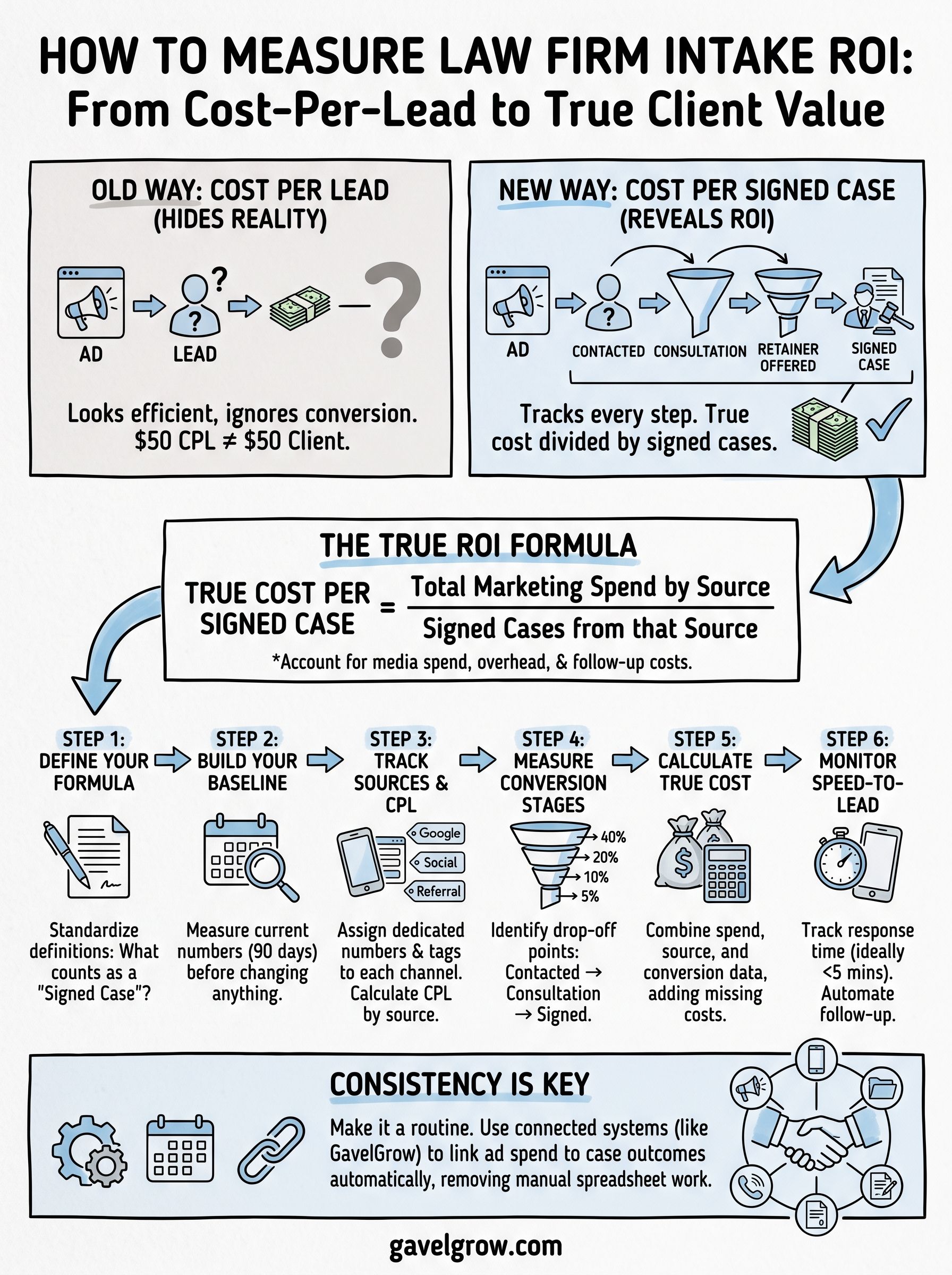
Making intake ROI part of your routine
None of the six steps above work as a one-time project. Intake ROI only earns its keep when you pull the numbers on a set schedule, whether that's weekly for speed-to-lead or monthly for cost per signed case by source. Build a standing 30-minute review into your calendar, and treat any month you skip it as a month you're marketing blind again.
The firms that stick with this longest are the ones who stop rebuilding the spreadsheet from scratch every cycle. If your team is still stitching together ad spend, call tracking numbers, and case outcomes by hand, that manual work is the first thing to fix. See how GavelGrow's platform connects ad spend, calls, and signed cases and turns this from a monthly chore into a number you can trust on demand.