PPC Landing Page Best Practices for Law Firms: 8 Rules
Categories: Legal Marketing Strategies
 Abram Ninoyan
Founder & Senior Performance Marketer
Credentials: Google Partner, Google Ads Search Certified, Google Ads Display Certified, Google Ads Measurement Certified, Google Analytics (IQ) Certified, HubSpot Inbound Certified, HubSpot Social Media Marketing Certified, Conversion Optimization Certified
Expertise: Google Ads, Meta Ads, Conversion Rate Optimization, GA4 & Google Tag Manager, Lead Generation, Marketing Funnel Optimization, PPC Management
LinkedIn Profile
The ppc landing page best practices that matter most to a law firm come down to eight habits. Match the page to the search, give each practice area its own page, and put a call button and a short form...
Key Takeaways
- PPC Landing Page Best Practices for Law Firms: 8 Rules
- 1. Match the page to the search and the ad
- 2. Should every practice area get its own page?
- 3. Put the call button and form above the fold
PPC Landing Page Best Practices for Law Firms: 8 Rules
The ppc landing page best practices that matter most to a law firm come down to eight habits. Match the page to the search, give each practice area its own page, and put a call button and a short form above the fold. Show proof your state bar allows, load fast on a phone, answer every lead within minutes, and judge the page by signed cases. If you run Google Ads yourself, start with message match and the form. If a partner or intake team handles the leads, start with speed to lead and tracking.
Legal clicks are among the most expensive in paid search, so a page that loses half its visitors wastes real money before anyone calls. Most landing page advice is written for e-commerce and software. Your visitor is different. They are hurt, arrested, or facing a divorce, and they decide in seconds whether you look safe to call. Your ads are also bound by bar advertising rules that generic guides ignore.
GavelGrow has marketed only for law firms since 2015, so the eight practices below come from legal intake, not retail checkout. Each one covers how to apply it, why it pays off, and where firms slip. Check your own state bar's advertising rules before you publish any page, because they vary by state.
1. Match the page to the search and the ad
How to apply it
Start with the search term, then write the ad, then write the page headline, so all three use the same words. A person who types "dui lawyer" and clicks an ad about DUI defense should land on a page that opens with DUI defense, not on your homepage. Repeat the practice area and the action in the headline, and use the subheadline for the next detail, such as your service area.
Here is how three searches should carry through to the page:
Google also scores landing page experience as one of the three parts of Quality Score, next to expected click-through rate and ad relevance. A page that fits the ad can help you earn better positions at a lower cost per click.
The ad makes a promise in the headline, and the page has to keep it on the first screen.
Why it pays off
Someone searching after a crash or an arrest is anxious and in a hurry. They scan, and if the first screen does not confirm they are in the right place, they go back to the results and call the next firm. Message match removes that doubt in the first second.
It also cleans up your numbers. When each campaign has its own page, you can see which ad group produced which form and call. Sending every ad to the homepage mixes paid visitors with organic ones, so you cannot tell which ad earned the lead.
Where firms slip
Sending every campaign to the homepage or a generic contact page is the most common miss. Writing a clever ad headline that the page never repeats is the second. Clear beats clever on both.
- Point each ad group at a page built for that search.
- Put the ad's main phrase in the page headline.
- If you cannot spot that phrase on the first screen of a phone, rewrite the headline.
2. Should every practice area get its own page?
How to apply it
Yes. Give each practice area its own page, and split further when two matters behave differently, such as car accidents and truck accidents, or DUI and other criminal defense. Build each page around one offer and one action. Strip the page down to what supports that action.
- Keep: your logo, phone number, headline, form, proof of your team, and links to your privacy policy and disclaimers.
- Remove: the main menu, links to other practice areas, newsletter pop-ups, and social feeds.
For practice-area ideas, GavelGrow's practice-area solutions pages show how the offer and audience change from one matter type to the next.
Why it pays off
A page that mentions DUI, divorce and estate planning gives each visitor three reasons to doubt it fits their problem. A single-purpose page reads like a specialist, and specialists get calls. Visitors with one clear choice also have fewer places to wander off to.
Separate pages also split your results by practice area. Cost per signed case in personal injury and in family law are very different numbers. One blended page hides that, and you end up funding the weaker area with the stronger one.
Where firms slip
Firms err in two opposite ways. Some run one page for everything. Others build twenty pages that each get a trickle of clicks, which leaves every page too thin to learn from.
- Start with the two practice areas where you spend the most.
- Add a new page only when an ad group has enough clicks to judge it.
- Retire pages that no campaign sends traffic to.
3. Put the call button and form above the fold
How to apply it
Put the headline, a tap-to-call button and the first step of the form on the first screen of a phone. Pick one primary action, usually the call or the form, and repeat that same action as the visitor scrolls. Secondary links give people a reason to leave.

- Show the phone number as real text, not an image, so it taps to dial.
- Use a separate tracking number per campaign so each call is credited to the ad that rang the phone. GavelGrow's built-in call tracking works this way.
- State who answers and when, and what happens after hours.
- Make the button label specific, such as "Talk to a DUI Attorney."
If a visitor has to scroll to find out how to reach you, many of them will not.
Why it pays off
In injury, criminal defense and DUI matters, many prospective clients want a person now, not a form to fill in. A visible number serves them, and a visible form serves the people who would rather type at midnight. Offering both above the fold covers each kind of visitor without cluttering the page.
Calls also carry your best leads, and they are the easiest to lose in reporting. A call that you cannot tie to a campaign makes the campaign look worse than it is. Per-campaign numbers fix that.
Where firms slip
The usual culprits are clutter and competing asks. Each one dilutes the single action you are paying for.
- A "download our guide" button beside "call now."
- A chat widget that covers the phone number.
- An autoplay video that pushes the form below the fold.
4. How short should your intake form be?
How to apply it
Short enough that someone on a phone can finish it with a thumb. Ask only for what intake needs to call back: name, phone, email, and one question about the matter. Use a multi-step form with an easy tap first, such as the type of matter, and the contact fields second. People who have answered one question tend to finish the rest.
Place clear consent language beside the submit button and record that consent, and have counsel approve the wording. GavelGrow's hosted intake forms are multi-step and mobile-first, with a TCPA consent audit log, bot protection and duplicate detection, and you can embed them on your own site.
Why it pays off
Every extra field costs you completions, and each form that stalls is a click you paid for. Yet a form with only a phone number invites junk. One qualifying question strikes the balance, because it gives intake something to work with before the first call.
Phones matter here. Contact forms tend to perform worse on mobile than on desktop, so test yours on a real phone before you spend a dollar.
Where firms slip
Firms ask for too much, or for the wrong things. Invite no sensitive detail on a web form, and say plainly that submitting it does not create an attorney-client relationship.
- Do not ask for the full story of the case.
- Do not use tiny dropdowns that are hard to tap.
- Do not skip the "we will never share your information" line.
5. Add trust signals that state bar rules allow
How to apply it
Show who your lawyers are, where you practice, and how long you have done it, using only claims you could defend to your bar. Real people and verifiable facts build more trust than adjectives. Put these elements on the page, below the first screen:

- Attorney names and photos of people who actually work at your firm.
- Bar admission, state, and years in practice.
- Your office address and hours.
- Google reviews you earned honestly, shown where your state allows.
- Any past-result display, with the disclaimers your state requires.
- The attorney advertising notice your state requires.
ABA Model Rule 7.1 bars false or misleading communications about a lawyer's services, and state rules build on it. Avoid superlatives like "best" or "top," and never promise or imply a result.
On a legal page, a claim you cannot prove costs you more than a claim you did not make.
Why it pays off
Hiring a lawyer is a high-stakes choice, and strangers on the internet are hard to trust. Names, faces and credentials answer the question "is this a real firm?" before the visitor asks it. Reviews add outside confirmation, which matters most when the visitor is comparing several firms in tabs.
Compliant proof also protects you. A page that holds up under bar scrutiny will not need rewriting after a complaint.
Where firms slip
Overreach is the common error, along with copy borrowed from another state's firm. Some states restrict or require disclaimers for testimonials and past-result displays.
- Stock photos of people who are not on your team.
- "Guaranteed" or "winning" language.
- Asking only happy clients for reviews. Ask every client, and respond professionally to every public review.
6. Make the page fast and mobile-first
How to apply it
Design the page for a phone first, then check it on a desktop. Keep it light so the headline and button appear quickly on a cellular connection. Run the page through Google's PageSpeed Insights and fix the largest slowdowns first, usually images and third-party scripts.
- Compress images and use one hero image, not a slider.
- Skip autoplay video above the form.
- Use large tap targets and readable type with no pinch-zoom.
- Test on a real phone, not only a resized browser window.
- Remove scripts you do not need, such as extra chat and tracking tags.
Why it pays off
Many of your clicks come from phones, and you can confirm your own device split in Google Ads. A slow page costs you twice: you paid for the click, and the visitor left before reading a word. Speed also feeds the landing page experience part of Quality Score.
The mobile gap is real in legal. Contact forms tend to convert worse on phones, so a page that merely shrinks the desktop layout leaves leads on the table.
Where firms slip
Most firms review the page on a big monitor in the office. Visitors see it on a phone, in a hurry, often outdoors.
- A cookie banner that covers the form.
- A pop-up that fires before the visitor scrolls.
- Fonts and buttons that are too small to tap.
7. How should you handle the lead after the click?
How to apply it
Answer within minutes, because the page's job ends at the submit button and intake's job starts there. The Lead Response Management Study found that leads contacted within five minutes are far more likely to be qualified than those first reached at thirty minutes. That measures the odds of qualifying a lead, not signed cases, but it is reason enough to make speed to lead a rule.
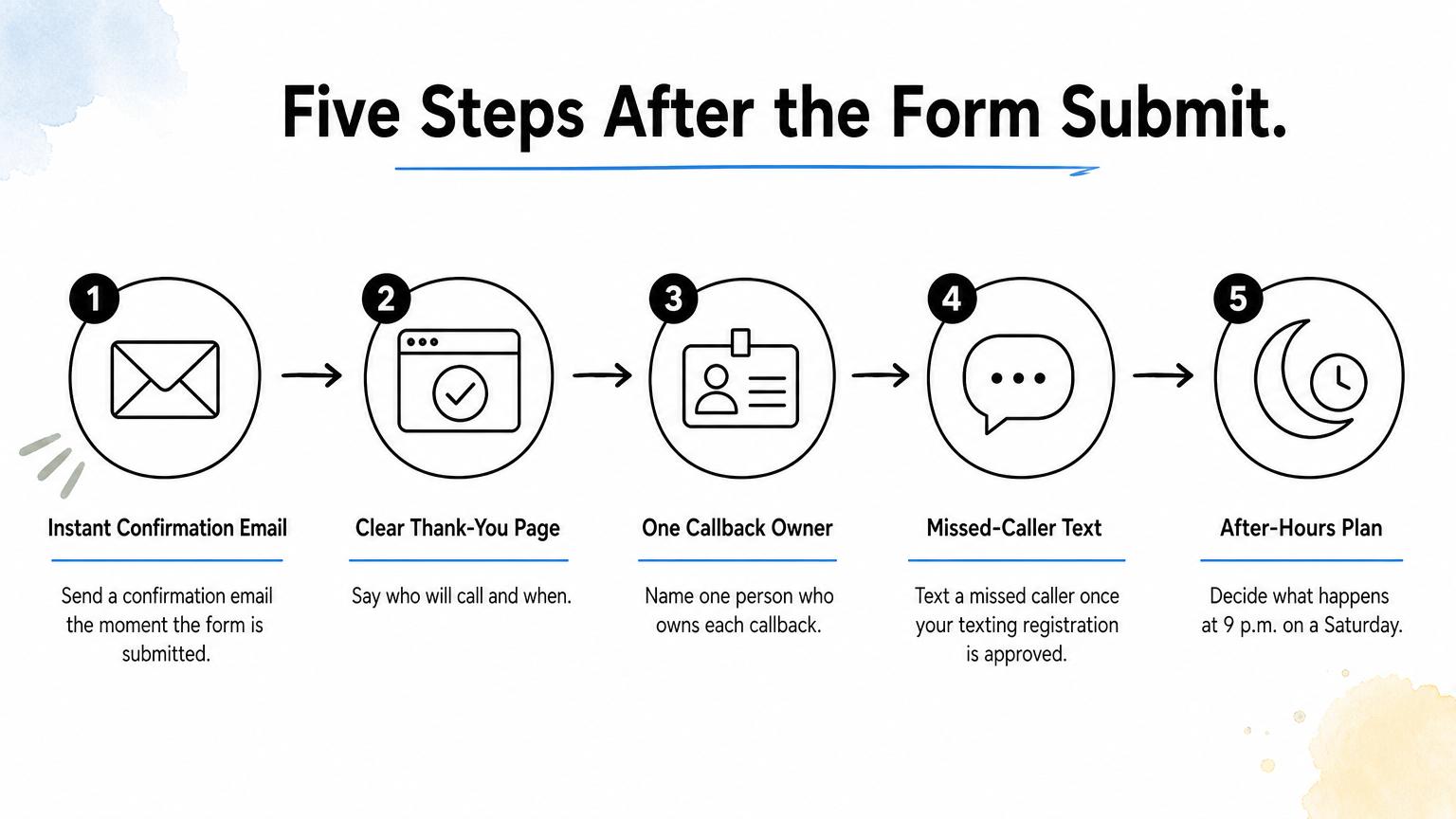
- Send an instant confirmation email on submit.
- Show a thank-you page that says who will call and when.
- Name one person who owns each callback.
- Text a missed caller once your texting registration is approved.
- Decide what happens at 9 p.m. on a Saturday.
GavelGrow's intake automation sends an instant email reply and starts follow-up sequences within minutes. Texting begins once US carriers approve your number, and only for people who submitted a form or called.
Why it pays off
A prospective client who filled in your form has probably filled in two others. The firm that calls first often gets the conversation. A confirmation email also tells the person you are real, which helps when they are unsure whether the form worked.
Your landing page spend is wasted if the follow-up is slow. A great page feeding a slow inbox still loses cases.
Where firms slip
The usual failures are in the handoff, not the page. A thank-you page that says only "Thanks!" gives the visitor nothing to hold on to.
- Leads landing in a shared inbox that no one owns.
- No after-hours plan.
- Texting people who never consented.
8. How do you test and measure the page?
How to apply it
Judge the page by cost per signed case, not cost per lead, and change one element at a time. Cost per signed case is ad spend divided by the retainers signed in the same date range. Track form fills and calls by campaign, mark which leads sign, and compare pages on that number. Your own CPA calculator does the math if you enter spend and signed cases.
Here is an illustration with made-up numbers. Page B looks worse on cost per lead and better where it counts.
On Google Ads, you can send signed cases back as offline conversions so the platform learns which clicks become clients. GavelGrow's Smart Conversions does this on Optimize and Managed. It does not change Local Services Ads bidding, which cannot accept that signal.
A page that brings fewer leads but more signed cases is the winner.
Why it pays off
Lead counts flatter pages that attract tire-kickers. Signed cases show which page attracts clients. Legal matters take weeks or months to close, so allow time. With GavelGrow, most firms read a reliable cost per signed case at 60 to 90 days.
Where firms slip
Volume is the trap. Say a page gets 300 clicks a month and converts at 5%, which is 15 leads. A variant that produces 18 leads looks 20% better, but three leads can be luck.
- Do not end a test early because one version is ahead.
- Do not change the headline, image and form at once.
- Do not crown a winner on cost per lead alone.
Frequently asked questions
What is the role of a landing page in a PPC campaign?
A landing page is the page a visitor reaches after clicking your ad, and its job is to turn that paid click into a call or form. It repeats the ad's promise, answers the visitor's first doubts, and offers one clear action. It also carries Google's landing page experience score, one of three parts of Quality Score, so it affects what you pay per click.
What is a good conversion rate for a law firm landing page?
There is no single figure, because it varies by practice area, keyword intent and traffic quality. A DUI search and an estate planning search behave differently. Compare each page against your own history first, then against modelled benchmark ranges by practice area, such as those in GavelGrow's law firm marketing report. Judge the result by cost per signed case, since a high form rate can hide poor-quality leads.
Do Local Services Ads need a landing page?
Not in the same way. Local Services Ads show your Google profile, and prospects call or message you from there, so you do not control a landing page for those leads. Your site still matters for brand searches and for your Google Ads campaigns. Put your landing page effort into search ads, and use call tracking and intake follow-up to measure the LSA leads you receive.
How long before a landing page change shows results?
You may see changes in clicks and form fills within weeks, but signed cases lag. Most legal matters take weeks or months to sign, so give each change time to produce retainers. With GavelGrow, most firms read a reliable cost per signed case at 60 to 90 days. Do not stack new changes on top of an unfinished test.
Can I use my existing website for landing pages?
Yes. You can embed a GavelGrow intake form on any website with an iframe or a script snippet, and it fires conversion events to your own GA4, Meta Pixel or Google Tag Manager IDs. Track costs $199 a month and Optimize $599 a month, each with a 7-day free trial and no credit card. See the pricing page for details.
Build the page for the visitor, then measure it by what your firm signs.
Where to start with your landing pages
The eight practices work together. A page that matches the search, serves one practice area, shows a number and a short form, and loads fast earns the click. Compliant proof keeps the visitor calm and keeps you inside your bar's rules. Quick follow-up and honest measurement then decide whether the spend turns into cases.
Start with your biggest campaign. Check its headline against the ad, check its first screen on a phone, and see how long a new lead waits for a reply. If you want help rebuilding the page and the intake behind it, GavelGrow's conversion optimization service for law firms covers landing pages, intake forms, call handling and lead-to-signed-case conversion.
Frequently Asked Questions
What is the role of a landing page in a PPC campaign?
A landing page is the page a visitor reaches after clicking your ad, and its job is to turn that paid click into a call or form . It repeats the ad's promise, answers the visitor's first doubts, and offers one clear action. It also carries Google's landing page experience score, one of three parts of Quality Score, so it affects what you pay per click.
What is a good conversion rate for a law firm landing page?
There is no single figure, because it varies by practice area, keyword intent and traffic quality. A DUI search and an estate planning search behave differently. Compare each page against your own history first, then against modelled benchmark ranges by practice area, such as those in GavelGrow's law firm marketing report . Judge the result by cost per signed case, since a high form rate can hide poor-quality leads.
Do Local Services Ads need a landing page?
Not in the same way. Local Services Ads show your Google profile, and prospects call or message you from there, so you do not control a landing page for those leads. Your site still matters for brand searches and for your Google Ads campaigns. Put your landing page effort into search ads, and use call tracking and intake follow-up to measure the LSA leads you receive.
How long before a landing page change shows results?
You may see changes in clicks and form fills within weeks, but signed cases lag. Most legal matters take weeks or months to sign, so give each change time to produce retainers . With GavelGrow, most firms read a reliable cost per signed case at 60 to 90 days. Do not stack new changes on top of an unfinished test.
Can I use my existing website for landing pages?
Yes. You can embed a GavelGrow intake form on any website with an iframe or a script snippet, and it fires conversion events to your own GA4, Meta Pixel or Google Tag Manager IDs . Track costs $199 a month and Optimize $599 a month, each with a 7-day free trial and no credit card. See the pricing page for details. Build the page for the visitor, then measure it by what your firm signs.